

The Value of a Business Operating System
A business operating system is the framework that sets how your business runs day to day. Here is what one includes, why the long annual plan stops working, and how I built mine into the Key2Success planner.
A business operating system (BOS) is the framework that defines how a business runs day to day: its vision, values, goals, processes, structure, measures, communication, improvement and accountability. The Key2Success planner puts those on a one-page Builder with quarterly reviews, boulder and strength pages behind it. It is included in the Business edition at $99.99, and the Executive edition at $149.99 adds the team pages. It runs in GoodNotes and other PDF apps, OneNote, reMarkable and Samsung Notes.
What a business operating system includes
Think of it as the backbone of the company. It gives your organization structure, consistency and efficiency, and it is built from ten parts. Here is each one, and where it lives in the Key2Success planner.
The purpose and direction of the company, written down.
In Key2SuccessBuilder: Vision and 10-Year TargetThe principles that guide decisions and behavior.
In Key2SuccessBuilder: Key ValuesSpecific, measurable targets tied to the vision.
In Key2SuccessBuilder: three-year GoalsStandard workflows for sales, marketing, finance and people.
In Key2SuccessBuilder: Routine and Reaction/Adaptation ProcessRoles, responsibilities and reporting lines.
In Key2SuccessExecutive: Organization ChartThe numbers you use to track progress toward goals.
In Key2SuccessBuilder: Key VitalsHow people and teams stay in sync.
In Key2SuccessExecutive: Communication PlanFinding inefficiencies and fixing them over time.
In Key2SuccessAnnual Progress: quarterly reviewsGiving people the skills and resources to do the job.
In Key2SuccessCoaching and training resourcesRecognizing results and holding people to them.
In Key2SuccessBuilder: Accountable ActionsWriting it all down is what makes it work. We have talked on the blog about the power of writing things down, and that extends to building a business operating system. If you are collaborating with a team, we recommend OneNote.
4 things every business operating system needs
Clear vision and mission
A BOS should line up with where the company is going and why.
How Key2Success covers it. Builder: Vision, 10-Year Target and Absolutes put the long view on one page.
Goal setting and accountability
Clear, measurable goals, with someone responsible for each.
How Key2Success covers it. Builder goals and Accountable Actions, checked quarterly on the Annual Progress page.
Structured processes and procedures
Consistent routines that make the work repeatable.
How Key2Success covers it. Routine, the Boulder Breakdown action plan (who and when) and the Reaction/Adaptation Process.
Continuous improvement
A habit of reflecting, adjusting and getting better.
How Key2Success covers it. Quarterly reviews on Annual Progress and the Strength Maximizer for what to lean on.
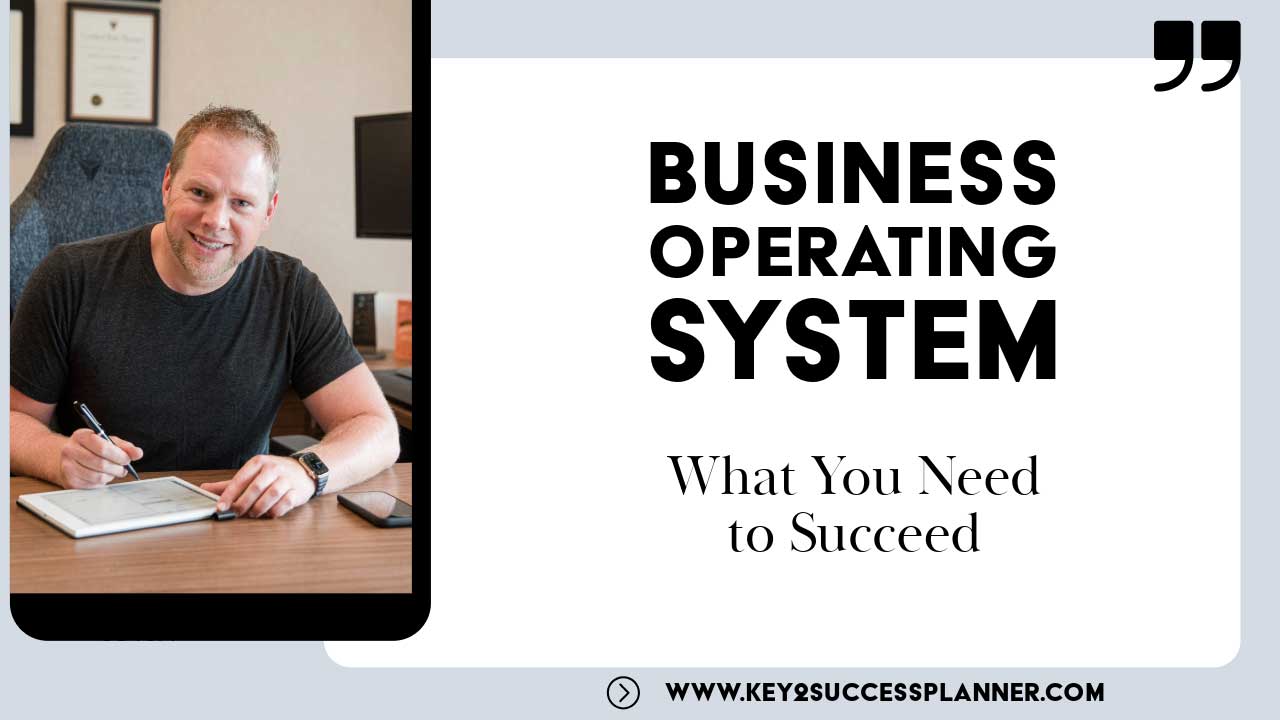
The Business Operating System, explained
Branden Bodendorfer walks through the Key2Success planner as a business operating system, so you can see how the pages fit together.
- One page that holds your direction
- Boulders, strengths and quarterly reviews that keep it moving
- Where the Executive team pages fit in
Why I built it
I'm Branden Bodendorfer, and I built Key2Success because I was juggling several businesses at once, each with its own challenges and goals. I knew I needed a solid plan to steer growth.
What I found was that the long annual business plan went stale almost as soon as I finished writing it. Things changed too fast for it to keep up.
So I built something shorter and more useful: a one-page business plan that works like a compass, and a structure for the daily actions behind it. That is the Key2Success Builder, and it is the core of the business operating system in this planner.
It is not just about setting goals. It is about creating a structured roadmap for the daily actions that lead to success.
How the planner walks you through it
- 1Start with a vision
Look past this year. What do you want to build over the next few years? That vision is the North Star the rest of the page points at.
- 2Name the challenges and the resources
Write down what is in your way, and what talent and resources you already have to get past it.
- 3Set the accountability
Define how you will measure success and who is accountable, so progress gets checked and corrected early.
- 4Plan for the future
Set clear goals, spell out your absolutes and look at the risks before they find you.
- 5Adapt as things change
Review and adjust regularly. The plan is meant to move with the business, not sit in a binder.
The planner pages that run it
A business operating system is the short list of things that keep an organization pointed the same way: where you are going, what is in the way, what you measure, and how often you check. Key2Success puts those on pages you use every week, so the plan stays in front of you and does not end up in a binder on a shelf.
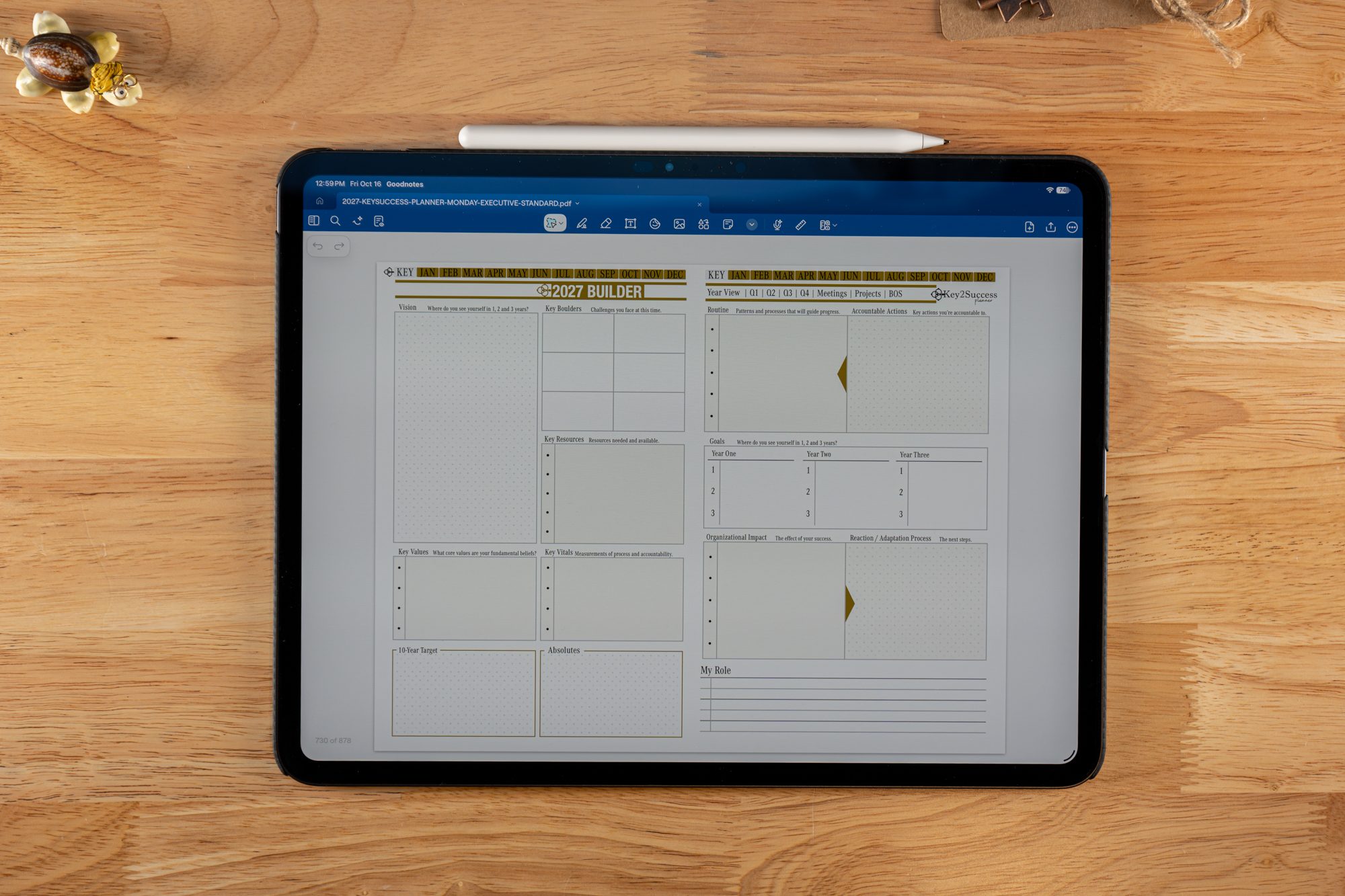
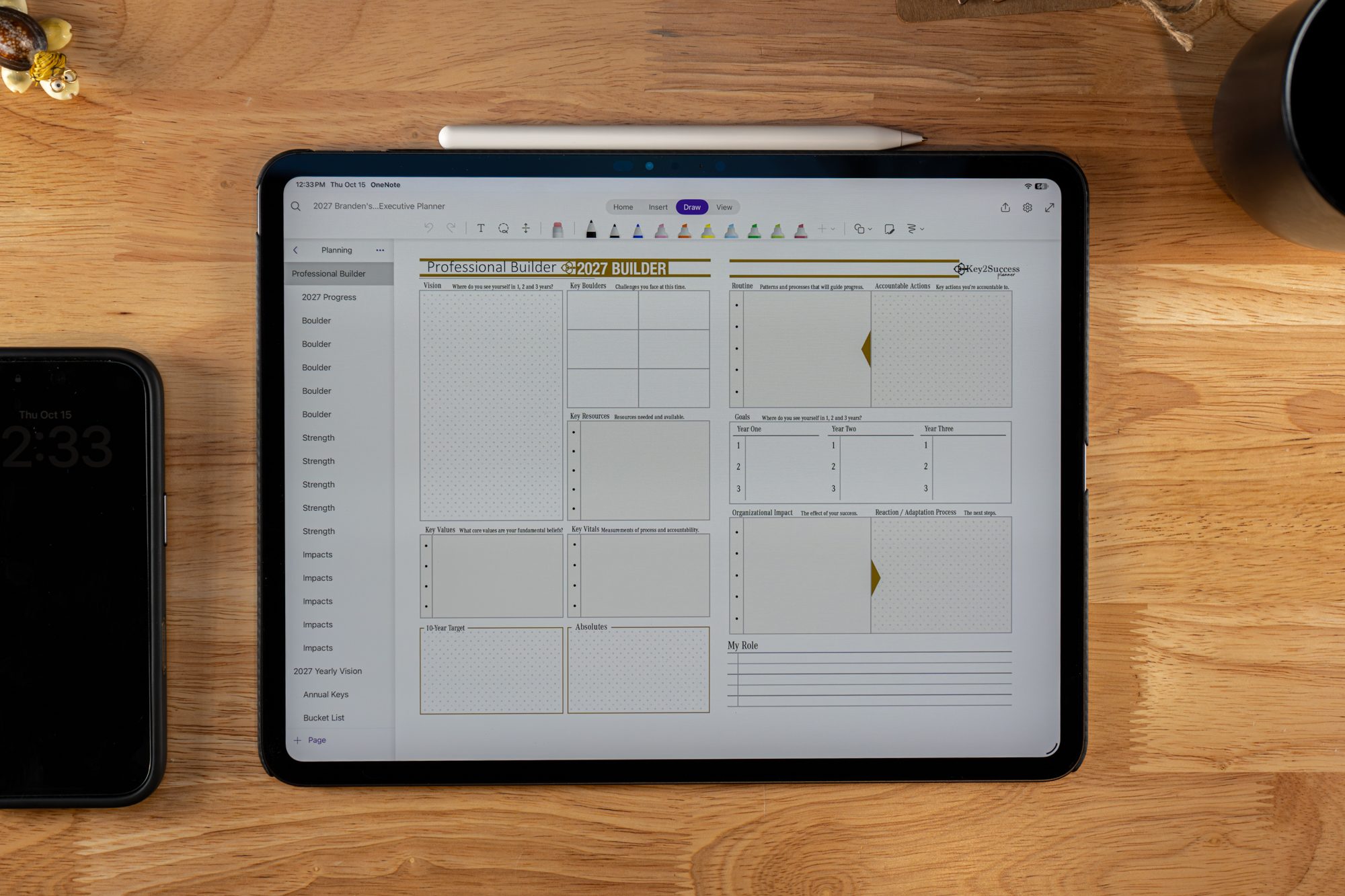
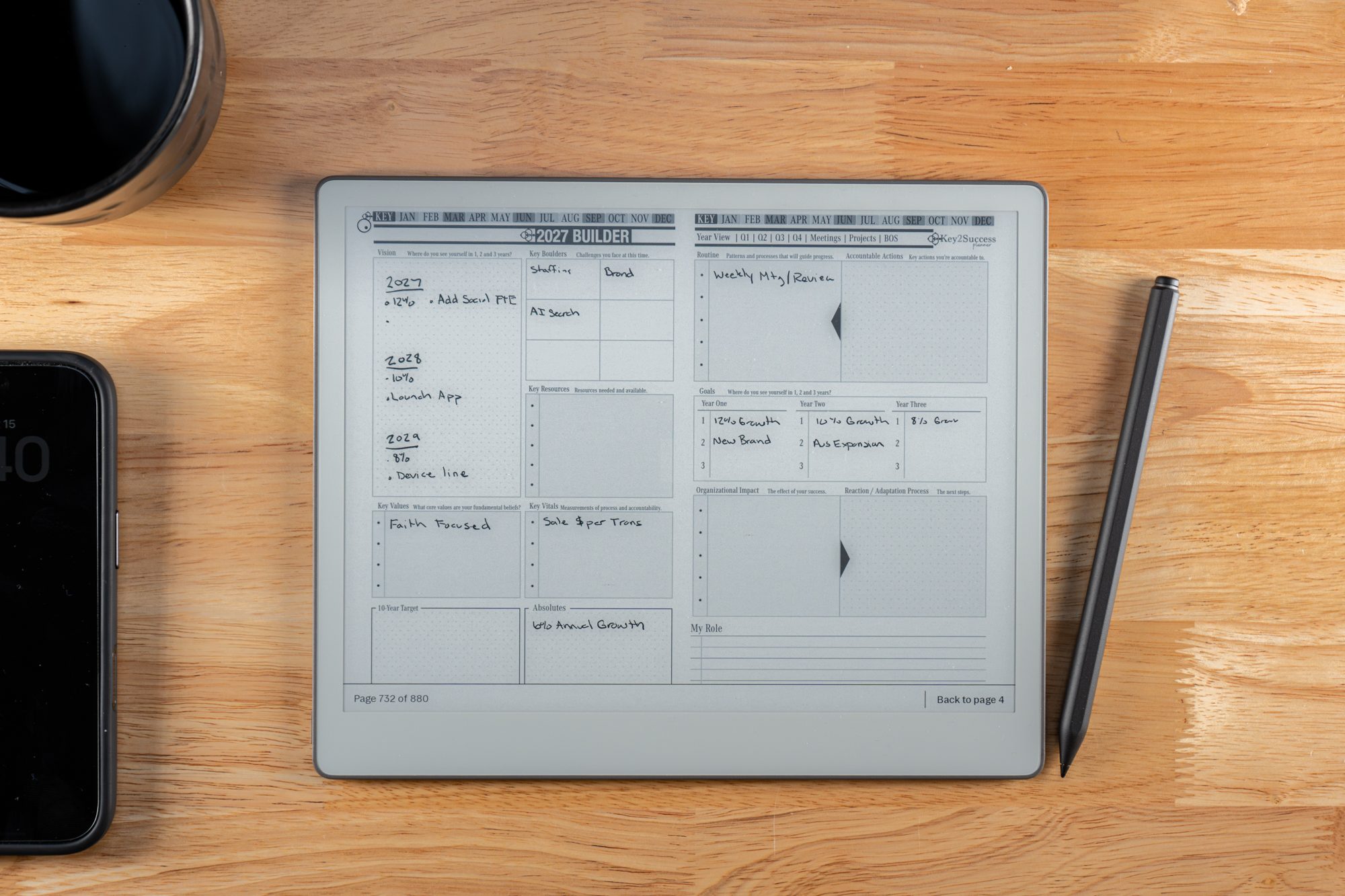
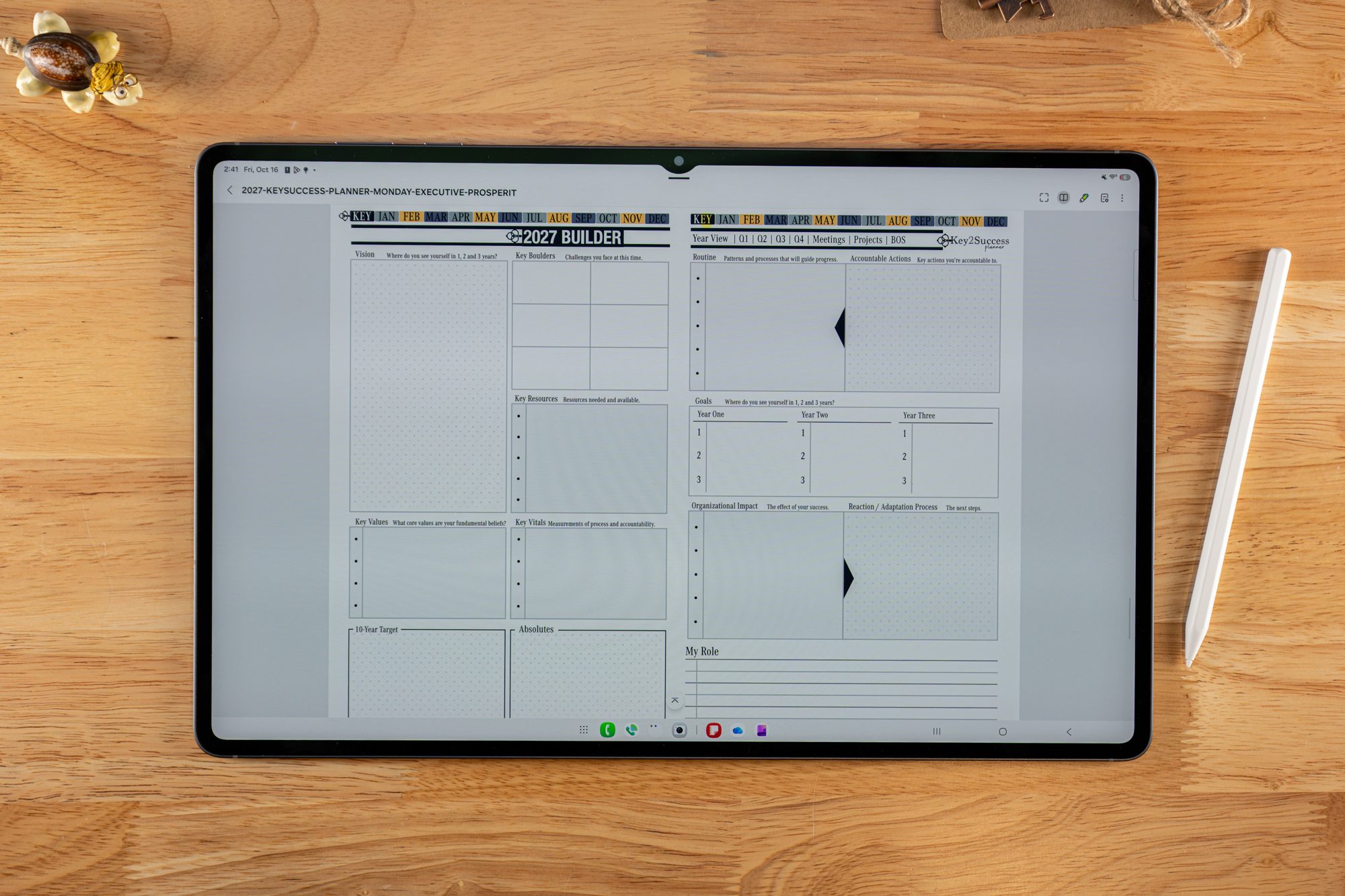
The 2027 Builder
Vision, a 10-year target and your absolutes sit beside Key Boulders, Key Resources, Key Values and Key Vitals. The second page turns that into routine, accountable actions, three-year goals and the organizational impact of getting there.
Shown in GoodNotes on iPad. Tap to enlarge.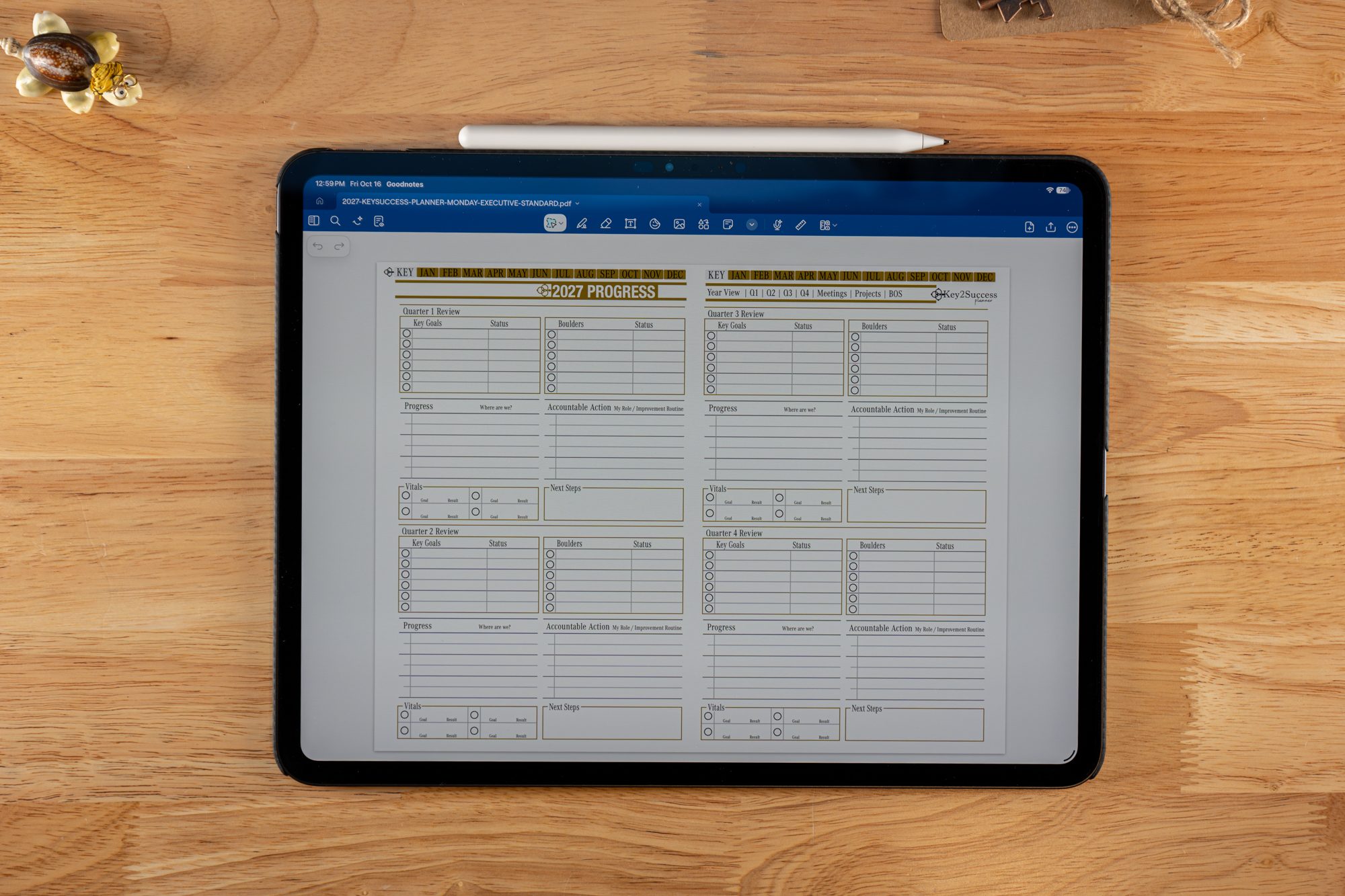
Annual Progress
Four quarterly reviews on one spread. Each quarter tracks key goals, boulders and vitals with a status, then asks where you are, what you are accountable for and what the next steps are.
Shown in GoodNotes on iPad. Tap to enlarge.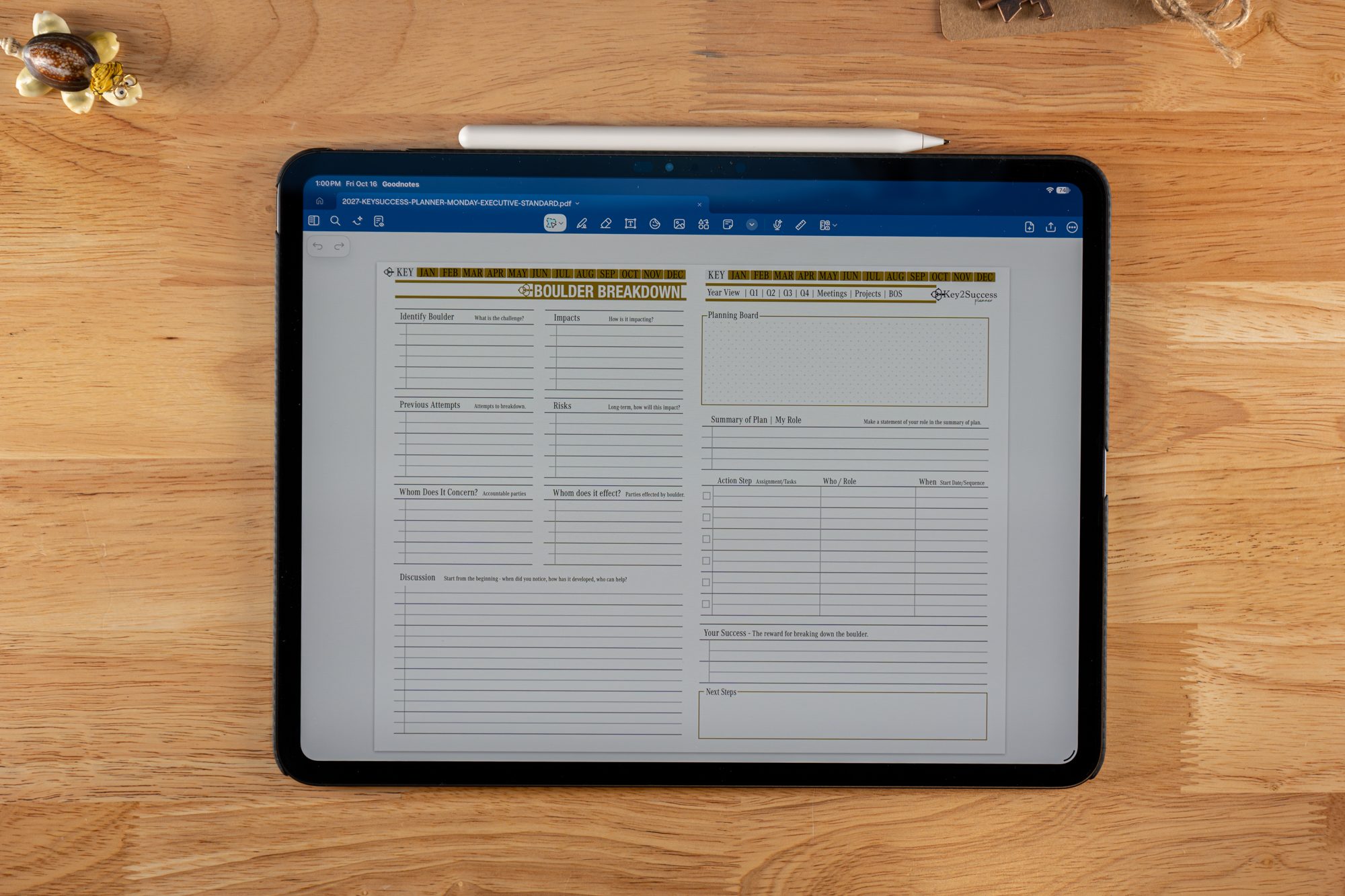
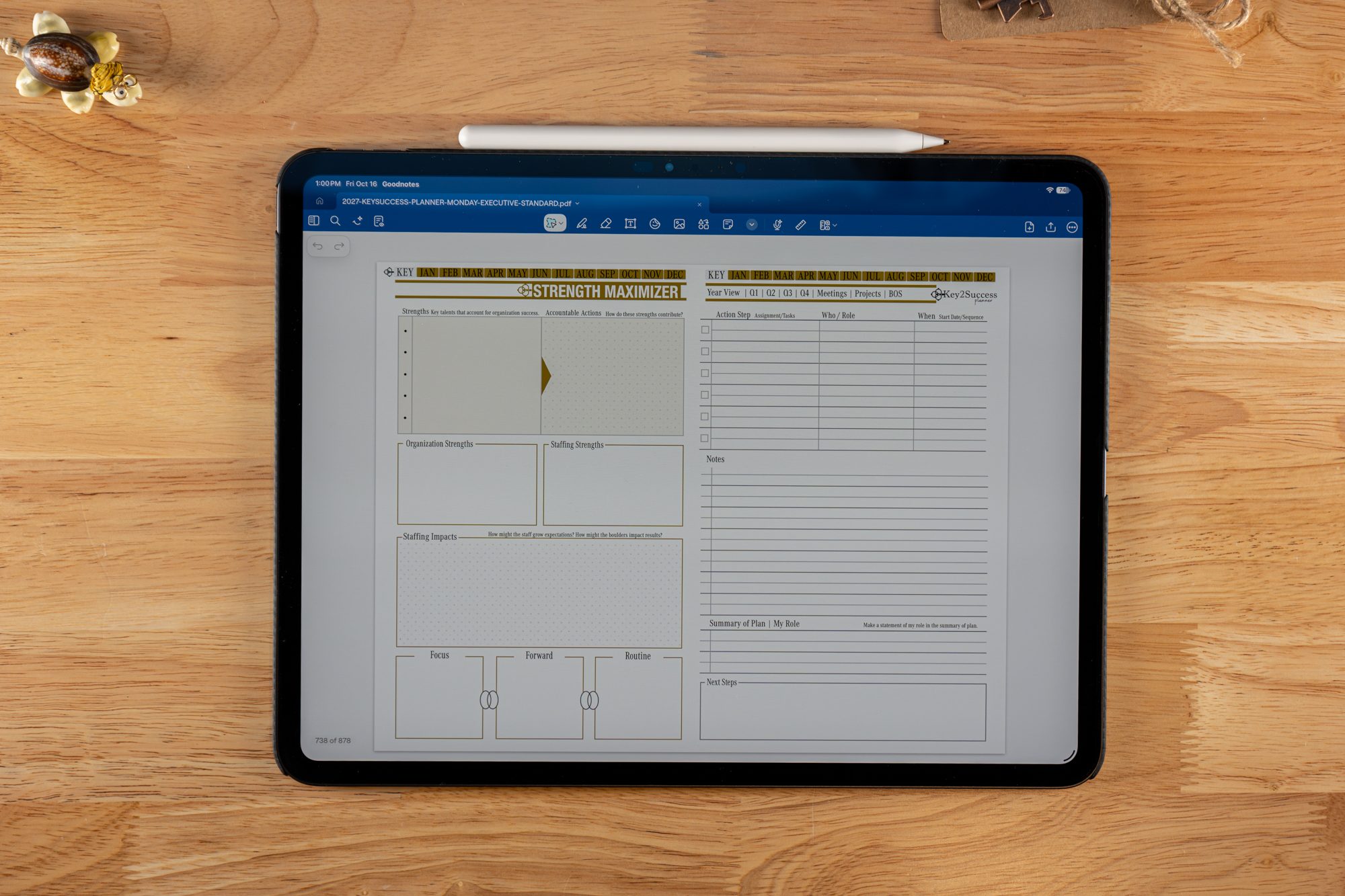
Boulders, Strengths and Impact
The Boulder Breakdown names the challenge, who it concerns, its impacts and risks, then builds an action plan with who and when. The Strength Maximizer does the same for what is working: organization strengths, staffing strengths and how they contribute.
Shown in GoodNotes on iPad. Tap either page to enlarge.From your plan to your team's plans
Business gives you the operating system. Executive helps you run it through people. Map the organization, then give each person a page to set their own goals, so what they do every day feeds the goals of the whole organization.
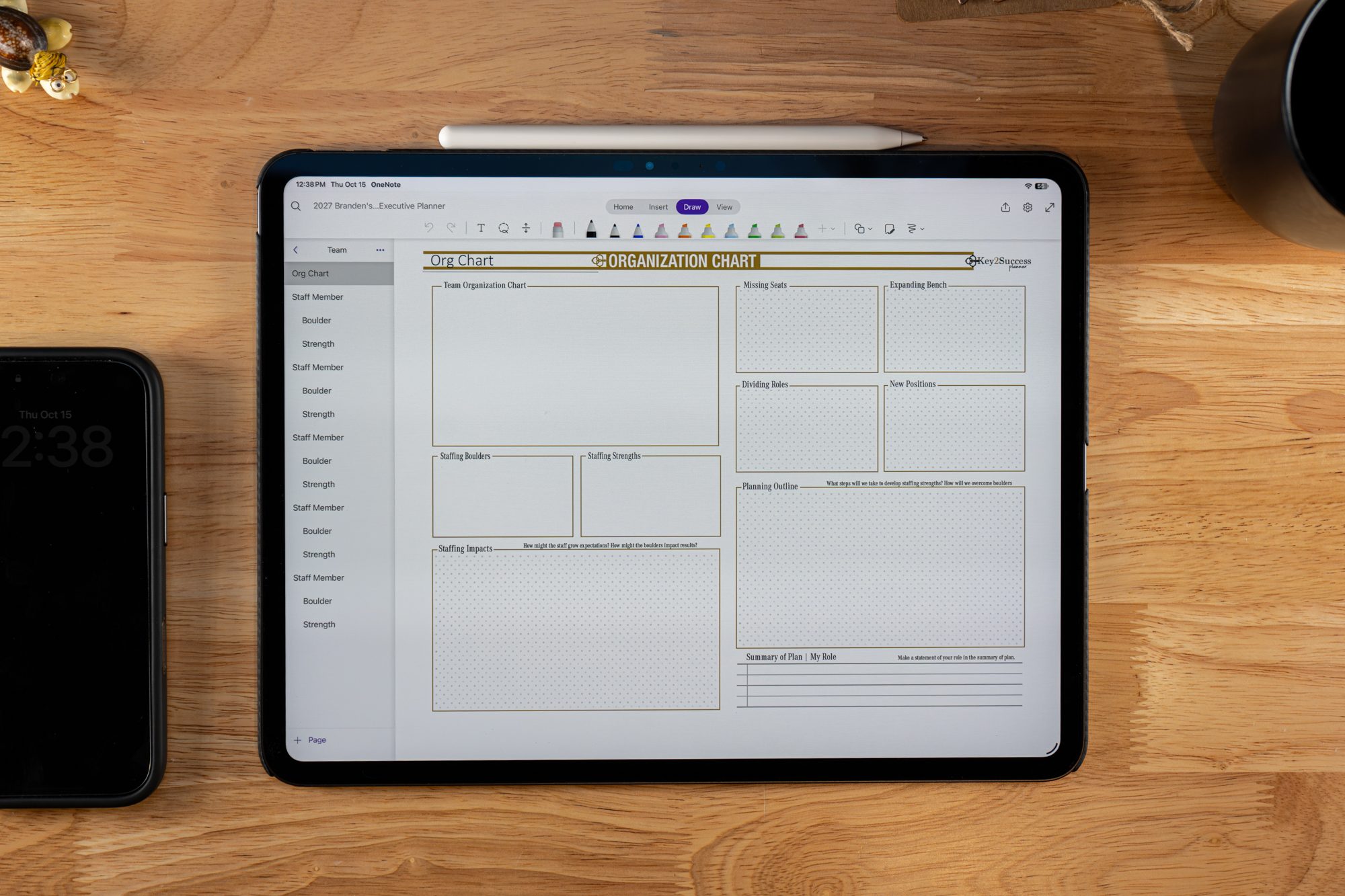
See the whole team on one page
Chart the team, then work through staffing boulders, staffing strengths, missing seats, dividing roles, an expanding bench and new positions, with a planning outline and the staffing impacts. In OneNote each team member also gets Staff Member, Boulder and Strength pages.
Shown in OneNote on iPad. Tap to enlarge.
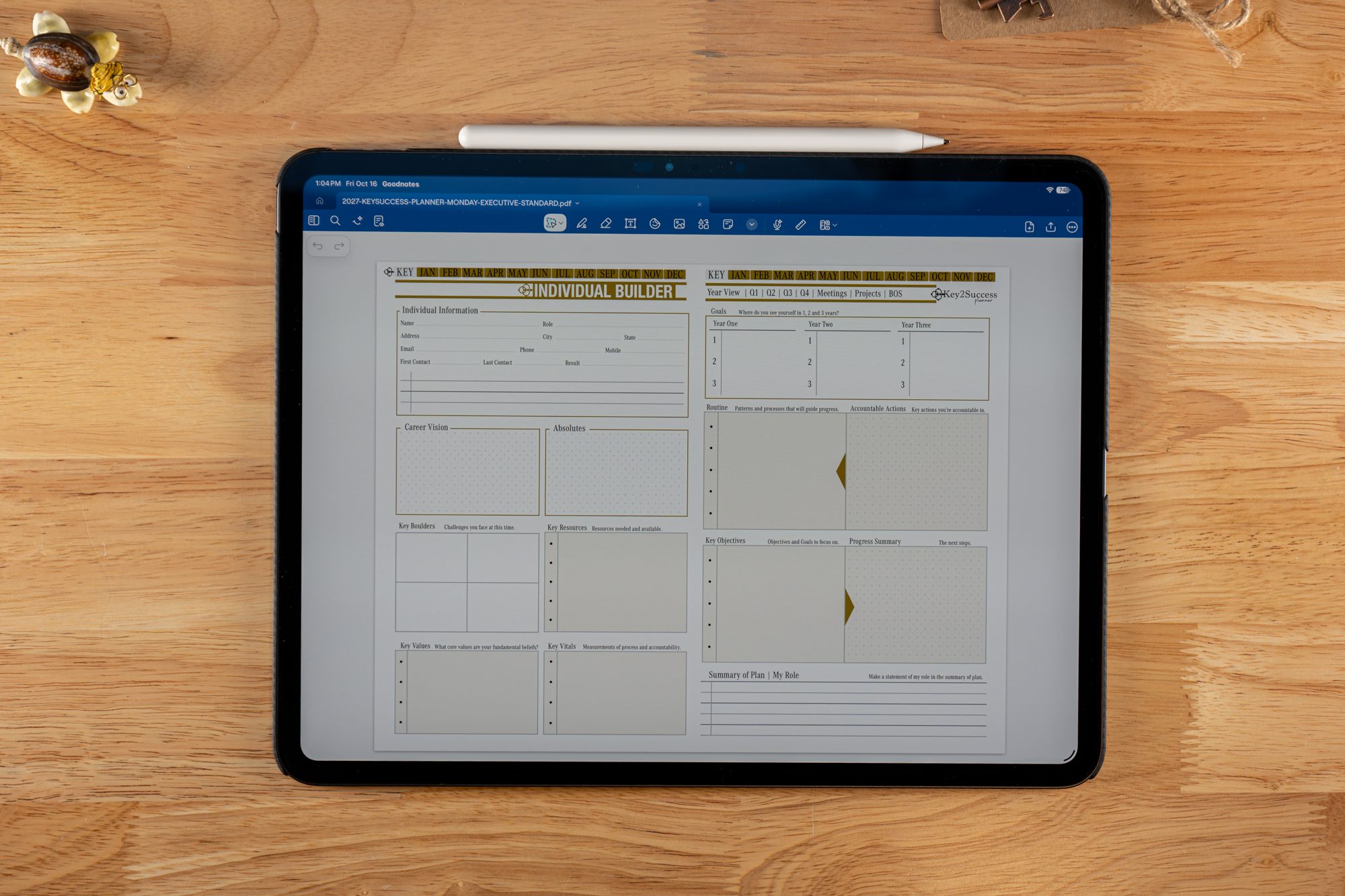
A Builder for each person
Contact details, career vision, absolutes, boulders, resources, values and vitals, then three-year goals, routine, accountable actions and a progress summary.
Shown in GoodNotes on iPad. Tap to enlarge.
Know who you are working with
Name, role, contact details, first contact, last contact and result, so every client or team member starts from a real record.
Every staff member, boulder and strength
Each person on your team gets a Staff Member page with their own Boulder and Strength pages, all under one Team section.
Your Builder sets the goals for the organization. Each Individual Builder sets the goals for one person and ties back to it. Your team can see how their work contributes, and you can see where the plan is on track and where it is stuck.
Journals, a CRM toolkit and tiles that fit how you lead
The Executive edition also brings in the journals, including the Decision Journal, along with the CRM Toolkit and a communication plan. Tiles let you customize further with pages like SWOT Analysis and Life Balance.
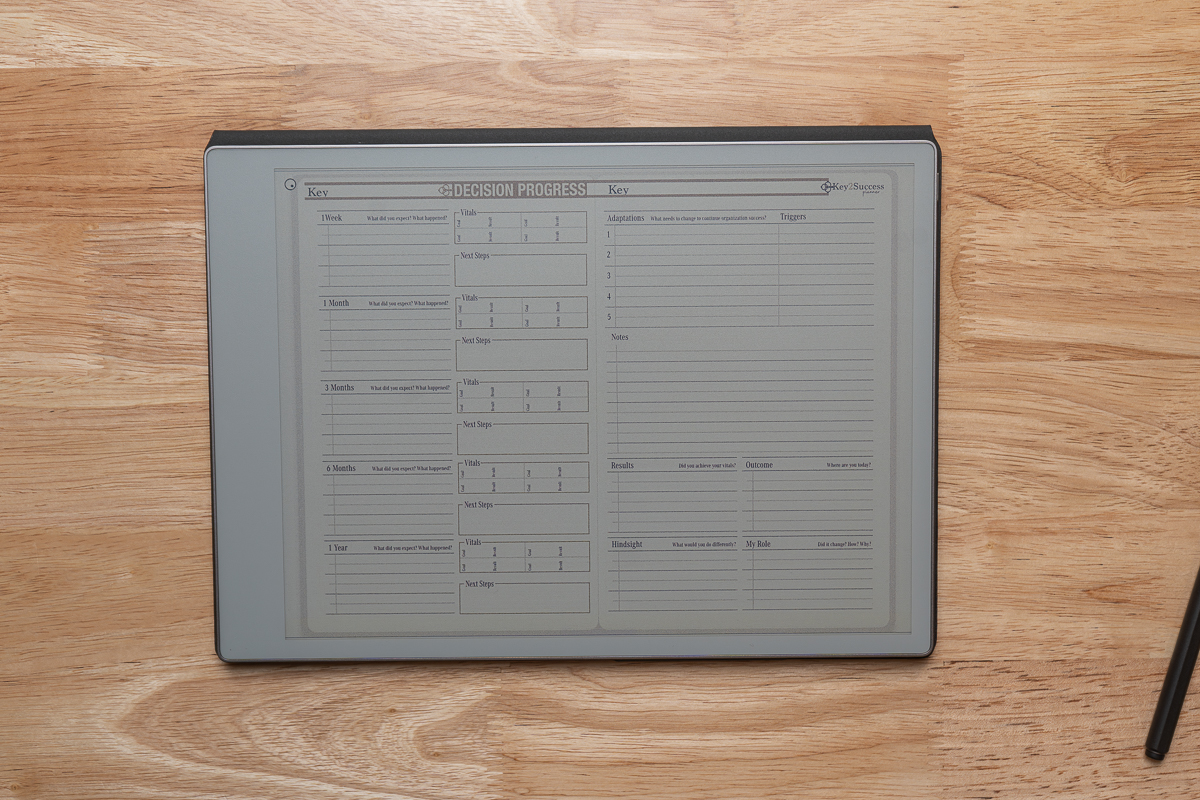
Decision Journal
Write down the decision, the reasoning and what you expect, then come back and see how it played out. Clearer decisions, with a record to learn from.
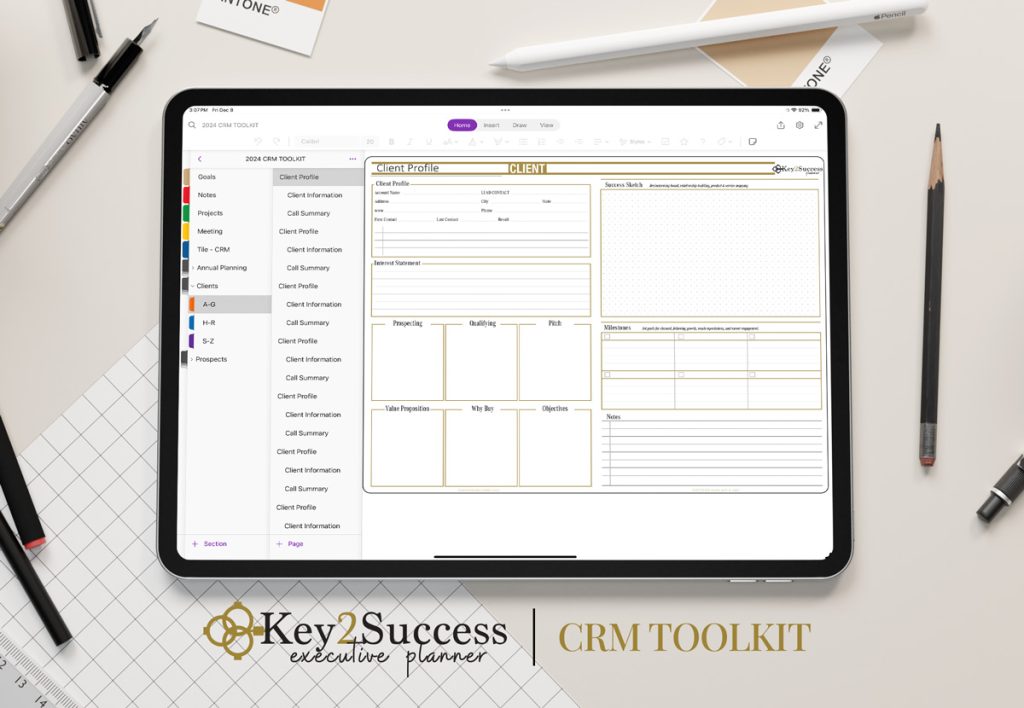
CRM Toolkit
Keep clients, contacts and follow-ups inside the planner, next to the plan they belong to.
Communication Plan
Decide who needs to hear what, how often and from whom, so processes run smoother and nothing depends on memory.
SWOT Analysis
Strengths, weaknesses, opportunities and threats on a page you can drop into any section of your planner.
Life Balance
Check how work, family, health and everything else are getting your time, so a strong business does not cost you the rest.
Add the pages you need
Pick tiles one at a time or in packs right in the buy box below. Business and Executive editions save 40% on tiles.
Pick your platform, then your edition
Prices update as you build. Everything is an instant download.
Key2Success Business Operating System Planner
2027 GoodNotes & PDF Business Digital PlannerOr pick individual tiles - $9.99 each ▾
Every edition is a complete planning system. Business and Executive are built for people who lead an organization, with each one building on the edition before it.
In Business and above
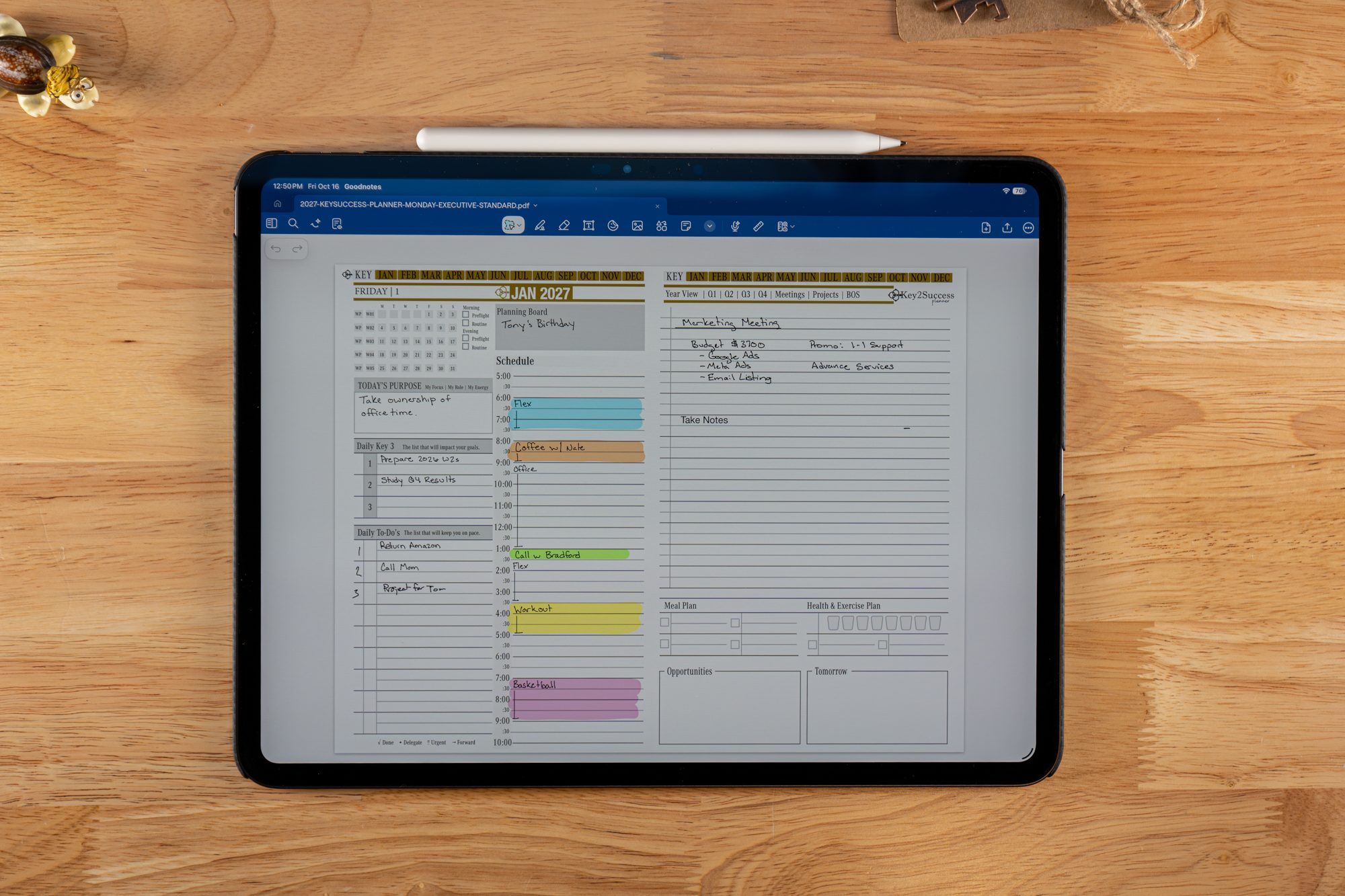
- Annual, monthly, weekly & daily pages
- 2027 Builder and Annual Progress
- Boulder Breakdown
- Strength Maximizer
- Meeting and project pages
- Budget and expense tracking
Added in Executive
- Organization Chart
- Individual Builder for each person
- CRM Toolkit
- Communication plan
- Decision Journal and added journals
- 30-minute session with Branden
Editions & pricing
| Edition | Best for | Price |
|---|---|---|
| Professional | Work planning & productivity | $49.99 |
| Business | Your business operating system | $99.99 |
| Executive | Running the operating system through your team | $149.99 |
| Complete | Every app + every edition | $269.99 |
Pick the platform you plan in. Each one has its own edition, and the buy box loads the right product for you.
| Platform | Works with |
|---|---|
| GoodNotes & PDF | GoodNotes on iPad, iPhone and Mac |
| OneNote | OneNote on Windows, Surface, Mac, iPad, iPhone and Android, with an optional Hyperlinked edition |
| reMarkable | reMarkable e-ink tablets |
| Samsung Notes | Samsung Galaxy Tab and Android |
| Other PDF apps | PDF annotation apps such as Notability, Noteshelf and CollaNote |
You will be planning in minutes:
- Choose your platform and edition, add any tiles or services, and check out.
- Download your planner file from the confirmation page and email.
- Import it into your app. The install guide for each app walks you through it.
- Open the 2027 Builder and write down your vision, boulders, values and vitals.
Want us to set it up with you? Add Remote Installation Support in the buy box before you add to cart.
Business Planner Editions at a Glance
Every edition builds on the one before it. Prices shown are the current 2027 launch price.
| What you get | Professional$49.99 | Business$99.99Business OS | Executive$149.99Team layer | Complete$269.99 |
|---|---|---|---|---|
| Annual, monthly, weekly & daily pages | ✓ | ✓ | ✓ | ✓ |
| Vision, goals & quarterly review | ✓ | ✓ | ✓ | ✓ |
| Meeting & Project pages | ✓ | ✓ | ✓ | ✓ |
| Budget & Habit Tracker | ✓ | ✓ | ✓ | ✓ |
| Expense Tracker | − | ✓ | ✓ | ✓ |
| Business operating system: 2027 Builder & Annual Progress | − | ✓ | ✓ | ✓ |
| Boulder Breakdown & Strength Maximizer | − | ✓ | ✓ | ✓ |
| Organization Chart & Individual Builder | − | − | ✓ | ✓ |
| CRM Toolkit | − | − | ✓ | ✓ |
| Communication plan & Team Development | − | − | ✓ | ✓ |
| Decision Journal & added journals | − | − | ✓ | ✓ |
| 30-minute session with Branden | − | − | ✓ | ✓ |
| Every app, PDF & e-Ink version + all tiles | − | − | − | ✓ |
Shop by app or device
Each shop shows every edition and page layout for that platform.
Commonly Asked Questions
What is a business operating system?
What should a business operating system include?
How does the Key2Success planner work as a business operating system?
How is this different from a traditional business plan?
What is the difference between the Business and Executive editions?
Which apps does it work in, and which should I use with a team?
Can you help me set up my business operating system?
Build Your Business Operating System
Choose your platform, pick Business or Executive, add the tiles and support you want, and start planning today. Instant download.
Choose Your Edition
