

Work Planner vs Personal Planner: Do You Need One or Two?
Find your edition in 3 questions ›

The question behind "work planner vs personal planner" is usually a question about balance. You have a job with meetings and deadlines. You have a family, a body to take care of and goals that have nothing to do with work. Keeping a work and personal planner in separate books feels organized. In practice it hides the one thing you need to see: where your time actually goes.
I have planned on paper since my Franklin Covey days in the 1990s, and I have built the Key2Success digital planner since 2019. More than 24,000 people in 52+ countries now use it. My position is simple: plan your life holistically, in one planner, and separate the roles with color instead of with notebooks.
That leaves one real decision: which edition fits the roles you carry today. This guide walks through how I block my own week, how the five Key2Success editions map to five roles, and a three-question quiz that points you to the right one.
Planner for every role you carry. Work, family, self and community in one view.
Key2Success editions, built around roles from personal growth to leading a team.
People planning with Key2Success on Windows, Apple, Android and e-ink devices.
Why one work and personal planner beats two
Two planners create two versions of your week. The work planner says Thursday is open. The personal planner knows about the school concert. You find out about the conflict when it is already a problem.
There is also a cost to switching between systems. Research summarized by the American Psychological Association found that the mental cost of shifting between tasks can eat up as much as 40 percent of someone's productive time. Every time you move between a work book and a home book, you pay a small version of that cost.
The bigger reason is vision. Your goals do not sort neatly into work and personal. A promotion affects your family schedule. A health goal affects your energy at work. A single planner lets your yearly vision, your quarterly goals and your daily actions point in the same direction.
The Key2Success planner is built on one idea: you are one person with many roles, so you need one plan, not a planner for each role.
How to color-block work and personal time in one planner
Color is how you keep one planner from turning into a mess. I use color blocks or shading on my daily and weekly pages to separate the kinds of time I spend. At a glance, I can see the balance of my week before it gets away from me.
The categories I use
On the personal side, I separate family time, time for myself, and commitments with other people. On work days, I separate three kinds of work time: flex time I control, office time for focused work, and hard meetings that are locked on the calendar.
- Self
- Family and personal
- Office time
- Hard meetings
- Flex time
Illustrative example of a color-blocked weekday. Pick your own colors, then use them the same way every week.
What the colors tell you
The payoff is not a pretty page. It is an honest answer to one question: how much of my week goes to working on my goals, and how much goes to attending appointments? If your week is all blue and no gold, other people are setting your agenda.
Use the weekly page to decide what to let go
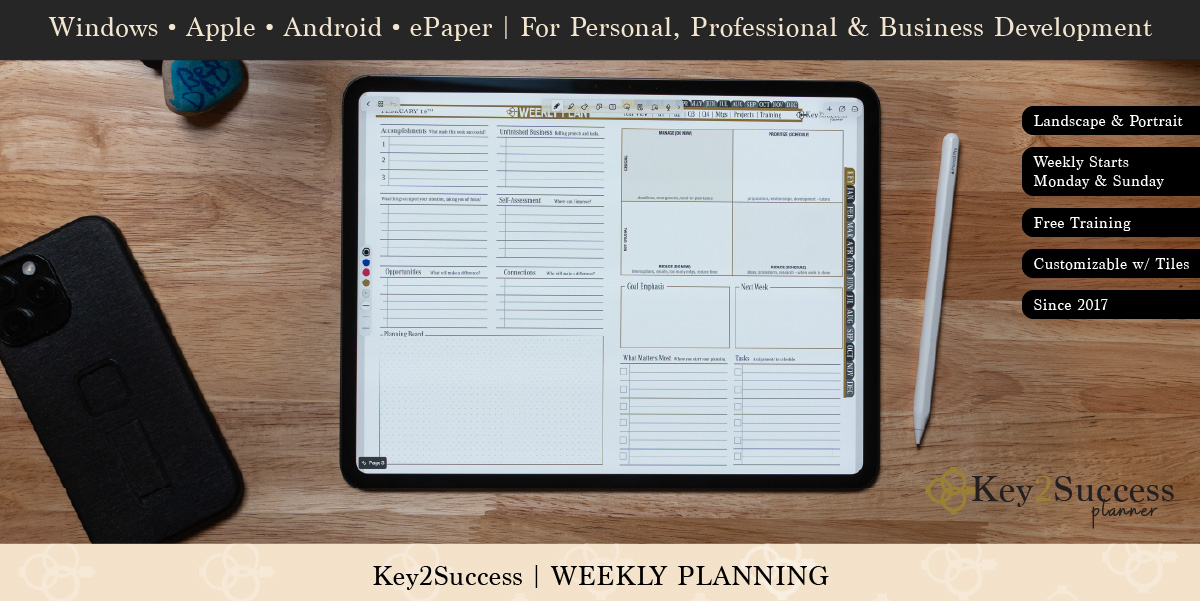
A lot of people ask things of me in a given week. During my weekly planning session, I weigh each request against the priorities I set for myself and for the organizations I am part of. Every request gets one of four answers: do it, delegate it, turn it into a coaching opportunity so the other person can grow, or reschedule it for later. Some things I let go completely because I cannot achieve them for that person.
That "let go" list does more for my week than the to-do list does. Then each evening I choose tomorrow's Key Three, the three things that move the needle, and write them on the daily page.
I run marketing for a six-rooftop dealer group, lead my own agency, build the Key2Success planner, coach clients and shoot high school sports, and I have a family at home. All of it lives in one Key2Success Executive planner in OneNote. I chose Executive because it covers every business activity I carry and gives me the leadership tools I use to grow my team. I block flex time, office time and hard meetings on the work side, and I shade family and personal time so it is protected, not left over. At the end of each week I spend 15 to 20 minutes on the weekly page, and the first thing I look at is the color balance. If I spent the week attending other people's meetings and none of it working on my own goals, I fix that before Monday.
Choose your planner by role, not by page count
When I built the editions, I looked at the roles people carry and asked what each role needs to succeed. Most of us are not just "personal" or "business." We are growing ourselves, building a career and, for many of us, leading other people. So the editions work like a ladder. Each one includes everything below it and adds the tools the next role needs.
Personal
You are focused on growing your own life.
- Daily, weekly and monthly pages
- Vision board, goal planner and ideal week
- Notes and journal
Professional
You are building a career alongside your personal life.
- Everything in Personal
- Meeting and project tracking
- Habit tracker, bucket list and budget planner
Business
You run a business or lead an organization.
- Everything in Professional
- Professional Builder one-page business plan
- Expense tracking, progress trackers and TILES toolkit
Executive
You lead and grow a team.
- Everything in Business
- Team development and communication planner
- CRM Toolkit and a 30-minute session with Branden
Want every tool? The Complete edition adds the full tile packet, the Decision Journal, both the OneNote and PDF editions, and installation support.
The pattern I see across roles
Across our community, the people who start by working on themselves usually end up in a leadership role at some point. Getting better at your personal life makes you more effective at work. People notice what you accomplish. Before long you are leading a department, a team or your own business, and you start looking past a 12-month plan toward the next three to five years. The edition ladder follows that same path.
Find your edition in 3 questions
Which Key2Success edition fits your role?
This quiz picks your edition. To pick the right app for the devices you own, take the two-minute Key2Success Planner Finder.
What each edition adds
This table shows only what each edition adds to the one before it. For every page template side by side, see the full Key2Success edition comparison. Weighing two specific editions? Read Professional vs Business or Executive vs Complete.
| Edition | Built for | What it adds |
|---|---|---|
| Personal | Growing your own life | Daily pages, weekly planning and review, monthly and quarterly review, vision board, goal planner, ideal week, notes and journal, hyperlinked navigation |
| Professional | Personal life plus your career | Meeting and project tracking, habit tracker, bucket list, budget planner |
| Business | Leading an organization | Professional Builder, expense tracking, progress trackers, Strength Maximizer, TILES toolkit |
| Executive | Growing a team | Team development, communication planner, CRM Toolkit, 30-minute session with Branden |
| Complete | The entire system | Full tile packet, Decision Journal, OneNote and PDF editions, installation support |
How I use the Business and Executive tools
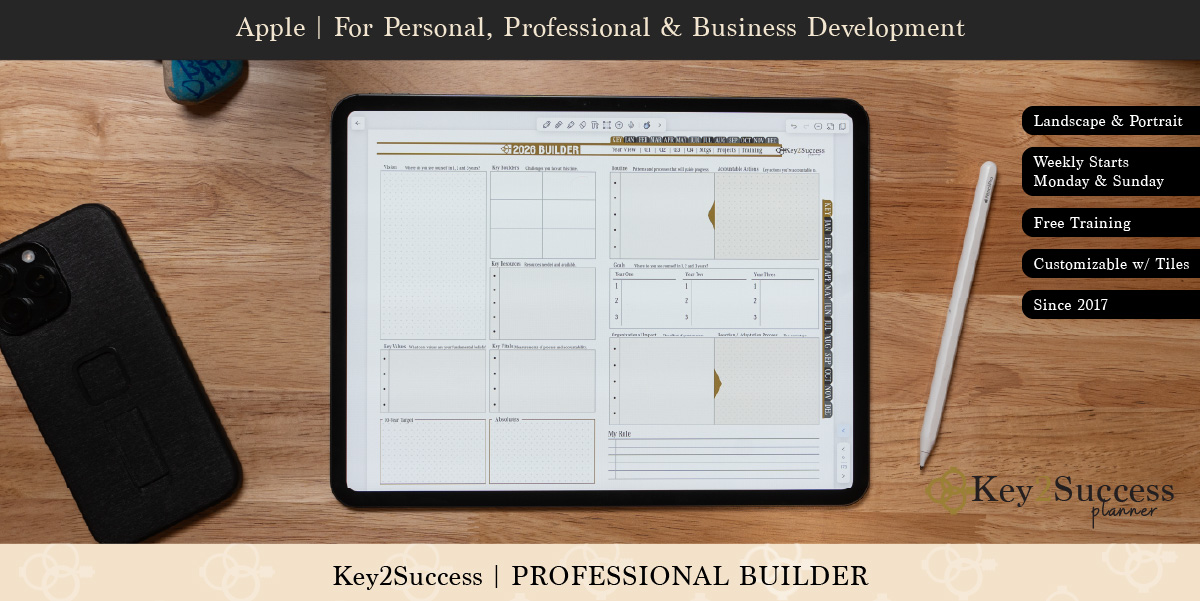
The Professional Builder is a one-page business plan. It gives me a 30,000-foot view of what I want to achieve over the next three to five years: the challenges I am working through, the strengths I am building on, and the daily actions in my role that tell me whether I am on track. I revisit it through the year and adjust the plan as things change. If you want to see the format, start with our OneNote business plan template.
The CRM Toolkit keeps the clients I work with, and the prospects I am reaching out to, in front of me every week. It is not a replacement for a company CRM. It is the short list of relationships I am personally responsible for. Read more about the digital planner CRM and sales toolkit.
Upgrading later
You can upgrade at any time by paying the difference, for example moving from Personal to Business in the middle of the year. The one trade-off: your notes do not carry forward, because the upgrade is a new notebook. All of the added tools unlock right away.
Switching from Franklin Covey, Full Focus or Day-Timer
Most new customers start with the Professional edition, and former paper planner users are a big reason why. Professional shares the traits of the systems they already know, like Franklin Covey, Full Focus and Day-Timer. It adds a Getting Things Done style of capture, based on the method David Allen made popular, and a clear view of what matters most, so you can pick your daily Key Three and move the needle every week.
I used Franklin Covey for years and the Full Focus Planner in 2017 and 2018. The methods were never the problem. What I could not do was search my notes. If you are making the same move, read transitioning from Franklin Covey to a digital alternative or our Day-Timer digital alternative.
For most working professionals who want one planner for work and home, we recommend the Key2Success Professional edition. It covers your personal goals and your career in one system, it feels familiar to anyone coming from Franklin Covey or Full Focus, and you can upgrade to Business or Executive by paying the difference when your role grows. If you already lead a team, go straight to Executive.
Pick your app
Every edition looks and works the same on every supported app. Start with the device you already use.
- OneNote planners
- GoodNotes planners
- Notability planners
- Noteshelf planners
- Samsung Notes planners
- reMarkable and e-ink planners
Work and personal planner FAQ
Should I have separate planners for work and personal life?
No, most people plan better with one planner. A single work and personal planner shows every commitment in one view, so you catch conflicts early and see how your time is split. Use color blocks or shading to keep work, family and personal time visually separate.
What is the difference between a personal planner and a business planner?
A personal planner focuses on your own goals, habits and daily life. A business planner includes those tools and adds planning for an organization, such as a one-page business plan, expense tracking and progress trackers. In Key2Success, the Business edition includes everything in the Personal and Professional editions.
Which Key2Success edition should I start with?
Most people start with the Professional edition because it covers personal goals and career planning in one system. Choose Personal if your focus is your own life, Business if you lead an organization, and Executive if you develop a team.
Can I upgrade my Key2Success edition later?
Yes. You can upgrade at any time by paying the difference between editions. Your notes do not carry forward because the upgrade is a new notebook, but every added tool unlocks right away.
How do I separate work and personal time in one planner?
Use color blocks or shading for each kind of time: family, self, flex time, office time and hard meetings. Keep the colors the same every week. During your weekly planning session, check the color balance to see how much time went to your goals versus appointments.
Quick answers
- Does the planner change based on my device?
- No, every Key2Success edition has the same layout and action steps on every supported device.
- Does every edition include daily, weekly and monthly pages?
- Yes, all five editions include daily pages, weekly planning and review, and monthly and quarterly review.
- Which edition includes the CRM Toolkit?
- The Executive and Complete editions include the CRM Toolkit.
- Which edition includes the Professional Builder?
- The Business, Executive and Complete editions include the Professional Builder one-page business plan.
- Which edition includes a session with Branden?
- The Executive and Complete editions include a 30-minute session with Branden.
- Is the Professional edition a good Franklin Covey replacement?
- Yes, Professional is the closest match to Franklin Covey, Full Focus and Day-Timer.
- Do my notes transfer when I upgrade?
- No, an upgrade is a new notebook, so notes do not carry forward.
- Does the planner work in OneNote on Windows and Mac?
- Yes, the OneNote edition runs on Windows, Mac, iPad and Android and syncs between them.
- Can I use Key2Success on a reMarkable or other e-ink tablet?
- Yes, Key2Success offers planners for reMarkable and other e-ink devices.
- How long does weekly planning take?
- About 15 to 20 minutes at the end of each week, plus a few minutes each evening for the Key Three.
Set up one planner for work and personal life
Copy this into the notes page of your planner and work through it this week.
- List every role you carry: work, family, self, community and any side ventures.
- Choose one color for each kind of time: family, self, flex time, office time, hard meetings.
- Take the 3-question quiz above and choose your edition.
- Block next week's hard meetings first, then family time, then office time for your top priority.
- Leave flex time open for requests instead of saying yes on the spot.
- At the end of the week, check the color balance: goals versus appointments.
- Write one thing to let go, delegate or reschedule next week.
- Each evening, write tomorrow's Key Three on the daily page.
Heading into year-end? Start with the free Q4 Forward Worksheet to review your year and set focused goals for the last quarter.
Ready to choose?
See all five editions with the 2027 planners available now, side by side.
Choose your editionNew to digital planning?
Start with the beginner's guide, then pick the device you already own.
Read the guideThe takeaway
Separate work and personal planners feel like balance. They are usually the opposite. When your job and your life live in different books, your job wins by default, because work is the one with meetings on the calendar.
One planner, color-blocked and reviewed every week, is how you take that time back. Pick the edition for the role you carry today, not the biggest one on the page. When people start noticing what you accomplish, and they will, upgrade to the edition for the role you grow into.
Sources
- American Psychological Association. Multitasking: Switching costs.
- David Allen Company. What is GTD?

