
Best Professional GoodNotes Digital Planner For iPad | Key2Success
The Key2Success Digital Planner for GoodNotes is a fully hyperlinked planner in four editions (Personal, Professional, Business, Executive) covering daily, weekly, monthly, quarterly, and annual planning. This 37-minute overview covers every section of all four editions so you know exactly what you're getting before you buy.
The Key2Success Digital Planner for GoodNotes brings the structure of premium paper planning systems into a digital-first GoodNotes format. The hyperlinked planning system covers every level -- daily priorities, weekly reviews, quarterly goal sprints, annual vision, and professional business planning tools -- all navigable with a tap in GoodNotes.
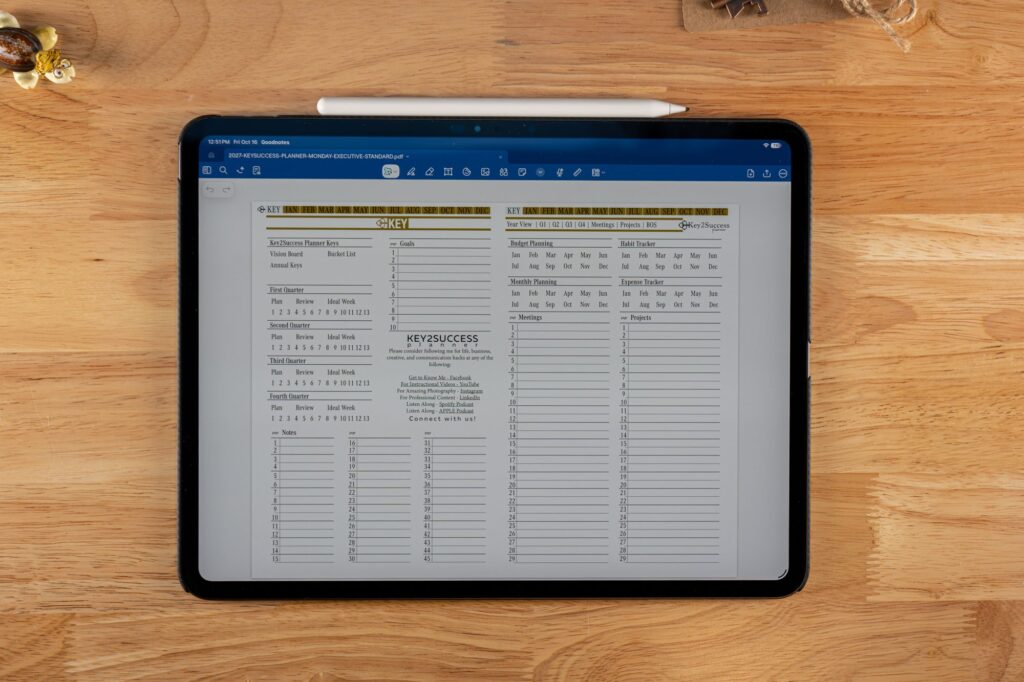
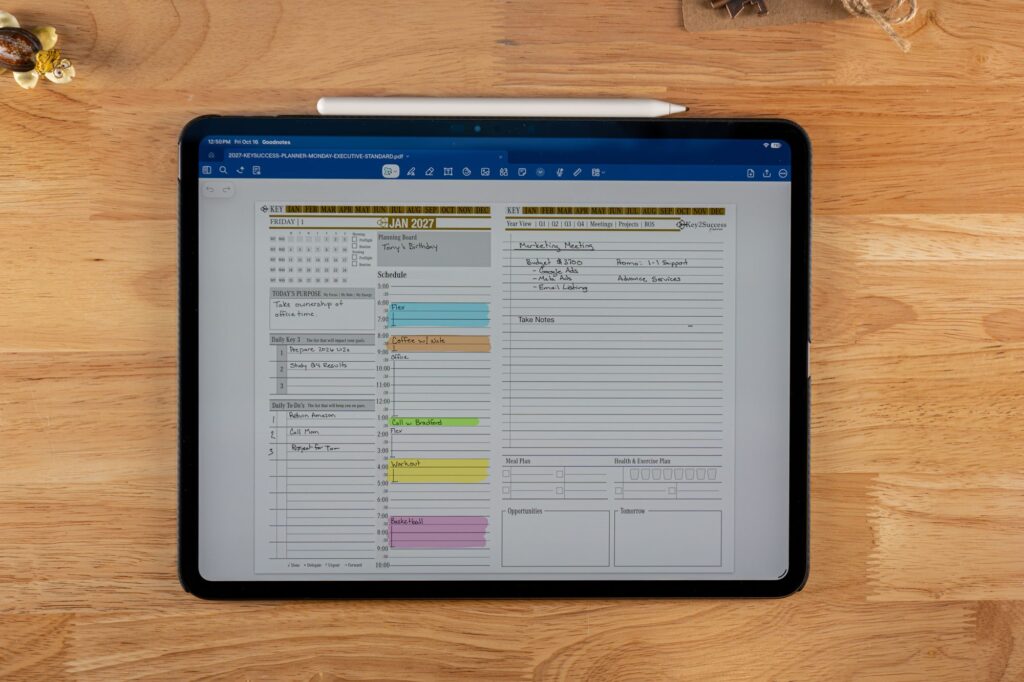
Branden walks through the complete philosophy behind the planner, then every section of all four editions on iPad: Ideal Week template, Weekly Planning Page, Quarterly Keys (12-week year sprints), Vision Board, Key Goals, Digital Habit Tracker, Meeting Notes, Project Planner, Budget Planner, Professional Builder framework, and Executive Edition Team Builder tools.
For the Key2Success Digital Planner for GoodNotes, the GoodNotes Planner Shop has all current editions.
Video Chapters (Key Sections)
Video Transcript
This video walks through the Key2Success digital planner built for GoodNotes on iPad. Branden opens the planner and shows how the daily, weekly, and monthly layouts connect, along with the hyperlinked tabs that let you jump between sections without scrolling through pages one by one. He covers how the planner handles goal tracking, habit tracking, and the Key2Success Tiles system that lets you customize pages to match your own workflow. The video also touches on why GoodNotes pairs well with this particular planner format, including how handwriting recognition and page organization work together on iPad. Toward the end, Branden shows a few of the professional-focused sections, like meeting notes and project tracking, that make this version different from the standard personal planner. He wraps up with tips on getting started, including how to import the planner file into GoodNotes and where to find templates for further customization.
Frequently Asked Questions
What is the Key2Success Digital Planner for GoodNotes?
A fully hyperlinked PDF planner for GoodNotes in four editions covering daily, weekly, monthly, quarterly, and annual planning. One-time purchase, works on iPad with Apple Pencil.
What is the Ideal Week planning system?
A template where you design your perfect default weekly schedule. Used as a reference template when building actual weekly plans each week.
What is Quarterly Keys in the Key2Success planner?
A 12-week planning framework breaking annual goals into sprints. Included in Professional, Business, and Executive editions.
Can I use the Key2Success GoodNotes planner on more than one device?
Yes, as long as you're signed into the same GoodNotes account, the planner syncs across your iPad, iPhone, and Mac. Any notes or edits you make on one device show up on the others once GoodNotes finishes syncing.
Get Started with the Key2Success GoodNotes Planner
- Watch the video to choose your edition: Personal, Professional, Business, or Executive.
- Download from the GoodNotes Planner Shop and import into GoodNotes on iPad.
- Set up your Ideal Week template as your default scheduling reference.
- Use the daily page every morning and weekly planning page every Sunday or Monday.
Get the Key2Success Digital Planner for GoodNotes
Four editions, one-time purchase, fully hyperlinked -- the most comprehensive digital planner for GoodNotes on iPad.