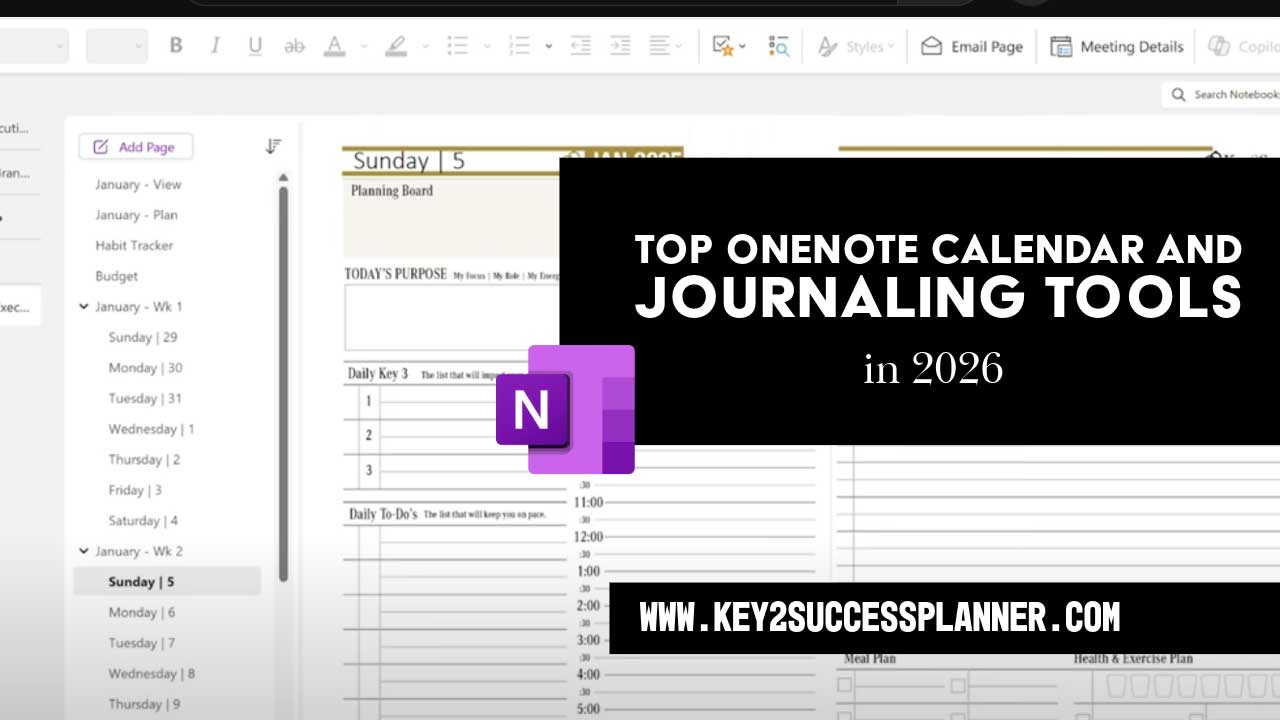
Top OneNote Calendar and Journaling Tools
Updated March 2026 by Branden Bodendorfer
If you are searching for the top OneNote calendar and journaling tools, you are probably looking for more than a basic note-taking app. You want a system that helps you organize your schedule, manage priorities, track goals, and keep your personal or professional life moving forward. While OneNote is already a flexible platform, the right tools can turn it into a complete planning and journaling solution.
That is where Key2Success Planner stands out. Instead of offering a one-size-fits-all setup, Key2Success provides purpose-built solutions for different types of users. Whether you need a Personal Planner, Professional Planner, Business Planner, or Executive Planner designed for OneNote, there is an option built around your workflow. Key2Success also offers hyperlinks to improve notebook navigation and coaching to help users get better results from their planning system.
In this guide, we will look at the top OneNote calendar and journaling tools and show how Key2Success helps users build a more organized, focused, and productive planning experience inside OneNote.

Table of Contents
- Why OneNote Works So Well for Calendar Planning and Journaling
- What Makes a Great OneNote Calendar and Journaling Tool?
- Top OneNote Calendar and Journaling Tools from Key2Success
- Personal Planner for OneNote
- Professional Planner for OneNote
- Business Planner for OneNote
- Executive Planner for OneNote
- How Key2Success Tiles Improve the OneNote Experience
- Why Coaching Matters for Long-Term Planning Success
- Which Key2Success OneNote Planner Is Right for You?
- Why Key2Success Belongs on Any List of Top OneNote Calendar and Journaling Tools
- Final Thoughts
Why OneNote Works So Well for Calendar Planning and Journaling
OneNote gives users a flexible digital space where planning and journaling can live together in one place. Unlike rigid software tools that force users into a narrow layout, OneNote makes it easy to organize content into notebooks, sections, and pages. That structure works especially well for daily planning, weekly reviews, goal tracking, and reflective journaling.
For many users, the biggest benefit of OneNote is that it supports both structure and freedom. You can keep calendars, to-do lists, notes, and journal entries together while still customizing your experience. This makes OneNote especially appealing to people who want one digital system for work, life, and long-term growth.
Still, flexibility alone does not always create productivity. Many users open OneNote with good intentions but quickly find themselves managing scattered pages and inconsistent routines. That is why using a dedicated OneNote planner can make such a difference. A well-designed planner adds structure, repeatability, and direction, which are exactly what users need for calendar management and journaling success.
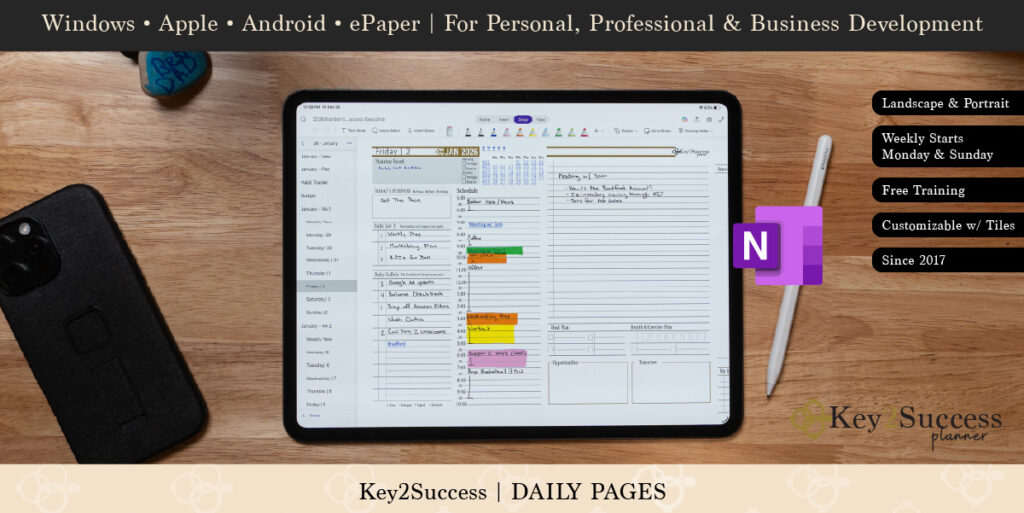
What Makes a Great OneNote Calendar and Journaling Tool?
The best OneNote calendar template or journaling system does more than provide blank pages. It should help users move through their days with purpose and clarity. A strong tool should support scheduling, reflection, planning, and follow-through.
When comparing the top OneNote calendar and journaling tools, here are a few qualities that matter most:
- Easy-to-use daily, weekly, or monthly planning layouts
- Journaling pages or structured reflection areas
- Goal-setting and progress tracking support
- Space for project planning and task management
- Navigation tools that reduce friction
- Flexibility for personal, professional, or executive needs
- Coaching or guidance to improve long-term use
Key2Success Planner brings these elements together by offering a family of tools tailored to specific user needs inside OneNote.
Top OneNote Calendar and Journaling Tools from Key2Success
If your goal is to build a reliable digital planning system inside OneNote, Key2Success offers some of the most complete solutions available. Rather than relying on disconnected templates, users can choose from specialized planners and supporting tools that work together.
1. Personal Planner for OneNote
The Personal Planner for OneNote is ideal for users who want to bring structure to their daily lives while keeping space for reflection and growth. This planner supports calendar organization, journaling, routine management, and personal goal setting in one system.
For users trying to stay on top of appointments, habits, priorities, and life goals, the Personal Planner creates a practical framework that is easy to maintain. It is especially useful for individuals who want to combine a OneNote journal template feel with a calendar-based planning approach. Instead of separating personal planning from journaling, this tool brings both together in one place.
Users who are focused on self-improvement, time management, or life balance will likely find that the Personal Planner is one of the best options among the top OneNote calendar and journaling tools.
2. Professional Planner for OneNote
The Professional Planner for OneNote is built for users who need more structure in their work life. Professionals often juggle meetings, deadlines, tasks, follow-ups, and long-term career priorities. Without a solid planning system, it becomes easy to lose visibility across projects and responsibilities.
This planner helps transform OneNote into a focused workspace for planning and review. It supports day-to-day productivity while also leaving room for reflection, decision-making, and professional development. For people who want a digital planner for OneNote that supports both action and accountability, this is a strong fit.
The Professional Planner is especially useful for managers, team members, consultants, and other professionals who want to keep work priorities organized without adding unnecessary complexity.
3. Business Planner for OneNote
The Business Planner for OneNote is designed for entrepreneurs, business owners, and leaders who need a broader view of planning. Business planning often involves more than managing a personal calendar. It includes tracking goals, organizing operations, keeping projects visible, and maintaining focus on growth.
This planner helps users centralize business priorities inside OneNote so they can manage both the day-to-day details and the bigger picture. It supports operational organization while still allowing flexibility for custom workflows. That makes it a powerful option for users who need a OneNote business planner with room for both structure and strategy.
For business users searching for the top OneNote calendar and journaling tools, this planner stands out because it supports planning as an active business process rather than just note storage.
4. Executive Planner for OneNote
The Executive Planner for OneNote is tailored for leaders who manage high-level priorities, strategic decisions, and complex responsibilities. Executives need more than a simple task list. They need a planning environment that helps them track leadership priorities, manage important commitments, and maintain focus across multiple areas of responsibility.
This planner helps OneNote function as a leadership dashboard. It supports structured planning, visibility, and intentional review. For executives and senior decision-makers, it offers a more refined approach to calendar management and journaling within OneNote.
Among the top OneNote calendar and journaling tools, the Executive Planner stands out because it is built for users who need clarity at a higher level of responsibility.
Compare Key2Success OneNote Planners
Not sure which planner is right for you? Here is a simple breakdown.
Personal Planner
Best for: Personal organization and journaling
Main focus: Daily planning, habits, routines, goals, and reflection
Ideal user: Individuals focused on life management and personal growth
Professional Planner
Best for: Work planning and productivity
Main focus: Meetings, deadlines, task management, and career priorities
Ideal user: Professionals, managers, consultants, and team members
Business Planner
Best for: Business planning and operations
Main focus: Projects, workflows, visibility, and growth goals
Ideal user: Entrepreneurs and business owners
Executive Planner
Best for: Leadership and strategic planning
Main focus: High-level priorities, decision-making, and executive focus
Ideal user: Executives and senior leaders
Each planner is designed for OneNote users who want more than a basic template, with options that support planning, journaling, navigation, and long-term productivity.
How Key2Success Hyperlinks Improve the OneNote Experience
Planning tools become more powerful when they are easier to use every day. That is where hyperlinks can make a meaningful difference. One challenge many OneNote users face is navigation. Even a well-designed notebook can become time-consuming if it takes too many clicks to reach the pages you need most.
Key2Success hyperlinks help improve visibility and speed by making important planning pages easier to access. This creates a cleaner and more visual user experience, which can reduce friction and support consistency. When users can quickly jump to their daily planning, journals, goals, or key dashboards, they are more likely to stay engaged with the system.
For users trying to get more from their OneNote productivity planner, hyperlinks help make the planner feel more intuitive and actionable.
How Key2Success Tiles Expand Your OneNote Planner
Key2Success Tiles are designed to help users personalize their OneNote planner with customized page layouts. Instead of relying on a single fixed format, users can embed tiles into their planner to create pages that better match their workflow, planning style, and daily needs.
These layouts can add expanded functionality, including features such as 24-hour formatting, expanded notes, and other specialized page designs. That makes tiles a strong option for users who want their planner to do more than provide a standard calendar or journaling format.
Key2Success offers tiles for a variety of use cases, including bill tracking, weekly views, daily layouts, Cornell notes, life balance, sermon notes, and student education. This allows users to customize their planning system while keeping everything connected to the larger Key2Success approach.
For OneNote users who want more flexibility, tiles help bridge the gap between a general planner and a planner that feels built for the way they actually work.
Why Coaching Matters for Long-Term Planning Success
Even the best planning tool works only if it gets used consistently. That is why coaching can be such a valuable part of the Key2Success approach. Many people buy templates or planners with strong intentions, but they struggle with setup, routine-building, or adapting the system to their real needs.
Coaching helps bridge that gap. Instead of leaving users to figure everything out on their own, coaching can provide guidance, structure, and accountability. It helps users develop better planning habits, improve consistency, and personalize their OneNote system for stronger results.
For people who want more than a download, Key2Success coaching adds another layer of support. It can help turn a planning tool into a lasting process for better time management, stronger focus, and more meaningful journaling.
Which Key2Success OneNote Planner Is Right for You?
Choosing the right planner depends on how you use OneNote and what you want your planning system to do.
- Personal Planner: Best for personal organization, routines, life goals, and journaling.
- Professional Planner: Best for managing work priorities, schedules, and career development.
- Business Planner: Best for entrepreneurs and business owners tracking projects, operations, and growth.
- Executive Planner: Best for leaders focused on strategy, high-level priorities, and leadership planning.
Because these planners are designed specifically for OneNote, they offer more practical structure than trying to build an entire planning system from scratch. Users can choose the version that matches their role, then enhance it further with tiles and coaching.
Why Key2Success Belongs on Any List of Top OneNote Calendar and Journaling Tools
When people search for the top OneNote calendar and journaling tools, they are usually trying to solve a real problem. They want a better way to organize life, manage work, reflect consistently, and stay on track. Key2Success meets that need by offering a complete ecosystem rather than a single generic template.
Its Personal, Professional, Business, and Executive Planners give users choices based on how they actually live and work. Tiles improve navigation and daily usability. Coaching helps users stick with the system and get stronger results over time. Together, these offerings make Key2Success a valuable solution for people who want to turn OneNote into a true planning and journaling hub.
Not sure which OneNote planner fits your workflow? Explore the Key2Success Planner collection to compare Personal, Professional, Business, and Executive options.
Frequently Asked Questions
What is the best OneNote planner for personal use?
The best OneNote planner for personal use depends on your goals. If you want help with daily planning, journaling, routines, and personal goal tracking, a Personal Planner for OneNote can give you a more complete system than using blank pages alone.
Can OneNote be used for calendar planning and journaling?
Yes. OneNote can work well for both calendar planning and journaling because it lets users organize pages, sections, and notebooks in a flexible way. With the right planner structure, OneNote can support scheduling, reflection, habit tracking, and long-term goal planning in one place.
What makes Key2Success different from a basic OneNote template?
Key2Success offers more than a simple template. It provides planner options built for different types of users, including Personal, Professional, Business, and Executive Planners for OneNote. It also includes tiles and coaching to help users improve navigation, consistency, and results.
What is the difference between the Personal, Professional, Business, and Executive Planners?
The Personal Planner is best for life organization, routines, and journaling. The Professional Planner is designed for work priorities, schedules, and career development. The Business Planner supports entrepreneurs and business owners managing projects, operations, and growth. The Executive Planner is built for leadership, strategic priorities, and high-level planning.
Are OneNote hyperlinks worth using?
Yes. Hyperlinks can make a OneNote planning system easier to use by improving navigation and helping users reach important pages faster. This can reduce friction and make daily planning more efficient.
Does coaching help with OneNote planning?
Coaching can help users get more value from their planner by improving setup, accountability, and long-term consistency. It is especially useful for people who want support building better planning and journaling habits.
Is a OneNote planner good for business use?
Yes. A well-designed OneNote business planner can help organize projects, priorities, notes, and goals in one digital workspace. For business owners and entrepreneurs, this can make planning more structured and easier to manage over time.
Can executives use OneNote for high-level planning?
Yes. OneNote can support executive planning when paired with the right structure. An Executive Planner for OneNote can help leaders manage strategic priorities, important commitments, and decision-making in a more organized way.
Final Thoughts
The best planning systems help you do more than record information. They help you think clearly, act intentionally, and reflect regularly. That is what makes the top OneNote calendar and journaling tools so valuable. They give structure to your days while supporting progress over time.
Key2Success Planner offers a strong path for users who want a better OneNote experience. Whether you need a Personal, Professional, Business, or Executive Planner, plus tiles and coaching for extra support, these tools can help you build a planning system that works in real life.
If you are ready to improve how you plan, journal, and organize inside OneNote, Key2Success offers solutions designed to help you move forward with more focus and confidence.
Explore the Key2Success Planner collection to find the OneNote solution that fits your goals.