Best professional digital planner for 2027: what actually works
The best professional digital planner combines a structured, handwritten planning system with a stylus-enabled tablet. The Key2Success Planner is used by professionals in 52+ countries and runs on iPad, Surface, and Samsung Galaxy Tab. It gives you the cognitive benefits of handwriting inside a digital system you actually want to use every day.

- What makes a digital planner actually professional
- The science behind writing by hand (and why it matters for planning)
- What the Key2Success Planner does differently
- Which devices work best
- E-ink tablets: the paper feel without the paper
- Digital planner comparison: Key2Success vs the alternatives
- How to get started
- Frequently asked questions
- Quick answers
Most digital planning tools were built for people who type. You open an app, you tap in a task, you close the app. Technically organized. But if you've ever looked back at a week of typed to-do lists and wondered why nothing feels like it actually stuck, there's a reason for that.
The best professional digital planner isn't the one with the most features. It's the one that changes how you think, not just how you store information. That requires one thing most planning apps skip entirely: your handwriting.
Here's what separates a planner worth using from one you'll abandon by February.

What makes a digital planner actually professional
A professional digital planner needs a structured goal and priority framework, daily and weekly layouts that force decision-making, handwriting support via stylus, and compatibility with the devices professionals already carry.
"Professional" is one of those words that gets slapped on everything. Professional grade. Professional results. It usually means nothing.
For a digital planner, professional has a real definition. It means the system holds up under the actual demands of your workday. Most people who are serious about productivity need a planner that does four things well:
- Goal framework with structure. Not a blank page and a prayer. A system that walks you from annual goals down to the three things that matter today.
- Time blocking. Professionals who plan by task list spend their days reacting. The ones who plan by block get to the work that actually moves things forward.
- Reflection built in. Weekly and monthly review pages that force you to look back before you look ahead. Most people skip this. The ones who don't are the ones who actually improve.
- Handwriting support. This isn't a preference. There's now solid research behind it. If your planner doesn't support stylus input, you're leaving cognitive performance on the table.
A good app like Notion or Todoist handles task capture well. But capturing tasks is not planning. Planning is deciding what matters, when it happens, and why. That requires a structured system, not a database.
The science behind writing by hand (and why it matters for planning)
In January 2024, researchers at the Norwegian University of Science and Technology published a study in Frontiers in Psychology that settled an argument that had been building for two decades. Lead researcher Dr. Audrey van der Meer fitted 36 university students with 256-sensor EEG caps and recorded brain activity as they either wrote or typed words that flashed on a screen.
When students wrote by hand, brain activity spread across multiple regions at once. The areas tied to memory formation, sensory processing, and new information encoding all fired together. When the same students typed the same words, that network nearly collapsed.
"Pressing the same key with the same finger over and over does not stimulate the brain in any meaningful way." — Dr. Audrey van der Meer, Norwegian University of Science and Technology
A 2014 Princeton study by Pam Mueller and Daniel Oppenheimer found the same pattern from a different angle. Students who took lecture notes by hand outperformed laptop note-takers on comprehension. The reason: handwriters couldn't keep up verbatim, so they were forced to decide what actually mattered and put it in their own words. That decision was the learning.
For planning, the implication is direct. Every goal you've typed instead of written was processed at reduced depth. That's not a discipline problem. It's a method problem. Writing your priorities by hand with a stylus on a tablet engages the same motor and spatial pathways as paper. The brain doesn't know the difference. You get the cognitive benefit of handwriting and the organizational benefit of a digital system.
What the Key2Success Planner does differently
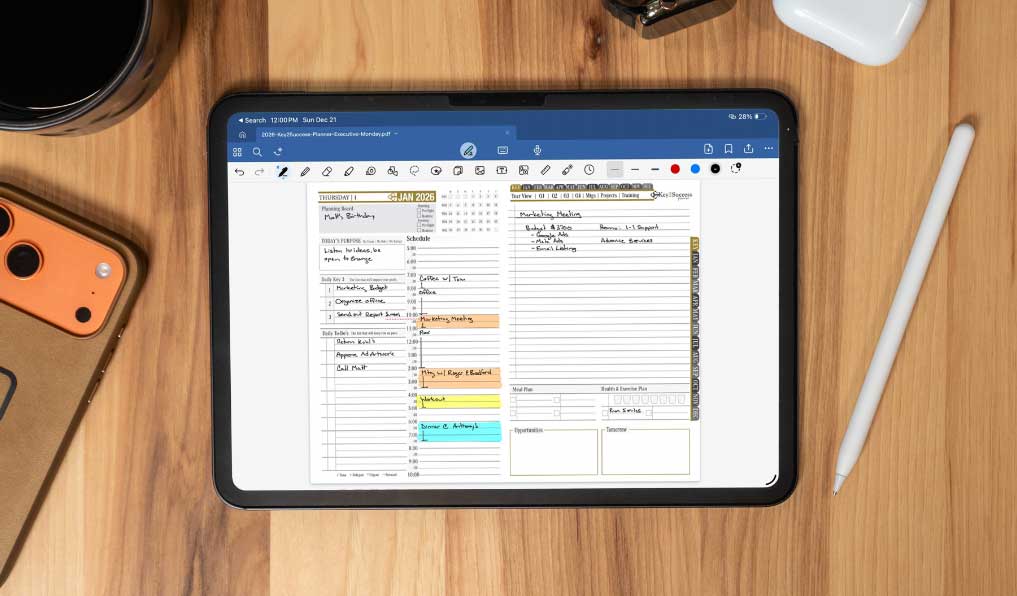
The Key2Success Planner was built from the ground up for stylus-enabled tablets. Not retrofitted. Not a paper template someone scanned and sold as a PDF. A purpose-built planning system designed around the way productive professionals actually work.
It's used in 52+ countries. That range happens because the planning problems it solves aren't regional. Professionals everywhere deal with the same challenge: too many inputs, too little clarity on what actually matters today.
The planning framework
The Key2Success system works top-down. You start with annual goals, break them into quarterly priorities, pull those into monthly focus areas, and land each week with a clear picture of what moves the ball. Daily pages ask you to identify your top priorities before you open your email. That sequence matters. Most people plan reactively. Key2Success flips that.
Layouts that force the right decisions
There's a difference between a page that has space for everything and a page that makes you choose. Key2Success layouts are designed around the second type. Weekly spreads include time-blocking structure. Daily pages have a priority section, not just a task list. Monthly pages include a reflection prompt. These aren't cosmetic choices. They're how the planner shapes your thinking.
Designed for handwriting across every format
The planner is formatted to work well with a stylus. Line spacing, section sizing, and page layout are all optimized for pen input on a tablet screen. The 2027 Key2Success Planner is available in three formats to fit how you actually work: a PDF version for GoodNotes, Notability, Noteshelf, and any PDF annotation app; a dedicated OneNote format for Microsoft 365 users; and a version optimized for e-ink tablets. You pick up your Apple Pencil, Surface Pen, or e-ink stylus and write. That's the whole workflow.
Which devices work best
The Key2Success Planner runs on any stylus-enabled tablet. Four platforms cover the majority of users:
iPad with Apple Pencil
The most popular combination by a wide margin. GoodNotes 5 on iPad with an Apple Pencil is the benchmark for digital handwriting. Near-zero lag, pressure sensitivity, and a paper-like feel on the right screen protector. If you're starting fresh and want the best all-around handwriting experience, this is it.
Microsoft Surface with Surface Pen (OneNote format)
The 2027 planner includes a dedicated OneNote format built for Windows users in the Microsoft 365 ecosystem. Open it directly in OneNote on your Surface, write with the Surface Pen, and your planning lives right alongside your notes, calendar, and work files. No third-party app required.
Samsung Galaxy Tab with S Pen
The strongest Android option. The S Pen is built into most Galaxy Tab S models, which means no separate accessory to track. Samsung Notes and third-party PDF apps work with the Key2Success Planner without issues.
E-ink tablets: the paper feel without the paper
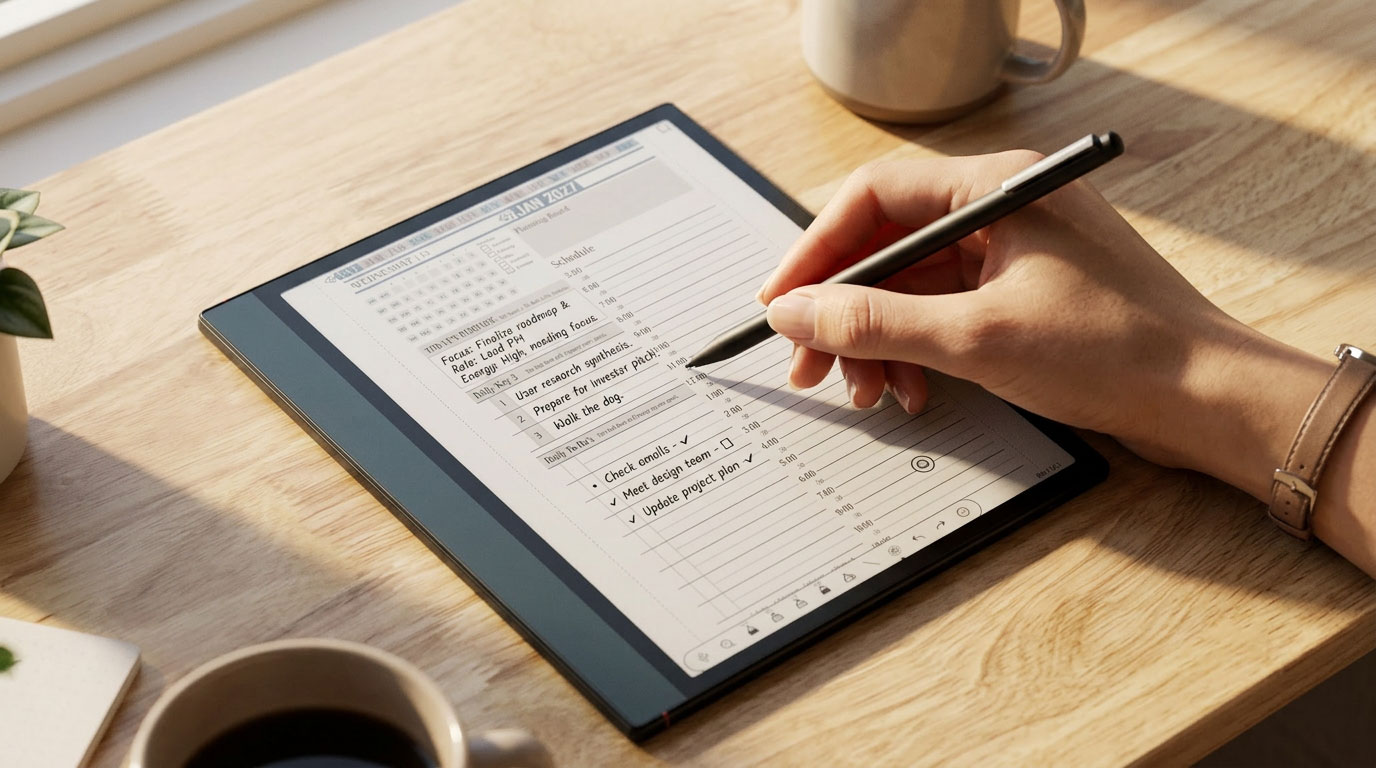
E-ink tablets are a different animal. No backlit glare. A writing surface that actually feels like paper. Battery life measured in weeks, not hours. For people who spend long stretches reading and writing, the experience is genuinely different from glass-screen tablets.
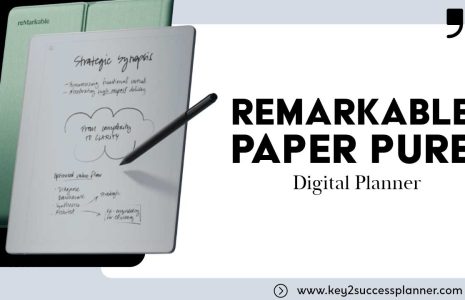
The 2027 Key2Success Planner works on e-ink devices including the reMarkable 2 and Onyx Boox. Both support PDF import and stylus input, which means you get the same structured planning framework in a format that writes like a paper notebook.
reMarkable 2
The most paper-like writing experience of any e-ink tablet available. The reMarkable 2 is purpose-built for handwriting and reading, with a textured display that gives real resistance under the stylus. Import the Key2Success PDF and plan in an environment with zero notifications, zero apps competing for your attention. Just the planner and your pen.
Onyx Boox
The Boox line runs Android, which means more flexibility. You can install third-party PDF apps, use the Boox stylus, and access the Key2Success Planner the same way you would on an Android tablet. The larger Boox models like the Note Air series give you enough screen real estate for weekly spreads without scrolling.
E-ink isn't for everyone. If you need color, fast navigation, or app integration, a standard tablet is the better call. But if distraction-free, paper-feel handwriting is what you're after, the reMarkable 2 or Onyx Boox paired with Key2Success is hard to beat.
Digital planner comparison: Key2Success vs the alternatives
| Feature | Key2Success | Generic PDF Planner | Notion / Todoist | Paper Planner |
|---|---|---|---|---|
| Handwriting / stylus support | ✓ Built for it | ✓ Basic | ✗ Keyboard-first | ✓ Yes |
| Structured goal framework | ✓ Annual to daily | ✗ Varies | ✗ DIY only | ✗ Varies |
| Time blocking layouts | ✓ Built in | ✗ Rarely | ✓ With setup | ✗ Varies |
| Searchable / backed up | ✓ Via tablet app | ✓ Via tablet app | ✓ Yes | ✗ No |
| Works across devices | ✓ iPad, Surface, Samsung, e-ink | ✓ Limited | ✓ Yes | ✗ No |
| Dedicated OneNote format | ✓ Yes | ✗ No | ✓ Native | ✗ No |
| E-ink tablet compatible | ✓ reMarkable, Boox | ✗ Varies | ✗ No | ✗ N/A |
| Reflection / review pages | ✓ Weekly & monthly | ✗ Rarely | ✗ DIY only | ✗ Varies |
| Cognitive / retention benefit | ✓ Handwriting-based | ✓ If used with stylus | ✗ Typing only | ✓ Yes |
How to get started
The barrier to starting is lower than most people think. You don't need a new device. If you have a tablet and a stylus, you're ready.
- Get the planner. Visit key2successplanner.com and pick the format that fits your device: PDF for GoodNotes, Notability, or any PDF app; OneNote format for Microsoft 365 users; or the e-ink version for reMarkable or Onyx Boox.
- Set up your app. GoodNotes 5 is the most popular choice for iPad users. Notability is a strong second. Surface users can open the OneNote version directly in Microsoft OneNote. For e-ink tablets, import the PDF into your device's built-in reader.
- Import the planner file. Open the Key2Success file in your app of choice. The hyperlinked navigation lets you jump between daily, weekly, monthly, and annual views.
- Set your annual goals first. Before you do anything else, spend 15 minutes on the annual goal pages. That gives every daily entry context. It's the difference between planning that drifts and planning that builds.
- Write by hand every morning. Pick your top three priorities for the day and write them. Not typed. Written. 90 seconds. That's the habit that makes the system work.
Ready to find your best professional digital planner?
Key2Success is built for professionals who want the benefits of handwriting inside a modern digital system. Used in 52+ countries. Available in PDF, OneNote, and e-ink formats for iPad, Surface, Samsung Galaxy Tab, reMarkable, and Onyx Boox.
Explore the Key2Success PlannerFrequently asked questions
The Key2Success Planner is built specifically for professional use on stylus-enabled tablets. It combines a structured goal framework with handwritten daily and weekly layouts, and is used by professionals in 52+ countries. For people who need a keyboard-first task manager instead of a handwriting-based planner, Notion or Todoist may be a better fit, but neither delivers the cognitive retention benefits of handwriting.
It depends on your device. iPad users most often use GoodNotes 5 or Notability. Microsoft 365 users can use the dedicated OneNote format, which opens directly in OneNote on Surface or any Windows device. E-ink tablet users on reMarkable or Onyx Boox import the PDF into their device's built-in reader. The Key2Success 2027 Planner includes formats for all three workflows.
Yes. The 2024 van der Meer study found that the brain benefits of handwriting come from the motor complexity of forming letters with a pen-like instrument. A stylus on a tablet engages the same pathways. The brain doesn't distinguish between paper and a glass screen with a good stylus.
Most PDF planners are paper templates converted to digital files. Key2Success was designed from the start as a digital planning system, with hyperlinked navigation between views, a structured goal framework, and layouts optimized specifically for stylus input on a tablet screen. The structure is the product, not just the template.
Yes. The Key2Success Planner works on Samsung Galaxy Tab with the S Pen using PDF annotation apps. The Onyx Boox also runs Android, so the same PDF workflow applies there. Both are strong options for professionals in the Android ecosystem.
Only if you don't already have a stylus-enabled device. If you have an iPad with an Apple Pencil, a Surface with a Surface Pen, a Samsung Galaxy Tab with an S Pen, a reMarkable 2, or an Onyx Boox, you have everything you need to start today.
Quick answers
- Is Key2Success free?
- No. It's a paid digital planner available at key2successplanner.com.
- What iPad is best for digital planning?
- iPad Pro or iPad Air with an Apple Pencil. Both offer the best stylus experience.
- Does Key2Success work with GoodNotes?
- Yes. GoodNotes 5 is the most popular app used with the Key2Success Planner.
- Is there a Key2Success app?
- Key2Success runs inside your PDF annotation app of choice rather than as a standalone app.
- How many countries use Key2Success?
- The planner is used by professionals in 52+ countries.
- What's the difference between a digital planner and a planning app?
- A planning app is keyboard-driven. A digital planner is a structured, handwritten system used with a stylus.
- Does handwriting on a tablet actually help memory?
- Yes, per the 2024 Frontiers in Psychology study by Dr. Audrey van der Meer at NTNU.
- What file format does Key2Success use?
- The 2027 planner is available in PDF (for GoodNotes, Notability, and PDF apps), a dedicated OneNote format, and an e-ink optimized version for reMarkable and Onyx Boox.
- Does Key2Success work on reMarkable?
- Yes. Import the e-ink version of the Key2Success 2027 Planner as a PDF on your reMarkable 2 and use the reMarkable pen to write directly on the pages.
- Does Key2Success work on Onyx Boox?
- Yes. Onyx Boox runs Android, so you can import the PDF using a third-party annotation app or the built-in reader and write with the Boox stylus.
- Is there a Key2Success OneNote version?
- Yes. The 2027 planner includes a dedicated OneNote format for Microsoft 365 users on Surface and Windows devices.
Final thought
The best professional digital planner isn't the one that does the most. It's the one you actually use, consistently, in a way that makes the things that matter actually happen.
Typing your goals into an app is better than nothing. Writing them by hand every morning, inside a system built to take you from the big picture down to today, is a different thing entirely. That's what the Key2Success Planner is built for.
Pick up your stylus. Write the thing down. The slower road is the faster one.

Van der Weel FR and Van der Meer ALH (2024). "Handwriting but not typewriting leads to widespread brain connectivity: a high-density EEG study with implications for the classroom." Frontiers in Psychology, doi: 10.3389/fpsyg.2023.1219945
Mueller PA, Oppenheimer DM (2014). "The Pen Is Mightier Than the Keyboard: Advantages of Longhand Over Laptop Note Taking." Psychological Science. doi: 10.1177/0956797614524581