Onyx Boox 5c E-Ink Tablet for Distraction-Free Daily Planning
In This Article
- The Problem With Planning on a Device Full of Distractions
- What Makes E-Ink Different for Focused Work
- The Daily Key3 Framework: Planning What Actually Moves the Needle
- Using the Boox 5c's Android Ecosystem Without Losing Focus
- Is an E-Ink Planning Device Worth It?
- Frequently Asked Questions
- My Take
The pitch for an e-ink tablet for productivity and planning sounds counterintuitive at first. You already have an iPad, a laptop, a phone. Why add another device? The answer is not about adding capability — you already have plenty. It is about removing friction. Specifically, it is about removing the frictionless path to distraction that every capable device in your life has built-in by design.
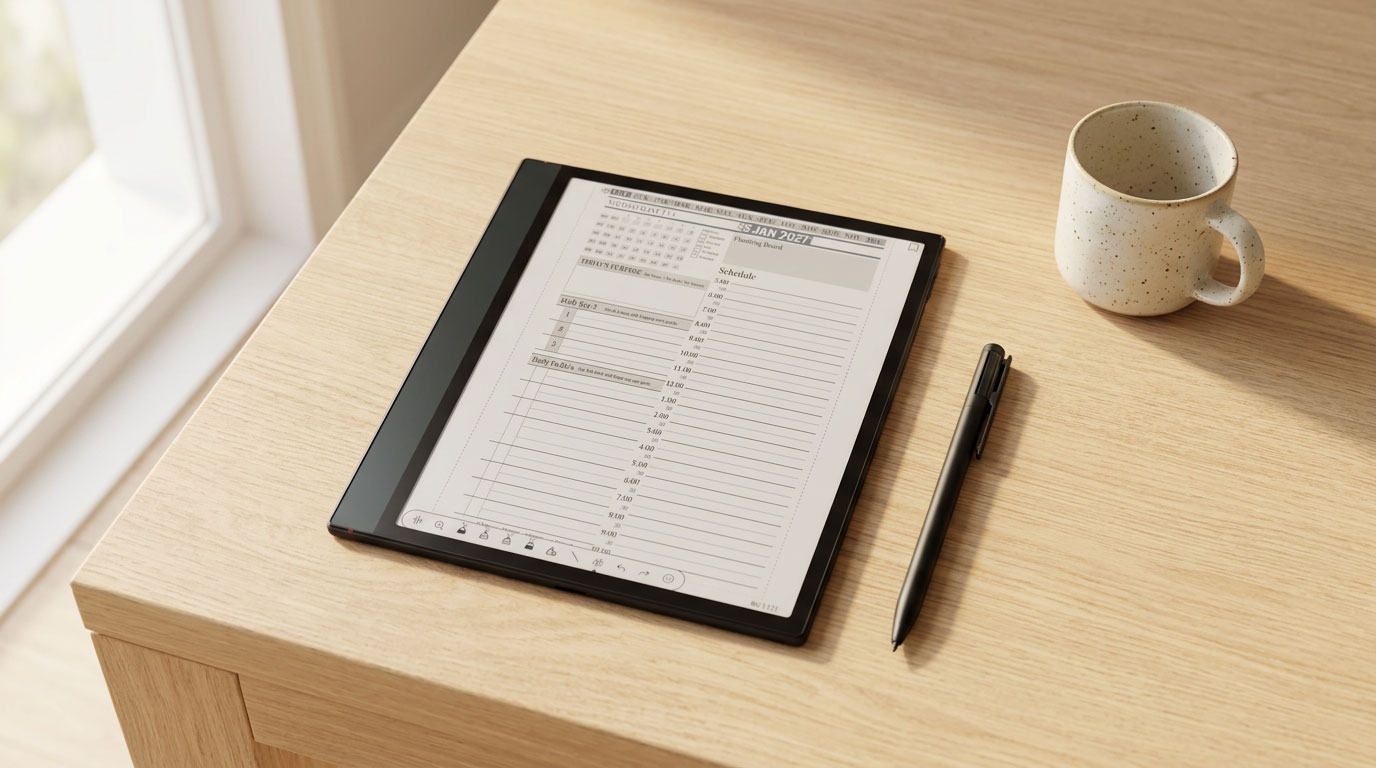
The Onyx Boox Note Air 5c is not a more powerful device than your iPad. It is a more intentional one. It does fewer things, and that is the point. When you open it, you are opening a device that is built for reading and writing — not for scrolling, watching, or reacting. That distinction matters more than any spec comparison when your goal is to sit down each morning and do your most important planning before the day takes over.
I have been building planning systems since 2013, and the biggest obstacle I have seen — in my own practice and in the people I coach — is not a lack of tools. It is distraction. The Key2Success daily planning system works on any device. But it works best on a device that does not compete for your attention while you are trying to use it.

The Problem With Planning on a Device Full of Distractions
Here is a scenario most people know well. You open your iPad to do your morning planning. You unlock it. A notification appears — a reply to an email from last night. You read it. You start to respond. You switch to the email app. Fifteen minutes later you close the iPad having done zero planning and already feeling behind.
This is not a discipline failure. It is an environment failure. The iPad is not designed for focused planning — it is designed for engagement. Every app, every notification, every haptic tap is engineered to pull your attention toward a reaction rather than toward the deliberate thought that planning requires. Using it as your planning device is asking one tool to do two fundamentally incompatible jobs.
The e-ink tablet solves this at the hardware level. The Boox 5c's display is not backlit in the way that LCD screens are. It refreshes slowly by design. It does not produce the visual stimulation that makes scrolling an Instagram feed or a Twitter timeline feel rewarding. The hardware itself is less addictive — not because it is less capable, but because it is optimized for a different kind of use. Reading. Writing. Thinking. Planning.
The goal is not to own fewer devices. It is to use the right device for the right task. Your iPad is excellent for what it does. The Boox 5c is excellent for something different — and the two do not compete when you use each one intentionally.
What Makes E-Ink Different for Focused Work
E-ink technology has specific characteristics that make it genuinely better for focused planning and note-taking — not marginally better, but structurally different in ways that change how you interact with the device.
- No notification pull by design E-ink screens refresh slowly, which makes real-time notification delivery less useful. Most Boox users configure the device to silence notifications during planning sessions — the hardware makes this a natural choice rather than a forced one.
- Paper-like display reduces eye strain The e-ink display reflects light rather than emitting it, which means reading and writing on it for extended periods is significantly more comfortable than on a backlit LCD screen. Morning planning sessions, which often happen in lower light, are noticeably easier on the eyes.
- Battery life measured in days, not hours The Boox 5c's battery lasts for days of regular use — not hours. Your planning device will not die mid-session. You do not need to keep it plugged in. It is ready when you are, consistently, without battery anxiety.
- Writing by hand engages the brain differently Research consistently shows that handwriting activates deeper cognitive processing than typing. Writing your Daily Key3 priorities by hand, rather than typing them, is not just a preference — it produces better retention and more deliberate thought about what actually matters.
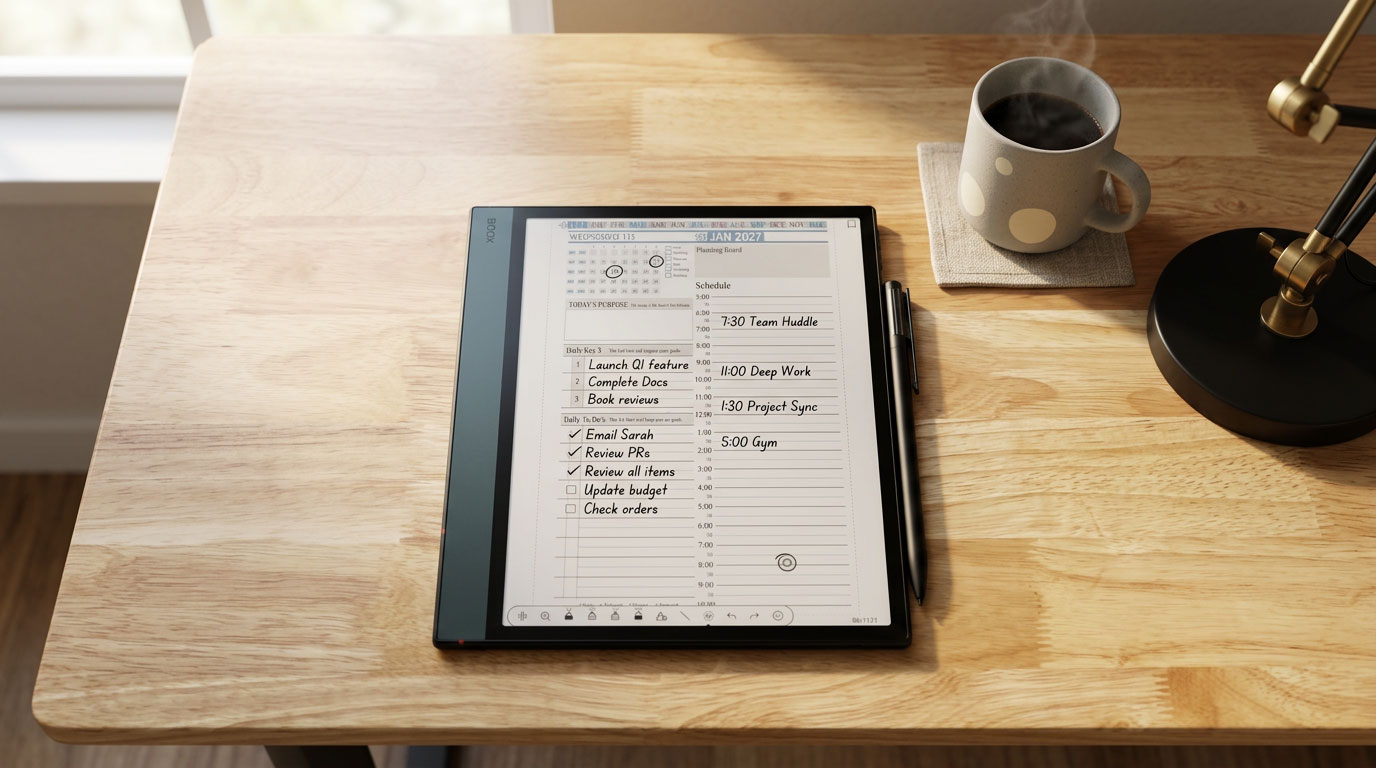
- Color e-ink supports visual planning systems The 5c's color display makes color-coded time blocking, highlighter systems, and visual schedule layouts functional rather than decorative. You can see whether your day is meeting-heavy or deep-work-heavy at a glance — which is how the K2S daily page is designed to be read.

The Daily Key3 Framework: Planning What Actually Moves the Needle
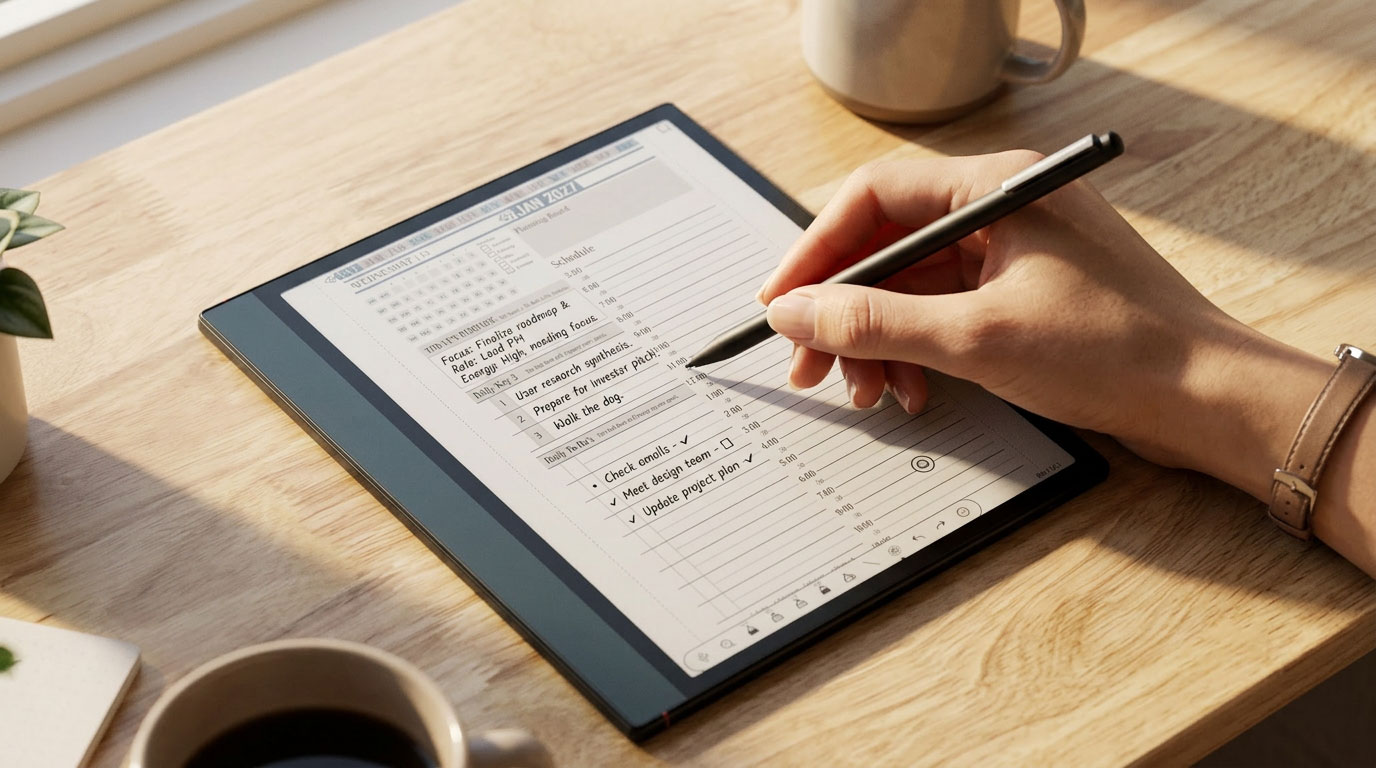
The Key2Success planning system is built around a concept I call the Daily Key3 — three specific actions, identified each morning, that will have the most meaningful impact on your day. Not a to-do list of twenty items. Three. The ones that matter most, written down deliberately, before the day's noise arrives.
"Put first things first."
— Stephen R. Covey, The 7 Habits of Highly Effective PeopleCovey's principle is straightforward: the most important actions should receive your best time and attention, not the leftovers at the end of the day. The Daily Key3 is the practical implementation of that principle. Each morning, before checking email, before opening any reactive tool, you identify the three things — whether it is building a relationship, completing a key project action, or making progress on a long-term goal — that will make today count.
"You do not rise to the level of your goals. You fall to the level of your systems."
— James Clear, Atomic HabitsJames Clear's work reinforces why the Daily Key3 produces results over time. The focus is not on the big goal — it is on the small, consistent daily action. A 1% improvement each day compounds. Writing three meaningful priorities every morning and acting on them consistently is not a dramatic change in any single day. Over a quarter, over a year, it produces transformational results precisely because it is ordinary and repeatable rather than heroic and occasional.
The Boox 5c is the right device for this practice because it creates the right environment. Opening the K2S planner on an e-ink device at 6am — before your phone, before your laptop, before the reactive layer of your day — is a deliberate act that signals to your brain: this time is for planning, not reacting. The device reinforces the habit by removing competing stimuli entirely.
Using the Boox 5c's Android Ecosystem Without Losing Focus
One of the things that makes the Boox 5c more flexible than devices like the reMarkable is the open Android 15 ecosystem and full Google Play Store access. You can install any app. That flexibility is genuinely useful for a planning workflow — OneNote for meeting notes, annotation apps, cloud storage tools. But it also raises a legitimate question: if the Boox 5c runs Android, what stops it from becoming just another distraction device?
The answer is intentional configuration. The Boox 5c is Android, but it is Android on an e-ink display — which means the experience of using social media, watching video, or browsing feeds on it is genuinely unpleasant compared to an LCD screen. The display refresh rate makes fast-scrolling feeds feel sluggish. Video looks wrong. The hardware pushes you back toward what it is actually good at: reading and writing.
Apps I Keep on My Boox 5c
My personal configuration is deliberately minimal. The apps I keep installed are:
- NeoReader — for the Key2Success PDF planner and any annotated documents
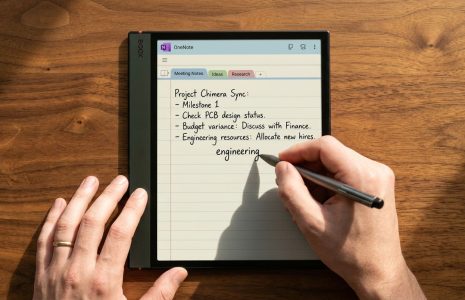
- Microsoft OneNote — for meeting notes with cross-device sync via the Key2Success for OneNote planning system
- Boox Drop — for file transfer when I need to load new PDFs or documents
- Kindle or a reading app — for deep reading sessions where I do not want a backlit screen
That is it. No email. No social media. No browser shortcuts to news sites. The device has one job in my daily routine: support my planning and focused work. Every app I do not install is a distraction that does not exist on that device.
The Focus Mode Advantage
The Boox 5c also includes built-in focus and reading modes that reduce screen refresh to minimum and lock the device into single-app use. For a deep planning session — especially a weekly review or a quarterly planning block — activating focus mode turns the device into something close to a dedicated single-purpose tool. No task-switching. No accidental notification taps. Just you and your planner.
Is an E-Ink Planning Device Worth It?
This is the honest question, and it deserves a direct answer rather than a list of hedged considerations.
It Is Worth It If:
- You have a consistent planning practice and want to protect it from distraction interruptions
- You take a lot of handwritten notes in meetings and need them to sync across devices
- You are a heavy reader and want to consolidate your reading and planning onto one device
- You find yourself starting planning sessions on your iPad and ending up somewhere else entirely
- You want a dedicated device that signals to your brain: this time is for thinking, not reacting
It May Not Be Worth It If:
- You do not currently have a daily planning practice — the device will not create the habit for you
- Your work requires frequent app-switching between tools that are not optimized for e-ink
- You primarily need a second screen for reading documents at a desk rather than a portable writing device
The Boox 5c is not a device you buy to improve your planning. It is a device you buy to protect and support a planning practice you are already committed to. If the habit is not there yet, start with the Key2Success Planner on whatever device you already own. Build the practice. Then consider whether the focused environment of an e-ink device would strengthen it.
The K2S Planner is available for GoodNotes, OneNote, reMarkable, Samsung Notes, and all major PDF annotation apps. You do not need a Boox 5c to start. You need a system. The device is an upgrade, not a prerequisite.
Start With the Key2Success Planning System
Frequently Asked Questions About E-Ink Tablets for Focus and Planning
Is an e-ink tablet better than an iPad for productivity and planning?
For focused planning and handwritten note-taking specifically, an e-ink tablet like the Onyx Boox 5c offers a less distracting environment than an iPad. The e-ink display does not have the visual stimulation of an LCD screen, battery life is measured in days, and the hardware is optimized for reading and writing rather than engagement. The iPad is more capable overall, but that capability comes with built-in distraction potential. The right choice depends on how you intend to use each device.
What apps should I use on Onyx Boox for productivity?
For a focused productivity setup on the Boox 5c, the core apps are NeoReader (for PDF planners like Key2Success), Microsoft OneNote (for meeting notes with cross-device sync), and Boox Drop (for file transfer). Keep the app list minimal — every additional app is a potential distraction. Avoid installing social media, email, or browser shortcuts that compete with your planning intention for the device.
How does the Daily Key3 planning framework work?
The Daily Key3 is a planning framework built into the Key2Success Planner. Each morning, you identify the three most impactful actions for that day — the ones that will move the needle on your most important goals, relationships, or projects. These three items receive your best time and energy before reactive tasks take over. The framework is based on Stephen Covey's principle of putting first things first, and James Clear's research showing that small consistent daily actions compound into transformational results over time.
Is the Onyx Boox 5c good for people with ADHD or focus challenges?
The Boox 5c's distraction-reduced environment can be genuinely helpful for people who struggle with focus on standard tablets. The e-ink display does not produce the same visual stimulation as LCD screens, the hardware supports silent operation without notifications, and the device can be configured to open directly into a single planning app. Combined with a structured planning system like Key2Success — which includes training resources specifically for focus and daily planning — the Boox 5c provides both the right environment and the right system for building consistent planning habits.
Can the Onyx Boox 5c replace an iPad for planning?
The Boox 5c can replace an iPad specifically for planning, note-taking, and reading — and for many users it does that job better in those contexts. It cannot replace an iPad for everything else the iPad does: video, creative apps, communication tools, and general computing tasks. Most users who adopt the Boox 5c use it alongside their iPad rather than instead of it, with each device doing the work it is best suited for.
My Take: The Environment Is the Strategy
Most productivity advice focuses on systems, habits, and mindset. Almost none of it focuses on environment — the physical and digital context in which you are trying to apply those systems. But environment shapes behavior more reliably than willpower does. Design the right environment and the right behavior becomes easier. Leave the environment unchanged and even the best system struggles against constant competing stimuli.
The Boox 5c is an environment tool. It creates a context in which focused planning is the easiest thing to do rather than a battle against distraction. The K2S planner is the system. The Daily Key3 is the framework. The Boox 5c is the environment that holds both of them in place without the noise that would otherwise erode them.
You do not need perfect discipline to plan consistently. You need an environment that does not actively work against you. That is what this device provides — and it is a more durable foundation for productivity than motivation or willpower alone.
Start with the system. The Key2Success Planner runs on any device you already own. Build the daily planning habit first. Then, when you are ready to protect that habit with the right environment, the Boox 5c will be waiting.
About the Author
Branden Bodendorfer is an entrepreneur, coach, and creator of the Key2Success Planner — a digital planning and productivity system used by professionals in 52 countries. With deep roots in Central Wisconsin, Branden has been building planning systems and helping individuals and organizations reach their goals since founding his first business in 2004.
His entrepreneurial journey spans co-founding Premier Printing in 2004, launching TriMedia in 2010 — a marketing and communications firm that grew multiple regional media brands reaching over 100,000 people per month — and developing the Key2Success Digital Planner beginning in 2013. He currently serves as Director of Marketing for Wheelers Family Auto Group , a six-rooftop Chevrolet and GMC dealer group in Central Wisconsin.
Branden is a passionate photographer, videographer, and drone pilot whose aerial and nature work has been featured on ABC World News, ESPN Monday Night Football, CNN, the NBC Today Show, and Disney platforms. He has been nominated for SBA Entrepreneur of the Year and recognized with Small Business of the Year awards. His coaching programs focus on entrepreneurship, leadership, marketing, and personal development — helping clients unlock their full potential through focused planning and intentional action.
Everything Branden publishes about productivity and planning comes from direct experience — systems he has built, tested, and used daily to manage a complex professional and entrepreneurial life.
Full Bio | brandenbodendorfer.com | Key2Success Planner | LinkedIn