Best PDF Digital Planner App in 2026
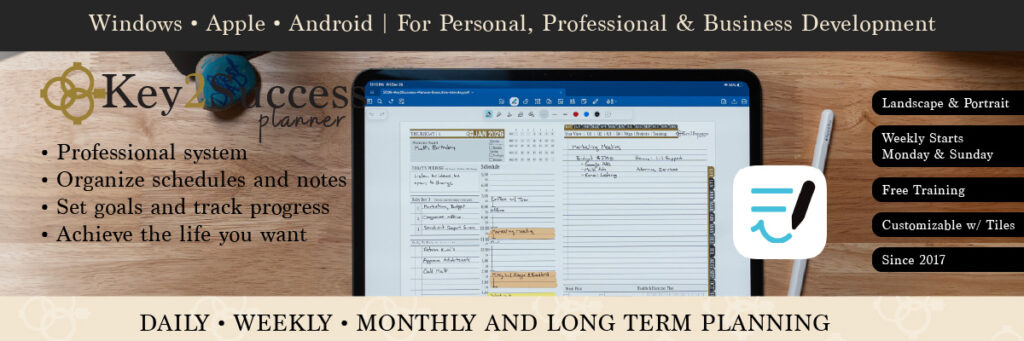
Looking to compare and determine the best PDF digital planner app in 2026? You’ve come to the right place! The Key2Success Digital Planner is engineered as a powerful, hyperlinked PDF that shines brightest when paired with the right annotation app—delivering seamless navigation between daily, weekly, monthly, and goal-setting pages, smooth handwriting, and professional tools to elevate your productivity.
Whether you’re on iPad, Android tablet, Windows Surface, or reMarkable device, choosing the best app ensures your planner performs at its peak.
In this 2026 guide, we compare the top compatible apps—including GoodNotes, Notability, Noteshelf, Freenotes, Notewise, CollaNote, StarNote, Penly, and more—focusing on real-world performance with Key2Success hyperlinks, dark mode support, stylus feel, and cross-device sync.
Discover which app perfectly complements your Key2Success Planner and helps you achieve your goals faster.

What is the best PDF Digital Planner App?
In 2026, hyperlinked digital planners like Key2Success or any custom PDF planner need apps that support handwriting, stylus input, and clickable hyperlinks. Below is the most up-to-date comparison of the best PDF annotation apps in 2026.
| App | Platforms (2026) | Pricing (Latest) | Handwriting Feel | Hyperlink Support | Best For (Planners) | Biggest Drawback |
|---|---|---|---|---|---|---|
| GoodNotes 6 | iOS • iPadOS • macOS • Android • Windows • Web | Free limited • Full: $9.99/year or $29.99 one-time (Apple) • $7.99/year others | Excellent • Apple Pencil Pro + S Pen | Full | Cross-platform king • huge template community | Subscription on non-Apple devices |
| Notability | iOS • iPadOS • macOS only | Free limited • $19.99/year (Notability Plus) | Very smooth • best audio-sync | Full | Audio notes + planning on iPad | Apple ecosystem only • subscription |
| Noteshelf 3 | iOS • iPadOS • macOS • Android | Free (3 notebooks) • $9.99 one-time per platform | Highly customizable pens | Full | Beautiful templates • great Android support | Separate purchase per ecosystem |
| Freenotes | iOS • iPadOS • macOS • Android | 100% free unlimited • optional one-time extras | Natural low-latency | Full | Best truly free option in 2026 | Occasional iCloud sync quirks |
| Notewise | Android (best) • iOS • iPadOS • Web • Windows beta | Freemium • one-time $14.99 or $4.99/year | Ultra-smooth • layers & infinite canvas | Full | Collaboration + web access | Free tier still limited to ~20 notes |
| CollaNote | iOS • iPadOS • macOS only | Free unlimited core • Premium one-time $12 or sub | 25+ unique pens • stabilizers | Full | Real-time collab • creative tools | Apple-only |
| StarNote | Android • iOS • iPadOS • Windows • macOS (new in 2026) | Freemium • one-time Pro $19.99 (lifetime) | Best-in-class ink engine | Full | No-subscription • now true cross-platform | Still catching up on template marketplace |
| Penly | Android only | One-time ~$5.99 | Super customizable • sticker heaven | Full | Android customization champion | Android-only |
Quick Recommendations for 2026
- Best Overall: GoodNotes 6 – most polished + now excellent cross-platform
- Best Free: Freenotes (unlimited) or CollaNote (creative tools)
- Best Android 2026: StarNote (new desktop apps!) or Penly
- Best iPad 2026: GoodNotes 6 • CollaNote (free collab) • Notability (audio)
- Best No-Subscription: StarNote (lifetime Pro) • Freenotes • Penly • Noteshelf one-time
All apps listed fully support hyperlinks in Key2Success, OneNote-style planners, and any hyperlinked PDF in 2026.
What to look for in a PDF digital planner app
- Hyperlink support: tabs and buttons should open instantly and reliably
- Fast performance: smooth page turns on large planners
- Pen and highlighter feel: comfortable writing with stylus or Apple Pencil
- Sticker workflow: easy lasso, copy/paste, resize, and image import
- Export quality: clear text and handwriting, reasonable file size, and links preserved
- Cost: one-time purchase vs subscription
Best PDF Digital Planner App Comparison Table
| App | Platforms | Hyperlinked PDF Tabs | Sticker-Friendly | Handwriting Experience | Export Quality | Pricing Style | Best For |
|---|---|---|---|---|---|---|---|
| Goodnotes | iPad, iPhone, Mac (varies by version) | Excellent | Excellent | Excellent | Excellent | Free + Paid options | Most Key2Success planner users on iPad |
| Notability | iPad, iPhone, Mac | Excellent | Good | Excellent | Excellent | Subscription (with free tier) | Planning plus audio recording |
| Noteshelf 3 | iPad (availability can vary) | Very Good | Very Good | Very Good | Very Good | Free + Paid options | Strong value and flexible tools |
| Notewise | iPad, Android (and more, depending on release) | Good | Good | Good | Good | Free + Paid tiers | Cross-device sync and collaboration features |
| CollaNote | iPad | Very Good | Very Good | Very Good | Good | Free | Budget-friendly iPad planning |
| Freenotes | iPad | Good | Good | Very Good | Good | Free | Simple planning and annotation |
| StarNote | Android | Good | Good | Good | Good | Often one-time purchase | Android users who prefer lifetime pricing |
| Penly | Android | Excellent | Excellent | Excellent | Excellent | Often one-time purchase | Best Android-first planner workflow |
Key2Success recommendation: If you are an iPad user, start with Goodnotes for the most common planner workflow, but Notability is the best option for those who want audio recording. For Android planners, a great option is Penly.
Quick picks: best app by planner style
- Best overall (iPad): Goodnotes
- Best for audio notes: Notability
- Best value alternative: Noteshelf 3
- Best free iPad option: CollaNote (with Freenotes as a simple backup)
- Best Android option: Penly
- Best cross-device workflow: Notewise
How to choose the best PDF planner app for you
- Pick your device: iPad choices differ from Android choices.
- Test hyperlinks: open your Key2Success planner and tap tabs repeatedly.
- Check sticker steps: import a tile or sticker sheet and test copy/paste, resize, and layering.
- Export a week: export a small range and confirm links and quality look right.
- Decide on pricing: if you hate subscriptions, prioritize one-time purchase options.
FAQ: Best PDF Digital Planner App Comparison
What is the best PDF digital planner app for Key2Success Planner?
For most iPad users, Goodnotes is a strong default because it handles hyperlinked planners well and supports common sticker workflows. For Android users, Penly is often the most planner-focused option.
Do hyperlinked PDF planners work in all annotation apps?
Not always. Many apps can open PDFs, but some handle hyperlinks better than others. Always test your planner tabs before committing. Key2Success is designed to work in all PDF annotation apps with hyperlinks.
What is the best free PDF planner app?
CollaNote and Freenotes are popular free options for iPad users, but paid apps often offer better organization and export control.
Which app is best for stickers and decorating?
Look for a good lasso tool, easy image import, and smooth resizing. Many iPad planners prefer Goodnotes for sticker-heavy layouts.
What should I do if my planner tabs are not working?
First confirm you are using the app’s view mode (not pen mode) when tapping tabs. If it still fails, try importing the PDF again and confirm the file is not flattened by a “print to PDF” step.
Related: Shop Key2Success Digital Planners |
More Planning Tips