Build Quality and First Impressions
The TCL Note AI makes a strong first impression. The packaging feels premium, and TCL includes extra stylus nibs, which is a thoughtful addition.
There are two types of nibs: a flatter option and a more textured version. Unlike many tablets, the nibs unscrew rather than pull out, making replacement simple once you get used to it.

The tablet is approximately 5mm thin and feels solid in hand. A subtle rear elevation near the camera prevents wobbling when writing on a flat surface, which improves stability during note-taking sessions.
Display and Writing Experience
The display features a 120Hz refresh rate, which reduces ghosting during handwriting. This makes writing feel smoother and more natural.
- Responsive touchscreen
- Portrait and landscape support
- Fingerprint unlock
- Customizable home button shortcuts
Portrait mode feels especially comfortable for structured note-taking.
Keyboard and Folio Case
The included folio-style keyboard attaches securely and allows you to switch between handwriting and typing effortlessly.
The stylus magnetically attaches and charges along the side of the device. The keyboard case can also be removed if you prefer a lighter setup.
Note-Taking Tools and Templates
The TCL Note AI offers a full suite of writing tools:
- Ballpoint and specialty pens
- Adjustable thickness and colors
- Custom color picker
- Lasso selection tool
- Object and pixel eraser
- Shape recognition
- Angle-snapping ruler
- Highlighter
- Text box support
One standout feature is the ability to lasso multiple handwritten elements and change their color at once.
Preloaded templates include:
- Cornell note layout
- Meeting agendas
- Diary formats
- Structured text templates
- Lined and narrow page options
AI Features: Rewrite and Expand Notes
This is where the TCL Note AI stands out. You can circle handwritten notes and send them into the AI workspace, where the system can:
- Rewrite notes for clarity
- Add more detail
- Structure meeting summaries
- Create follow-up action steps
Handwritten notes can quickly become structured, professional summaries ready to share.
Audio Recording and AI Transcription
The built-in microphones allow you to record meetings or lectures while taking notes.
After recording, you can:
- View time-stamped segments
- Generate AI summaries
- Transcribe speech to text
- Copy summaries into other apps
This is especially useful for students, business professionals, and content creators.
OneDrive, Outlook, and OneNote Integration
Because the tablet runs on Android, it integrates directly with Microsoft apps.
You can generate AI summaries in the Notes app and paste them directly into OneNote, making this device particularly powerful for Microsoft ecosystem users.
Who Is This Tablet For?
The TCL Note AI Next Paper is ideal for:
- Students attending lectures
- Professionals in frequent meetings
- OneNote power users
- Executives managing structured workflows
- Anyone seeking AI-enhanced note-taking
Key Features of the TCL Note AI Next Paper Tablet
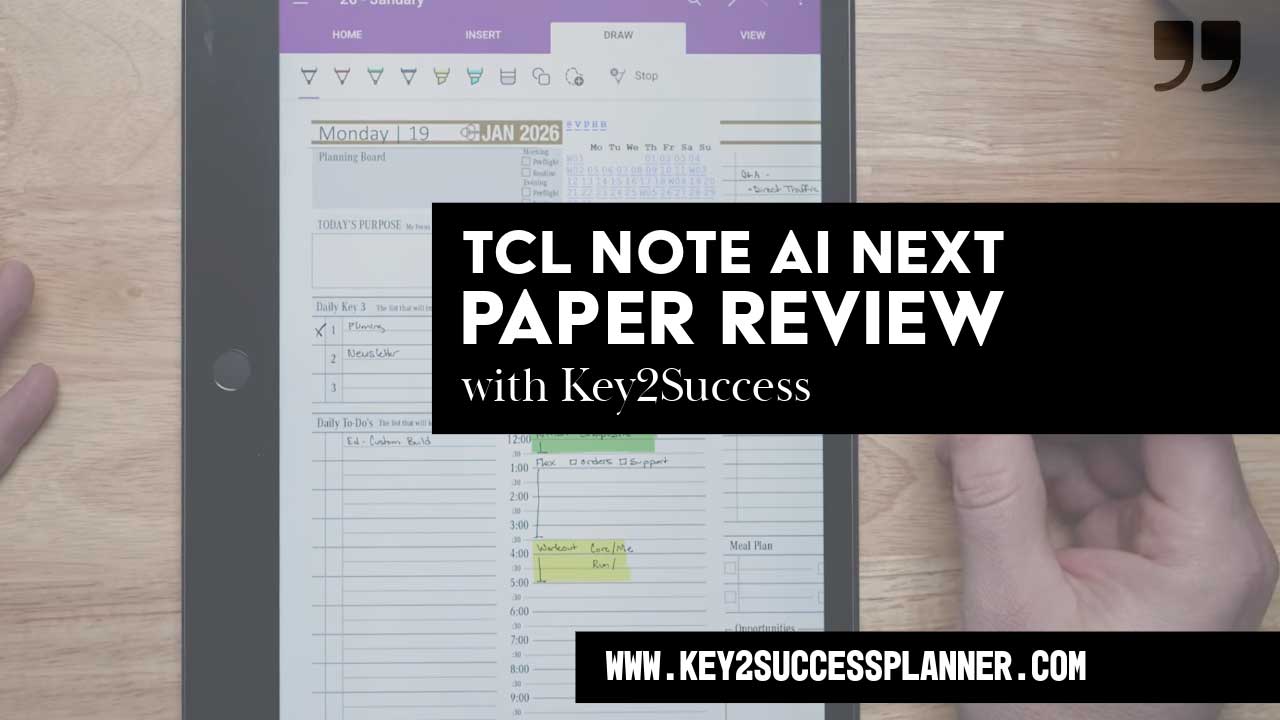
The TCL Note AI Next Paper successfully combines handwriting, AI summarization, audio recording, and cloud integration into one productivity device.
If you want a distraction-light tablet that still integrates with your workflow tools, this is a strong option worth considering.