The reMarkable Paper Pure + Key2Success System: How to Think Sharper, Plan Better, and Win in the Age of AI
The AI productivity paradox
Most professionals are producing more output than they ever have. More emails, more decks, more content, more reports. AI tools have made it easier to generate work product at volume.
But here's the problem nobody's talking about: we're generating more and processing less. The thinking that happens before you create something — the kind that produces actual insight, strategic clarity, and original ideas — that's getting squeezed out. And if you're using the same screen to think as you're using to produce, you're fighting yourself the whole time.
The professionals who pull ahead in this environment won't be the ones who output the most. They'll be the ones who think the clearest. And you can't think clearly on a device that buzzes, interrupts, pulls you toward 14 open tabs, and rewards reaction over reflection.

That's the gap the reMarkable Paper Pure was built for. And it's why pairing it with a structured planning system like Key2Success turns it from a great writing device into a genuine competitive tool.
What the reMarkable Paper Pure brings to the table
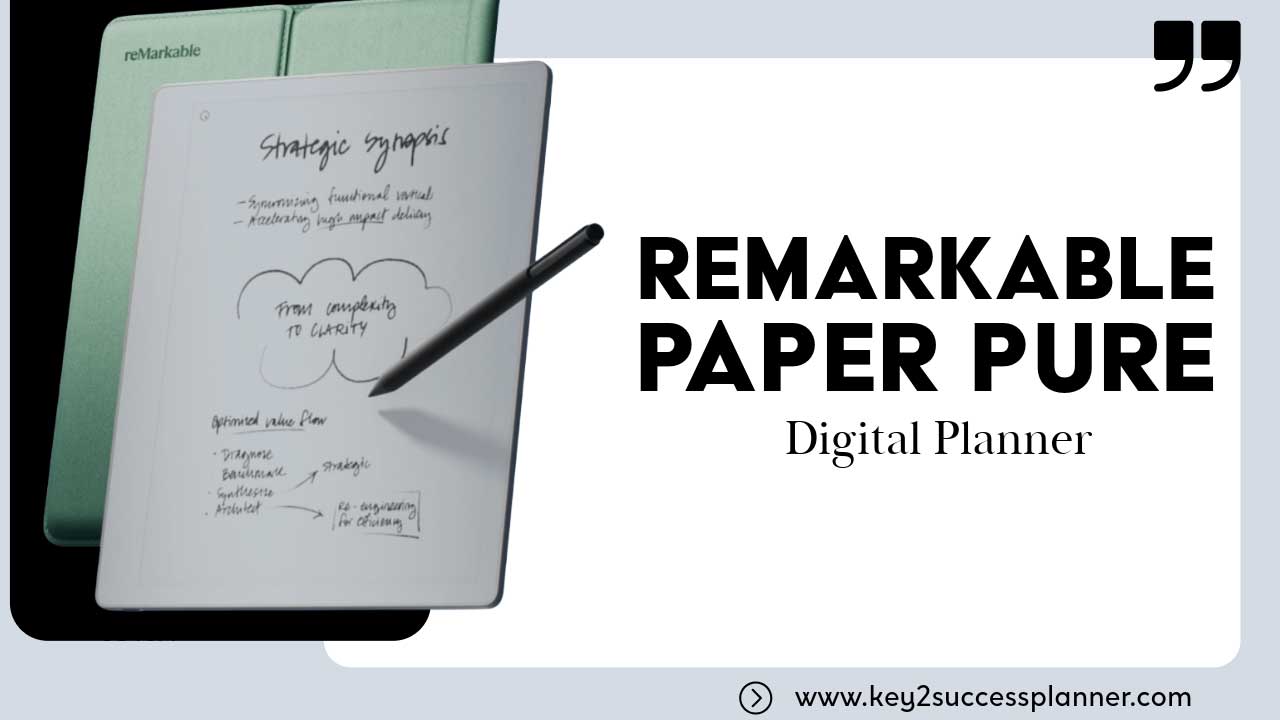
The Paper Pure isn't trying to be an iPad. That's the whole point. It does exactly three things: writing, note-taking, and PDF annotation. And it does all three better than any general-purpose tablet because it's not competing with itself for your attention.
The specs that matter day-to-day:
- 50% faster processor than the reMarkable 2
- 20% higher contrast display for sharper text in any light
- Battery life up to three weeks on a single charge
- CANVAS Display technology that renders handwriting at near-zero latency
- Paper-feel writing texture that no glass screen can replicate
- No app store, no notifications, no browser
The last bullet is what you're actually paying for. You pick it up to write. That's all it does. For professionals who've tried to use an iPad as a writing and planning device and keep getting pulled into messages and email, the Paper Pure solves the problem by removing the option.
The reMarkable Connect subscription (optional) adds cloud sync to Google Drive, OneDrive, Dropbox, and integrations with Microsoft Word, Slack, and Miro. Without it, the device still works fully offline. All notes and annotations stay on the device unless you choose to sync.
Why handwriting still matters in 2026
The neuroscience case
Research published in Frontiers in Psychology found that handwriting activates regions of the brain tied to learning and memory in ways that keyboard input doesn't trigger. When you write by hand, you process information more deeply because you can't transcribe everything verbatim. You have to summarize, condense, and decide what matters. That process is cognition. Typing mostly just records.
For people using AI tools, this has a practical implication that most miss entirely. The quality of what you get from an AI system is directly tied to the quality of your input. Vague prompts produce vague output. Scattered thinking produces scattered results. Handwriting forces you to clarify your thinking before you ever touch a keyboard. Better thinking produces better prompts. Better prompts produce dramatically better AI output.
The distraction gap
There's also what I'd call the distraction tax. Every time you shift attention from a task to a notification or a new browser tab, research suggests it takes roughly 23 minutes to return to deep focus. Most people on laptops and phones never get back to deep focus. They're running entirely on surface-level attention.
The Paper Pure doesn't have notifications to shift your attention. You pick it up, you write. That single constraint is worth more than most productivity apps.
The Key2Success Planner framework
A writing device without structure is a journal. Useful, but not a system. Key2Success turns the Paper Pure into a planning machine by giving you a framework that matches the actual shape of your life and work.
Personal tier
Built for daily habits, morning routines, personal goal tracking, and reflection. If you're working on consistency, fitness, sleep, relationships, or personal development, this is where you start. The daily habit section and weekly review structure are what most people need before they can execute on anything bigger.
Business tier
Project planning, client work, launch frameworks, meeting capture, and team coordination. Designed for founders, entrepreneurs, and small business owners who are running multiple things at once and need a single system that keeps all of it organized without requiring three different apps to stay current.
Professional tier
Career goal tracking, performance metrics, professional development plans, and client relationship management. Built for the person who has a W-2 job but is managing their career like a business. Sales professional, students, account managers, coaches, consultants, and anyone who tracks progress against defined goals will use this tier the most.
Executive tier
Strategic vision, board-level thinking, leadership decision journaling, and long-horizon planning. If you're running an organization, sitting on boards, or carrying P&L responsibility, this is the tier that matches the scale and complexity of what you're managing. Decision journals alone are worth the investment for anyone at this level.
The Paper Pure + K2S workflow in practice
Most productivity systems fail because they don't connect the thinking layer to the execution layer. You have a notebook full of ideas that never become projects. Or you have tasks in a system with no context for why they matter. The Paper Pure and K2S close that gap.
Daily workflow
Morning: Open K2S daily planning page on Paper Pure. Write your three priorities for the day in your own hand. Note the one thing that, if done, makes everything else easier.
Meetings: Take all meeting notes on Paper Pure. After the meeting, convert to text via handwriting recognition, paste into the K2S meeting notes section, extract action items.
Evening: Use the K2S reflection section to capture wins, blockers, and what needs to move. Five minutes. Keeps the next morning's planning honest.
Brain dump to goal framework
When you're carrying a lot in your head, the Paper Pure is where you empty it. Write fast, don't edit. Get it all out. Then use the K2S project scaffolding to sort it: What's a real project? What's a task inside an existing project? What's noise that doesn't need to live anywhere?
This processing step is where most people skip. They collect ideas and they don't sort them. K2S gives you the structure to sort. Paper Pure gives you the space to collect without distraction.
Ideas to execution roadmaps
The K2S launch framework is built for exactly this. You've written three pages of ideas for a new service offering or product on the Paper Pure. Now you need to turn that into a sequence. Use the business tier launch framework to break it into phases, assign milestones, and map dependencies. What gets written by hand gets remembered. What gets structured in K2S gets done.
How the Key Three completes the loop
The Key Three is the daily execution layer that ties the Paper Pure's capture function to the K2S planning structure. Three elements, every day:
- Daily habits review — Did you do the things you committed to doing? Tracked in the K2S personal tier, written by hand each morning on Paper Pure.
- Weekly review rhythm — Every Sunday or Monday, a 20-minute review of the prior week's notes, this week's priorities, and project status. Paper Pure for the review. K2S for the update.
- Execution layer — The single most important task for the day goes on the Paper Pure before you open your laptop. You decide what matters before the notifications decide for you.
The Key Three doesn't add complexity to your system. It's the discipline that keeps the system from getting dusty. Most planning systems break down because the review step disappears. Building it in as a non-negotiable three-element daily practice is what makes the difference between a system you use and a system you own.
Who benefits most
This isn't a system for everyone. If you need a tablet that handles video, apps, and communication, get an iPad. The Paper Pure is for a specific kind of professional or executive.
You're the right fit if you:
- Find yourself distracted every time you open a laptop to think or plan
- Have a notebook habit but wish your notes were searchable and organized
- Use AI tools but feel like your prompts are weak because your thinking is scattered
- Lead meetings where you take notes but rarely have a system to process them afterward
- Want a planning system that matches the actual complexity of your work, not a generic to-do list
Entrepreneurs managing launches and client pipelines get the most out of the Business + Professional K2S tiers on Paper Pure. Executives who do decision journaling and strategic planning find the Executive tier paired with Paper Pure becomes the one tool they actually protect time for. Coaches and consultants who prepare for sessions on paper and then process notes afterward report that this workflow changes how they show up for clients.
I've used this system for several years across my own work at Wheelers and with Key2Success. The Paper Pure replaced three different notebooks and a notes app I was barely keeping up with. The K2S structure replaced a half-dozen planning templates I'd built and abandoned. Together they're the simplest version of a high-performance planning system I've found.
Explore K2S digital planners built for reMarkable Paper Pure
Find the tier that matches your life and work. Personal, Business, Professional, and Executive options available as reMarkable-ready PDFs.
Shop reMarkable PlannersFrequently asked questions
Quick answers
- Does the reMarkable Paper Pure have a backlight?
- Yes. The Paper Pure includes a frontlight for reading and writing in low-light conditions.
- Can you annotate PDFs on the reMarkable Paper Pure?
- Yes. PDF import and annotation is one of the core use cases the device is built for.
- How do Key2Success planners get onto the reMarkable?
- Import via the reMarkable app on your phone or computer, or directly via cloud sync if you have Connect.
- Is the Paper Pure good for reading ebooks?
- Primarily it's a writing device. You can read PDFs on it. For ebook reading as a primary use case, a Kindle or Kobo is a better fit.
- What handwriting recognition does the Paper Pure offer?
- On-device handwriting-to-text conversion is available with the Connect subscription.
- Is K2S available for platforms other than reMarkable?
- Yes. Key2Success planners work on iPad with GoodNotes or Notability, and on other PDF-compatible e-ink devices.
Sources
- Van der Meer, A.L.H. & Van der Weel, F.R.R. (2017). Only Three Fingers Write, but the Whole Brain Works. Frontiers in Psychology. frontiersin.org
- reMarkable User Research Data (2024). Focus and Stress Outcomes vs. PC Work. remarkable.com
- Mueller, P.A. & Oppenheimer, D.M. (2014). The Pen is Mightier Than the Keyboard. Psychological Science.
- Bodendorfer, B. (2026). reMarkable Paper Pure Is Here. onfocus.news