Key2Success Digital Planner: Built-In Task Reminders & Notifications
Digital planner apps have revolutionized the way individuals and businesses manage their time and tasks. These applications not only help in organizing schedules but also can incorporate built-in task reminders and notifications that enhance productivity.
In this article, we will explore the significance of digital planner apps, particularly focusing on Key2Success, our productivity system designed to help users achieve their goals.
Many users struggle with forgetfulness and time management, which can hinder their productivity. Key2Success addresses these challenges by providing a comprehensive digital planning system that integrates with various devices and note-taking applications.
We will dive into the unique features of Key2Success, how to set up task reminders in supportive apps, and the latest trends in digital planning.

How to Use Notifications With the Key2Success Digital Planner
One of the most common questions from Key2Success users is:
Does the Key2Success Digital Planner send notifications or reminders?
The short answer is no. NO digital planner can do this – and if they claim to, they are lying.
The more helpful answer is that notifications depend on the app you use with the planner, not the planner itself.
This guide explains how notifications work with digital planners, which apps support reminders, and how to use notifications with both the PDF and OneNote versions of the Key2Success Digital Planner.
How digital planner notifications work
The Key2Success Digital Planner is a planner file, not an app.
- The planner organizes your tasks, goals, and schedule
- The app you open it in determines whether notifications are available
Think of the planner as a paper planner. The app is the tool that may or may not remind you about what you wrote down.
Using notifications with the PDF version of Key2Success
The PDF version of Key2Success works inside PDF annotation or note-taking apps (like Goodnotes, Notability, reMarkable, etc). These apps are excellent for handwriting and visual planning, but most do not send automatic notifications based on planner dates.
Common apps used with the PDF version
- GoodNotes
- Notability
- Noteshelf
These apps allow you to write tasks, plan your days and weeks, and use hyperlinks. However, they typically do not send reminders just because a date appears in the planner.
How to get notifications with the PDF version
To receive reminders, pair your planner with a separate reminder or calendar app.
Apps that support notifications
- Apple Reminders
- Google Calendar
- Microsoft To Do
- Todoist
- TickTick
Recommended workflow:
- Write your task or deadline in your Key2Success planner
- Open your reminder or calendar app
- Create a reminder for the same date and time
- Receive a notification when the task is due
Using notifications with the OneNote version of Key2Success
The OneNote version of Key2Success offers more built-in notification options.
Because OneNote connects with Microsoft tools like Outlook and Microsoft To Do, tasks can be linked directly to reminder systems.
How notifications work in OneNote
- Type tasks directly onto planner pages
- Flag tasks as To Do
- Sync tasks with Outlook or Microsoft To Do
Once synced, you can assign due dates, enable reminders, and receive notifications on your devices.
PDF vs OneNote notification comparison
| Feature | PDF Version | OneNote Version |
|---|---|---|
| Handwriting support | Yes | Limited |
| Typed tasks | Yes | Yes |
| Built-in notifications | No | Yes (via Microsoft tools) |
| Separate reminder app required | Yes | Optional |
| Best for | Visual planners | Task-focused planners |
Final thoughts on notifications
Key2Success is designed to help you plan intentionally. Notifications are meant to support your plan, not replace it.
Use your planner to clarify priorities and map out your time. Use notifications to stay accountable and avoid missed deadlines.
Frequently Asked Questions
Does the Key2Success Digital Planner send notifications?
No. The planner itself does not send notifications. Alerts come from the app you use with it.
Does GoodNotes support planner notifications?
No. GoodNotes does not send automatic reminders based on planner dates. A separate reminder or calendar app is required.
Can OneNote send reminders for planner tasks?
Yes. Tasks flagged in OneNote can sync with Outlook or Microsoft To Do to send notifications.
Which apps are best for planner notifications?
Apple Reminders, Google Calendar, Microsoft To Do, Todoist, and TickTick all support notifications and work well alongside digital planners.
Do I need notifications to use Key2Success?
No. Notifications are optional. Many users plan successfully without them.
What Are Digital Planner Apps and Why Are Task Reminders Helpful?
Digital planner apps are software tools designed to help users organize their schedules, tasks, and notes in a digital format. These applications streamline the planning process by allowing users to access their schedules from multiple devices, ensuring that they stay on track regardless of where they are.
Task reminders are essential because they help users manage their time effectively, reducing the likelihood of forgetting important deadlines or appointments.
It’s important to note that scheduling and planning are two different things – and the way you use them matters. Read more on that on the blog.
How Do Digital Planners Improve Productivity and Time Management?
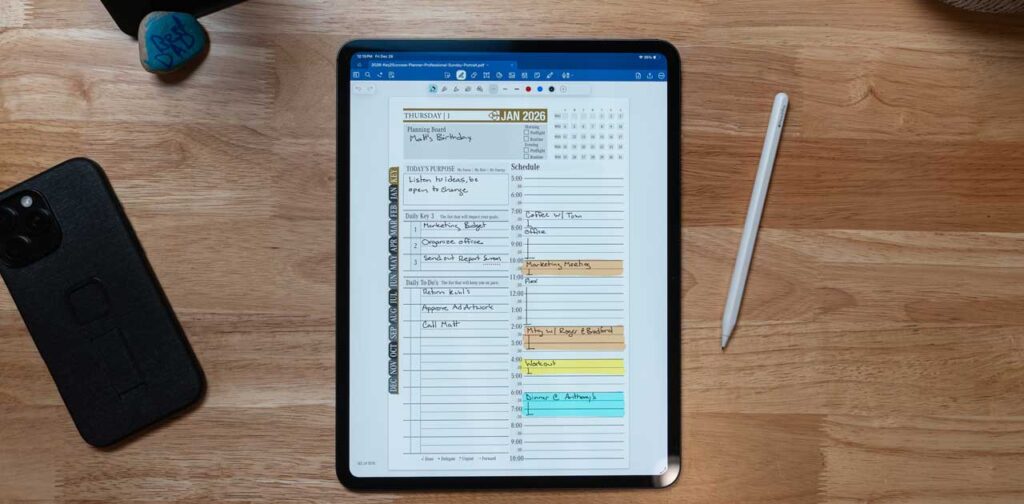
Digital planners significantly enhance productivity by providing users with a centralized platform to manage their tasks and schedules. They allow for better organization, enabling users to categorize tasks by priority or deadline.
Studies show that individuals who utilize digital planners report improved time management skills and a greater sense of control over their daily activities. For instance, users can set specific time blocks for tasks, which helps in minimizing distractions and maintaining focus.
What Benefits Do Built-in Task Reminders and Notifications Provide?
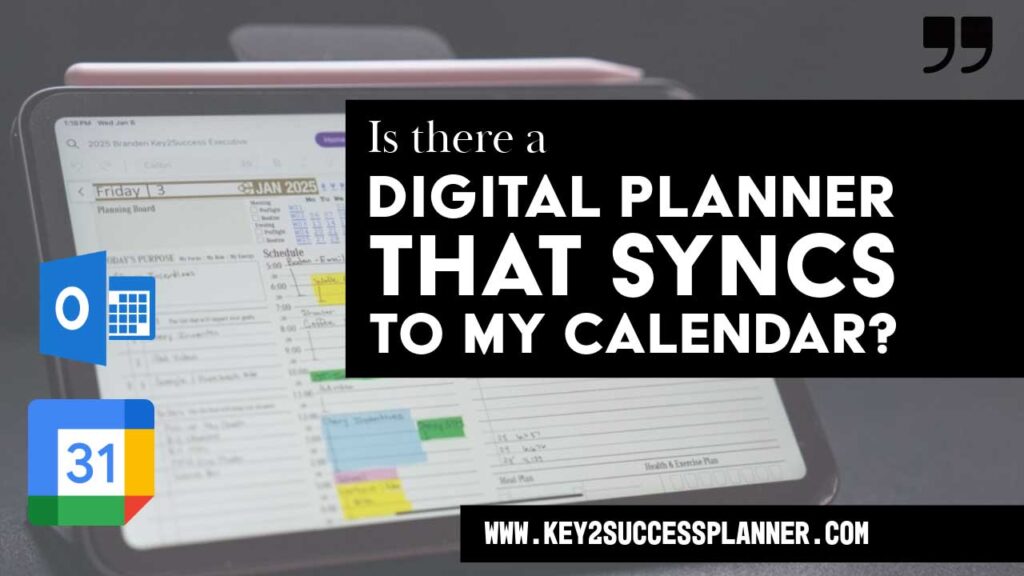
Built-in task reminders and notifications offer several advantages that contribute to effective task management. Firstly, they reduce forgetfulness by sending timely alerts for upcoming deadlines or appointments. This feature is particularly beneficial for busy professionals who juggle multiple responsibilities.
Secondly, notifications help users stay focused by prompting them to complete tasks on time, thereby enhancing overall productivity. Lastly, these reminders can be customized to suit individual preferences, allowing users to choose how and when they receive alerts.
How Does the Key2Success Digital Planner Stand Out Among Productivity Apps?
Key2Success distinguishes itself from other digital planner apps through its unique features and user-friendly approach. This planner is designed to cater to both individuals and businesses, making it a versatile tool for various productivity needs.
What Are the Unique Features of Key2Success Digital Planner Editions?
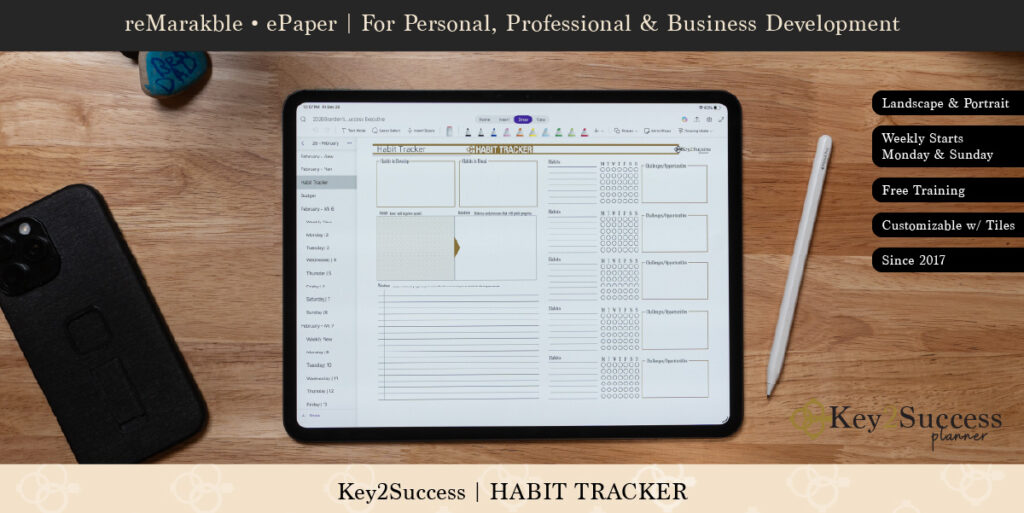
How Does Key2Success Integrate with Popular Apps Like OneNote and GoodNotes?
Key2Success integrates with popular note-taking applications such as OneNote and GoodNotes through synchronization features. This integration allows users to sync their notes and tasks across platforms, ensuring that they have access to their information wherever they go. For example, users can create tasks in OneNote and manage reminders in Key2Success, streamlining their workflow and enhancing productivity.
How Do Customizable Tiles Enhance Reminder Functionality in Key2Success?
Customizable tiles in Key2Success allow users to personalize their reminder experience. Users can select different colors, sizes, and layouts for their task tiles, making it easier to prioritize and visualize their tasks.
This feature not only enhances the aesthetic appeal of the planner but also improves functionality by allowing users to quickly identify urgent tasks.
Which Digital Planner Apps Are Best for Professionals Needing Reliable Notifications?
For professionals seeking reliable notifications, several digital planner apps stand out. These apps are designed to cater to the specific needs of business users, ensuring that they can manage their tasks effectively. OneNote is our recommended app if you want notifications.
Project Management Digital Collaboration Tools for Timelines
This study explores the impact of project management–oriented digital collaboration tools—specifically Asana, Trello, and Jira—on project delivery timelines in remote technology teams, with a particular focus on mid-sized firms (50–500 employees). Leveraging an exploratory sequential mixed-methods approach grounded in a pragmatic paradigm, the research integrates qualitative thematic analysis of secondary case studies with quantitative survey data from remote team professionals. Drawing on the Technology Acceptance Model (TAM) and the Task-Technology Fit (TTF) framework, the study examines how tool usage intensity, organizational support, tool integration, and communication efficiency influence project delivery outcomes. Findings suggest that higher levels of digital tool adoption are associated with reduced timeline deviations, particularly when communication is efficient and supported by structured onboarding and platform integration. The study identifies communication
… EXTENT DOES THE USE OF PROJECT MANAGEMENT–ORIENTED DIGITAL COLLABORATION TOOLS AFFECT DELIVERY TIMELINES IN REMOTE TECH TEAMS …, MH Imam, 2025
How Can Coaching and Support Amplify Your Success with Key2Success?
Coaching and support play a crucial role in maximizing the benefits of using Key2Success. By leveraging professional guidance, users can better understand how to utilize the planner effectively.
What Professional Coaching Services Does Branden Bodendorfer Offer?
Branden Bodendorfer offers a range of professional coaching services designed to help users achieve their productivity goals. These services include one-on-one coaching sessions, group workshops, and online training resources. By participating in these programs, users can learn best practices for using Key2Success and develop strategies to enhance their productivity.
How Does Personalized Support Improve Digital Planning Outcomes?
Personalized support significantly improves digital planning outcomes by providing users with tailored advice and strategies. Users who engage with coaching services often report higher satisfaction and better results in their planning efforts. This support helps individuals identify their unique productivity challenges and develop customized solutions to overcome them.
What Are the Latest Trends and Market Insights for Digital Planners with Reminders?
The digital planning landscape is continuously evolving, with new trends emerging that shape how users interact with their planners. Understanding these trends can help users stay ahead in their productivity efforts.
How Is AI Integration Shaping the Future of Digital Planning?
AI integration is becoming increasingly prevalent in digital planning tools. By leveraging artificial intelligence, planners can offer personalized recommendations, automate repetitive tasks, and enhance user experience. This technology allows users to focus on high-priority tasks while the planner manages routine reminders and scheduling.
Why Is Cross-Device Compatibility Crucial for Modern Digital Planners?
Cross-device compatibility is essential for modern digital planners as it allows users to access their information from various devices, including smartphones, tablets, and computers. This flexibility ensures that users can stay organized and productive, regardless of their location. As remote work becomes more common, the need for planners that function seamlessly across devices is more critical than ever.