Can Goodnotes search handwriting?
Yes, Goodnotes can search handwritten notes.
When you write by hand in a Goodnotes notebook, planner, or document, the app can recognize much of that handwriting and make it searchable. That means you can type a word or phrase into search and Goodnotes may show the pages where it appears.
- digital planning
- class notes
- meeting notes
- journaling
- brainstorming and idea capture
- project planning
How to search handwritten notes in Goodnotes
1. Open Goodnotes
Open the Goodnotes app on your iPad and go to the notebook, planner, or document you want to search.
2. Tap the search icon
Find the search tool and tap it to open the search bar.
3. Type the word or phrase you want to find
Enter a keyword you remember writing, such as meeting notes, budget, content ideas, client follow-up, or meal plan.
4. Tap the result you want
Tap any result to jump directly to the page where that handwritten word or phrase appears.
Why Goodnotes search sometimes misses handwritten words
Messy or inconsistent handwriting
If your handwriting changes a lot or is hard to read, Goodnotes may not recognize every word accurately.
Very small handwriting
Tiny text can be harder for handwriting recognition to detect.
Stylized letters
If you form letters in an unusual way, the app may interpret them as something else.
Imported pages or images
If a page is image-based rather than written directly in Goodnotes, search may not work the same way.
Tips to improve handwriting search in Goodnotes
- Write a little more clearly
- Use clear page titles and headings
- Keep one main topic per page
- Use consistent wording
- Use a structured digital planner
Branden Bodendorfer’s GoodNotes planners were built to help users keep everything organized in one place. We offer Personal, Professional, Business, and Executive versions. You can see them here: Shop GoodNotes planners.
Using handwriting search with a Goodnotes digital planner
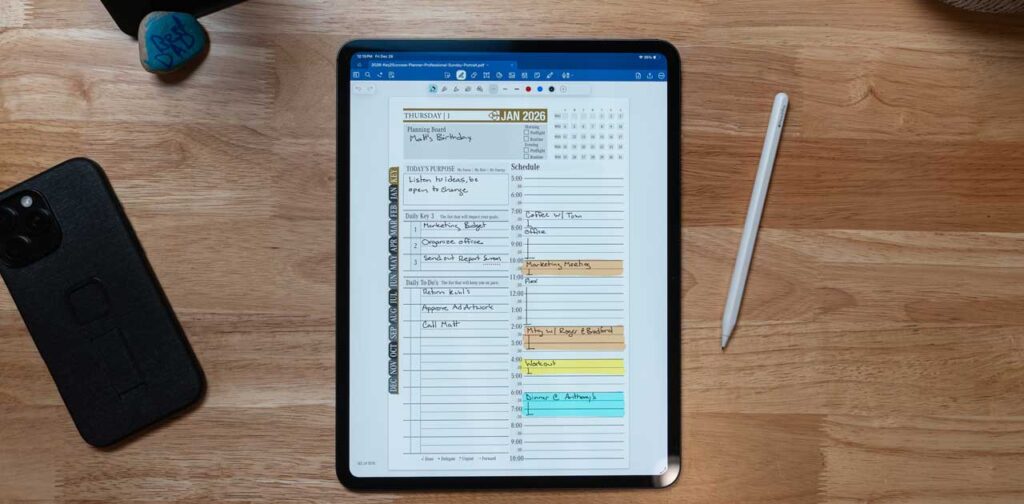
If you use a digital planner in Goodnotes, handwriting search can save a lot of time. You can search for project names, appointments, goals, task lists, content plans, and important dates instead of flipping through pages manually.
Branden Bodendorfer has been creating planners used by thousands worldwide since 2017, and we also provide free YouTube training to help users get started with confidence.
Final thoughts
If you have ever wondered how to search handwritten notes in Goodnotes, the good news is that it is one of the most useful features in the app. It helps you find handwritten information faster, stay organized, and get more value out of digital planning and note-taking.
If you want a better way to organize your schedule, notes, goals, and ideas inside Goodnotes, browse our expert-designed planners here: GoodNotes digital planners.