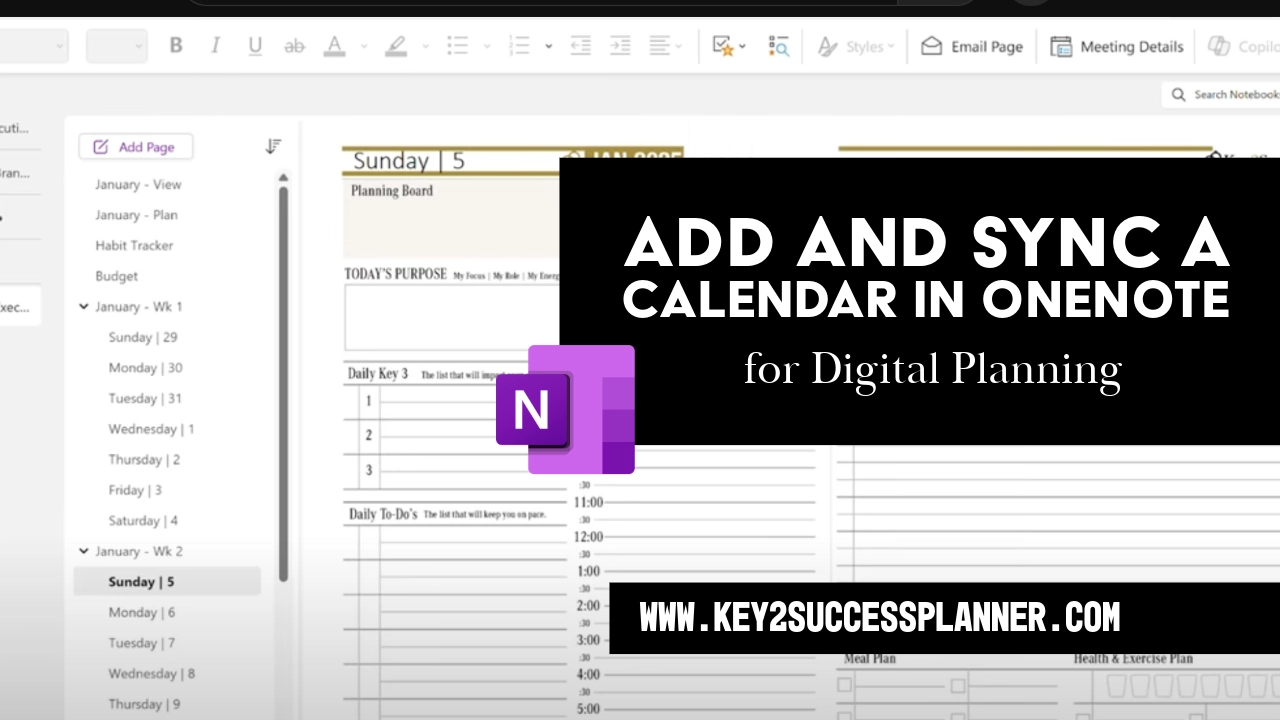
add and sync a planner in onenote
Articles Mar 02
By Bodendorfer 0 Comments

Add and Sync a Calendar in OneNote for Digital Planning

Digital planning in OneNote is one of the most flexible ways to organize your life, goals, and tasks across devices. If you are wondering how to add and sync a planner in OneNote for digital planning, this guide walks you through the entire process step by step.

Whether you are using a tablet, laptop, or phone, OneNote allows your digital planner to stay updated automatically through cloud syncing.

Set Up and Sync Your OneNote Digital Planner Calendar

What Is a OneNote Digital Planner?

A OneNote digital planner is a pre-designed notebook that functions like a traditional planner but with interactive digital features. Instead of paper pages, your planner consists of sections, pages, and tabs that you can write on, type in, or customize.

Benefits of Using OneNote for Digital Planning

Using OneNote as a planner offers several advantages:

Promotional banner for Key2Success planner offering discounts and a money-back guarantee, emphasizing digital planning benefits and a call to action for users on Samsung devices.
  • Automatic syncing with OneDrive
  • Works on Windows, Mac, iPad, Android, and web
  • Supports handwriting with stylus or Apple Pencil
  • Allows typing, drawing, images, and attachments
  • Easy navigation with sections and pages
  • Searchable notes and tasks

What You Need Before Getting Started

Before importing your planner into OneNote, make sure you have:

  • A Microsoft account
  • OneNote installed on your device
  • OneDrive enabled for cloud sync
  • A digital planner file designed for OneNote

How to Add a Planner to OneNote

Adding a digital planner to OneNote is different from importing a PDF. Most OneNote planners come as a notebook package file.

Step-by-Step Instructions

  1. Download your digital planner file to your device
  2. Locate the file (usually a .onepkg format)
  3. Double-click the file to open it
  4. OneNote will prompt you to choose where to save it
  5. Select your OneDrive account
  6. Click Create or Import

Your planner will now appear as a new notebook inside OneNote.

How to Sync Your Planner Across Devices

OneNote uses OneDrive to sync notebooks automatically.

To enable syncing:

  1. Make sure you are signed into OneNote with the same Microsoft account on all devices
  2. Keep your device connected to the internet
  3. Open the planner notebook on each device

Manual Sync (if needed)

Desktop:

  • Go to File > Info
  • Select View Sync Status
  • Click Sync All

Mobile or Tablet:

  • Pull down on the notebook list to refresh
  • Ensure background app refresh is enabled

Once synced, any changes you make will appear everywhere.

How to Use Your Digital Planner Effectively

After setup, you can customize your planner to fit your workflow.

You can:

  • Write using a stylus
  • Type anywhere on the page
  • Insert images, stickers, or files
  • Create task lists
  • Color-code priorities
  • Add links between pages
  • Combine planning with journaling or note-taking

Troubleshooting Sync Issues

If your planner is not syncing properly, try the following:

  • Check your internet connection
  • Confirm OneDrive storage is not full
  • Update the OneNote app
  • Sign out and sign back in
  • Manually sync the notebook
  • Make sure you are editing the same notebook version

Final Thoughts

Learning how to add and sync a planner in OneNote for digital planning can transform how you organize your schedule and goals. Once set up, your digital planner becomes a centralized system you can access anytime from any device.

With automatic cloud syncing, handwriting support, and flexible layouts, OneNote provides one of the most powerful digital planning platforms available.

Frequently Asked Questions

Can you use OneNote as a digital planner?

Yes. OneNote works extremely well as a digital planner because it supports handwriting, typing, multimedia content, and cloud syncing across devices.

How do I sync my OneNote planner across devices?

Sign in with the same Microsoft account on all devices and store your notebook on OneDrive. OneNote will sync automatically whenever you are online.

Is OneNote better than a PDF planner?

OneNote planners allow full editing, rearranging pages, searching text, and real-time syncing, which many users find more flexible than static PDF planners.

Can I use a OneNote planner on iPad?

Yes. Install the OneNote app from the App Store, sign in to your Microsoft account, and open your synced planner notebook.

Promotional banner for Key2Success planner offering discounts and a money-back guarantee, emphasizing digital planning benefits and a call to action for users on Samsung devices.

Leave a Comment