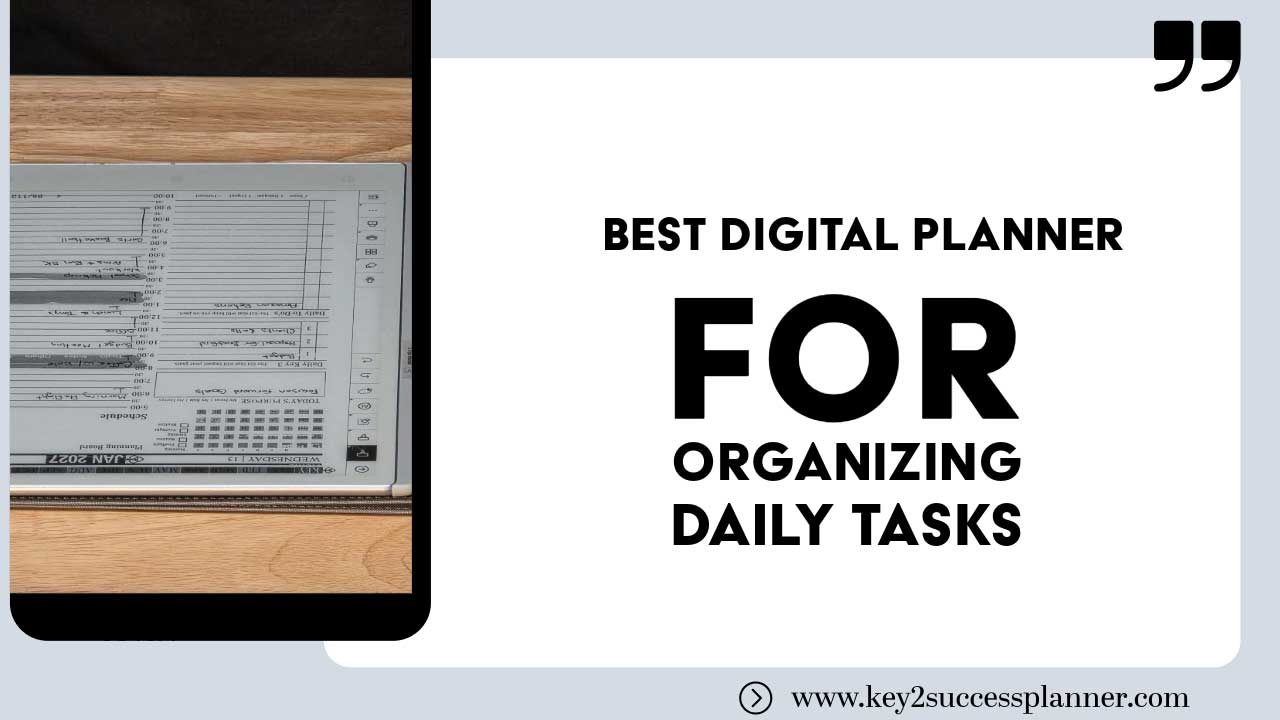
best digital planner for organizing daily tasks
Articles Feb 19
By Bodendorfer 0 Comments

What’s the Best Digital Planner for Organizing Daily Tasks?

The best digital planner for organizing daily tasks is the one you’ll actually use consistently. Key2Success stands out because it works across devices, apps, and planning styles.

Staying on top of daily tasks is harder than ever. Between work, family, side projects, and constant notifications, it’s easy for important priorities to slip through the cracks. That’s why more people are turning to digital planners.

Again, the best digital planner for organizing daily tasks is the one you’ll actually use consistently.

A powerful system that sits unopened won’t help you. The right planner should match your workflow, devices, and lifestyle so planning becomes effortless instead of another chore.

Promotional banner for Key2Success planner offering discounts and a money-back guarantee, emphasizing digital planning benefits and a call to action for users on Samsung devices.

Why Digital Planners Beat Paper Planners

  • Access from multiple devices
  • Easy editing without messy cross-outs
  • Searchable notes and tasks
  • Unlimited pages and storage
  • Integration with your digital workflow
  • Environmentally friendly

OneNote: A Top Choice for Daily Task Organization

Microsoft OneNote is one of the most reliable platforms for digital planning.

  • Syncs across phone, tablet, and computer
  • Works on Windows, Mac, iOS, Android, and web
  • Supports typing, handwriting, audio, and attachments
  • No page limits
  • Powerful search

Your task list is always available wherever you are. Start planning on your laptop, review tasks on your phone, and check items off on a tablet.

A System Matters More Than Features

Many planners look great but lack structure. Without a system, it’s easy to capture tasks but hard to prioritize them.

Key2Success is designed as a complete productivity system, not just a collection of pages. Since 2017, it has helped users manage goals, projects, and daily actions in one organized framework.

Four Versions for Different Needs

Personal Planner

Ideal for managing home life, routines, health, and personal goals.

Professional Planner

Designed for employees balancing tasks, meetings, and deadlines.

Business Planner

Built for entrepreneurs managing projects, teams, and strategy.

Executive Planner

A high-level system for leaders handling complex responsibilities.

Works With Popular Note-Taking Apps

PDF Annotation Apps

These apps provide a paper-like handwriting experience on tablets.

OneNote Integration

For users who want powerful syncing and cross-platform access, OneNote compatibility makes planning seamless.

E-Ink Devices

E-ink devices offer distraction-free planning, long battery life, and eye comfort.

How to Choose the Best Digital Planner for You

  1. Your primary device — tablet, laptop, or e-ink
  2. Your planning style — handwriting or typing
  3. Your responsibilities — personal, professional, or business
  4. Sync needs — access everywhere or single device
  5. Simplicity vs depth — quick lists or full system

The Real Secret to Staying Organized

Tools don’t create productivity. Consistent use does.

  • Capture tasks quickly
  • Prioritize what matters
  • Reduce mental clutter
  • Encourage daily review
  • Fit naturally into your workflow
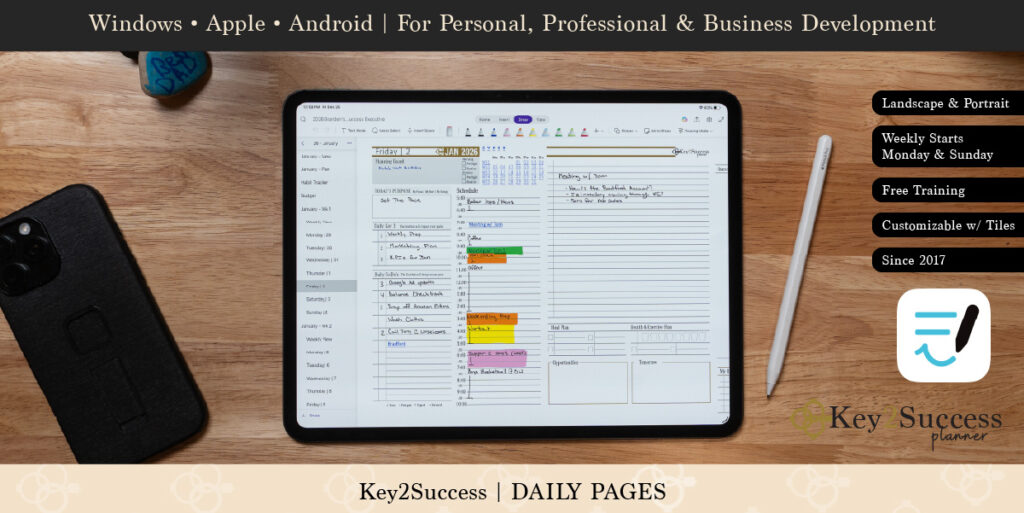
Digital planner interface displayed on tablet with stylus, featuring customizable daily pages, task lists, and scheduling tools, compatible with Windows, Apple, and Android devices.

Key2Success Digital Planner Versions Comparison

Planner VersionBest ForMain FocusIdeal Users
PersonalDaily life organizationHabits, routines, health, personal goalsStudents, families, individuals
ProfessionalCareer task managementWork tasks, meetings, deadlinesEmployees, freelancers
BusinessBusiness operationsProjects, planning, growth strategyEntrepreneurs, business owners
ExecutiveHigh-level leadershipStrategic planning, priorities, oversightExecutives, managers, leaders

All versions work with OneNote, PDF annotation apps (Goodnotes, Noteshelf, Notability), and e-ink devices such as reMarkable and Onyx Boox.

Frequently Asked Questions

What is the best digital planner for organizing daily tasks?

The best digital planner is the one you will use consistently. A planner that fits your devices, workflow, and responsibilities will help you stay organized far more effectively than a complex system you abandon.

Why use a digital planner instead of a paper planner?

Digital planners offer syncing across devices, easy editing, searchable notes, unlimited pages, and integration with your digital workflow. They are especially useful for busy professionals and students.

Is OneNote good for digital planning?

Yes. OneNote is one of the most versatile platforms for digital planning because it syncs across devices, supports typing and handwriting, and allows unlimited pages and sections.

Which apps support the Key2Success digital planner?

Key2Success planners work in Microsoft OneNote, PDF annotation apps like Goodnotes, Noteshelf, and Notability, and e-ink devices such as reMarkable and Onyx Boox.

How do I choose the right Key2Success planner version?

Choose the version that matches your primary responsibilities. Personal is ideal for everyday life, Professional for career tasks, Business for entrepreneurs, and Executive for leadership roles.

Do digital planners work on e-ink tablets?

Yes. Key2Success planners are compatible with popular e-ink devices like reMarkable and Onyx Boox, offering a distraction-free planning experience with long battery life.

Who Is This Digital Planner Best For?

Not every planning system fits every lifestyle. The Key2Success digital planner is especially effective for people who want structure without losing flexibility.

  • Busy professionals managing meetings, deadlines, and projects
  • Entrepreneurs and business owners coordinating strategy and operations
  • Students balancing coursework, schedules, and goals
  • Individuals managing complex personal responsibilities
  • Leaders and executives who need high-level oversight of priorities

If you prefer a planner that works across devices, supports handwriting or typing, and connects long-term goals to daily action, a structured system like Key2Success is a strong fit.

Who It May Not Be Ideal For

  • People who prefer minimal to-do lists only
  • Users who never review plans regularly
  • Those seeking a purely automated task manager

The most effective planner is one that becomes part of your daily routine.

Why Trust the Key2Success Planning System?

Key2Success is not a new or experimental tool. The system has been in continuous use since 2017, helping individuals, professionals, entrepreneurs, and leaders organize their goals and daily responsibilities.

Unlike generic planners, it was designed as a complete framework that connects long-term vision with actionable daily steps. This structured approach reduces overwhelm and improves consistency over time.

  • Established planning system refined over years of real-world use
  • Multiple editions tailored to different roles and responsibilities
  • Compatible with widely used apps and devices
  • Flexible for handwriting or typing workflows
  • Focused on sustainable productivity, not quick fixes

For many users, the biggest advantage is adaptability. Whether you plan on a laptop, tablet, or e-ink device, the system works within your existing tools rather than forcing you into a new platform.

Final Thoughts

There is no universal perfect planner. The best digital planner is the one that matches your lifestyle, works on your devices, and encourages daily use.

Key2Success delivers a structured system, multiple editions, and broad compatibility with OneNote, PDF apps, and e-ink devices. When planning becomes easy to maintain, productivity naturally follows.

Promotional banner for Key2Success planner offering discounts and a money-back guarantee, emphasizing digital planning benefits and a call to action for users on Samsung devices.

Leave a Comment