Best Pens for reMarkable Paper Pro
Articles Feb 16
By Bodendorfer 0 Comments

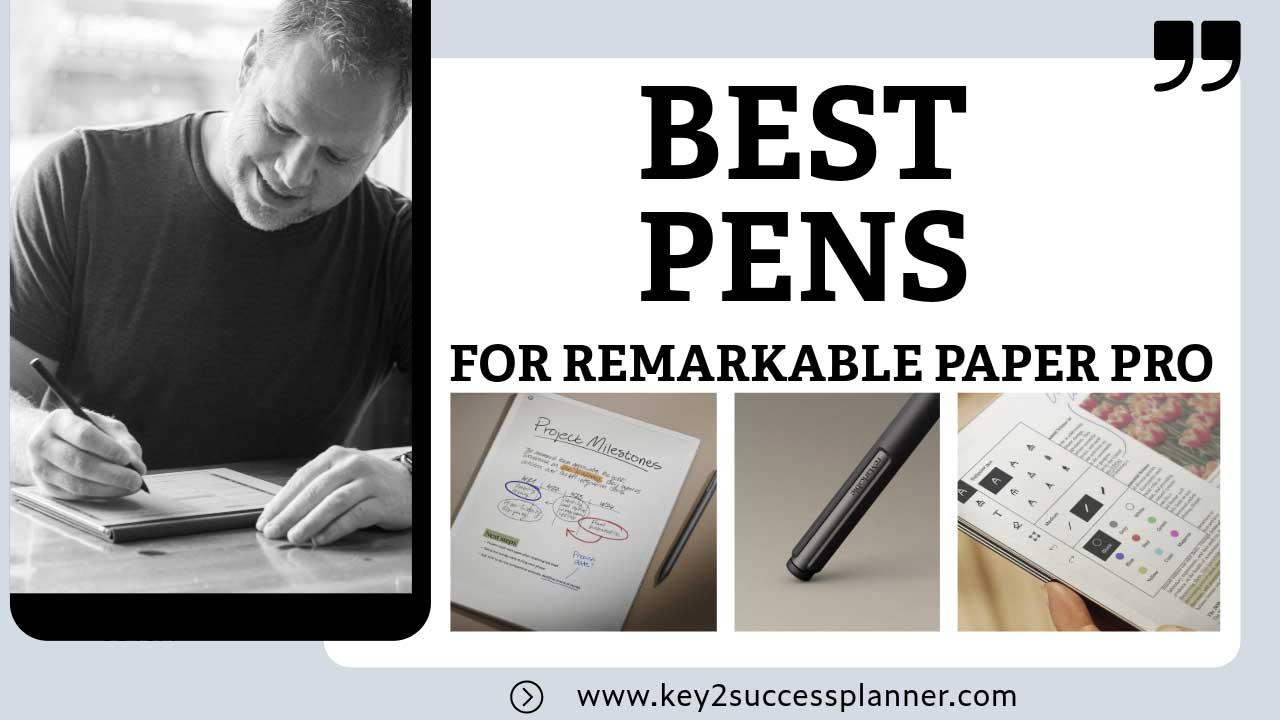
Best Pens for reMarkable Paper Pro (2026 Guide)

The reMarkable Paper Pro delivers one of the most paper-like digital writing experiences available today. But choosing the right pen can dramatically improve comfort, precision, and usability. Whether you’re taking notes, sketching, annotating PDFs, or journaling, the stylus you use matters just as much as the device itself.

In this guide, we’ll break down the best pens for reMarkable Paper Pro, compare official and third-party options, and help you choose the right one for your workflow.


Table of Contents


Do You Need a Special Pen for reMarkable Paper Pro?

Yes. The reMarkable Paper Pro uses EMR (Electromagnetic Resonance) technology, which means:

  • No batteries or charging required
  • Pressure sensitivity for natural writing
  • Palm rejection support
  • Compatibility with select Wacom-style EMR pens

Standard capacitive styluses designed for phones or tablets will not provide proper functionality.

Promotional banner for Key2Success planner offering discounts and a money-back guarantee, emphasizing digital planning benefits and a call to action for users on Samsung devices.

1. reMarkable Marker Plus (Best Overall)

If you want the most reliable and fully optimized experience, the Marker Plus is the top choice.

Why It Stands Out

  • Built specifically for reMarkable devices
  • Built-in eraser on the back
  • Excellent pressure sensitivity
  • Magnetic attachment to the tablet
  • Premium weight and balance

Best for: Professionals, students, and heavy daily users.


2. reMarkable Marker (Best Budget Official Option)

This is the standard pen sold by reMarkable without the eraser.

Key Features

  • Same core writing performance as Marker Plus
  • Lightweight design
  • No charging required
  • Magnetic attachment

Best for: Users who want official compatibility at a lower price.


3. Wacom One Pen (Best Affordable Alternative)

The Wacom One Pen is one of the most popular third-party styluses compatible with EMR devices.

Why Many Users Love It

  • Significantly cheaper than official markers
  • Comfortable grip
  • Lightweight for long writing sessions
  • Reliable pressure sensitivity

Best for: Budget-conscious users or as a backup pen.


4. Staedtler Noris Digital Jumbo (Best Pencil-Style Feel)

If you want something that truly feels like writing with a traditional pencil, this stylus stands out.

What Makes It Unique

  • Classic wooden pencil design
  • Built-in eraser
  • Comfortable hexagonal grip
  • Lightweight and natural feel

Best for: Sketching, journaling, and users who prefer a traditional pencil feel.


5. LAMY AL-Star EMR Pen (Best Premium Third-Party Option)

LAMY is well known for premium writing instruments, and their EMR stylus delivers a high-end digital experience.

Key Advantages

  • Durable aluminum body
  • Ergonomic triangular grip
  • Premium build quality
  • Replaceable nibs

Best for: Users who want a luxury writing experience.
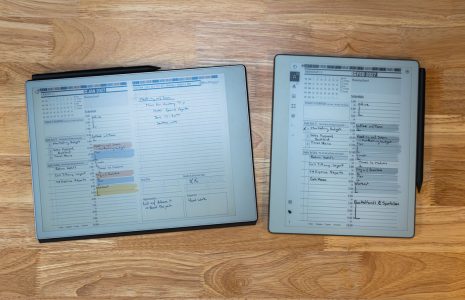


Best Pens for reMarkable Paper Pro: What to Look For

Writing Feel

Some pens feel like pencils, others like ballpoints. Choose based on personal preference.

Ergonomics

For long sessions, comfort matters. Look at grip texture, weight, and thickness.

Eraser Function

A physical eraser can make editing faster and more natural.

Magnetic Attachment

Official markers attach magnetically, making storage easier.

Price vs Performance

Third-party options are cheaper, but official pens guarantee full compatibility.


Do Apple Pencil or Surface Pen Work?

No. These use different technologies and are not compatible.

  • Apple Pencil: Designed for iPad only
  • Surface Pen: Uses Microsoft’s protocol
  • Capacitive styluses: No pressure sensitivity

Final Thoughts

The reMarkable Paper Pro already offers an exceptional writing experience, but the right pen can make it even better. Official markers provide the most seamless experience, while third-party options offer great value and different writing styles.

Choose based on your needs, budget, and how you plan to use your device.

What Can You Use a reMarkable Paper Pro Pen For?

A high-quality stylus transforms the reMarkable Paper Pro from a simple note-taking device into a powerful productivity tool. Whether you’re a student, professional, creative, or planner enthusiast, the right pen unlocks a wide range of uses.

Note-Taking and Meeting Notes

The most common use is replacing traditional notebooks. You can write naturally during meetings, lectures, or brainstorming sessions while keeping everything organized in one place. Handwritten notes feel authentic, and you can easily move, resize, or convert them to text.

PDF Annotation and Document Review

The Paper Pro excels at reading and marking up PDFs. With a responsive pen, you can highlight passages, write comments, sign documents, and make edits directly on files without printing them.

Sketching and Creative Work

Artists and designers appreciate the pressure sensitivity and paper-like surface. It’s ideal for quick sketches, diagrams, wireframes, and visual brainstorming without the distractions of a traditional tablet.

Journaling and Personal Writing

Many users enjoy digital journaling because it combines the mindfulness of handwriting with the convenience of digital storage. You can maintain daily logs, gratitude journals, or creative writing notebooks without accumulating stacks of paper.

Digital Planning with Key2Success Planners

One of the most powerful uses of the reMarkable Paper Pro is digital planning. Instead of carrying bulky planners, you can use hyperlinked digital planners designed specifically for distraction-free organization.

Digital planners from Key2Success allow you to:

  • Plan daily, weekly, and monthly schedules
  • Track goals, habits, and productivity
  • Organize projects and tasks in one place
  • Navigate quickly using clickable tabs and links
  • Reuse the planner year after year

Combined with a comfortable stylus, digital planning feels remarkably similar to writing in a physical planner, but with far more flexibility. You can erase cleanly, duplicate pages, move sections, and keep everything backed up digitally.

Studying and Academic Work

Students can consolidate lecture notes, textbooks, problem-solving work, and study guides into a single device. Writing equations, diagrams, and summaries by hand often improves retention compared to typing.

Task Management and Productivity

From to-do lists to long-term planning, the Paper Pro can serve as a central command center for your workflow. With the right pen, writing tasks down feels fast, natural, and distraction-free.

Ultimately, the best pen for reMarkable Paper Pro is the one that makes you want to use the device every day. Whether you’re planning your week, sketching ideas, or managing complex projects, a high-quality stylus helps turn the Paper Pro into a true paper replacement.

Promotional banner for Key2Success planner offering discounts and a money-back guarantee, emphasizing digital planning benefits and a call to action for users on Samsung devices.

Leave a Comment