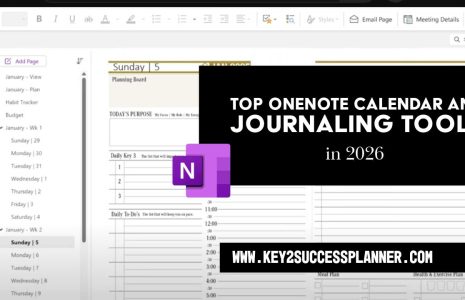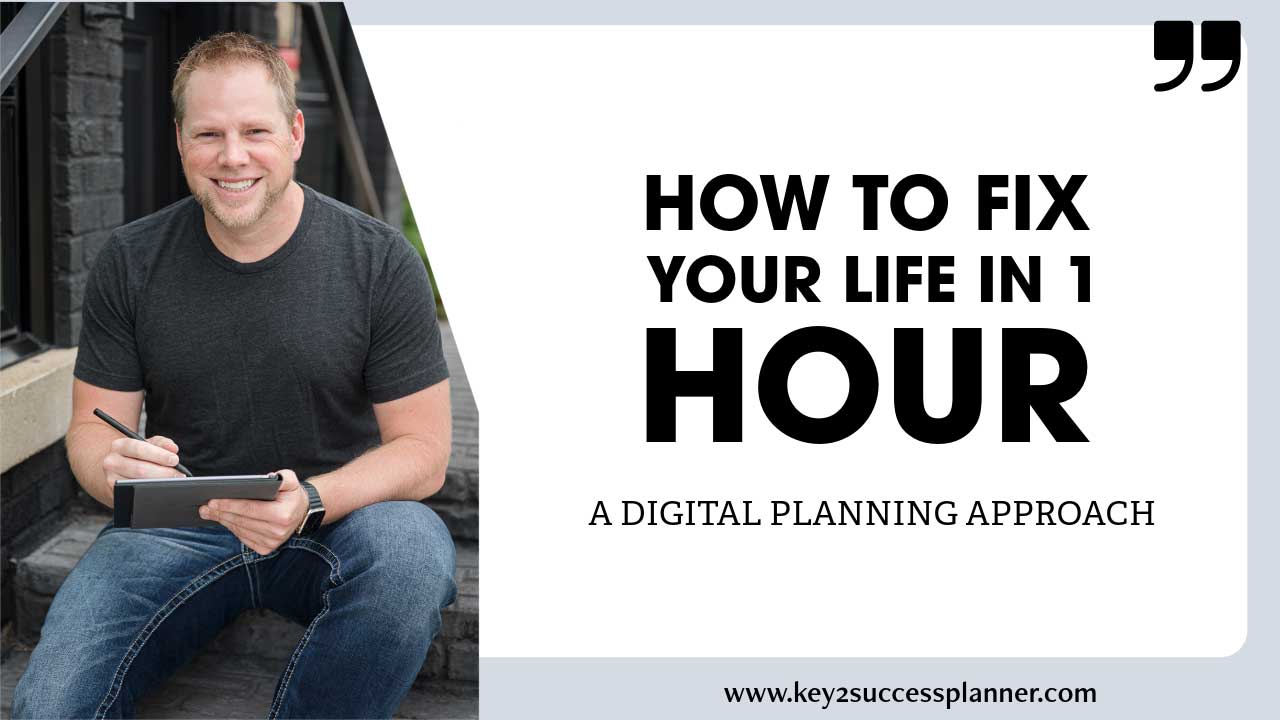
Person sitting on steps holding a digital planner, smiling, with text overlay "How to Fix Your Life in 1 Hour: A Digital Planning Approach," emphasizing productivity and personal growth with the Key2Success Digital Planner.
Articles Jan 19
By Bodendorfer 0 Comments

Key2Success Digital Planner: Fix Your Life in 1 Hour with Dan Koe

A massively popular article is circulating X (formerly Twitter) right now. Entitled “How to fix your entire life in 1 hour” by Dan Koe, the article breaks down the steps you need to take to…well, fix your life! 

It sparked our interest because a lot of the same themes Koe talks about can be implemented by using the Key2Success Digital Planner! (Read the original article here on X)

What’s the X Contest?

X has launched an exciting $1 million contest to reward the best long-form article published on the platform, as part of its 2026 push to prioritize high-quality writing and creator content.

  • Prize: One grand prize of $1 million for the top-performing “Article” (X’s built-in long-form publishing tool) in the current payout period.
  • Eligibility: Open only to legal US residents (including Washington, DC) aged 18+, with an X Premium or Premium+ subscription required to publish Articles.
  • Requirements: Articles must be original, at least 1,000 words, comply with X’s rules (no hate speech, manipulation, explicit content, etc.), and cannot be revised once submitted (multiple entries allowed during the period).
  • Judging: Primarily based on impressions on Verified Home Timelines (visibility to paying users), plus factors like originality, quality, grammar, and overall impact (e.g., shaping conversations, breaking news, moving culture).
  • Timeline: Runs from January 16, 2026 (starting ~2 PM PT) through January 28, 2026 (11:59 PM PT), with the winner announced around January 30, 2026.
  • Goal: X is “doubling down on writing” to boost high-value, in-depth content amid recent expansions like broader Articles access and doubled creator revenue pools—perfect timing if you’re into deep, Dan Koe-style pieces!

This is a one-time experimental incentive, so if you’re in the US and have Premium, it’s a rare shot at big rewards for thoughtful long-form work.

Promotional banner for Key2Success planner offering discounts and a money-back guarantee, emphasizing digital planning benefits and a call to action for users on Samsung devices.

Fix Your Life in 1 Hour with Dan Koe’s Key2Success Planner

Dan Koe (full name often listed as Daniel Koenigslieb or simply known online as Dan Koe) is a prominent American writer, creator, entrepreneur, brand advisor, and philosopher in the online self-improvement, productivity, and solopreneur space.

He’s best known for his long-form, thought-provoking content on human potential, mastering the mind, creative work, one-person businesses, and escaping traditional 9-5 life through intentional living, deep focus, and building digital income streams. His style blends psychology, philosophy (influenced by thinkers like Leo Gura from Actualized.org), metaphysics, and modern entrepreneurship—often delivered in dense, motivational “letters” or articles that challenge conventional success paths.

Dan Koe’s article outlines a powerful framework for transforming your life through focused, intentional work—especially if you’re limited to just one hour a day.

The core ideas revolve around building clarity to combat distractions, establishing routines that balance creation and recovery, embracing extreme change for motivation, and structuring your efforts around visions, goals, projects, and daily tasks while navigating uncertainty.

Digital planning tools can supercharge this by providing structure, reminders, visualizations, and easy tracking, turning abstract concepts into actionable systems.

I’ll break this down by mapping Koe’s key methods to digital planning strategies.
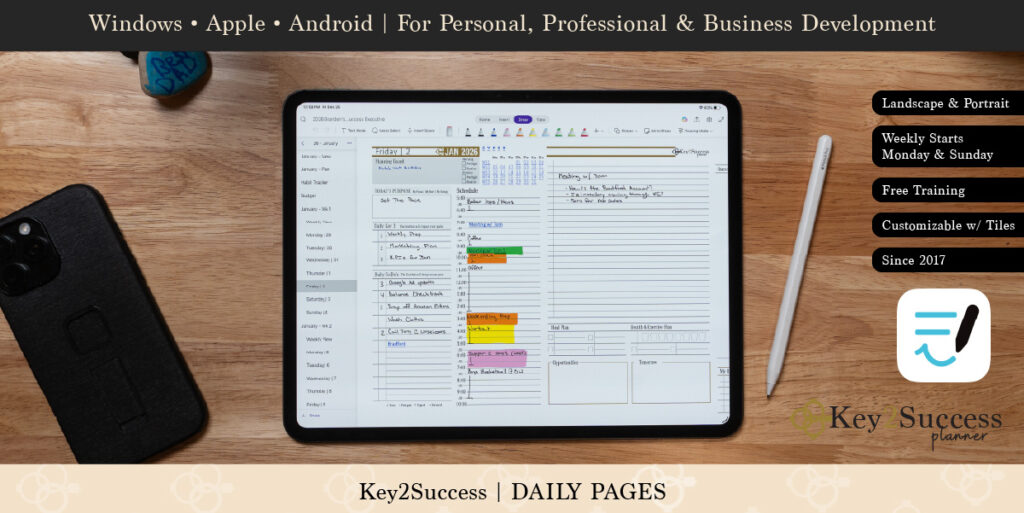
Digital planner interface displayed on tablet with stylus, featuring customizable daily pages, task lists, and scheduling tools, compatible with Windows, Apple, and Android devices.

The Key2Success Planner (often called Key2Success Digital Planner) is a highly structured, professional-grade digital planning system created by Branden Bodendorfer. It’s an excellent fit for implementing Koe’s methods because of its strong emphasis on goal achievement, balanced life areas, visioning, hierarchical planning (year → quarter → month → week → day), priority tasks (like his “Key3” system), reflection, and funneling big-picture ideas into daily action—all while supporting just 1 focused hour a day on high-leverage building work.

It’s a downloadable digital file (primarily for OneNote as a full notebook, or PDF versions for apps like GoodNotes, Notability, Noteshelf, Samsung Notes, reMarkable, etc.). It works across devices (Windows, iPad, Android, etc.) with sync via the app you choose. Think of it as a digital Franklin Covey-style planner upgraded for handwriting/typing, hyperlinks, and cross-device access—no built-in reminders/recurring tasks like Todoist, but perfect for intentional, manual planning and review.

Core Features That Align with Dan Koe’s Framework

  • 4 Key Development Areas: Self, Relationships, Community, Career — This maps beautifully to Koe’s holistic view (personal growth, purpose, autonomy, mastery) and prevents over-focusing on just “building” at the expense of recovery/maintenance.
  • Annual/Quarterly Vision & Goal Pages (e.g., Annual Keys, Vision Board, Quarterly Keys): Dedicated spaces for big-picture vision, goal statements + motivations, and breaking down into quarters.
  • Weekly Planning Pages: Review accomplishments/unfinished business, set Key3 priorities (your top 3 needle-movers), schedule around work/relationships/self, and adjust time management.
  • Daily Pages: Focused task lists, priorities, notes for lever-moving actions, reflections on wins/progress.
  • Project & Priority Tools: Sections for projects, priority matrices, meeting agendas, performance tracking.
  • Reflection & Adjustment: Built-in weekly/monthly reviews to combat entropy, embrace uncertainty, and iterate.
  • Additional Extras (in higher editions like Professional/Executive/Complete): Business/financial tracking, strategic planning, more templates for obsession-mode sprints.


How to Use Key2Success Specifically to Apply Dan Koe’s Methods

Tailor your setup to Koe’s 1-hour-a-day protocol, vision/anti-vision, hierarchy, projects, lever tasks, and balanced routine (fill/empty/use mind + recovery).

  1. Setup & Import (One-Time, ~20-30 Minutes)
    • Buy/download the 2026 edition (or current year; they update annually) from brandenbodendorfer.com (versions: Personal, Professional, Executive, Complete—Professional or Executive best for Koe-style creators/entrepreneurs).
    • Import into your preferred app:
      • OneNote: Best for cross-device sync (free app on all platforms); import as a notebook.
      • GoodNotes/Notability (iPad): Great for handwriting.
      • reMarkable/Samsung Notes: For e-ink focus/minimalism.
    • Follow their setup guide/videos for hyperlinks/navigation.
  2. Vision & Anti-Vision (Koe Section V – Step 1)
    • Use the Annual Keys or Vision Board pages at the front.
      • Anti-Vision: Dedicate a section/page (or add custom notes) to detail “what I don’t want” — describe the rut, regrets, distractions in vivid detail. Write until discomfort hits.
      • Vision: In the 4 areas (Self/Relationships/Community/Career), write your ideal future (10-year big picture, petty/big goals). Add motivations/why. Include “disappear” notes: list distractions/people/apps to remove.
    • Hyperlink these to daily/weekly pages for quick reference during your 1-hour block.
  3. Hierarchy of Goals (Koe Section V – Step 2)
    • Annual Keys → Quarterly Keys pages: Break 10-year vision into 1-year → quarterly goals.
    • Weekly Plan pages: Map to 1-month/1-week goals.
    • Use the built-in funnel: Big events/year → key developments/week → daily focus.
    • Add custom tags or sections for urgency/importance to trigger Koe’s clarity + flow.
  4. Project-Based Learning & Lever-Moving Tasks (Koe Section V – Steps 3-4)
    • Use project sections (or dedicated pages/templates) to outline your main “one meaningful project.”
      • Brain dump inspirations, milestones, learning gaps.
      • Daily pages: List 1-3 “Key3” priorities — these become your lever-movers (e.g., “1-hour deep work on product outline”).
    • In daily planning: Block your 1-hour (e.g., morning “Use Mind” slot). Write the specific task, why it matters (link to vision), and start with what you know—note struggles/gaps for later learning.
    • Weekly review: Check progress after 2 weeks; if no noticeable movement, adjust levers.
  5. Daily 1-Hour Routine & Balance (Koe Sections II, III, V)
    • Morning: Open to Daily page → Review vision hyperlink → Do your 1-hour building block (deep focus on project lever task).
    • Afternoon/Evening: Use “Fill Mind” (notes for reading/ideas) and “Empty Mind” (journal reflections, unfinished loops).
    • Weekly Plan: Schedule recovery (walks, rest) around Key3 to activate Default Mode Network.
    • Use priority matrix/tools for clarity/importance/urgency to hit flow states.
  6. Embracing Uncertainty & Obsession (Koe Sections IV, VI)
    • Reflection pages: Log failures/mistakes as “portfolio” entries—what learned? How refines path?
    • Weekly reviews: Note neurochemical wins (curiosity/passion spikes) and adjust for more intrinsic drive.
    • For extreme resets: Duplicate a weekly template for “obsession sprints,” disappear distractions by noting them here.


Tips for Max Effectiveness with Koe’s Philosophy

  • Protect the 1 Hour: Treat your daily Key3 block as sacred—handwrite/annotate to stay engaged.
  • Weekly Ritual: End each week reviewing unfinished business + accomplishments to reduce psychic entropy.
  • Customization: Add pages for anti-vision discomfort, obsession trackers, or uncertainty logs if not built-in (easy in OneNote/GoodNotes).
  • No Alerts? No Problem: Koe’s approach is manual/intentional anyway—use the planner’s structure to build discipline without relying on pings.
  • Trial Option: They offer a trial/money-back to test fit.

This setup turns Key2Success into a physical manifestation of Koe’s “priority ladder” and tight feedback loop—vision at top, daily levers at bottom. If you’re on OneNote (great for Windows/Android sync!), it’s especially seamless.

Promotional banner for Key2Success planner offering discounts and a money-back guarantee, emphasizing digital planning benefits and a call to action for users on Samsung devices.

Leave a Comment