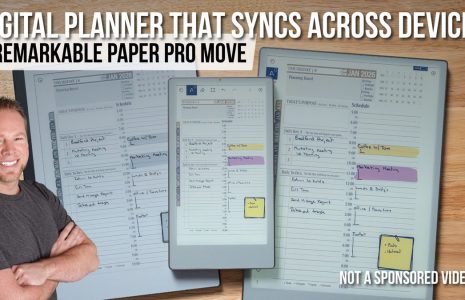
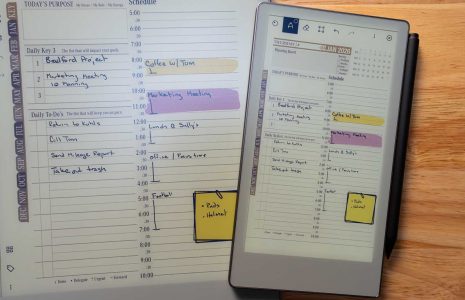
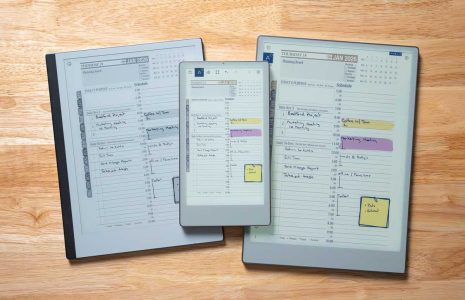
ReMarkable pen recommendations with a notepad displaying notes and a smiling man, emphasizing digital planning tools for ReMarkable users.
Articles / News / vLog Jan 15
By Bodendorfer 0 Comments

Pen Recommendations for ReMarkable

Need a new pen for your ReMarkable or simply in search of a backup just in case?nbsp;ReMarkable Pen Alternatives are available. We asked Key2Success users to share their pen recommendations for ReMarkable and put together the list below of some of the best ReMarkable Pen alternatives.

ReMarkable devices use a “battery-less” stylus, meaning they don’t need to be charged. These styluses are used with different tips, known as “nibs.” The nibs wear down over time and can begin to cause issues or stop working completely. At this point, they will need to be replaced. (For example, users will report that the pen is writing without touching the screen. This means it’s time to switch the nib!)

Here are some of the more popular pen options for ReMarkable. The ReMarkable is a powerful tool for digital planning, and having a pen that you like makes it all the more powerful. Find a digital planner or diary for your ReMarkable here.
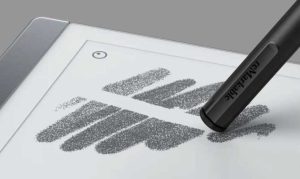
ReMarkable pen writing on tablet screen, showcasing digital note-taking capabilities and stylus interaction.
Official ReMarkable Pen / ReMarkable

Official ReMarkable Pen

This is the pen that comes with your ReMarkable. Find it here.

Promotional banner for Key2Success planner offering discounts and a money-back guarantee, emphasizing digital planning benefits and a call to action for users on Samsung devices.

PROS:

  • Designed for the ReMarkable, so it works great
  • Easy calibration
  • Comes with a (1) year warranty

CONS:

  • Pricier than some other options
  • Can take a while to arrive if you need a replacement
  • Some users report difficulty contacting customer service if there is an issue
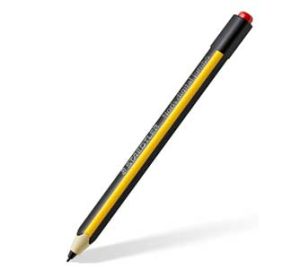
 

Staedtler Noris Digital Jumbo pen, alternative to the official ReMarkable pen, featuring a black and yellow design with a red cap, ideal for digital planning and writing.
Staedtler / Amazon

Staedtler Noris Digital Jumbo 180J 22

This pen is a popular alternative to the “official” ReMarkable pen, with many users reporting they like it better for its writing comfort and price. It is lighter and thinner than the ReMarkable pen.

Order it here.

PROS:

  • More affordable than the RM pen (on Amazon)
  • Has an eraser
  • Feels more like a felt pen than a pencil
  • Compatible with Samsung Galaxy Note 5 nibs

CONS:

  • Some users state that you lose the “writing on paper” feel because of the rubbery nibs
  • No magnet
  • Not as good for drawing (but good for writing)
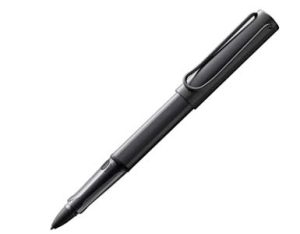
Black digital pen resembling the LAMY Al-star, suitable for ReMarkable tablet users, showcasing ergonomic design and exchangeable nibs.
LAMY / Amazon

LAMY Al-star blck EMR Digital Writing

If you like fountain pens, go with this one. Writing with the nibs feels like writing on glass, but use ReMarkable nibs for more of an authentic feel.

Order it here.

PROS

  • Ergonomic
  • Exchangeable nibs
  • Multiple pressure levels with great pressure sensitivity

CONS

  • Tips that come with it are described as “rubbery” but you can use ReMarkable tips instead
  • Angle and pressure can impact writing accuracy
  • Needs a hack to make the eraser work

Keep Your Pen Safe

Worried about losing your ReMarkable pen? Do a search for “self-adhesive digital pen holder” or “folio with pen holder” and find one that fits your needs.

These pens are NOT compatible with ReMarkable:

• GAMON NIBS
• Google Pixelbook pen
• HP Active Pen
• Mixoo Universal Stylus Pen, Disc & Fiber Tip 2-in-1
• Surface Pen
• Wacom Intuos CTH-690AK-S Art Pen
• Wacom LP190K replacement stylus for most Intuos tablets
Key2Success Planners

Choose the Application that you plan to use for digital planning.

Choose Your Language: English, Deutsch & Italia

OneNote logo featuring a purple notebook icon, representing a digital planning tool for effective organization and note-taking.

Application works across Windows, Android and Apple. Also Web version all available. Great for Desktop, Laptop and Mobile users.

GoodNotes

GoodNotes app icon featuring a notepad with lines and a stylus, representing digital planning and note-taking tools for Apple devices.

Application works across Apple devices. Great for iPad, Mac and iPhone users. PDF Annotation App designed for Note-Taking

Noteshelf

Noteshelf app icon featuring a blue background with a white pen, representing digital planning and note-taking tools for Apple devices.

Application works across Apple devices. Great for iPad, Mac and iPhone users. PDF Annotation App designed for Note-Taking

Notability

Notability app icon featuring a pencil on a blue background, representing digital note-taking tools for Apple devices in the context of digital planning.

Application works across Apple devices. Great for iPad, Mac and iPhone users. PDF Annotation App designed for Note-Taking

Samsung Notes

Samsung Notes application icon, designed for digital planning on Samsung devices, highlighting note-taking features.

Application works across Samsung devices. Great for Samsung Tab and Samsung Galaxy Users. Including Z Fold 3, S6, S7, S8 and S22. 

reMarkable

reMarkable logo on a black background, representing ePaper devices for digital note-taking and PDF annotation.

Works with ePaper Devices, like the reMarkable, SuperNote and many more. A PDF Annotation Planner allows users to take digital notes.

Promotional banner for Key2Success planner offering discounts and a money-back guarantee, emphasizing digital planning benefits and a call to action for users on Samsung devices.

Leave a Comment