
By Branden Bodendorfer
0 Comments
iPad & Apple Ecosystem
iPhone Duo Is Apple’s Biggest Digital Planning Upgrade in Years: Here’s Why
This post contains affiliate links. I may earn a commission at no extra cost to you.
Quick Answer
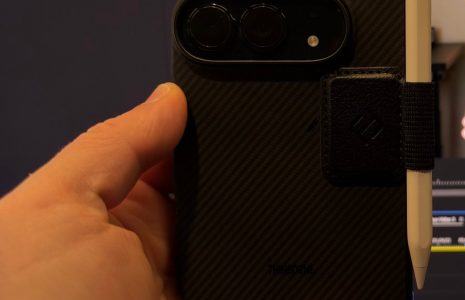
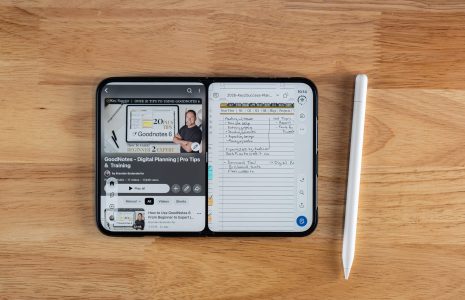
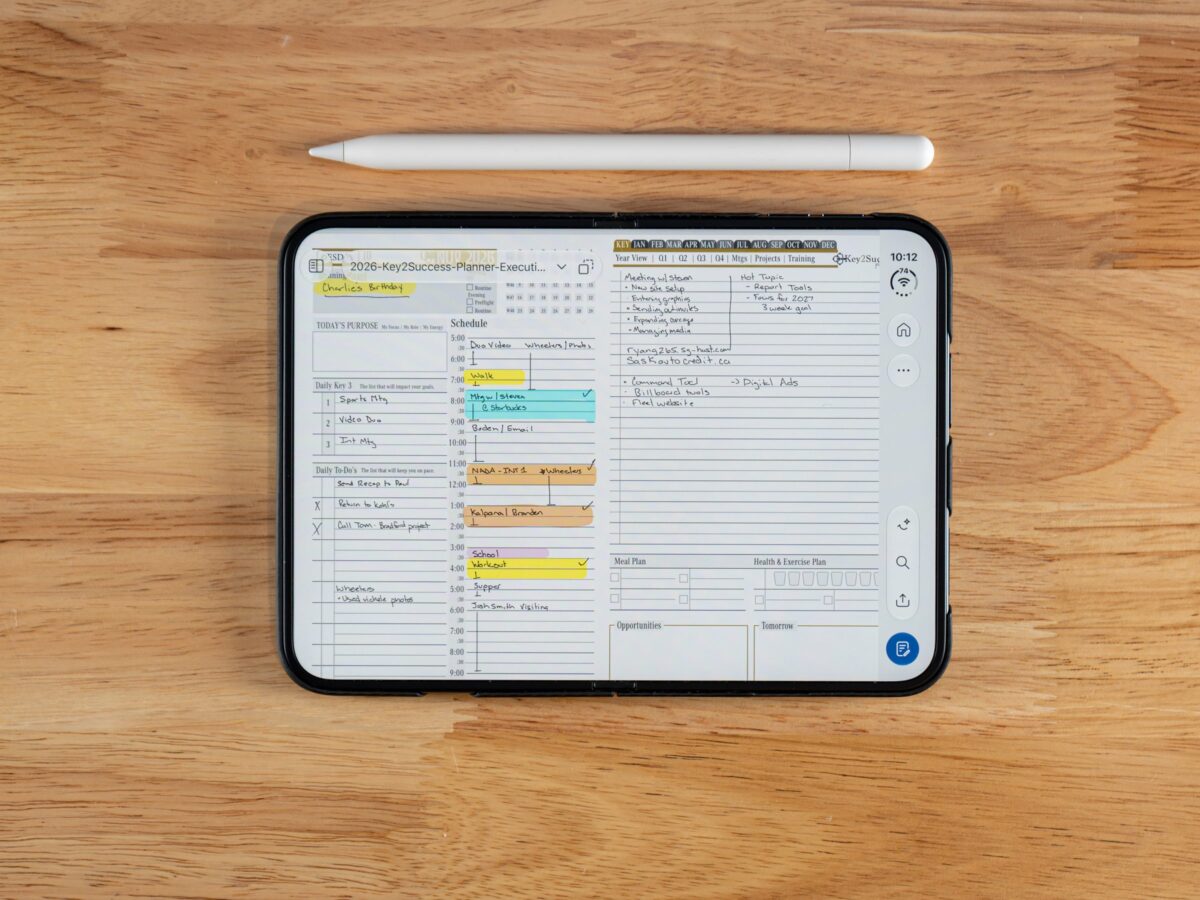
Apple’s iPhone Duo, announced September 9, 2026, is the first iPhone that supports Apple Pencil input on its 7.6-inch inner display. Apple Pencil support went live on October 26, 2026 with iOS 27.2, three days after the phone launched, and it works on both the inner and outer screens. For anyone doing iPhone Duo digital planning, it means real handwritten note-taking on a phone you already carry, no second device required.Watch: Apple Pencil on iPhone Duo, Hands-On
I’ve been writing on iPhone Duo with the Apple Pencil (USB-C) every day since iOS 27.2 turned it on. This video covers pairing, the settings to change first, and how Apple Notes, OneNote, and GoodNotes handle it. Read the full transcript, setup steps, and FAQ on the video page.
1stiPhone ever to support Apple Pencil input
$79Only the Apple Pencil (USB-C) works, not the Pro
Oct 23iPhone Duo ships, 2026
What Apple actually announced on September 9
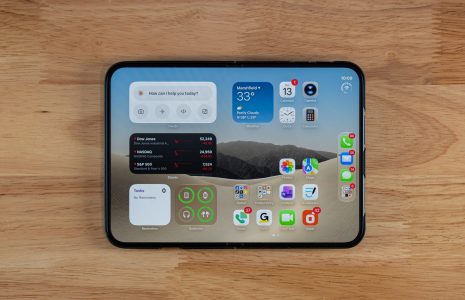
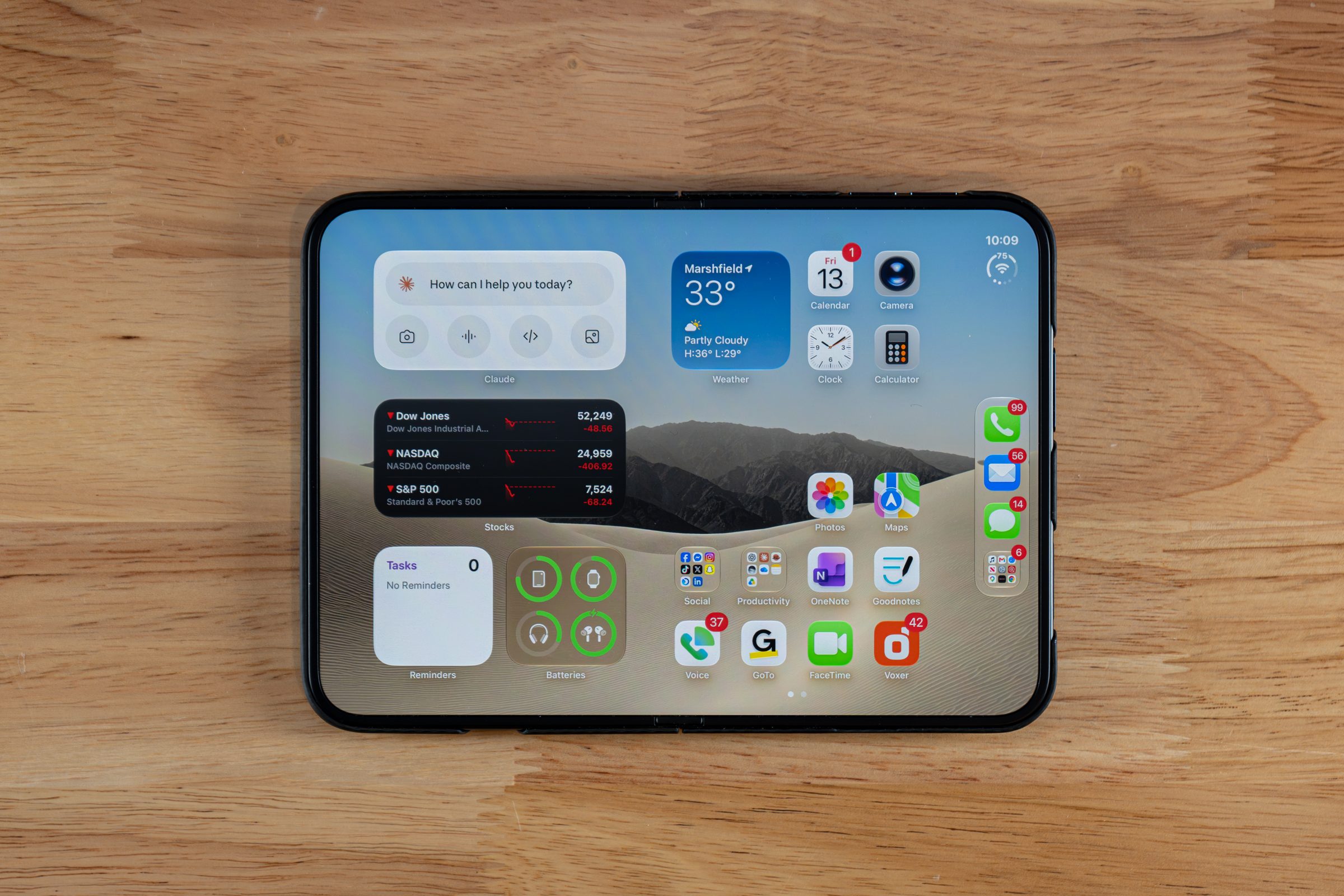
Apple introduced iPhone Duo at its September 9, 2026 event as its first foldable iPhone, running iOS 27 out of the box. Two displays: a 5.4-inch outer screen for quick, one-handed use folded, and a 7.6-inch inner display that opens up to something close to a small tablet. Apple built the case for that inner screen around productivity and media, and it’s the display where Apple Pencil input lives. Every past iPhone has locked stylus input out entirely. You could tap a screen with a Pencil the same way you’d tap it with a knuckle, but there was no pressure recognition, no palm rejection, no actual writing surface. iPhone Duo breaks that wall. It’s a genuinely new capability for the iPhone line, not a spec bump.Apple Pencil support is live: iOS 27.2 and my first week
Firsthand Experience
“I was expecting the writing experience to be subpar. I expected tiny screen, small results. But even though it’s essentially a modified iPad mini screen, the results are just as big. I’ve used it and I absolutely loved it,” Branden Bodendorfer said after his first week writing on iPhone Duo with the Apple Pencil (USB-C).

Apple Pencil (USB-C) vs. Apple Pencil Pro on iPhone Duo
Only one Apple Pencil works with iPhone Duo, and it’s the cheaper one. The Apple Pencil (USB-C), at $79, is the supported stylus. The $129 Apple Pencil Pro does not work, because iPhone Duo’s fold doesn’t have a magnetic charging surface for it to pair and charge against. No magnet, no Pro Pencil. That’s a hardware limitation of the fold’s design, not a software restriction Apple could patch away. The Apple Pencil (USB-C) supports tilt, which is enough for shading and natural handwriting angle. It does not support pressure sensitivity, double-tap gesture, barrel roll, haptic feedback, or Find My. Worth being blunt about this: those aren’t iPhone Duo restrictions. That’s the actual hardware ceiling of the Apple Pencil (USB-C) everywhere Apple sells it, on iPad, on iPad mini, anywhere. If your handwriting practice depends on pressure-sensitive line weight, you already know that limitation from an iPad. Nothing about iPhone Duo makes it worse or better.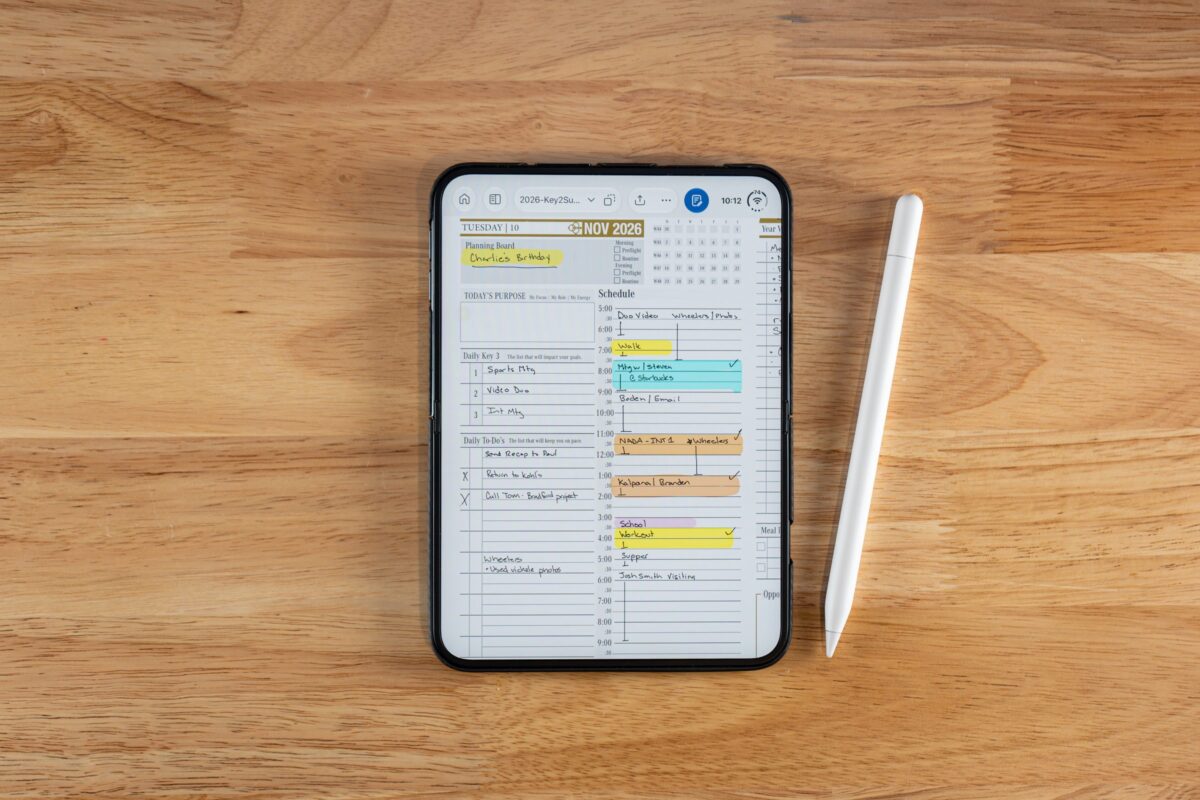
Release date, pricing, and preorder details
Preorders opened October 16, 2026, and iPhone Duo launched October 23, 2026. Demand outran supply fast: within an hour of preorders opening, new US orders were quoting late-January 2027 delivery. Starting price is $1,999 for the 256GB model, which puts it well above a standard iPhone and closer to entry-level MacBook territory. That price tag alone will keep this out of impulse-buy range for most people, and it should. This is a two-year decision, not a one-year one.Why iPhone Duo digital planning matters for iPad users
Quick Answer
iPhone Duo’s Apple Pencil support matters for iPad-based digital planners because it adds a pocket-sized writing surface for people who already run GoodNotes, Notability, or a PDF planner on iPad. It won’t replace an iPad for long sessions, but it closes the gap for the notes you’d otherwise lose between devices.Firsthand Experience
“The last edition I used with the S Pen was the Fold 6, and at the time it was a great experience to write digital notes across my planning software and develop that second brain,” Branden Bodendorfer said. “I transitioned successfully to iPad with Apple Pencil, and the iPad mini gave me a mobile option. Introducing this into iPhone Duo is really going to bring back mobility for planning, note-taking, and jotting down ideas.”Key2Success Planner is already ready for iPhone Duo
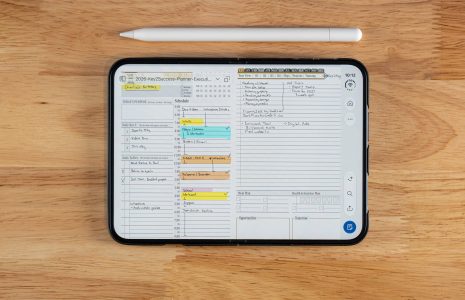
Here’s the part that makes this an easy call for existing K2S users: Key2Success Planner is a PDF-based system, not a proprietary app locked to one device. It runs in GoodNotes, Notability, OneNote, Samsung Notes, reMarkable, and Onyx Boox today. That’s why K2S worked on iPhone Duo the day Apple turned on Apple Pencil support. Zero product changes, zero new purchase, zero waiting on us to catch up.
- Already planning on iPad with GoodNotes? Browse the GoodNotes digital planner shop and the same PDF opens and writes on iPhone Duo with the Apple Pencil (USB-C).
- New to the whole system and want the full picture first? Start with the Key2Success Planner overview before picking a device edition.
- Ready to see every edition side by side, including the layouts built for smaller screens? The full Key2Success Planner shop covers every app and device combination we support.
iPhone Duo readiness checklist
Screenshot this or print it. Run through it before you decide whether iPhone Duo is worth adding to your planning setup.- Confirm you already own or plan to buy the Apple Pencil (USB-C), not the Pro. The Pro won’t pair with iPhone Duo’s fold.
- Check your current PDF planning system (GoodNotes, Notability, OneNote, or similar) already runs on iPhone today, since Duo uses the same iOS apps.
- Decide what you’ll actually use the phone-based writing for: quick capture, not full planning sessions.
- Update to iOS 27.2 or later before you pair. iPhone Duo ships on iOS 27.1, and Pencil input arrives with 27.2.
- Keep your iPad as the planning hub. Treat iPhone Duo as the pocket capture layer, not a replacement.
- If pressure sensitivity matters to your handwriting style, know now that the Apple Pencil (USB-C) doesn’t offer it, on iPhone Duo or anywhere else.
iPhone Duo digital planning: frequently asked questions
When did Apple Pencil support arrive on iPhone Duo?
Not on the box software. iPhone Duo launched October 23, 2026 on iOS 27.1, and Apple Pencil support arrived three days later in iOS 27.2 on October 26. Update the phone and it’s ready to pair.Which Apple Pencil works with iPhone Duo?
Only the Apple Pencil (USB-C), priced at $79. The Apple Pencil Pro does not work because iPhone Duo’s fold has no magnetic charging surface for it to pair against.Can I use Key2Success Planner on iPhone Duo with Apple Pencil?
Yes. Key2Success Planner is a PDF-based system that already runs in GoodNotes, Notability, OneNote, Samsung Notes, reMarkable, and Onyx Boox. No product update is needed on our end for it to work on iPhone Duo’s inner or outer display.How much does iPhone Duo cost and when can I order one?
iPhone Duo starts at $1,999 for the 256GB model. It launched October 23, 2026, and new orders have been quoting delivery dates as late as January 2027.Why doesn’t the Apple Pencil (USB-C) support pressure sensitivity on iPhone Duo?
It’s a hardware limitation of the Apple Pencil (USB-C) itself, not something specific to iPhone Duo. The same Pencil lacks pressure sensitivity, double-tap, barrel roll, haptics, and Find My on iPad and iPad mini too. It supports tilt only.Quick answers: iPhone Duo Apple Pencil and digital planning
- Is Apple Pencil support exclusive to the inner display?
- No. Apple says it works on both the 7.6-inch inner display and the 5.4-inch outer display.
- Does the Apple Pencil Pro’s squeeze gesture work on iPhone Duo?
- No, because the Apple Pencil Pro doesn’t pair with iPhone Duo at all.
- What operating system does iPhone Duo launch with?
- iOS 27.
- Was Apple Pencil support a free update?
- Yes. It came in iOS 27.2, a free update released October 26, 2026.
- Does the Apple Pencil (USB-C) need to be charged separately?
- Yes, it charges via a USB-C cable rather than magnetically, unlike the Apple Pencil Pro.
- Can I take handwritten notes in Notability on iPhone Duo?
- Apps built for Apple Pencil input should work much the way they do on iPad. I’ve tested Apple Notes, OneNote, and GoodNotes so far; check Notability’s own update notes for iPhone Duo.
- Is iPhone Duo bigger than an iPad mini when unfolded?
- No. The 7.6-inch inner display is smaller than the iPad mini’s 8.3-inch screen, though the two are close in usable size.
- Does K2S need a special “iPhone Duo edition”?
- No. Because Key2Success Planner is a PDF, not an app, it doesn’t need a device-specific edition to work on iPhone Duo.
- Will my GoodNotes annotations sync between iPad and iPhone Duo?
- Yes, through GoodNotes’ own iCloud sync, the same way it already syncs between an iPad and an iPhone today.
- Does folding the phone closed lose my handwritten notes?
- No. Apps save to the same document whether you’re writing on the folded outer display or the unfolded inner display.
The takeaway
iPhone Duo’s Apple Pencil support is not a headline gimmick, and it’s not a reason to replace your iPad either. It’s a pocket-sized capture layer for people who already have a planning system and hate losing ideas between devices. The device that wins the next few years of digital planning won’t be the one with the biggest screen. It’ll be the one that’s already in your hand when the idea shows up. Update to iOS 27.2 or later before you pair, buy the $79 Apple Pencil (USB-C) and not the Pro, and keep your existing PDF-based planner exactly as it is. It’s already built to go where you go.Sources
- Apple Newsroom: iPhone Duo announcement, September 9, 2026
- Apple: iOS 27
- Apple: Apple Pencil (USB-C) specifications
- Apple: Apple Pencil Pro specifications