2026 Personal planner is FREE with any 2027 planner — or save 80% when you bundle your matching edition. Get Started
apple event recap with Branden Bodendorfer
iPad & Apple Ecosystem May 07
By Branden Bodendorfer 0 Comments

Apple Event Recap

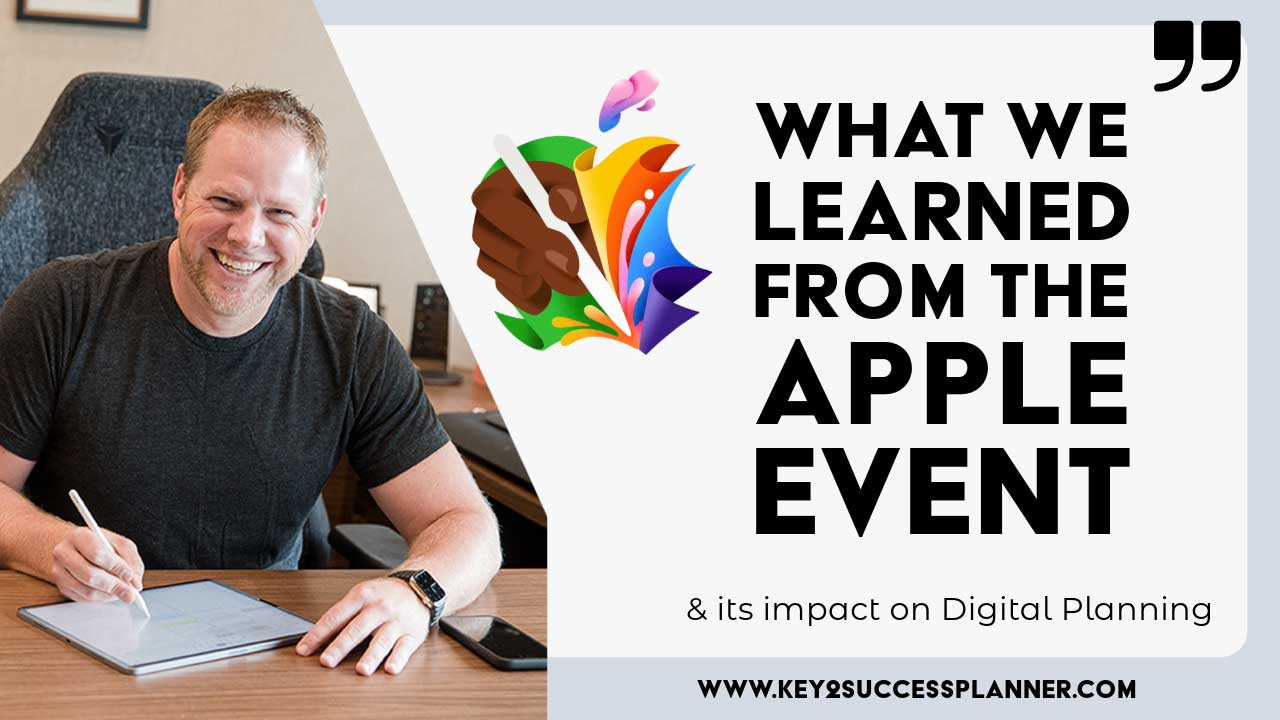
The Apple Event on May 7 featured a lot of updates that could impact the future of digital planning. Apple CEO Tim Cook called it the “biggest day for iPad” since it was launched.

The updates to the iPad lineup, including the iPad Pro and iPad Air, along with their accompanying accessories, offer several enhancements that can significantly improve digital planning:

Apple Event Recap – iPad Air Updates:

  • New iPad Air available in two sizes: 11-inch and new 13-inch.
  • Features Liquid Retina display.
  • Offers an even larger display inspired by iPad Pro (30% more screen).
  • Equipped with a front-facing camera.
  • Enhanced sound quality.
  • Available in four finishes.
  • Powered by the incredibly fast M2 chip.
  • Boasts a faster CPU, neural engine, and memory bandwidth.
  • 50% faster than the previous iPad Air.
  • Delivers 3x faster performance.
  • Improved AI integration for enhanced functionality.
  • Supports Apple Pencil, with hover-to-preview feature.
  • Powered by M2 chip and faster Wi-Fi.
  • More powerful and versatile than ever before.
  • Offers increased storage options, up to 1TB.
  • Remarkable value at $799 for the 13-inch Air model.

The new iPad Air brings several improvements that can enhance digital planning:

  1. Larger Display: With an even larger display inspired by the iPad Pro, users have more screen real estate to view and interact with their digital planning tools. This allows for better visualization of calendars, schedules, task lists, and project plans, making it easier to organize and manage information effectively.

    Today is the best day to start planning with Key2Success digital planner, featuring a money-back guarantee, promotional savings, and a call to action for personal and professional planners.
  2. Improved Performance: The faster M2 chip and increased CPU speed result in smoother performance and quicker responsiveness when using digital planning apps. This means tasks such as opening, editing, and syncing documents and files happen more efficiently, leading to a more seamless planning experience.

  3. Enhanced Apple Pencil Support: The support for Apple Pencil, along with features like hover-to-preview, provides users with a more intuitive and precise input method for annotating, sketching, and making notes within digital planning apps. This can improve the accuracy and detail of plans and diagrams created on the iPad Air.

  4. Better Integration with AI: The improved AI integration offers opportunities for smarter and more personalized digital planning experiences. AI-powered features may include predictive text input, intelligent task prioritization, and automated scheduling suggestions, helping users optimize their planning workflows and make more informed decisions.

  5. Increased Storage Capacity: The option for more storage, up to 1TB, allows users to store a larger volume of planning-related documents, files, and media directly on the device. This reduces the need for frequent data management and cloud storage access, providing greater convenience and accessibility to planning resources.

The new iPad Air’s enhancements contribute to a more efficient, productive, and enjoyable digital planning experience, empowering users to stay organized, focused, and on track with their goals and projects.

Visit the iPad Digital Planner Shop for OneNote

Visit the iPad Digital Planner Shop for GoodNotes/PDF


apple event recap overview

iPad Pro updates:

  • Thinnest device yet.
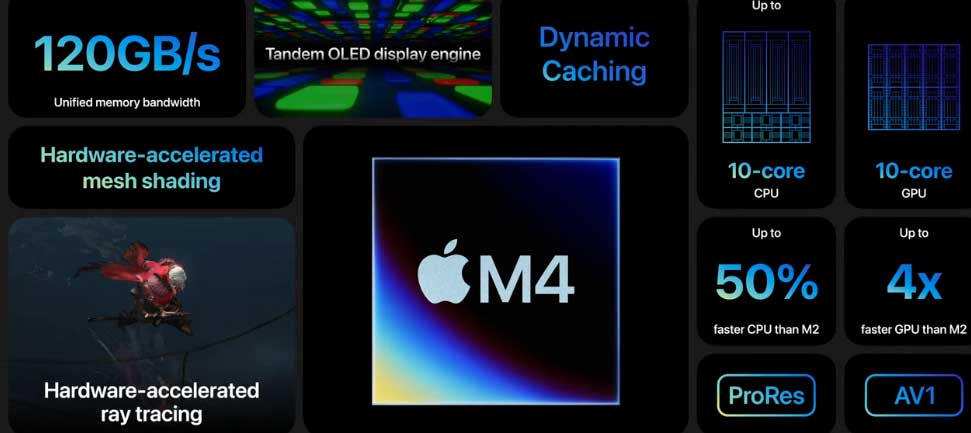
  • Enhanced display technology, featuring OLED and Ultra Retina ZDR. New Pro supports 1000 nits of full screen brightness for SDR and HDR, and 1600 nits of brightness. These means improved color and brightness.
  • M4 performance technology with four performance cores. A 10-core GPU.
  • It’s 10x faster than the original iPad Pro.

The new iPad Pro brings several improvements that can enhance digital planning:

  1. More Detailed Display: The introduction of OLED displays in the iPad Pro models promises deeper blacks, better contrast, and more vibrant colors. For digital planning, this means clearer, more detailed visuals, which can enhance the viewing experience when working with charts, graphs, and visual data.

  2. Improved Performance: Upgrades to the internal hardware, such as the M4 chip and increased storage options, can lead to smoother multitasking, faster rendering of graphics, and overall improved performance. This translates to faster loading times for digital planning applications and seamless switching between tasks, ultimately enhancing productivity.
  3. Greater Portability and Flexibility: The thinner design and updated form factors of the iPad Pro makes them more portable and versatile for digital planning on the go. Whether attending meetings, working remotely, or collaborating with colleagues, having a lightweight, powerful device with a high-quality display can enhance flexibility and productivity in digital planning workflows.

Visit the iPad Digital Planner Shop for OneNote
Visit the iPad Digital Planner Shop for GoodNotes/PDF
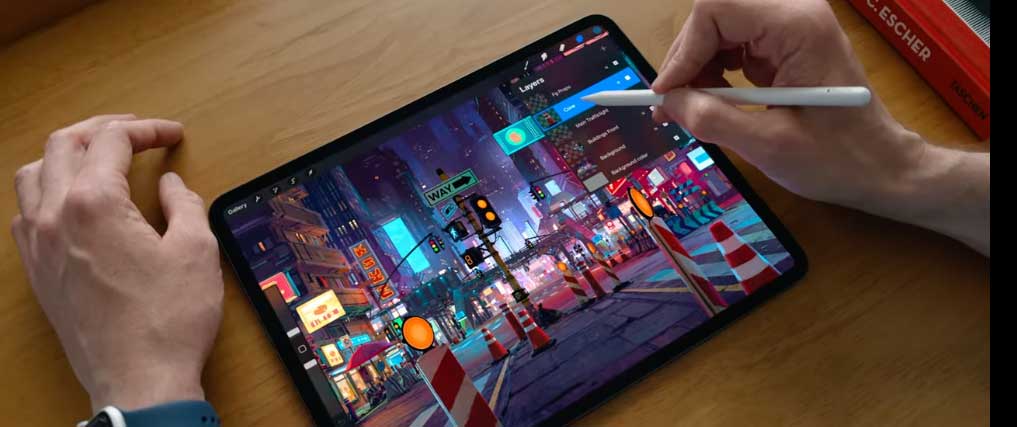
apple pencil pro in action

iPad Accessories Update

Magic Keyboard for iPad Pro

  • Thinner and lighter
  • Includes a function row
  • Larger trackpad that’s more responsive with haptic feedback

Apple Pencil

  • A brand new Apple Pencil called Apple Pencil Pro!
  • New sensor in pencil barrel to enable new interactions. Squeeze to bring up a new tool pallet, for example.
  • New gyroscope allows you to rotate the pencil for more precise actions and drawing capabilities.
  • Supports Find My technology in case you lose it.
  • Pairs, charges, and stores magnetically on the iPad.
  • Create custom interactions and easily activate shortcuts.
  • Works with both Pro and Air models.

Other Apple Event Recap Notes:

  • Live Multicam with Final Cut Camera. Easily connect iPhones and iPads to capture additional angles during a film shoot. It automatically transfers and syncs each multi-cam mode.
  • Logic Pro 2 and ChromaGlo improves sound production capabilities. 


Today is the best day to start planning with Key2Success digital planner, featuring a money-back guarantee, promotional savings, and a call to action for personal and professional planners.

Leave a Comment

FREE WORKSHEET | KEY2SUCCESS

Q4 Forward

Finish 2026 Strong. Set Up 2027.

The first week of Q4 wraps up October 7. Download the free worksheet and have your plan in place before then: one hour, three goals, three first moves.

Plan before October 7
00Days00Hrs00Min00Sec

Free. Instant PDF download. Print it or use it in your note app.

FREE Q4 WORKSHEET  Get your Q4 plan set before October 7.

00Days00Hrs00Min00Sec