
How to Pair and Set Up Apple Pencil USB-C on iPhone Duo

To pair Apple Pencil USB-C with iPhone Duo, you need one thing most people forget: a USB-C cable. The Pencil does not snap onto the phone and connect on its own. You plug it in, and the Duo does the rest. It is straightforward.
My opinion: the cable is a feature, not a flaw. It is the reason one Pencil can move between your iPad and your Duo without menus or pairing codes, as long as you carry the cable.

Watch: Pair and Set Up Apple Pencil on iPhone Duo
I walk through the pairing and the settings in this video. The video page has the full transcript and a setup checklist.
An Apple Pencil (USB-C) and a USB-C cable.
Cable into both ends. No pairing code to enter.
Turn on Only Draw with Apple Pencil and Scribble in Settings.
What You Need Before You Pair
You need an Apple Pencil (USB-C) and a USB-C cable. The Apple Pencil Pro does not work with iPhone Duo.
The Apple Pencil (USB-C) is the model to buy, and you can get it from Amazon or from Apple. A clear way to spot it: the Pencil opens up to show a USB-C port. It does not connect just by attaching to the device, like some other Pencils do. If you want the full compatibility answers, they are in my iPhone Duo Apple Pencil support FAQ.
Grab a USB-C cable you already own. It only needs to fit the Pencil on one end and your Duo on the other.
How to Pair Apple Pencil USB-C With iPhone Duo
Plug a USB-C cable into the Pencil and the other end into the Duo, then wait for the Apple Pencil icon to appear on the screen.
- Open the Pencil. The Apple Pencil (USB-C) opens up to show a USB-C port.
- Plug the cable into the Pencil. Seat it fully.
- Plug the other end into the Duo. Both ends need to be connected.
- Check that the Pencil has some charge. It needs a little charge to connect.
- Look for the icon. Once connected, the Apple Pencil icon shows up on the Duo screen, and the phone shows the connection and charging.
- Open Settings. A new Apple Pencil section now appears.
That is it. There is no code to enter and no menu to hunt for. If you prefer to see it done, the pairing is in the video above.
Pairing was easy. I plugged the USB-C cable into both ends, the Duo showed that it was connected and charging, and a new Apple Pencil setting showed up. It was fully charged when I first connected it, and I used about 60 percent over five or six days of heavy writing.Branden Bodendorfer, first week with Apple Pencil on iPhone Duo
Settings to Change Right Away
Open Settings, tap Apple Pencil, then turn on Only Draw with Apple Pencil and Scribble.
The Apple Pencil screen shows the current charge, plus a few controls worth setting now:
- Only Draw with Apple Pencil: this is huge, because many apps do not support the Pencil on iPhone or the Duo yet. Without it, the app starts marking up with your finger when you meant to use the Pencil. With it on, only the Pencil draws, and your finger pans and scrolls.
- Scribble: this converts handwriting into text. It is great in a browser, where you can write a new search or web address by hand.
- Practice area: try the insert, join, and scratch-out gestures here, so they feel familiar.
How Long the Apple Pencil Battery Lasts on iPhone Duo
I do not have an official number. In my own heavy use, I took about 60 percent off a full charge over five or six days.
The Apple Pencil settings page shows the current state of charge, so you can check at any time. I was not sure how long the Pencil would last when I started. It was fully charged when I first connected it, I used it quite heavily for about a week, and I disconnected it for the demo having used about 60 percent. Your use will differ, so treat that as one real data point and not a spec.
Using One Pencil on the Duo and an iPad
One Apple Pencil pairs with one device at a time. Carry a USB-C cable and you can swap between devices easily.
The Apple Pencil (USB-C) connects to one device at a time, just like other Apple Pencils. Plug the cable into the Pencil and into whichever device you want to use, such as your Duo or an iPad. That also makes a second Pencil a handy backup, or you can move one Pencil between devices. If you plan across both, my Apple Pencil and Key2Success Planner guide shows how I carry the same planner on both screens.
If the Pencil Will Not Connect
Check that both ends of the cable are fully seated and that the Pencil has some charge.
When I paired mine, two things mattered: both ends of the cable connected, and the Pencil having some charge. If the Apple Pencil icon does not appear, start there. Make sure you are using the Apple Pencil (USB-C) and not the Apple Pencil Pro, which the Duo does not support.
Put the Pencil to Work
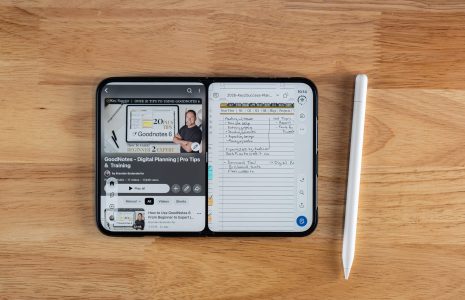
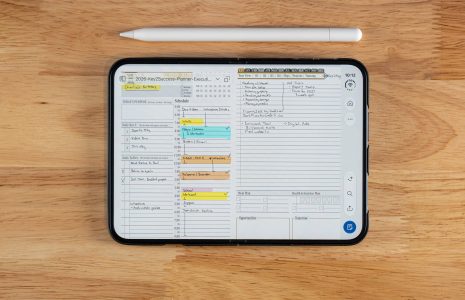
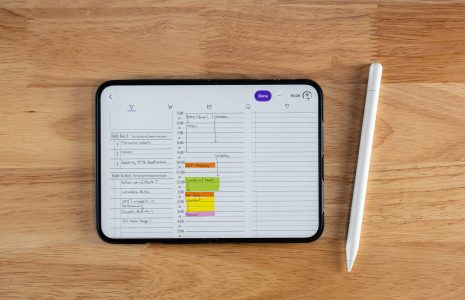
Once the Pencil is paired, give it a real planning page to write on.
Apple Pencil Setup Checklist for iPhone Duo
Set up your Apple Pencil in five minutes
- Confirm you own the Apple Pencil (USB-C), not the Pencil Pro.
- Open the Pencil and connect a USB-C cable to the Pencil and the Duo.
- Watch for the Apple Pencil icon, then open Settings, Apple Pencil.
- Turn on Only Draw with Apple Pencil and Scribble.
- Try the insert, join, and scratch-out gestures in the practice area.
- Check the charge level, and note it so you can track your own battery use.
- Open your notes or planning app and write one full page.
FAQ: Apple Pencil Setup on iPhone Duo
How do I pair Apple Pencil with iPhone Duo?
Plug a USB-C cable into the Apple Pencil (USB-C) and into the Duo. When both ends are connected and the Pencil has some charge, the Apple Pencil icon appears on the screen.
Does Apple Pencil pair wirelessly with iPhone Duo?
No. The Pencil I use opens to show a USB-C port, and it pairs with a USB-C cable. It does not just attach and connect.
Can I use one Apple Pencil on my iPad and my iPhone Duo?
Yes. It pairs with one device at a time, so plug it into whichever device you want to use, and it swaps easily if you carry a USB-C cable.
Where do I see Apple Pencil battery on iPhone Duo?
Open Settings and tap Apple Pencil. The screen shows the current state of charge.
What should I turn on after pairing?
Turn on Only Draw with Apple Pencil, so your finger scrolls and only the Pencil marks, and Scribble, so handwriting converts to text.
Quick Answers
The Takeaway
Everyone treats the cable as the annoying part of the Apple Pencil (USB-C). I think it is the reason this Pencil works across a Duo and an iPad without any menus or pairing codes.
Buy the right Pencil, keep a cable in your bag, and flip two settings. After that, the Pencil stays out of your way, which is how a tool should behave.
More iPhone Duo Apple Pencil guides