New OneNote Update: Cleaner, Consistent Margins on Android & iOS (August 2025)
What’s New in OneNote
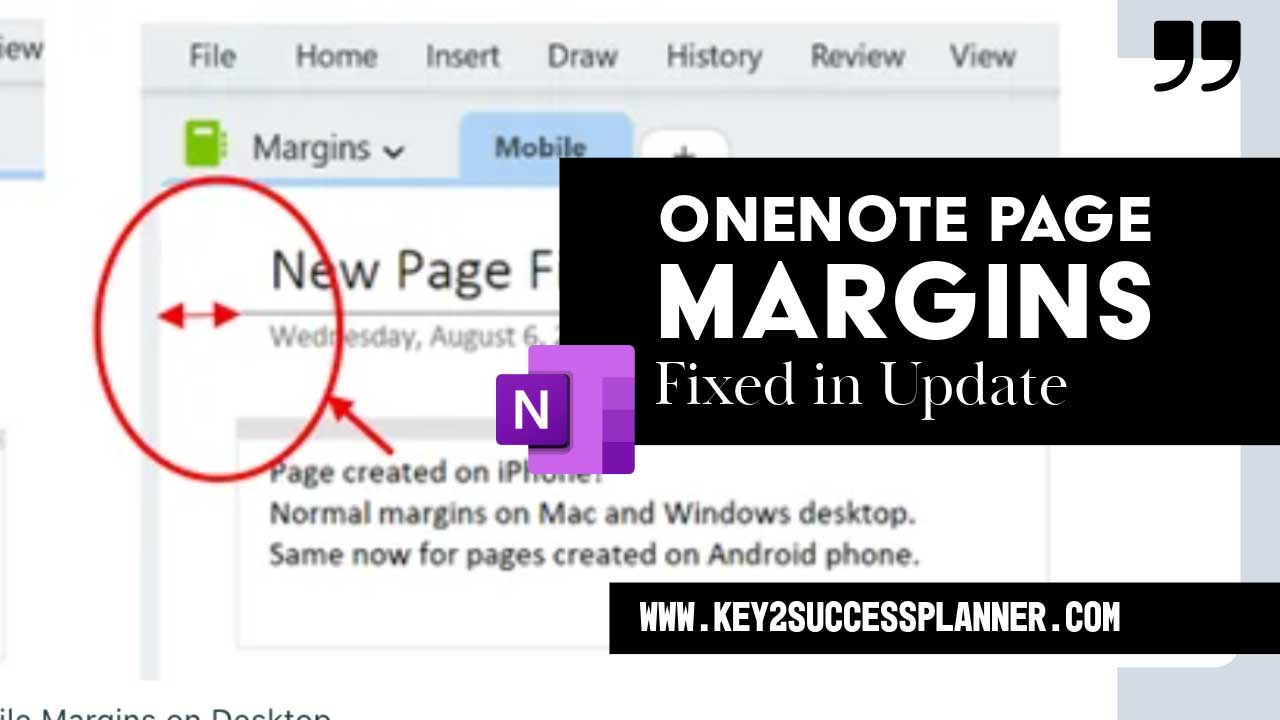
Microsoft has shipped a long-requested formatting improvement for mobile: pages created on OneNote for Android and iOS now retain cleaner, more consistent margins when viewed in OneNote on Windows, Mac, and the web. If you’ve ever seen margins shift between devices, this update fixes that frustration so your notes look polished everywhere.
- Consistency across platforms: Mobile-created pages keep the same margins on desktop and web.
- Cleaner layouts: Notes are easier to read and share—no more edge clipping or crowding.
- Mobile-first friendly: Ideal for planning on your phone and reviewing on larger screens.
How It Works
- Open OneNote on your Android or iOS device.
- Create a new page (this is important—new pages get the improved margins).
- Open the same page on Windows, Mac, or the web.
- Observe that the margins stay consistent across screens and platforms.
Availability & Versions
The mobile margin fix is available for users running these versions or later:
| Platform | Minimum Version |
|---|---|
| Android | 16.0.19127.20046+ |
| iOS | 16.100 (Build 25080736)+ |
If you don’t see the update yet, it may be in a staged rollout.
Why It Matters for Key2Success Users
As planners and productivity pros, consistency is everything. This margin update means your Key2Success OneNote Planner pages maintain their intended layout across all devices, which helps with readability, printing/PDF export, and professional presentation. Plus, it just looks nicer!

Level Up Your Planning in OneNote
Pair this update with the Key2Success Planner for OneNote to build a reliable, cross-device planning system.
FAQ
Does this affect existing pages?
Not yet. The improved margins apply to new pages created on Android or iOS. Microsoft has indicated updates for existing pages are coming.
Do I need to be a Microsoft 365 Insider?
The feature is rolling out to users on supported versions. If you’re not seeing it, make sure you’re updated and watch for gradual availability.
How do I share feedback to Microsoft?
In OneNote, go to Help > Feedback and submit your thoughts directly to the team.
Will my Key2Success Planner pages look different?
Your new mobile-created pages will keep consistent margins across platforms, helping your planner pages look clean and professional wherever you open them.