Essential OneNote Updates in August 2025: Elevate Your Digital Planning with Key2Success
Updated: August 22, 2025
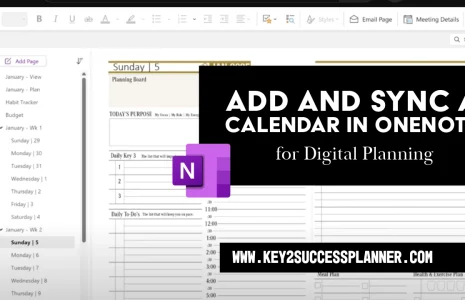
As digital planners and note-takers, staying on top of Microsoft OneNote updates is crucial for maximizing productivity. At Key2Success, our digital planners are built for OneNote—helping professionals, students, and teams organize their lives with customizable templates for goals, tasks, and more. Below are the most important OneNote updates in August 2025 and what they mean for your Key2Success Digital Planner workflow.
1) Merge and Split Table Cells: A Game-Changer for Structured Planning
What’s new: OneNote now supports merging and splitting table cells (Insider availability announced July 28, 2025; rolling out on Windows and Mac). Source, Source.
- How: Select adjacent cells > right-click > Merge Cells (or use the Table tab). To split, select a merged cell > Split Cells.
- Planner win: Build clean weekly layouts, project trackers, and custom headers directly in OneNote—no workarounds.
2) Paste Text Only: Keep Your Notes Clean and Consistent
What’s new: A native Paste Text Only option with keyboard shortcuts—Ctrl + Shift + V (Windows) / Cmd + Shift + V (Mac). Rolling out on Windows, Mac, and web. Source, Coverage.

- How: Right-click > Keep Text Only or use the shortcuts above.
- Planner win: Paste tasks, goals, or meeting notes without messy fonts or colors to keep Key2Success pages on-brand.
3) End of Support for OneNote for Windows 10: Time to Upgrade
Date: October 14, 2025. OneNote for Windows 10 will become read-only and stop receiving fixes or security updates. Microsoft recommends moving to the unified “OneNote” app for Windows. Microsoft, Microsoft 365 Insider, News.
- Action: Sync notebooks, install the unified OneNote (Microsoft Store or Microsoft 365), then sign in.
- Planner win: Better performance + modern features (inking, Copilot integrations) and consistent cross-device behavior for Key2Success planners.
4) Enhanced Grid & Rule Line Customization for Precise Layouts
While not brand-new in 2025, smart use of Rule Lines (View or Draw > Rule Lines/Format Background) makes it easy to align columns, count blocks for widths, and match colors to your theme. Combine this with the new Merge Cells to create exact planner structures without manual pixel measuring.
5) Education-Focused Updates: Built-in Tools for Collaborative Planning
What’s new (Back to School 2025): the Class Notebook Toolbar is now native in OneNote for Windows and Mac, plus a new Microsoft 365 LTI 1.3 app brings OneNote Class Notebook and more into your LMS. Source, Docs, Setup.
- Planner win: Teachers can distribute Key2Success templates fast; teams can adapt the same flow for projects and reviews.
Additional August 2025 Office Updates Impacting OneNote
Microsoft shipped an August 5, 2025 update for OneNote 2016 (KB5002761), fixing an issue when selecting hyperlinks that point to folders. Keep your environment patched for stability. KB article, Monthly summary.
Why These OneNote Updates Matter for Key2Success Users
Key2Success planners thrive in OneNote. Updates like Merge Cells and Paste Text Only remove friction so you can customize your created tables, weekly spreads, and meeting notes—fast and clean. Imagine merging headers in your weekly layout, then pasting goals without reformatting—your pages stay consistent and professional.
Download the latest Key2Success Digital Planner and pair these features with our templates. For step-by-step videos, see: Key2Success OneNote Tutorials.
FAQs
When will Merge/Split cells reach everyone?
It’s available for OneNote Insiders now and rolling out to Windows and Mac. Keep OneNote updated via Microsoft 365 or the Microsoft Store. Source.
What’s the shortcut for Paste Text Only?
Ctrl + Shift + V on Windows; Cmd + Shift + V on Mac. You can also right-click > Keep Text Only. Source.
What happens to OneNote for Windows 10 on October 14, 2025?
It becomes read-only with no fixes or security updates. Move to the unified OneNote app on Windows. Source.
Does the Class Notebook Toolbar require an add-in now?
No—it’s built in on Windows and Mac. Also, the Microsoft 365 LTI 1.3 app integrates OneNote Class Notebook with many LMSs. Source, Docs.
Is there a OneNote 2016 patch in August 2025?
Yes—KB5002761 (Aug 5, 2025) fixes a hyperlink-to-folder issue. KB article.