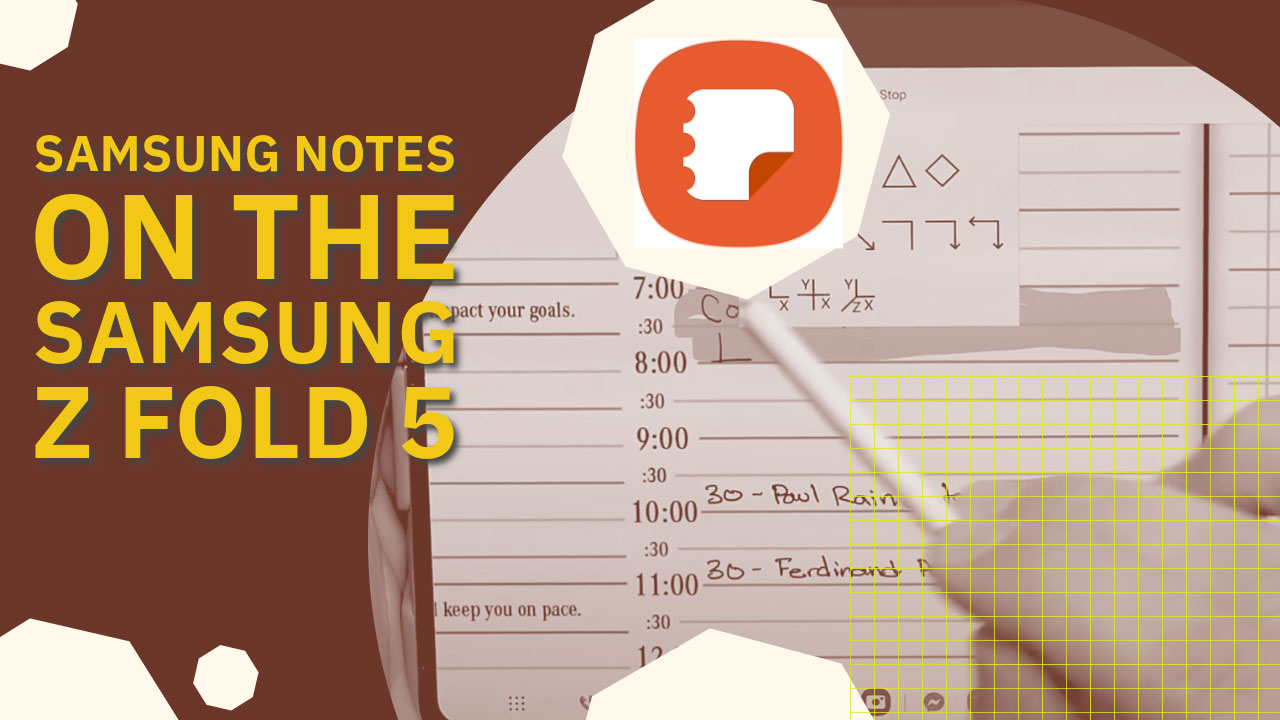
Samsung Notes interface on Samsung Z Fold 5, featuring digital planner layout with handwritten notes and app logo.
Articles Oct 26
By Bodendorfer 0 Comments

Samsung Notes is a powerful application that is built into the Samsung Z Fold 5 and other Samsung devices. It’s a great app for digital planning.

Samsung Notes is a note-taking application developed by Samsung Electronics. It is primarily designed for Samsung Galaxy smartphones and tablets, and it comes pre-installed on many of these devices. Samsung Notes allows users to create and manage digital notes, sketches, drawings, and other types of content. Some of its features include:

  1. Note Creation: Users can create notes with text, images, and drawings. It supports both typed and handwritten notes, making it a versatile tool for capturing ideas, to-do lists, sketches, and more.

  2. Synchronization: Samsung Notes can synchronize notes across multiple devices, making it convenient for users to access their notes on different Samsung devices.

    Promotional banner for Key2Success planner offering discounts and a money-back guarantee, emphasizing digital planning benefits and a call to action for users on Samsung devices.
  3. Organization: Notes can be organized into notebooks and folders, helping users categorize and manage their content efficiently.

  4. Drawing and Sketching: Samsung Notes provides various drawing tools and features for sketching and doodling. This can be particularly useful for artists and those who prefer to illustrate their ideas.

  5. Integration: It integrates with other Samsung applications and services, allowing users to attach images, voice recordings, and other media to their notes.

  6. Search Functionality: The app offers a search feature that makes it easy to find specific notes quickly.

Samsung Notes is a popular note-taking app for users of Samsung devices, offering a range of features to facilitate digital note-taking and organization. Please note that its specific features and user interface may vary depending on the device and the version of Samsung Notes installed.
Key2Success Planners

Choose the Application that you plan to use for digital planning.

Getting Started with Samsung Notes on Galaxy Fold

OneNote logo featuring a purple notebook icon, representing a digital planning tool for effective organization and note-taking.

Application works across Windows, Android and Apple. Also Web version all available. Great for Desktop, Laptop and Mobile users.

GoodNotes

GoodNotes app icon featuring a notepad with lines and a stylus, representing digital planning and note-taking tools for Apple devices.

Application works across Apple devices. Great for iPad, Mac and iPhone users. PDF Annotation App designed for Note-Taking

Noteshelf

Noteshelf app icon featuring a blue background with a white pen, representing digital planning and note-taking tools for Apple devices.

Application works across Apple devices. Great for iPad, Mac and iPhone users. PDF Annotation App designed for Note-Taking

Notability

Notability app icon featuring a pencil on a blue background, representing digital note-taking tools for Apple devices in the context of digital planning.

Application works across Apple devices. Great for iPad, Mac and iPhone users. PDF Annotation App designed for Note-Taking

Samsung Notes

Samsung Notes application icon, designed for digital planning on Samsung devices, highlighting note-taking features.

Application works across Samsung devices. Great for Samsung Tab and Samsung Galaxy Users. Including Z Fold 3, S6, S7, S8 and S22. 

reMarkable

reMarkable logo on a black background, representing ePaper devices for digital note-taking and PDF annotation.

Works with ePaper Devices, like the reMarkable, SuperNote and many more. A PDF Annotation Planner allows users to take digital notes.

Promotional banner for Key2Success planner offering discounts and a money-back guarantee, emphasizing digital planning benefits and a call to action for users on Samsung devices.

Leave a Comment