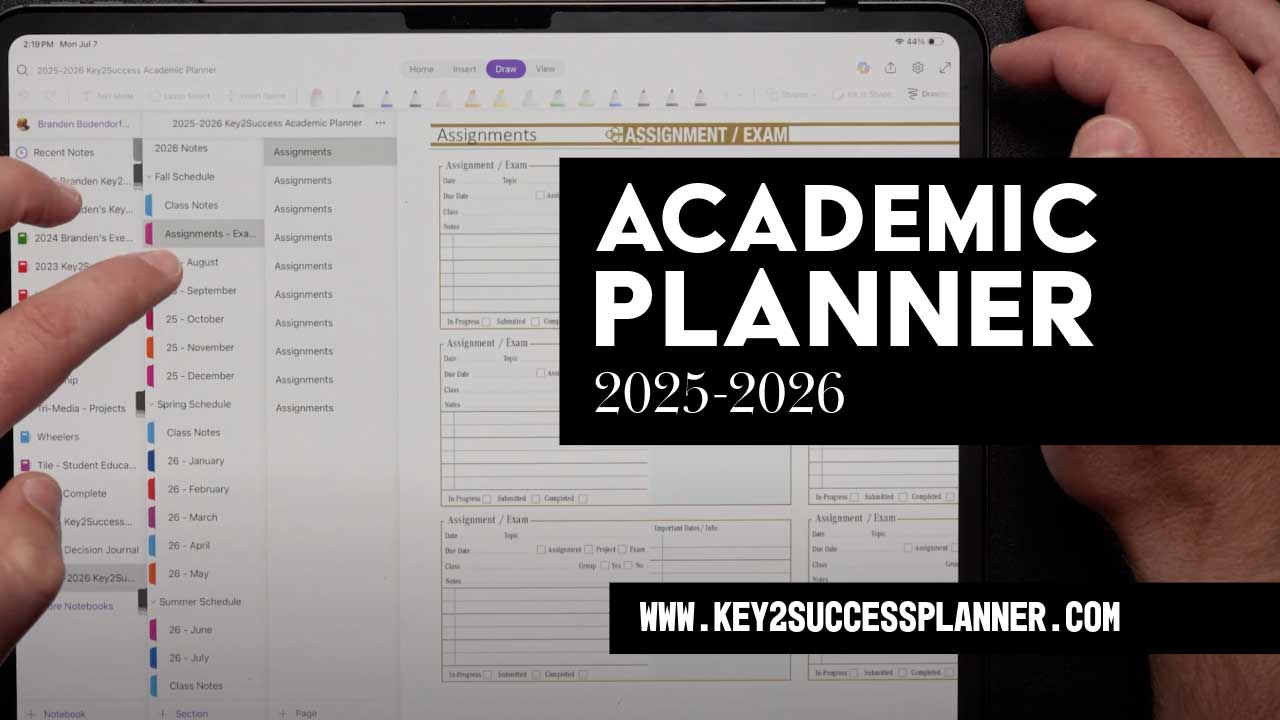
Meet Your 2025-2026 Academic Planner
As the new school year approaches, staying organized and focused can be a challenge — but it doesn’t have to be. If you’re searching for an effective way to manage your classes, assignments, and personal goals, the Key2Success Academic Planner offers the perfect digital solution for students, educators, and academic professionals alike.
What Is the Key2Success Academic Planner?
The Key2Success Academic Planner isn’t your typical paper planner or basic calendar app. It’s a comprehensive digital planning system designed specifically to support academic success. This planner helps you track your semester schedule, manage assignments, set goals, and balance your academic life with personal growth.
Branden Bodendorfer understands that academic planning requires a different approach than professional or business planning. That’s why this planner is built to work seamlessly across multiple platforms and devices, including Microsoft OneNote, Goodnotes, NoteShelf, Samsung Notes, and more.
Why Choose a Digital Academic Planner?
Many students rely on Google Calendar or simple reminders to organize their schedule. But calendars only alert you about where to be and when — they don’t help you reflect on what you want to achieve or how to make the most of your time. The Key2Success planner encourages active planning by asking you to set intentions, focus areas, and action steps, so every moment in your academic journey is intentional and meaningful.

Key Features That Help You Succeed
1. Multi-Device Compatibility
No matter what device you have — Windows laptop, iPad, Android phone, Samsung tablet, or Microsoft Surface — the Key2Success planner works with your existing apps. You don’t need to buy new hardware or learn complicated software. Simply import the planner into your favorite note-taking or PDF annotation app, and you’re ready to go.
2. Customizable Templates
The planner comes with a variety of templates to fit your academic needs:
- Semester schedules for fall, spring, and summer terms
- Class notes pages to keep your lectures and ideas organized
- Assignment trackers to never miss a deadline
- Habit and budget trackers to balance study habits and finances
- Vision boards and goal pages to keep your motivation strong
3. Advanced Note-Taking with AI Transcription
With the Goodnotes app, you can record lectures while simultaneously taking notes. Thanks to AI-powered live transcription, spoken words are converted into searchable text in real time. This feature allows you to focus on understanding the material instead of hurriedly writing everything down. Plus, you can highlight, summarize, and share your notes easily.
4. Collaborative and Shareable
Whether you’re a student working on group projects or an educator managing multiple classes, the Key2Success planner supports collaboration. You can share notebooks or specific planner sections with peers or students and collaborate in real-time.
5. Digital Stickers and Tiles for Personalization
Want to add some personality to your planner? Key2Success offers a collection of digital stickers and tiles that you can overlay on your planner pages to customize layouts, track progress, or highlight important tasks — making planning fun and engaging.
How Academic Planning Transforms Your School Experience
Planning is about more than just managing your schedule — it’s about respecting your time and focusing on what truly matters. When you use the Key2Success Academic Planner, you’re encouraged to think critically about your academic goals:
- What do you want to learn this semester?
- How will your courses contribute to your future career?
- How can you balance schoolwork with hobbies and self-care?
By answering these questions, you set yourself up for success. You attend classes prepared, engage more deeply, and build habits that will help you thrive not only in school but throughout your professional life.
Ideal for Educators and Administrators Too
Teachers and academic administrators can integrate Key2Success academic pages into their professional planners using the Education Tile. This allows them to organize classroom activities alongside meetings, projects, and other responsibilities — streamlining workflows and boosting productivity.
Getting Started with the Key2Success Planner
Ready to transform your academic planning? Visit the Key2Success website to:
- Purchase the academic planner tailored to your needs
- Access detailed tutorials on how to use OneNote, Goodnotes, and other supported apps
- Download free training videos and installation guides
- Explore bundles that include academic and professional planners for year-round organization
Final Thoughts
Digital academic planning is more than a trend — it’s a powerful tool for students who want to excel. The Key2Success Academic Planner by Branden Bodendorfer combines smart technology, user-friendly design, and academic insight to help you take control of your education, reduce stress, and unlock your full potential.
Start planning smarter today — because your success is worth it.