
GoodNotes vs OneNote vs Apple Notes on iPhone Duo: Which Handwriting App Wins?

GoodNotes vs OneNote vs Apple Notes on iPhone Duo is the first question every new owner hits, because the Apple Pencil only matters if the app you write in treats it well. I tested all three in my first week with the Duo, and they are not close to equal for planning.
Here is my thesis: most people will plan in whichever app is already open, then blame the phone when a handwritten day feels clumsy. On iPhone Duo, the app decides whether your handwriting feels like a paper planner or a sticky note. Pick the app first, then judge the device.

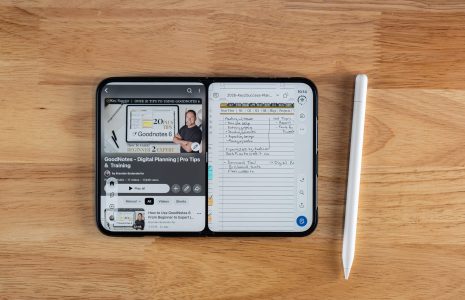
Watch: All Three Apps on iPhone Duo, Hands-On
I walk through Apple Notes, OneNote, and GoodNotes with the Apple Pencil in this video. The video page has the full transcript, setup steps, and FAQ.
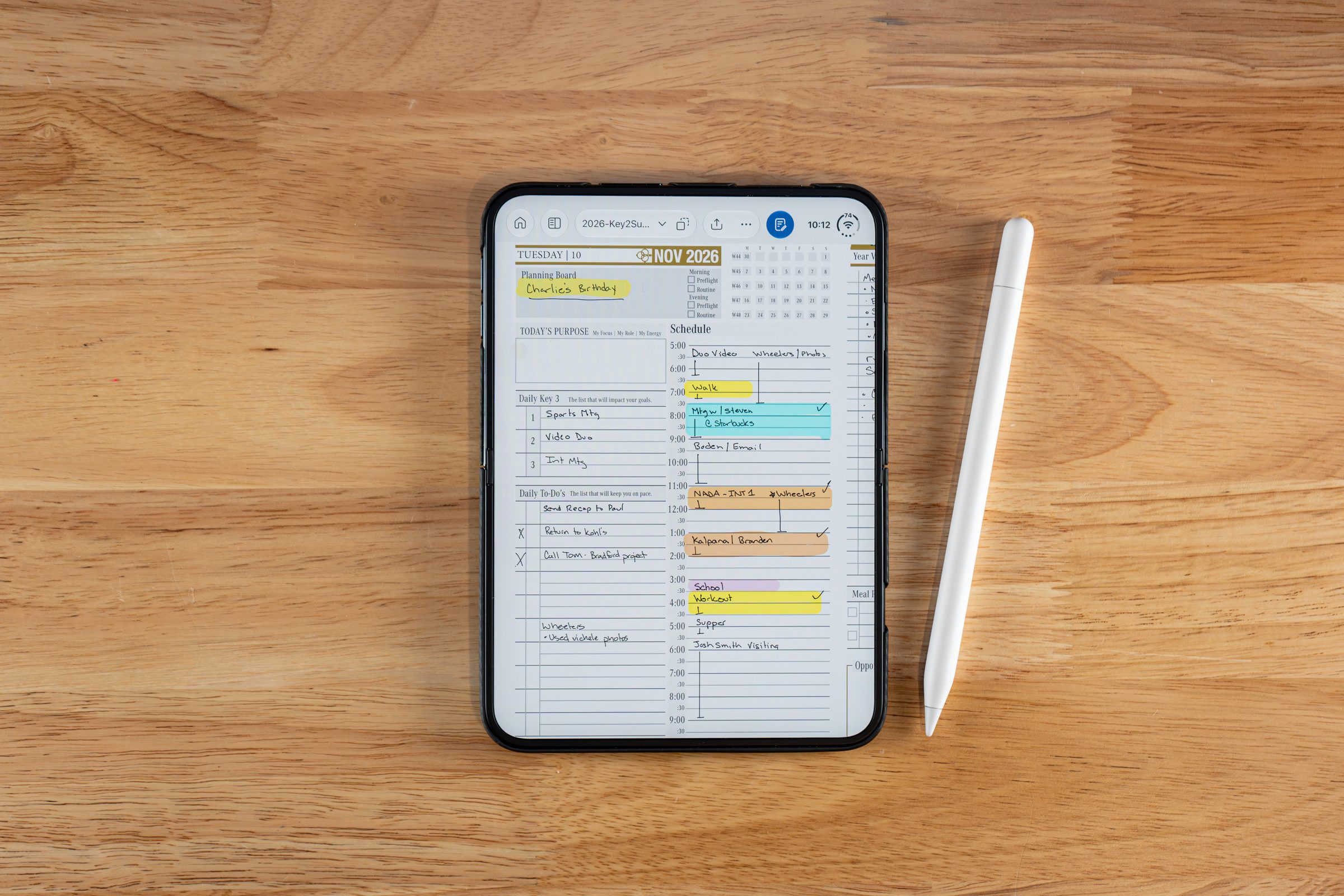
GoodNotes. Pen types, color, thickness, lasso, and presets match what I use on iPad.
OneNote. It writes, highlights, selects, and erases well, but had no line thickness or color options when I tested.
Apple Notes. Great for "call this person" reminders, not for deep planning sessions.
Which Note-Taking App Is Best on iPhone Duo?
GoodNotes is the best app for handwritten planning on iPhone Duo right now. OneNote is second and improving, and Apple Notes is the best place for quick reminders.
All three accept the Apple Pencil on the Duo. The difference is what you can do after the pen touches the screen. This is how they compared in my own testing:
| App | Pen controls | Duo-specific design | Best use |
|---|---|---|---|
| GoodNotes | Several pen types, color, thickness, presets, lasso, pen gestures, spell check, snap to draw | Update added a two-layer toolbar, reading mode, and layouts for folded, semi-folded, and unfolded screens | Daily and weekly planning pages |
| OneNote | Write, highlight, select and move, erase. No line thickness or color options when I tested | Opens my daily plans fine, but I saw no Duo-specific update yet | Notebooks you already live in |
| Apple Notes | Pen tool, erase, Scribble, Auto Refine handwriting, Auto Minimize | Built in, nothing to install | Quick reminders and fast captures |
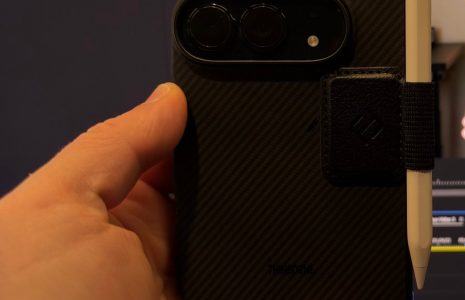
Before you pick, confirm your Pencil is the right one. Only the Apple Pencil (USB-C) works on the Duo, and my full compatibility answers are in the iPhone Duo Apple Pencil support FAQ.
GoodNotes on iPhone Duo
GoodNotes is the app that feels built for the Duo, because its update added a two-layer toolbar, a reading mode, and layouts for folded, semi-folded, and unfolded screens.
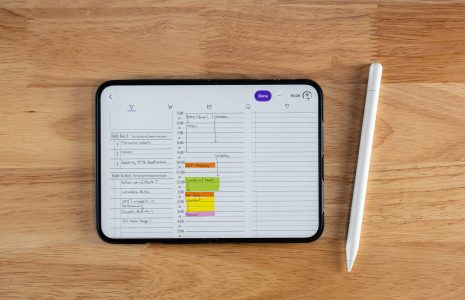
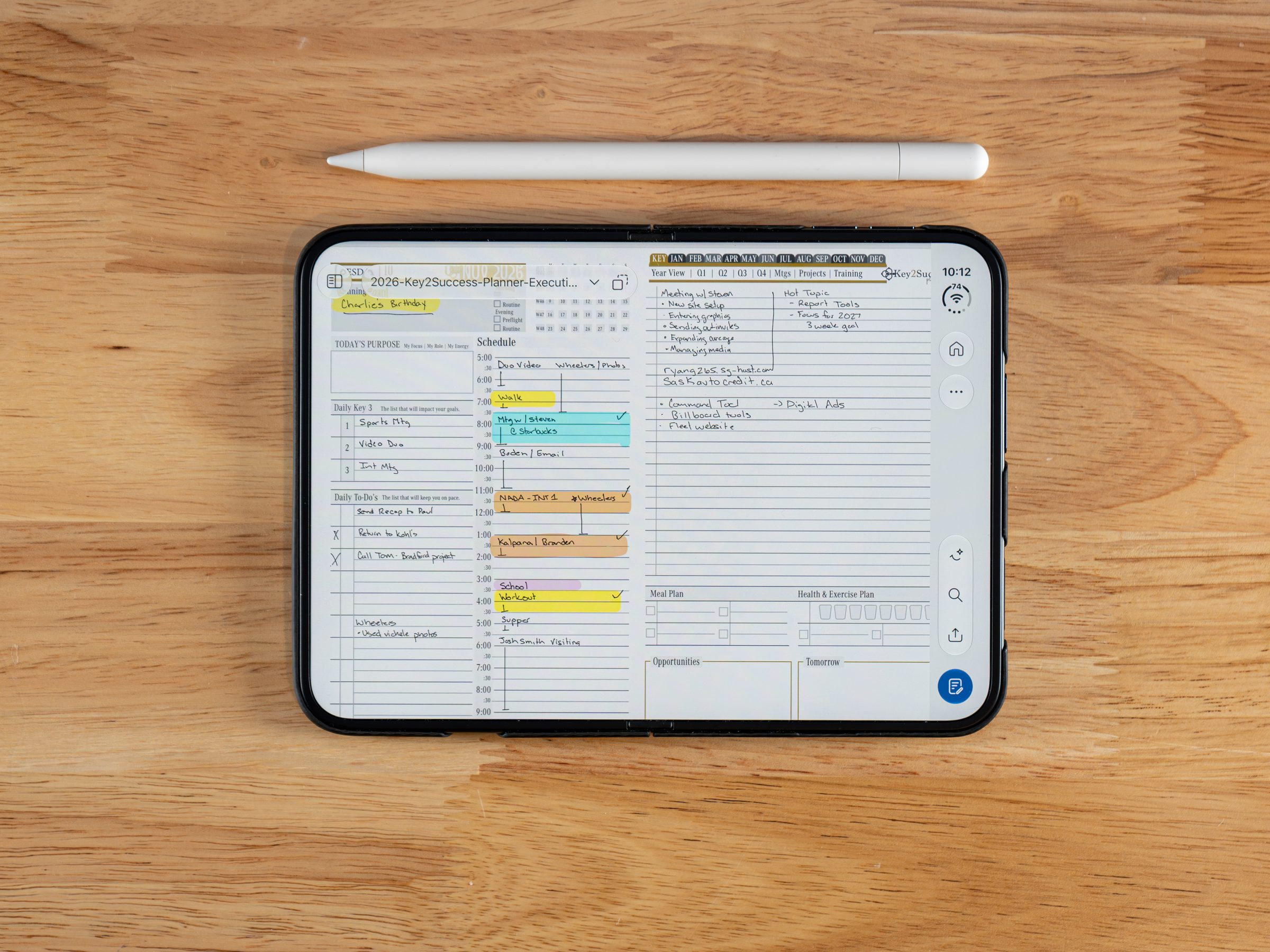
GoodNotes shipped that update the weekend before I recorded, so I opened my own daily plan in it right away. The tools sit one tap away, and they are the same commonly used settings I know from the iPad version: different fountain pens, pen settings, pen gestures, writing aids, spell check, and snap to draw. I can disconnect the Apple Pencil from the menu too.
In a real planning session I checked off a task with an X, then used the lasso tool to grab a quick note and move it. Copy and paste between pages works the same way it does on iPad. Open the Duo fully and you get a full-screen page, where I could thicken a line, switch to blue ink, and use my saved presets without hunting for them.
That matters because planning is repetitive. You write the same shapes, check boxes, and times every day, so presets and quick tool changes save more time than any single fancy feature. If you already plan in GoodNotes on an iPad, the Duo feels like a smaller version of the same desk, not a different app. My iPad setup is covered in how I use iPad for digital note-taking and planning.
OneNote on iPhone Duo
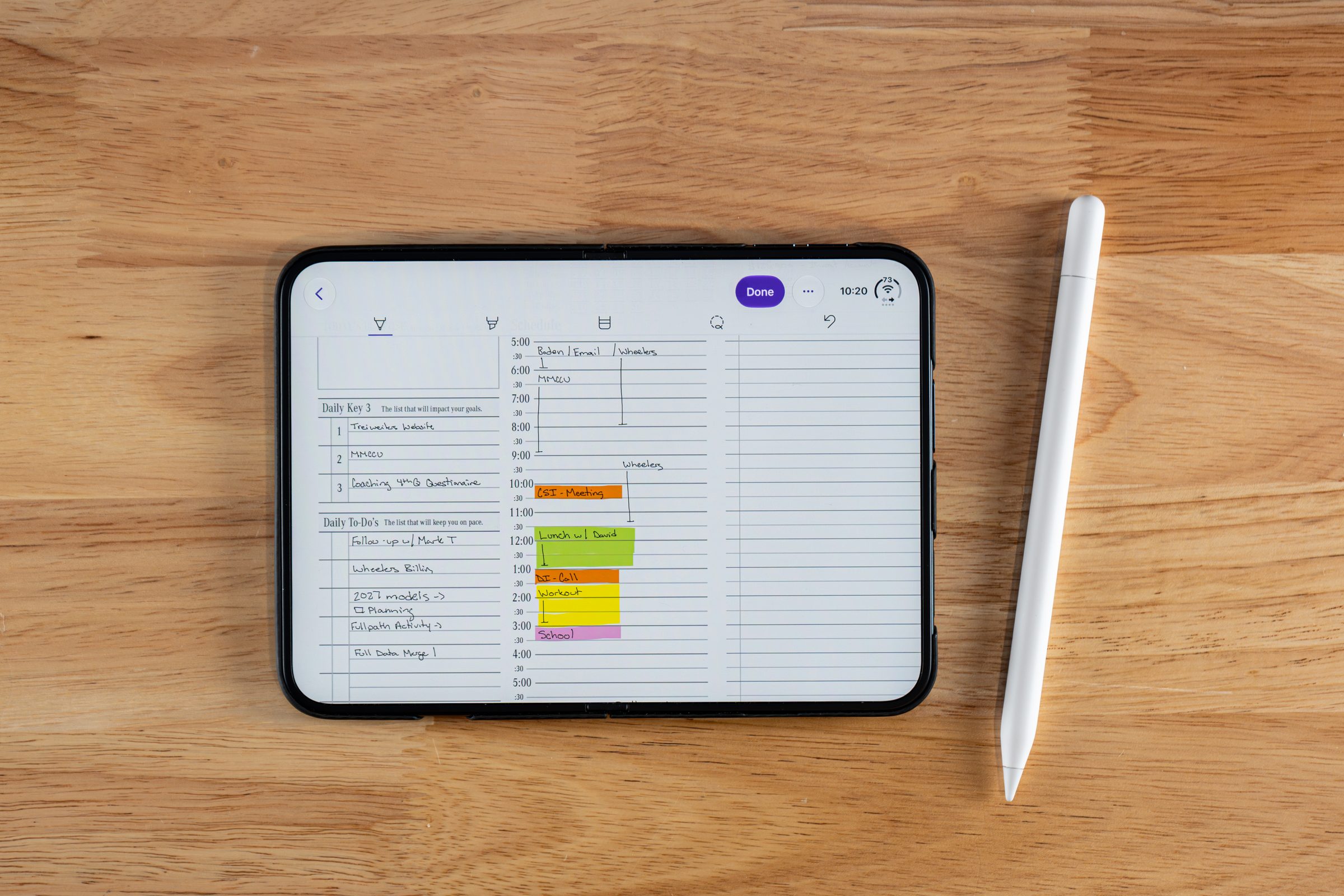
OneNote works with the Apple Pencil on iPhone Duo, but it did not offer line thickness or color options when I tested it.
I opened OneNote on the Duo and my daily plans were right there. I wrote "Hello World," highlighted it, selected and moved it, and erased it. It was, in my words from the video, surprisingly great. What I could not do was change the line thickness or the color of the text.
I do not read that as a limit of the Duo. I believe OneNote just has not updated the app yet, and I hope they do soon. OneNote still gives you a lot of key features, and if your whole planning system lives in OneNote notebooks, it is worth using today. Opening and moving through notebooks on an Apple device is covered in how to open OneNote notebooks on iPad.
If you plan in OneNote, the Key2Success OneNote digital planners are built for it, and nothing about the Duo changes that.
Apple Notes on iPhone Duo
Apple Notes is the right app for fast captures on iPhone Duo, with Scribble, a pen tool, and an Auto Refine setting that tidies your handwriting.
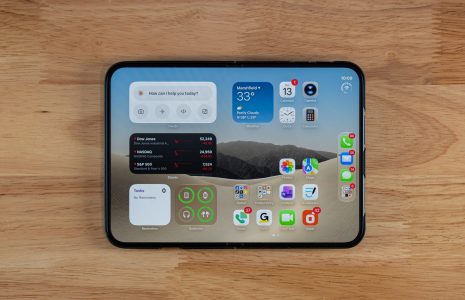
Apple Notes is already on the phone, so it is the app I open first. I tap the screen to put a cursor down and write with Scribble, then switch to the pen tool to write in ink. Tap the three dots and you will find Auto Refine handwriting, which gently cleans up the shape of your letters. The change is subtle, not dramatic. Auto Minimize hides the toolbar so you get more screen to work with.
Other apps, like GoodNotes, let you adjust stabilization more. But Apple Notes is not where I do much planning or deep thinking. It is where I jot "I have to remember to call this person." That is a real job, and it does it well.
Apple Notes is where I put the quick stuff, like a name and a phone number I need to call back. GoodNotes is where the day actually gets planned. Those are different jobs.Branden Bodendorfer, after the first week using iPhone Duo and Apple Pencil daily
Why I Recommend GoodNotes for Planning
For most iPad planners who want to carry a weekly plan in a pocket, I recommend GoodNotes on iPhone Duo, because it gives you the same pen, color, thickness, and lasso tools you already use on iPad, plus layouts designed for the folded Duo. That is the strongest handwriting setup I have tested on this phone.
Here is the part that surprises people: Apple Notes will be the app most Duo owners open first, and it is the one I would not plan in. It is built for quick capture. When a day has priorities, a schedule, and notes that need to live together on a page, you want a planner layout, not a blank note.
That is where a template matters. The Key2Success GoodNotes digital planners give GoodNotes a daily page with a purpose box, a schedule, and room for notes. I have written my own daily schedule on a Key2Success page on the Duo, and it reads like the page I plan on in iPad. My full Duo planning workflow is in the Apple Pencil and Key2Success Planner guide.
Plan on the Duo with Key2Success
Pick the planner that matches the app you chose above, then write your first full day by hand.
Pick Your App in Five Minutes
Do not trust a feature list, including mine. Run this short test with your own handwriting, then pick.
Duo app decision checklist
- Update GoodNotes, OneNote, and Apple Notes so you are testing current versions.
- Write one real task and a time block in each app. Note which one feels least like a sticky note.
- Try to change line thickness and color in each app. If you need that, rule out OneNote for now.
- Fold and unfold the Duo in GoodNotes and see which layout you will use most.
- Decide the job: quick reminders go to Apple Notes, daily and weekly plans go to your planning app.
- Move one existing planner page into the winner and write a full day on it.
FAQ: GoodNotes vs OneNote vs Apple Notes on iPhone Duo
Which app is best for handwritten planning on iPhone Duo?
GoodNotes is my pick for planning, because its Duo update added a two-layer toolbar, reading mode, and layouts for folded, semi-folded, and unfolded screens. It also keeps the pen, color, thickness, and lasso tools I use on iPad.
Does OneNote work with Apple Pencil on iPhone Duo?
Yes. OneNote opened my daily plans on the Duo, and I could write, highlight, select, move, and erase. When I tested it, there was no option to change line thickness or color, which I believe is an app update issue and not a Duo limit.
Is Apple Notes good enough for planning on iPhone Duo?
Apple Notes is great for quick notes and reminders, and Auto Refine handwriting cleans up your letters slightly. I do not use it for deep planning sessions, because it has no planner structure and fewer pen controls than GoodNotes.
Do I need the Apple Pencil Pro for these apps?
No, and it will not work on the Duo. Only the Apple Pencil (USB-C) is supported, and it pairs with a USB-C cable.
Can I use my Key2Success Planner on iPhone Duo?
Yes. I have written full daily pages from the Key2Success Planner in GoodNotes on the Duo, and it follows the same layout you use on an iPad. See the iPhone Duo vs Galaxy Z Fold 8 comparison for how it stacks up against the pen-less foldable.
Quick Answers
The Takeaway
The most feature-rich app is not always the winner. The winner is the app you will still open at 7 a.m. on a busy Tuesday, and that is almost never the one that is simply already installed.
Right now, that app is GoodNotes for planning, with OneNote as a strong second if your notebooks already live there. Apple Notes stays on my home screen for reminders. Pick one planning app, give it a full week of handwritten days, and judge the Duo after that.
More iPhone Duo Apple Pencil guides