
GoodNotes and Calendar in Split Screen on iPhone Duo
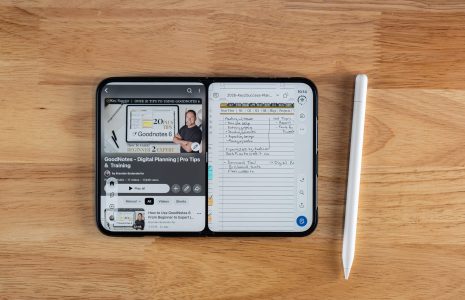
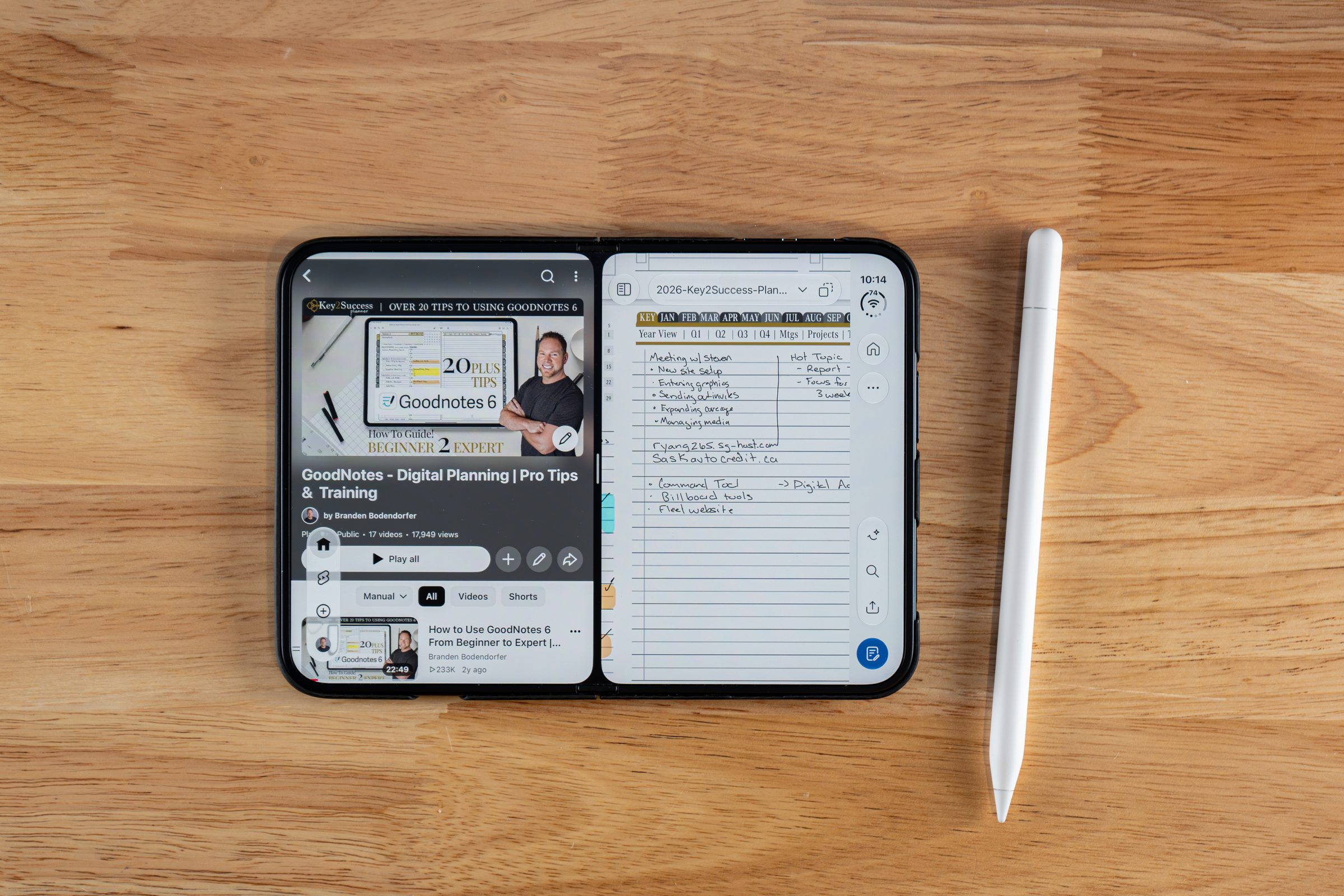
To use GoodNotes in split screen on iPhone Duo, unfold the phone, slightly pull up the app, and drop it into one of the two corners. Then open Calendar for the other side. Tap the two small dots between the apps to link them, so opening one app opens the other.

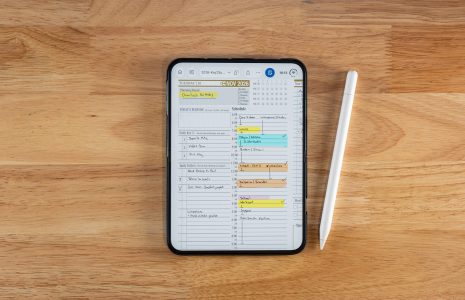
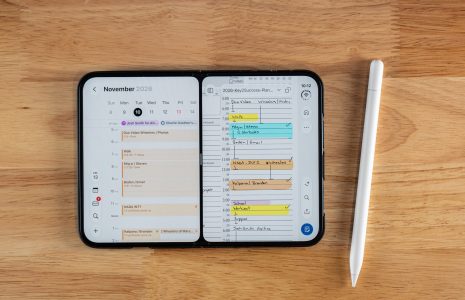
GoodNotes split screen on iPhone Duo is the feature that turns the phone from a place to check your plan into a place to run it. In my November 2026 video, I opened the Key2Success Planner in GoodNotes Pro, set Calendar beside it, and worked from both at once.
Here is my position: a digital planner works best when it never has to leave the screen. If you have to close it to check a date, you will skip the check. Watch the full demo in GoodNotes on iPhone Duo: Digital Planning in Your Pocket, then use the steps below.

Two Corners, Two Apps
Pull the app up slightly and drop it into one of the two corners, then open a second app.
Link Them Together
Tap the two dots so the pair opens together. Tap again to unlink.
Planner Leads, Calendar Reminds
Your planner holds what matters. Your calendar tells you where to be.
How to Put GoodNotes and Calendar Side by Side
Unfold your iPhone Duo, open GoodNotes, slightly pull up the app, and drop it into one of the two corners. Then choose Calendar for the open side. Both stay on screen together.
- Unfold the Duo and open GoodNotes. Start with your planner on screen.
- Pull the app up slightly. Bring it over and place it in one of the two corners.
- Open a second app. I chose Calendar, so I could see my November calendar next to my planner.
That is the whole setup. The planner stays open while you check your schedule, and you do not have to close one to read the other.
Link the Two Apps with the Dots
Between the two apps sit two small dots. Tap them and they turn gray. That links the pair: open one app and the other opens with it. Open Calendar, and GoodNotes comes up beside it. To separate them, tap the dots again. I think of it as tap to join, tap to unjoin.
When you want one app full screen again, drag the divider over.
I plan the day on my iPad, then use the Duo between meetings to mark off what I finished. With Calendar next to GoodNotes, I can check where I need to be without leaving my planner.Branden Bodendorfer, Creator of Key2Success Planner
Why Your Planner Belongs Next to Your Calendar
People who plan digitally often want their appointments to line up across the planner and the scheduler. That is a fair goal, but the two tools do different jobs.
A calendar does not plan your day. It tells you where to be. For me, planning is where you take ownership of your schedule and put in the things that matter most to you. A scheduler like Apple Calendar reminds you of places you need to be and gives you notifications. Side by side, you see both: what you decided matters, and what the clock demands.
That is why I do not treat the two as competitors. I keep the planner as the place where I decide and let Calendar do the reminding.
Add Siri on iOS 27
With GoodNotes and Calendar open together, I asked Siri to look at my schedule in GoodNotes and copy my appointments into the calendar app. In the video, Siri did it in real time and confirmed it had added the appointments from GoodNotes for today. I covered that Siri step in video, and it comes with iOS 27. For the full walkthrough, read how Siri on iPhone Duo syncs your digital planning.
Watch: Split Screen in GoodNotes on iPhone Duo
The split screen demo starts around 6:41. Read the transcript, chapters, and FAQ on the video page.
Build Out Your iPhone Duo Planning Setup
New to the system? Start with the Key2Success Planner overview. If you plan in GoodNotes, the GoodNotes digital planner shop has the editions, and the full Key2Success shop covers every platform.
The planning system behind the split screen workflow.
Editions built for iPad and iPhone planning.
How the two foldables compare for digital planning.
FAQ: GoodNotes Split Screen on iPhone Duo
How do I use GoodNotes in split screen on iPhone Duo?
Unfold the Duo with GoodNotes open, slightly pull up the app, and drop it into one of the two corners. Then open a second app such as Calendar for the other side.
How do I link two apps in split screen on iPhone Duo?
Tap the two small dots between the apps. They turn gray, which links the pair so opening one app opens the other. Tap again to unlink.
How do I make one app full screen again?
Drag the divider over to the side. The app you keep fills the whole screen.
Can Siri copy my GoodNotes planner appointments into Calendar?
In my video, I asked Siri to look at today's schedule in GoodNotes and copy the appointments into the calendar app, and it did. That feature comes with iOS 27.
Should I plan in my planner or in my calendar?
Use both for different jobs. The planner is where you decide what matters most. The calendar reminds you where you need to be and sends notifications.
Quick Answers
Calendar, so I could see my November calendar next to my planner.
Into one of the two corners, after slightly pulling it up.
They link the two apps so opening one opens the other.
Gray.
Tap the dots again.
Drag the divider over.
iOS 27.
Yes, in my demo a checked-off task on the Duo showed up on the iPad.
Split Screen Setup Checklist
Set it up
- [ ] Unfold your iPhone Duo and open your planner in GoodNotes
- [ ] Slightly pull up the app and drop it into a corner
- [ ] Open Calendar on the other side
- [ ] Tap the two dots so they turn gray and link the pair
Use it
- [ ] Check today's appointments in Calendar while you plan in GoodNotes
- [ ] Tap the dots again if you want the apps to open separately
- [ ] Drag the divider over to return one app to full screen
My Take
Your calendar is not your plan. It is a reminder system. The plan is the set of choices you made about what matters, and that belongs in your planner.
Split screen on iPhone Duo puts the two next to each other, so the plan and the clock finally share a screen.