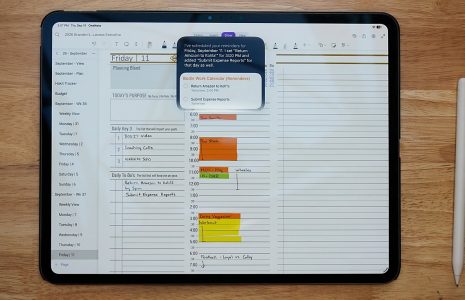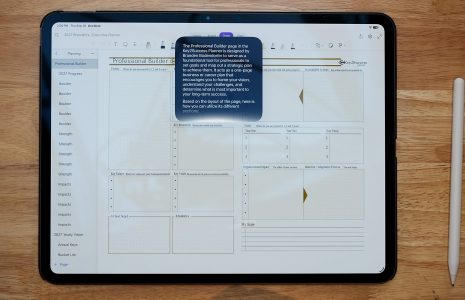
What Does “AI-Organized Notes” Mean?
AI in note-taking apps is not just about chatbots. In everyday use, it often shows up as tools like these:

- Handwriting converted into searchable text
- Smarter search across typed and handwritten notes
- Summaries of long notes or meetings (when available)
- Recognition of topics, dates, and action items
- Cleaner formatting after notes are written
When paired with a planner like Key2Success, these features help you focus on planning instead of managing information.
Samsung Notes: AI for Handwritten Planning
Samsung Notes is a strong option for Android users, especially those using Galaxy tablets or phones with an S Pen.
Helpful AI-style features include:
- Handwriting recognition that improves search
- Text cleanup and formatting tools
- Easy organization using folders
- Solid stylus support for daily planning
Many Key2Success Planner users on Android prefer Samsung Notes because they can plan by hand while still keeping their notes searchable later.
Explore the Key2Success Planner for Samsung Notes
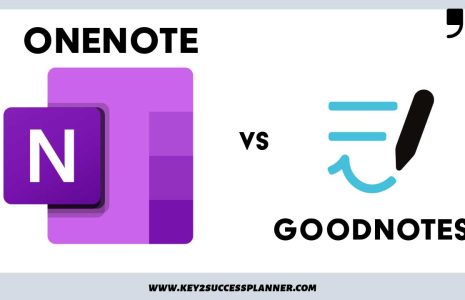
Microsoft OneNote: AI-Friendly Organization for Long-Term Planning
Microsoft OneNote is built for people who want to connect ideas across time, projects, and devices. With AI features available through Microsoft’s ecosystem, OneNote can work as a central planning hub.
Notable strengths include:
- Strong search across notebooks, pages, and handwriting
- AI summaries for meetings and long notes (where available)
- Great support for project planning and goal tracking
- Works well across Windows, Mac, iPad, and web
Key2Success Planner users often choose OneNote when they want their planner, meeting notes, and long-term goals in one place.
Shop Key2Success Planner for OneNote
GoodNotes: AI That Supports PDF Planning
GoodNotes is one of the most popular note-taking apps for iPad users. Its AI features focus on improving handwriting and search without changing how you like to write.
Key features include:
- Handwriting recognition and search
- Converting handwritten notes to text
- Better organization inside notebooks
- Excellent support for PDF planners
GoodNotes pairs especially well with Key2Success Planner PDF editions for users who prefer an iPad-first planning workflow.
Shop Key2Success Planner for GoodNotes (PDF)
Where the Key2Success Planner Fits
AI works best when it supports a clear planning structure.
The Key2Success Planner provides consistent layouts for daily planning, weekly goals, long-term vision, and reflection. When you use it inside Samsung Notes, OneNote, or GoodNotes, AI helps make your notes easier to search, review, and summarize.
The planner helps you decide what matters. AI helps you manage what you capture.
How to Choose the Right AI Note-Taking App
- Choose Samsung Notes if you plan mostly by hand on Android.
- Choose OneNote if you want cross-platform access and long-term organization.
- Choose GoodNotes if you prefer iPad planning with PDF files.
Q&A: AI Note-Taking Apps and Digital Planning
Do AI note-taking apps replace planners?
No. AI helps organize information, but planners provide structure and intention. They work best together.
Is handwriting still useful with AI?
Yes. AI makes handwritten notes more powerful by making them searchable and easier to review.
Can AI summarize planner notes?
In some apps, yes. This is helpful for meeting notes and weekly reviews, depending on the app and device.
Does the Key2Success Planner work with AI features?
Yes. The Key2Success Planner works inside Samsung Notes, OneNote, and GoodNotes, allowing AI features to enhance your notes.
Which app is best for long-term planning?
OneNote is often preferred for long-term and professional planning due to its structure and cross-device support.
Final Thoughts
AI note-taking works best when it supports clarity rather than adding complexity. Samsung Notes, OneNote, and GoodNotes all offer useful AI features, especially when paired with a structured planning system.
If you want a planning system that works across devices and apps, start here: Key2Success Planner.