Best Note-Taking Apps for the Samsung S11 Tablet
Looking for the best note-taking apps for the Samsung S11 Tablet? The Samsung S11 Tablet, paired with its S Pen, is a powerful tool for students, professionals, and creatives. Selecting the right note-taking app can transform your productivity, whether you’re jotting down ideas, annotating PDFs, or managing complex projects. Below, we’ve curated a list of the top note-taking apps optimized for the Samsung S11 Tablet, highlighting their features and how the Key2Success Digital Planner can supercharge your workflow.
Top Note-Taking Apps for the Samsung S11 Tablet
1. Samsung Notes – Seamless Integration with the S Pen
Samsung Notes is the go-to app for Samsung S11 users, offering native integration and robust features tailored for the S Pen.
- Optimized for S Pen handwriting and sketching
- Advanced handwriting-to-text conversion
- PDF annotation for seamless document markup
- Cross-device syncing within the Samsung ecosystem
Samsung Notes is perfect for users who want a reliable, no-fuss note-taking experience without relying on third-party apps.
2. Microsoft OneNote – Best for Cross-Platform Productivity
Microsoft OneNote excels in cross-platform functionality, making it ideal for users who work across multiple devices.

- Syncs across Android, iOS, Windows, and Mac
- Organized into notebooks, sections, and pages
- Supports handwriting, text, audio, and image inputs
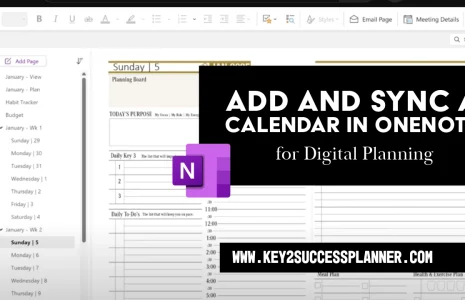
- Compatible with the Key2Success Digital Planner for structured planning
OneNote is a versatile choice for professionals and students needing a robust, cloud-based note-taking solution.
3. GoodNotes – Top Pick for PDF Annotation and Digital Planning
GoodNotes, now available on Android, is a favorite for its intuitive interface and powerful PDF annotation capabilities.
- Hyperlinked navigation for digital planners and PDFs
- Handwriting recognition with searchable notes
- Ideal for structured templates and professional workflows
- Seamless integration with the Key2Success Digital Planner
GoodNotes is perfect for users who prioritize PDF-based note-taking and digital planning with a polished experience.
4. Penly – Lightweight and Efficient PDF Note-Taking
Penly offers a streamlined approach to PDF-based note-taking, balancing simplicity with powerful features.
- Hyperlink support for organized note navigation
- Google Drive syncing for secure backups
- Customizable pen tools for precise writing and drawing
Penly is a great choice for users who need a lightweight yet effective app for PDF annotation and note-taking.
5. Nebo – Unmatched Handwriting-to-Text Conversion
Nebo stands out for its AI-driven handwriting recognition, making it ideal for users who prefer handwritten notes but need editable text.
- Industry-leading handwriting-to-text conversion
- Supports mathematical notation and diagrams
- Syncs across Android, iOS, and Windows
Nebo is best for academic and professional settings where converting handwritten notes to text is essential.
Boost Productivity with the Key2Success Digital Planner
The Key2Success Digital Planner is a game-changer for professionals, students, and executives looking to streamline their workflow.
- Compatible with Samsung Notes, OneNote, and GoodNotes
- Offers tools for goal-setting, project management, and strategic planning
- Designed for personal, professional, and business productivity
Unlike traditional note-taking apps, Key2Success provides a structured framework for time management and goal achievement, making it an essential companion for the Samsung S11 Tablet.
How to Choose the Best Note-Taking App for You
The right app depends on your needs and workflow:
- Samsung Notes: Best for seamless integration with the Samsung S11 Tablet and S Pen.
- Microsoft OneNote: Ideal for cross-platform syncing and structured organization.
- GoodNotes: Perfect for PDF annotation and digital planning.
- Penly: Great for lightweight, PDF-focused note-taking.
- Nebo: The go-to for advanced handwriting-to-text conversion.
For a comprehensive planning solution, pair your chosen app with the Key2Success Digital Planner to maximize organization and productivity.
Where to Find The Planner
Visit the OneNote Planner Shop
Visit the GoodNotes/PDF Shop
Visit the Samsung Notes Shop
Visit the Nebo Shop
Visit the Penly Shop
Optimize your Samsung S11 Tablet experience with these top note-taking apps and elevate your productivity today!