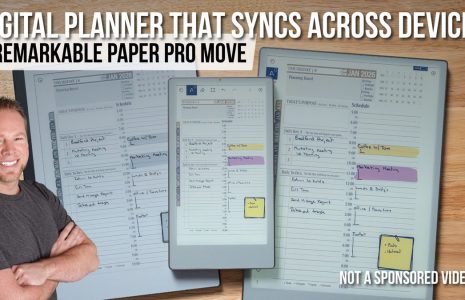
reMarkable Paper Pro Move: Is This the Best Compact Digital Planning Device of 2025?
Looking for a compact, distraction-free tool to boost your productivity? The reMarkable Paper Pro Move might be exactly what you need. With its 7.3-inch color e-ink display and paper-like feel, this ultra-portable device is designed for on-the-go note-takers, planners, and digital minimalists.
In this blog, we’ll explore:
- What the reMarkable Paper Pro Move is and how it works
- Key benefits for digital planners and productivity users
- How to integrate it into your workflow
- Common FAQs and comparisons
- Expert insights on when to use it—and when not to
What Is the reMarkable Paper Pro Move?
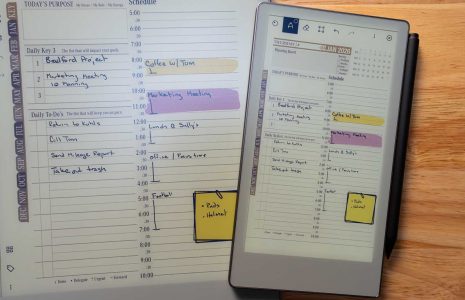
The reMarkable Paper Pro Move is a compact digital notepad with a 7.3-inch color e-ink touchscreen, designed to replicate the look and feel of writing on paper. It syncs with other reMarkable devices and platforms, offering a seamless writing and note-taking experience.
- 7.3” color e-ink display (great for tiles, diagrams, color coding)
- Distraction-free, app-free environment
- Up to 2 weeks of battery life
- Lightweight and portable
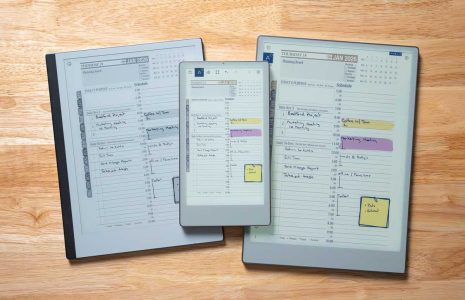
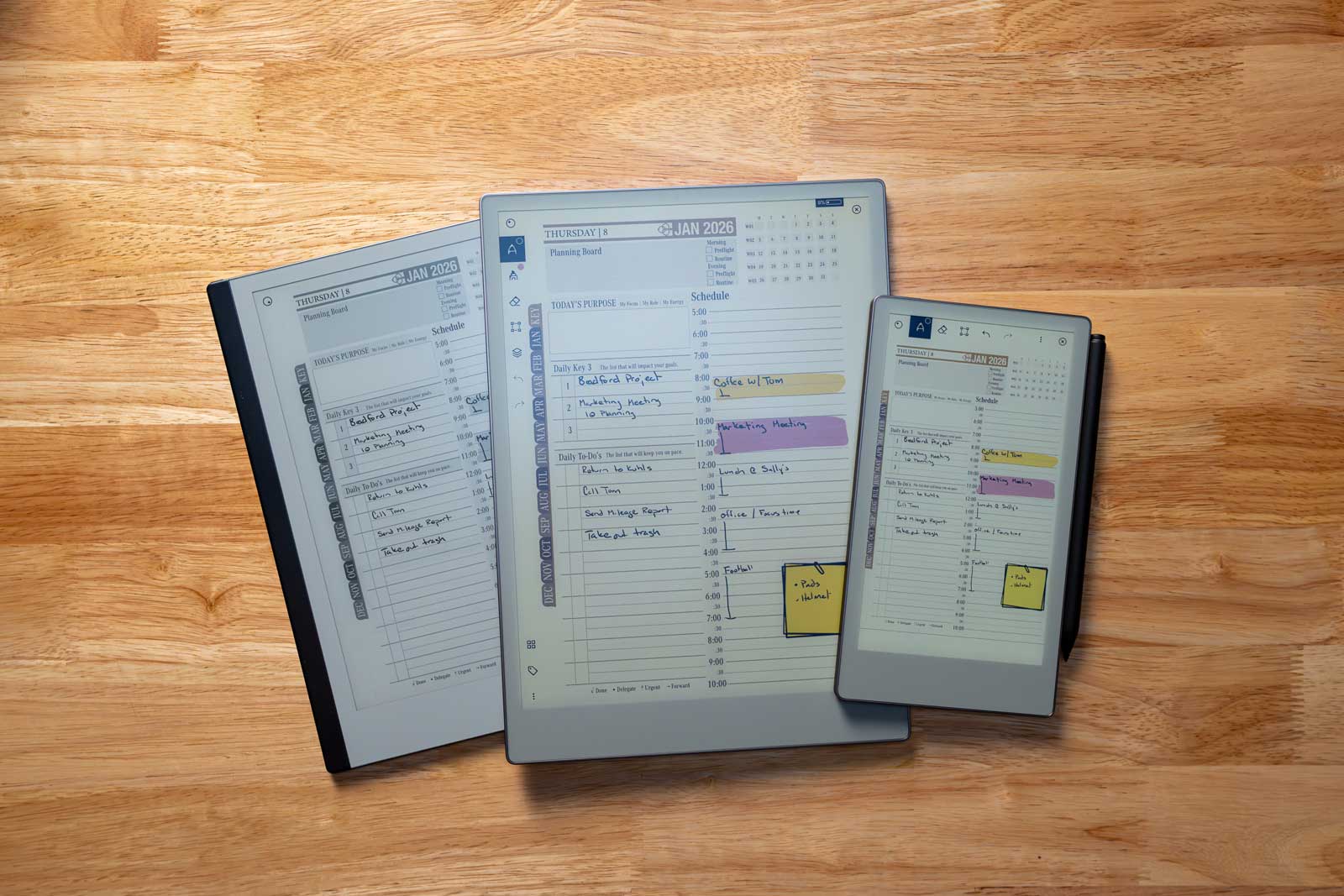
- Seamless sync with reMarkable cloud
Why the reMarkable Paper Pro Move Matters
Benefits for Digital Planners and Note-Takers:
- ✅ Portability – Perfect for commuting, travel, or meetings
- ✅ Distraction-Free – No notifications or apps pulling you away
- ✅ Battery Life – Lasts up to 2 weeks on a single charge
- ✅ Sync Capabilities – Easily integrates with your main reMarkable or desktop
- ✅ One-Handed Use – Small enough to jot notes while walking or standing
- ✅ Color-Capable E-Ink – Adds clarity to highlights, labels, and planning tiles
How to Use the reMarkable Paper Pro Move in Your Workflow
Step 1: Set Up and Sync
Download the reMarkable app, connect your device, and sync with your main planner files.

Takeaway: Seamless cloud sync ensures your notes are always updated across devices.
Step 2: Choose a Use Case
Use it for:
- Daily Key3 tracking
- Quick task capture
- Client meeting notes
- Journal entries
Takeaway: Use the Move for lightweight, fast-access planning tasks.
Step 3: Pair with Key2Success Tiles
Copy and paste compatible tiles like Daily Planning, CRM Quick Notes, or Meeting Templates.
Takeaway: Build a mini productivity hub right on your reMarkable Move.
Step 4: Review and Transfer
At day’s end, review notes and optionally transfer important content to your main planner for archiving.
Takeaway: Keeps the Move light and purposeful—use it as a field notebook, not a filing cabinet.
Common Questions About the reMarkable Paper Pro Move
Can you use the reMarkable Paper Pro Move as your main planning device?
While possible, it’s best as a companion device. The smaller screen isn’t ideal for detailed dashboards or weekly planning layouts.
Does it work with the Key2Success Planner?
Yes! Many Tiles and templates from Key2Success are compatible and sized for flexible use on the Move.
Does it require Wi-Fi to function?
No—Wi-Fi is only needed for syncing. You can write and plan offline without interruption.
Comparison: Paper Pro Move vs. Full reMarkable vs. iPad Mini
| Feature | Paper Pro Move | Full reMarkable 2 | iPad Mini (6th Gen) |
|---|---|---|---|
| Screen Size | 7.3″ | 10.3″ | 8.3″ Retina |
| E-Ink (Paper-like feel) | ✅ Yes | ✅ Yes | ❌ No |
| Apps & Distractions | ❌ None | ❌ None | ✅ Yes (many distractions) |
| Writing Experience | ✅ Natural stylus feel | ✅ Natural stylus feel | ⚠️ Varies by app |
| Price | Mid-range | Premium | Higher |
Expert Insight: Who Should Consider the Move
“The reMarkable Paper Pro Move is like having a field notebook in your pocket—ideal for creative bursts, quick thoughts, and staying productive without carrying a full device.”
— Branden Bodendorfer, Digital Planning Coach and Creator of Key2Success Planner
If you:
- Travel frequently
- Want to reduce distractions
- Use your reMarkable for journaling or daily tracking
…this is a perfect companion device.
Conclusion & Call to Action
The reMarkable Paper Pro Move isn’t a replacement for your full planner—it’s an addition that makes digital planning even more fluid and mobile.
Key Takeaways:
- Compact, powerful, and distraction-free
- Pairs perfectly with Key2Success Tiles
- Great for note-taking, journaling, and light planning
- Syncs easily to your main planning device
- A smart companion tool—not a full replacement
👉 Ready to expand your planning toolkit?
Explore our Key2Success eTiles or check out the full Planner System for reMarkable to get started.