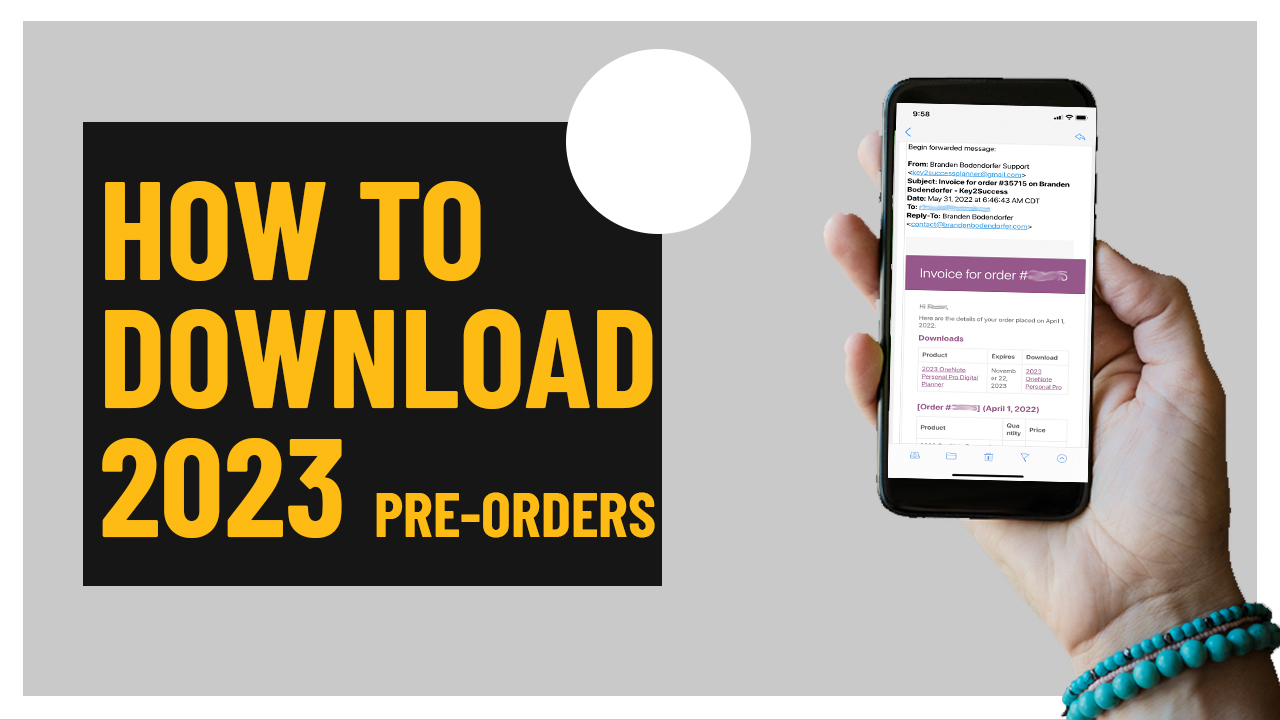
How to download 2023 Key2Success Digital Planner pre-orders displayed on smartphone screen with invoice details.
Articles / News / vLog May 31
By Branden 0 Comments

If you received your order invoice for your 2023 Key2Success Digital Planner, it is now available to download. (Please note that the date indicated on the order is the date of your original charge. No additional charges have occurred.)

To download your planner, under the downloads headers, click on the link in the third column. 
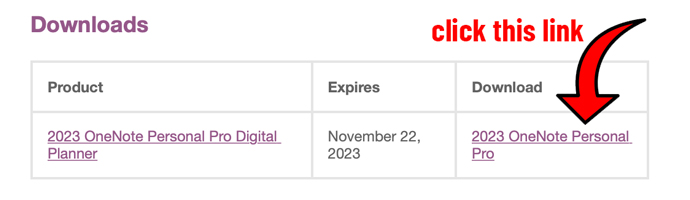
2023 OneNote Personal Pro Digital Planner download link with highlighted text instructing users to click for access.

You can access your download links by logging into your account at, www.brandenbodendorfer.com/account. In the event you did not sign up for an account, please let us know and we can send your direct download links.

We highly suggest that you take the first few minutes to review our installation guide. We encourage you not to move the file from its download location and that you do not rename the file. In addition, we ask that you start the process from your personal computer. Extract / unzip the folder before proceeding with the installation. (Please note, simply double clicking and opening the file does not extract/unzip the package.)

Promotional banner for Key2Success planner offering discounts and a money-back guarantee, emphasizing digital planning benefits and a call to action for users on Samsung devices.

Digital Planner Installation Guides:

OneNote Users: https://brandenbodendorfer.com/importing-notebook-into-onenote/

GoodNotes Users: https://brandenbodendorfer.com/import-pdf-planner-into-goodnotes/

Noteshelf Users: https://brandenbodendorfer.com/how-to-import-a-pdf-into-noteshelf/

Notability Users: https://brandenbodendorfer.com/how-to-import-pdf-into-notability/

Samsung Notes Users: https://brandenbodendorfer.com/how-to-import-a-pdf-into-samsung-notes/

reMarkable Users: https://brandenbodendorfer.com/how-to-import-pdf-files-into-remarkable-2/

SuperNote Users: https://brandenbodendorfer.com/how-to-install-digital-planner-on-supernote/

Personalized Professional Support

Take the hassle out of installation. Our staff will schedule a web screen share session where we will download and install planner on your desktop or laptop device. Enabling the ability to sync your planner across all of your devices.

We also offer technical support for those that need assistance with setting up their device and sharing their planner with their connected devices. 

Our staff will schedule a web screen share session ...
You will receive an email within 24 hours with ...

Also, please make sure to check out our training guide: https://brandenbodendorfer.com/digital-planning-training-resources/

In addition, we offer personalized training sessions. These sessions are one-on-one sessions with Branden. The goal of these sessions is to help you maximize the use of the planner and get a greater return on your time investment.

Training Programs: https://brandenbodendorfer.com/product-category/digital-planner/training/

Promotional banner for Key2Success planner offering discounts and a money-back guarantee, emphasizing digital planning benefits and a call to action for users on Samsung devices.

Leave a Comment