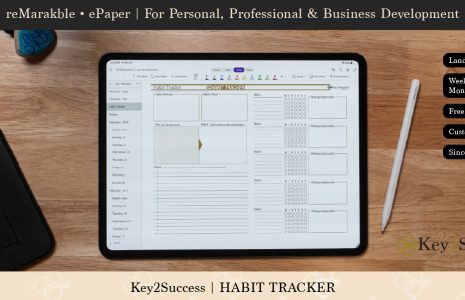
Getting organized for the new school year is essential for academic success and reducing stress. The Key2Success Digital Academic Planner is designed to help students and teachers succeed.
Here are some tips to help you get organized and start the year off on the right foot:
Get a Planner or Calendar: Invest in a planner or use a digital calendar to keep track of assignments, due dates, extracurricular activities, and other important events. Write down your schedule, including classes, study time, and personal commitments.
Create a Study Schedule: Develop a study schedule that allocates specific time slots for different subjects or topics. Consistency in your study routine will help you manage your workload effectively.

Set Goals: Set realistic academic and personal goals for the school year. Having clear objectives can motivate you to stay focused and on track.
Organize Your Study Space: Create a dedicated and clutter-free study space at home. Make sure you have all necessary supplies within reach, such as pens, notebooks, textbooks, and a comfortable chair.
Use Folders and Binders: Organize your class materials using folders, binders, or separate notebooks for each subject. Label them clearly to avoid confusion.
Keep a To-Do List: Maintain a daily or weekly to-do list to prioritize tasks and ensure nothing falls through the cracks.
Stay on Top of Assignments: Review your assignments regularly, and break them down into smaller tasks if needed. Don’t wait until the last minute to start working on them.
Take Notes Effectively: Develop a note-taking system that works for you. Summarize information, highlight key points, and use headings to make reviewing easier.
Use Technology Wisely: Embrace helpful apps and tools for organization and productivity. There are various apps for note-taking, task management, and time tracking that can assist you in staying organized.
Minimize Distractions: Identify common distractions and find ways to minimize them during study sessions. This might include putting your phone on silent or using website blockers to stay focused.
Establish a Routine: Stick to a consistent daily routine. A structured schedule can help you manage your time efficiently and reduce stress.
Stay Ahead of Deadlines: Aim to complete assignments and projects before the deadline, allowing time for revisions and unforeseen challenges.
Keep a Clean Backpack: Regularly clean out your backpack to remove unnecessary items and ensure you have everything you need for the day.
Communicate with Teachers: Don’t hesitate to ask questions or seek clarification from your teachers. Clear communication can prevent misunderstandings and help you stay on track.
Take Breaks and Practice Self-Care: It’s essential to take breaks and practice self-care to avoid burnout. Make time for hobbies, physical activity, and relaxation.
Remember, getting organized is a gradual process, and it’s okay to make adjustments along the way. Find what works best for you and be consistent in your efforts. With good organization, you’ll feel more in control of your studies and have a more successful school year. The Key2Success Digital Planner is a great way to help get organized and incorporate these tips into your academic year!