Key2Success Planner: The Best Digital Planner for Full Focus Planner Users
Key2Success Digital Planner Review: The Best Digital Planner for Full Focus Planner Users Seeking Cross-Device Productivity
Key2Success is a professional digital planner system designed to map goal-driven planning into a cross-device workflow, offering a clear transition path for Full Focus Planner users who want digital continuity. This review explains what Key2Success does, how its goal framework adapts the Full Focus ritual to digital devices, and why cross-device sync and a paperlike experience matter for sustained productivity.
Many Full Focus users seek the tactile clarity of paper while gaining the advantages of search, backups, and multi-device access; Key2Success aims to reconcile those priorities through structured templates, tiles, and goal modules. The article lays out core differentiators, compatibility and sync options, the paperlike writing experience on e-ink and tablets, professional editions and workflows, available support and coaching from the creator Branden Bodendorfer, and an evidence-led comparison against conventional, paper-first approaches.
Readers will learn how to maintain their Key3-style annual, quarterly, weekly, and daily rhythms digitally, choose device and app pairings for optimal pen feel, and leverage coaching and installation support to accelerate adoption.
What Makes Key2Success the Leading Digital Alternative to the Full Focus Planner?
Key2Success translates structured, goal-oriented planning into a digital productivity system by combining a clear goal framework, cross-device compatibility, and customizable templates that emulate paper workflows.

The mechanism is straightforward: Key2Success maps annual and quarterly objectives into nested project and daily pages, enabling users to track Key3 priorities across devices while preserving review cycles.
The specific benefit for Full Focus Planner users is continuity—familiar planning rituals (annual review, weekly preview, daily wins) are preserved while adding search, versioning, and linkable project pages for faster retrieval. Understanding these core differentiators helps readers evaluate how a digital system can support measurable productivity gains without abandoning the rituals they trust.
Key2Success enhances goal achievement through an intentional structure that funnels annual strategy into quarterly focus and daily execution, which reduces decision friction and clarifies priorities. The digital planner implements the goal framework via templated pages, linked project trackers, and tiles that surface Key3 objectives on every daily page, which improves consistency and habit formation across months.
These mechanisms reduce context switching and provide clear checkpoints for weekly and quarterly reviews, and they prepare users for the next topic: the concrete productivity improvements delivered by the system.
How Does Key2Success Enhance Goal Achievement and Productivity?

Key2Success enhances goal achievement by converting high-level objectives into actionable daily tasks through linked goals, projects, and review modules that maintain alignment across timeframes.
The mechanism uses a hierarchical goal structure—annual goals broken into quarterly targets, weekly priorities, and daily Key3 actions—so progress becomes visible and measurable. Users benefit because tasks are contextualized within projects and habit-tracking, which makes it easier to prioritize the right work each day and to carry lessons from weekly reviews into future planning.
This approach reduces cognitive load and accelerates momentum, which leads naturally into the next element: the digital-only features that set Key2Success apart from paper-based planners.
Which Unique Features Differentiate Key2Success from Paper-Based Planners?
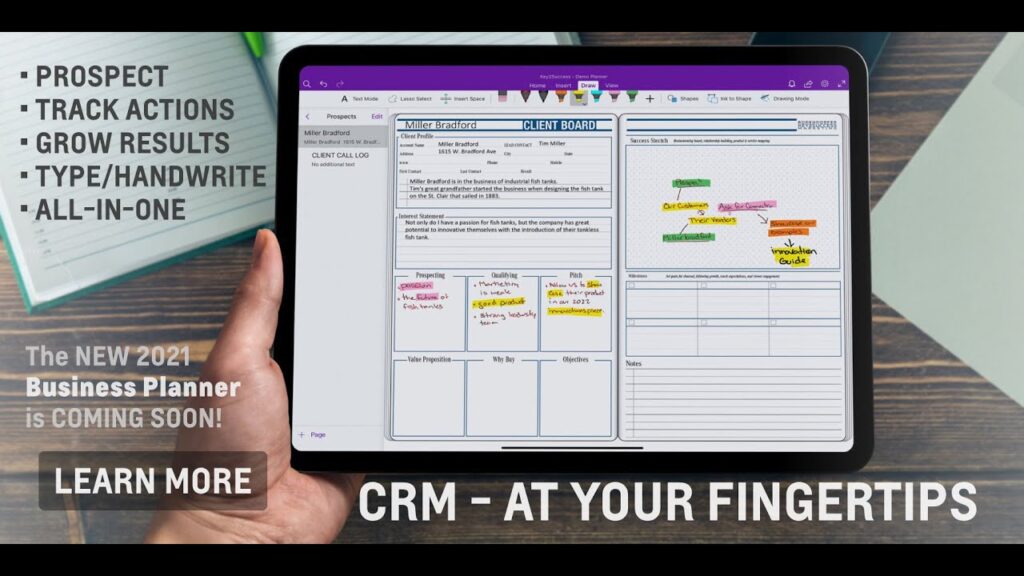
Key2Success adds digital-only capabilities—customizable tiles, hyperlinks between pages, searchable content, and automated backups—that simply aren’t possible with paper planners, producing efficiency gains in retrieval and revision. The implementation involves modular templates and UI tiles that users can rearrange, plus hyperlink navigation that creates a non-linear planning map for projects and references.
Users benefit from instant search, version history, and the ability to embed multimedia or meeting notes alongside tasks, which accelerates context recovery and reduces duplicated effort. These digital advantages position Key2Success as a practical alternative for Full Focus users who want paperlike rituals plus modern productivity tools.
Key digital advantages of Key2Success include:
- Searchable Archives: Find past plans and notes instantly without flipping through pages.
- Template Flexibility: Duplicate and adjust templates for recurring workflows in seconds.
- Linked Navigation: Jump between goals, projects, and daily pages with hyperlinks for context.
These features prepare the way for evaluating device compatibility and sync approaches, which determine how consistently users can access their planner across hardware.
How Does Key2Success Support Cross-Device Sync and Compatibility?
Key2Success supports cross-device workflows by design, enabling the planner to be used across Windows, Android, Apple, and e-ink devices through compatible note-taking apps and cloud storage options. The core mechanism is app- and file-format compatibility: Key2Success provides planner files and templates that work inside common note-taking environments, and users synchronize files through their preferred cloud storage or app sync.
The specific benefit is continuity—notes, daily pages, and project links remain accessible from tablet, phone, or e-ink reader so planning momentum remains uninterrupted. This cross-device model leads into a practical compatibility matrix that helps select the best device–app pairing for your workflow.
Below is a practical compatibility matrix showing typical support levels and notes to consider when choosing a device or app pairing for Key2Success.
| Device/App | Support Level | Notes/Limitations |
|---|---|---|
| Apple iPad + GoodNotes | High | Smooth pen latency and template fidelity; ideal for tactile feel and markup. |
| Surface Pro + OneNote | High | Native Windows integration and strong file sync; best for keyboard + pen workflows. |
| Android tablets + Samsung Notes/Noteshelf | Medium-High | Broad support, but features vary by app version and OS. |
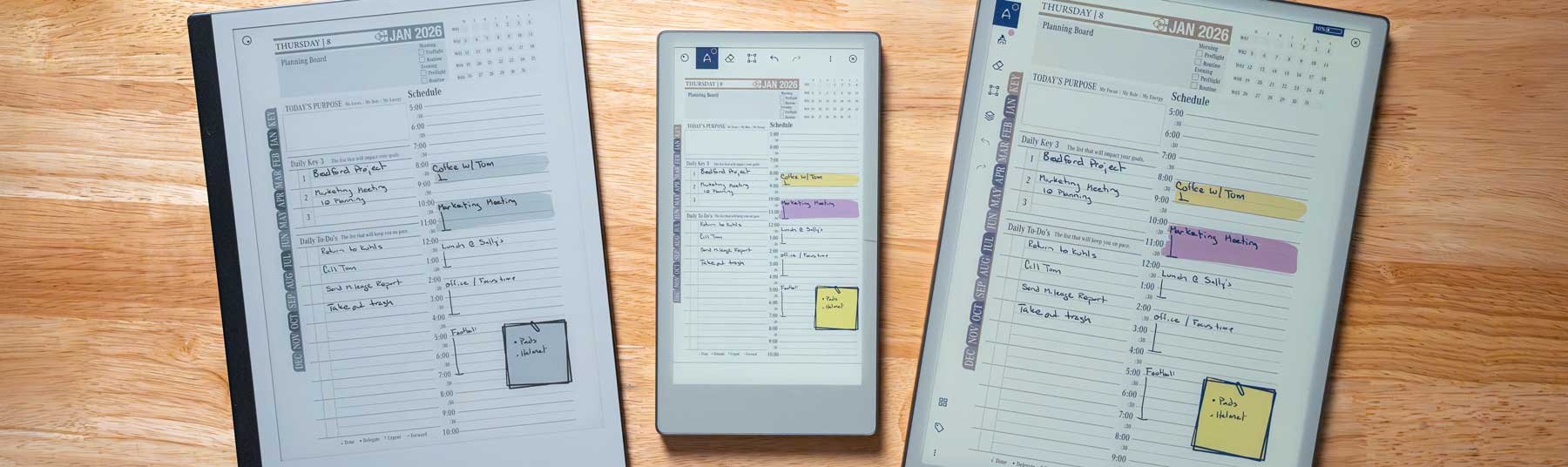
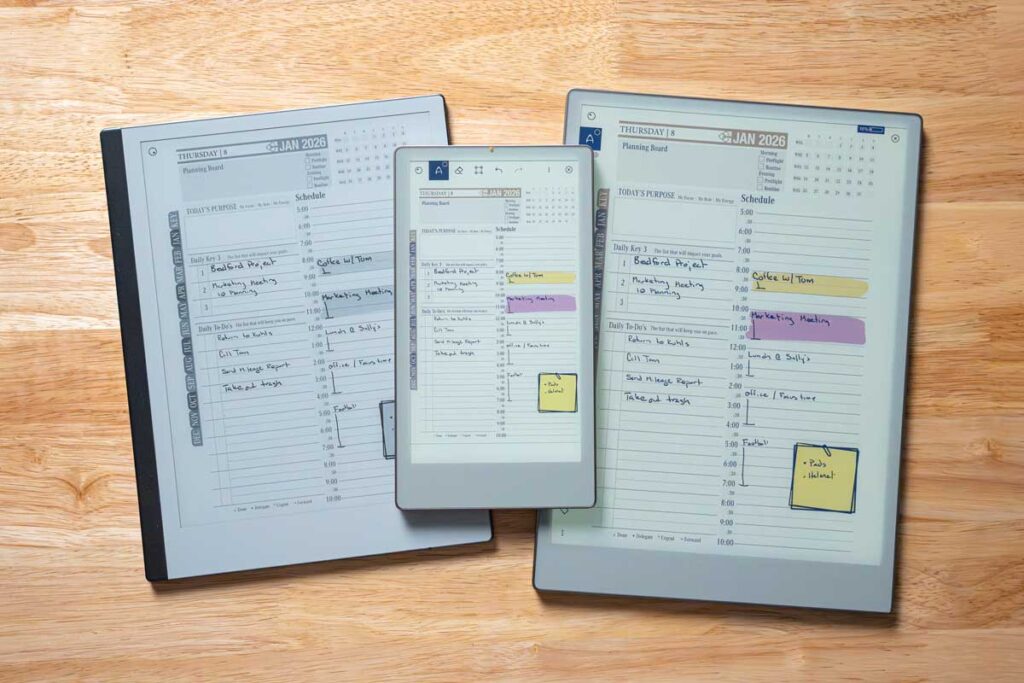
| reMarkable / SuperNote / Onyx Boox (e-ink) | Supported | Excellent for paperlike writing; performance varies with file size and device firmware. |
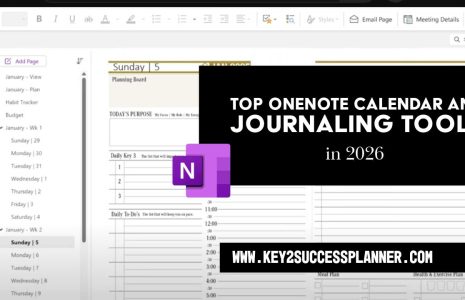
| OneNote (cross-platform) | High | Robust sync across devices and good for structured notebooks and links. |
Which Devices and Note-Taking Apps Are Compatible with Key2Success?
Key2Success files are intentionally compatible with a range of note-taking apps—OneNote, GoodNotes, Notability, Noteshelf, Samsung Notes, Xodo, and Penly—so users can pick the app that fits their device and workflow.
Each app pairing offers different strengths: GoodNotes and Notability excel at pen feel and lassoing, OneNote is superior for structured notebooks and cross-device sync, and Xodo or Penly provide lightweight PDF annotation on Android and e-ink devices.
Users should test pen latency and navigation speed on their device before committing, and keep backups in cloud storage to prevent data loss. Choosing an app informs the next consideration: how cross-platform sync improves daily planning efficiency.
How Does Cross-Platform Sync Improve Planning Efficiency?
Cross-platform sync ensures your planner state—daily pages, project links, and review notes—stays consistent across devices, which reduces duplication of tasks and minimizes lost context when switching between devices. The mechanism is simple: reliable sync removes the need to recreate notes or re-enter tasks, enabling seamless transitions from a morning review on an e-ink device to focused execution on a tablet or laptop. Users benefit from consolidated history and fewer missed actions, and recommended best practices include using a single trusted cloud service and confirming sync completion before switching devices. This continuity leads directly into how Key2Success reproduces a paperlike writing experience while preserving digital advantages.
What Is the Paperlike Digital Planning Experience Offered by Key2Success?
Key2Success aims to recreate the tactile clarity of paper through careful template design, stylus-optimized layouts, and by supporting e-ink devices that prioritize pen latency and friction emulation. The mechanism blends visual templates that mimic ruled paper and margins with stylus presets that match pen thickness and ink behavior, providing a familiar feel that reduces the cognitive shift from paper to screen. The specific benefit is adoption speed: users accustomed to paper rituals can retain handwriting habits while gaining search and backup features, which facilitates a smooth transition to a digital-first workflow. Next, we’ll examine the specific UI and UX choices that reproduce paperlike behavior and practical device pairings.
Below is a concise mapping of paperlike features to their implementation and the user benefits they deliver.
| Feature | Implementation | User Benefit |
|---|---|---|
| Pen Friction Emulation | Stylus presets and app smoothing | Preserves handwriting speed and legibility |
| Paper-Style Templates | Ruled, grid, and planner layouts | Familiar visual structure for planning rituals |
| E-ink Compatibility | Optimized PDF templates and lightweight files | Long battery life and low-reflection reading/writing |
| Tiles & Navigation | Repositionable UI tiles | Keeps priority tasks visible on daily pages |
How Does Key2Success Replicate the Feel of Paper on Digital Devices?
Key2Success replicates paperlike feel by combining templates that mimic page layout with recommended stylus settings and app brush presets to approximate ink flow and stroke weight. The system leverages UI choices—margins, line spacing, and subtle background textures—to cue familiar writing behaviors, while suggesting pen pressure and smoothing settings that reduce jagged strokes on capacitive screens. Users can expect improved handwriting legibility and reduced cognitive friction during the switch from paper, and testing a small sample page on your device helps tune settings before migrating entire planners. These UX adaptations segue into which e-ink devices are best suited for a sustained paperlike experience.
Which E-Ink Devices Support the Key2Success Planner?
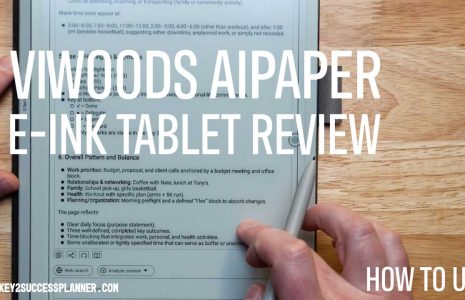
Key2Success supports several e-ink readers and note devices—reMarkable, SuperNote, and Onyx Boox among them—offering a near-paper feel with long battery life and minimal eye strain. Each e-ink device has trade-offs: reMarkable focuses on minimalism and low-latency writing, SuperNote emphasizes archival stability, and Onyx Boox provides broader app compatibility and Android flexibility. Performance expectations vary by file complexity and firmware, so keeping planner files lean and using optimized PDF templates will ensure the smoothest experience. These considerations naturally lead into how professionals can leverage the planner’s editions and templates for business workflows.
How Can Professionals Benefit from Using the Key2Success Digital Planner?
Professionals gain strategic clarity, simplified KPI tracking, and structured meeting preparation through Key2Success’s templates and dashboards, which convert high-level objectives into daily execution steps. The mechanism is template-driven: strategic planning templates, KPI dashboards, and meeting agendas link directly to project pages and action items, enabling clear accountability and measurable progress. The benefit is improved alignment between strategy and daily work—executives and entrepreneurs can review dashboards during strategic sessions and drill down into project tasks for immediate follow-up. This capability leads naturally into a description of the specific editions tailored for different professional roles.
Key2Success is available in distinct editions—Personal, Professional, Business, and Executive—each designed to match varying complexity of planning needs, and prices and bundles vary depending on edition choice and included services. Editions range broadly in pricing, with options available across an approximate range from $14.99 to $999 depending on edition and bundle selected, enabling individuals and organizations to choose the level of templates, dashboards, and support they require. This edition structure connects directly to the kinds of workflows professionals will adopt, which we outline next.
What Editions of Key2Success Are Tailored for Business and Executive Users?
Key2Success editions escalate in features from Personal up to Executive by adding strategic dashboards, decision journals, and tiles tailored for leaders who need higher-level visibility into multiple projects. The Personal edition supports daily and weekly planning rituals, while Professional and Business editions introduce project pages, KPI tracking, and collaborative templates suitable for managers. The Executive edition focuses on strategic planning templates, overview dashboards, and executive decision workflows useful for long-range planning and board-level preparation. Choosing an edition matches your role and scope of responsibility, and this selection drives how you implement strategic planning and time management in the planner.
Edition-targeted benefits include:
- Personal Edition: Suited for individual habit and daily planning with lightweight templates.
- Professional/Business Editions: Add project tracking and KPI dashboards for team-aligned workflows.
- Executive Edition: Includes strategic dashboards and decision journal features for high-level planning.
These edition differences set the stage for concrete workflows that translate strategy into time-blocked execution.
How Does Key2Success Facilitate Business Strategy and Time Management?
Key2Success facilitates strategy by providing quarterly planning templates, strategic objective pages, and time-blocking templates that map tasks to KPIs and meeting outcomes. The mechanism integrates strategic templates with daily scheduling tiles and project trackers, ensuring that time blocks on the calendar align with priority tasks and measurable deliverables. Professionals benefit through clearer meeting preparation, prioritized task lists tied to objectives, and monthly reviews that keep long-term strategy actionable. These planning mechanics naturally lead into the support and training options available from the system’s creator to accelerate adoption.
What Support and Training Does Branden Bodendorfer Provide for Key2Success Users?
Branden Bodendorfer provides a support ecosystem around Key2Success that includes coaching, mentoring, personalized training, and remote installation support to help users adopt the planner system effectively. The mechanism combines one-on-one coaching and hands-on installation with annual updates and continuous feature improvements to keep templates current and compatible across device ecosystems. Users gain onboarding support that reduces setup friction and accelerates habit formation, ensuring that the digital transition preserves existing planning rituals while enhancing capability. Following this overview, we’ll describe coaching outcomes and where to find practical installation resources.
Key support and training offerings include:
- One-on-one coaching and mentoring to personalize workflows and accelerate habit formation.
- Personalized training and remote installation support to set up planner files across devices and apps.
- Annual updates and continuous feature improvements to keep templates and compatibility current.
These support options naturally prepare users for deeper coaching benefits and specific installation guidance.
How Do One-on-One Coaching and Personalized Training Enhance Planner Use?
One-on-one coaching helps users map Key2Success templates to real responsibilities, tailoring goal frameworks and daily routines to individual workflows and accelerating adoption through accountability and follow-up. The mechanism uses personalized sessions to adjust tiles, templates, and review cadences so the planner reflects a user’s actual work rhythms and priorities. Benefits include faster habit formation, optimized navigation, and clearer integration with existing tools, which reduces the learning curve and increases long-term use. Having a coach set up initial pages and walkthroughs makes it easier to maintain momentum, leading into where users can locate installation guides and request remote setup.
Where Can Users Find Installation Guides and Remote Support?
A structured resource hub and product pages host installation guides, setup checklists, and documentation that describe common steps for different device and app pairings, plus a remote installation service for users who prefer hands-off setup. The mechanism for remote support typically includes a guided session where a technician or coach configures files, sync settings, and recommended app presets, which reduces compatibility issues and preserves planner integrity. Users benefit from reduced setup time and an immediate working system aligned to their workflows, and these support pathways naturally feed into how Key2Success compares to conventional paper methods and competing digital approaches.
How Does Key2Success Compare to Competitors in Features and User Satisfaction?
Key2Success compares favorably to conventional paper-first approaches by combining the ritual fidelity of paper planners with digital advantages—search, backups, and cross-device sync—while supporting coaching and installation services that many competitors do not bundle. The mechanism of differentiation centers on feature parity plus extras: editions tailored for executives, decision journals, tiles, and available coaching create a holistic offering for professionals. Pricing is positioned across a wide spectrum to accommodate individuals and organizations, and the practical value comes from saved time on retrieval, fewer duplicated tasks, and structured strategic alignment. To make comparisons actionable, the table below summarizes edition attributes and price ranges versus a paper-based approach.
| Edition/Approach | Feature Focus | Typical Price Range / Notes |
|---|---|---|
| Key2Success Personal | Daily planning templates and basic goal modules | Lower-tier pricing available (starting near $14.99) |
| Key2Success Professional/Business | Project tracking, KPI dashboards | Mid-range pricing and bundles available |
| Key2Success Executive | Strategic dashboards, decision journal | Higher-tier bundles (up to approx. $999) |
| Paper-Based Planner (conventional) | Tactile simplicity and single-device use | No digital sync; costs vary by vendor |
What Are the Key Differences Between Key2Success and Full Focus Planner?
Key differences between Key2Success and a paper-first planner like the Full Focus Planner revolve around mobility, revision, and searchability: Key2Success provides cross-device access, editable project pages, and backups, whereas paper planners emphasize tactile simplicity and offline use. The mechanism for these differences is technological: digital templates and hyperlinks allow instant navigation and revision, while paper requires manual transcription and archiving. Users who value ritual can replicate those behaviors digitally through templates and stylus settings, while those who prefer low-tech workflows may choose a hybrid approach. Transition strategies include starting with weekly digitized copies of your paper pages and gradually shifting heavy-reference materials into Key2Success, which sets up the next section on testimonials about effectiveness.
What Do User Testimonials Reveal About Key2Success Effectiveness?
User feedback about Key2Success consistently highlights faster retrieval of past plans, improved alignment between strategy and daily work, and appreciated onboarding support from coaching and remote setup services. The mechanism behind these outcomes is the system’s linked goal structure plus available training that shortens the learning curve for newcomers. Representative outcomes include clearer weekly reviews, reduced duplicated tasks across devices, and faster recovery of meeting notes during execution—benefits that support measurable productivity improvements. Readers interested in firsthand experiences are encouraged to explore case studies and support offerings to assess fit.
- Improved alignment between long-term goals and daily tasks.
- Reduced time spent searching for past notes and plans.
- Helpful onboarding from coaching and remote installation that accelerated adoption.
These themes close the article by reinforcing how the planner’s features and support combine to help professionals maintain momentum and strategic clarity.