Planning Tips
Passion Planner Digital Alternative: Keep the Roadmap, Add Sync and Search
Yes, there is a Passion Planner digital alternative that actually syncs. The Key2Success Planner keeps the parts Passion Planner fans love, the roadmap and the weekly layout, and adds cross-device sync from one app, searchable handwriting, and a vision that connects to every week and day. Passion Planner Digital is a set of PDFs delivered in a zip file that, by the company’s own FAQ, will not automatically sync across different operating systems.

Passion Planner nails the vision exercise. A digital alternative keeps that and connects it to the week, with sync and search paper can’t offer.
On this page
If you are looking for a Passion Planner digital alternative, you probably love the idea behind the book more than the daily grind of carrying it. The Passion Roadmap is a genuinely good exercise. The weekly layout gives your personal and work life room to breathe. But paper does not search, it does not sync, and every year you buy a new one and start empty. This page is an honest look at what carries over to a digital planner, what does not, and where Key2Success fits for someone who thinks the way Passion Planner taught them to.

Here is the thesis up front. Passion Planner sells its own digital version, and for a lot of people it is the weakest reason to go digital, because it recreates the paper limitation in PDF form. The point of going digital is not a PDF of the same book. It is sync, search, and a vision that actually connects to your week.
What Passion Planner gets right
Give Passion Planner its due, because the people searching for an alternative usually still respect the book. The Passion Roadmap is one of the better vision exercises in any paper planner: it walks you from lifetime goals down to three-month, one-month, and two-week actions. The weekly spread is thoughtful, with space for both a personal and a work focus and a running to-do and grocery list. The monthly calendar and the reflection prompts round it out. And the brand’s give-back mission earned it a loyal community for good reason.
None of that is in question. Passion Planner is a strong tool for setting a vision. The gap shows up in what happens to that vision after you turn the page.
Where Passion Planner users hit friction
Passion Planner users most often go digital because the vision work happens once at the front of the book and the weekly pages never point back to it, and because paper cannot search or sync. A digital planner like Key2Success keeps the roadmap connected to every week and day, and syncs the same pages across all your devices.
The friction is not the design. It is what happens to your planning once the book is full or out of reach.
The vision lives at the front and stays there. You fill out the Roadmap in January, and then the weekly spreads do not point back to it. The connection between your lifetime goals and this Tuesday is something you have to hold in your head. That link is the whole job of a professional planning system, and it is the piece paper leaves to you.
You cannot search it. When you know you wrote something down but not where, a paper book means flipping. A digital planner in an app like GoodNotes or OneNote lets you search your own handwriting and find it in seconds.
It does not sync, and neither does their PDF. The paper book lives in one bag. And Passion Planner’s own digital product does not solve this the way you would expect, which is the next section.
You start over every year. A new Passion Planner is a blank book. Your recurring commitments and running lists get rewritten by hand or left behind. Digital carries them forward for you.
Passion Planner Digital vs a true digital planner
Passion Planner does sell a digital version, and it is worth being precise about what it is, because the details matter. By the company’s own Digital FAQ, it is a set of PDFs delivered as a zip file, capped at five downloads, and it recommends a different app depending on your device: GoodNotes on iOS, Drawboard on Windows, Noteshelf on Android. Most important, in their words, if you use it on two devices with two different operating systems, the files “will not automatically sync with each other.”
That is the gap. A PDF is a picture of the paper book. It does not sync across your phone, tablet, and computer, it does not connect your roadmap to your week, and it does not search the way a planner built for an app does. Here is the honest side by side, with the rows Passion Planner wins marked.
| What matters | Passion Planner (paper + digital PDF) | Key2Success Planner |
|---|---|---|
| Front-of-book vision roadmap | Passion Planner wins | Vision board, connected to the week |
| Paper feel and no battery | Passion Planner (paper) wins | Needs a charged device |
| Same layout synced across devices | No, PDF will not sync across operating systems | Yes, identical on every device |
| One app on every platform | Three different apps recommended | One app, your choice |
| Delivery | Zip file, five-download cap | Guided setup, no download cap |
| Search your own notes | No | Yes, searchable handwriting |
| Vision linked to weekly and daily | Front of book only | Yes, the core of the system |
| Daily priority framework | Personal and work focus | Daily Key 3 |
| Carry tasks forward year to year | Rewrite by hand | Carry forward, no rewriting |
| Build your own pages | Fixed format | Yes, with Tiles |
What you give up going digital
An honest page says this part out loud. You give up the paper, the feel of writing the Roadmap by hand, and the no-battery reliability of a book that always opens. If part of what you loved was the ritual of sitting down with the physical Passion Planner and a good pen, a screen changes that, and for some people that trade is not worth it. If your planning is mostly a yearly vision exercise and a light weekly to-do, the paper book is a fine home for it. The people who switch and stay switched are the ones who want that vision to drive the week, and who are tired of a plan they cannot search or carry across devices.
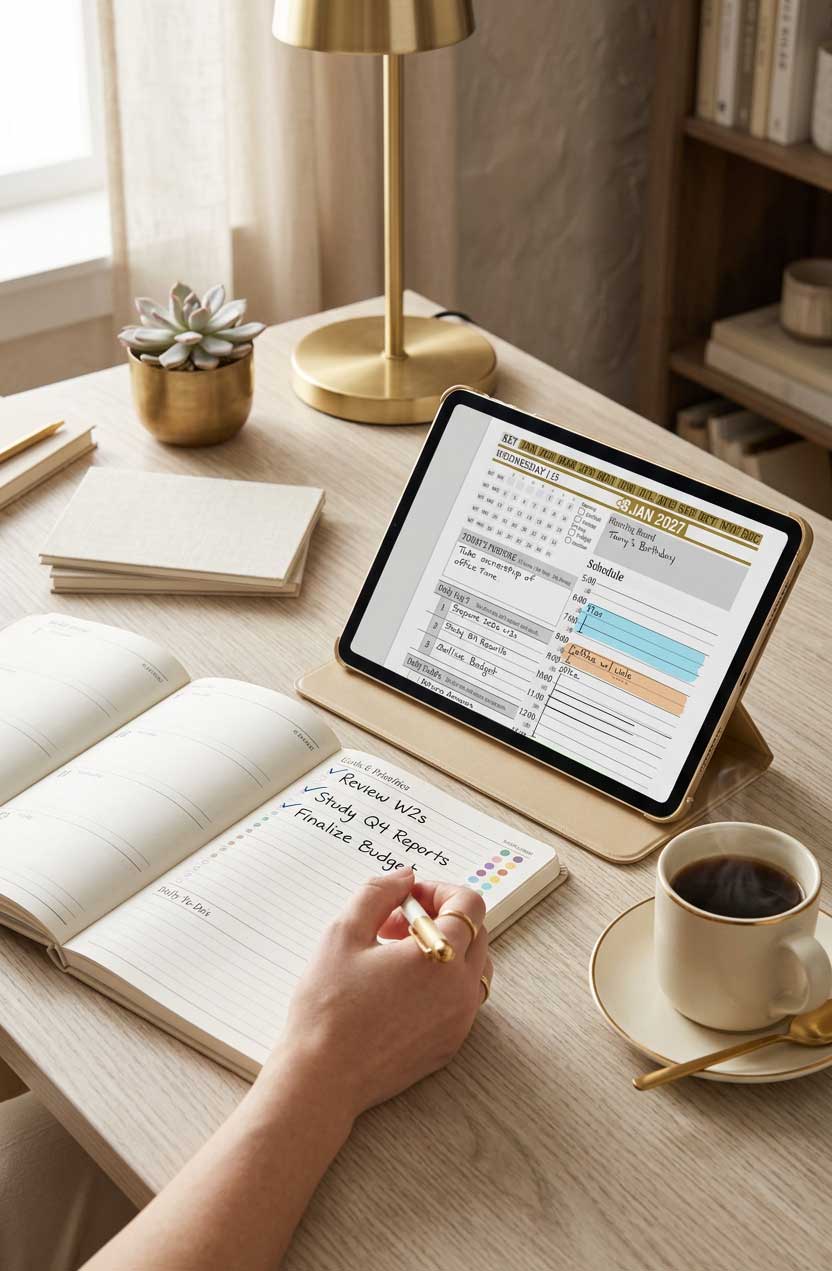
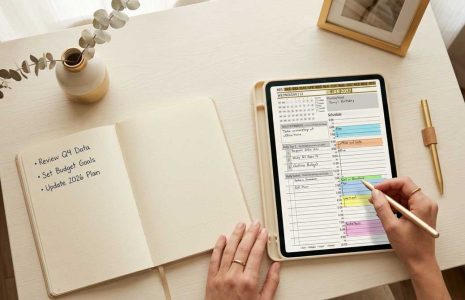
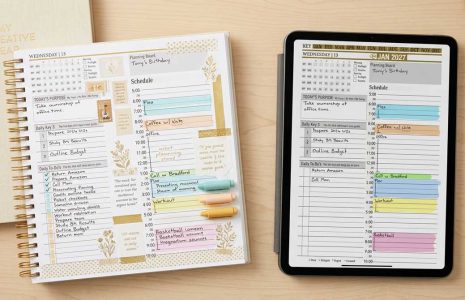
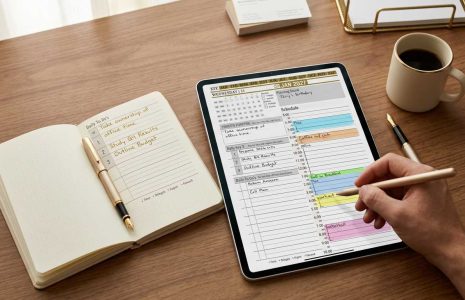
A paper goals list beside the Key2Success daily view. The Daily Key 3 is where those goals become the three things that matter most today.
How a Passion Planner user moves to Key2Success, step by step
This is specific to how you already plan, not generic advice.
Move your Roadmap first. Carry your lifetime and yearly goals from the Passion Roadmap into the Key2Success vision board and goal pages. The difference you will feel immediately is that those goals now link forward into the weekly and daily layouts instead of sitting at the front of the book.
Map your weekly layout. The Passion weekly spread, with its personal and work focus, maps to the Key2Success weekly layout, where the daily Key 3 turns your focus into the three things that matter most each day.
Pick the device you already know. This is the most common question our support inbox gets, so start here. Use the tablet or computer you are most comfortable with, then decide which other devices you want it to sync across. The Planner Finder quiz matches you to the planner and app that will sync across the exact devices you own, in one app, not three.
Carry forward only what repeats. Move your recurring commitments and forward-dated goals. Everything past is already done.
Watch the setup videos before you judge it. This is the biggest predictor of whether the switch sticks. The Getting Started series walks you through installing on one device and letting it finish syncing before you add the rest. The most common setup problem is people adding three devices at once before the first has synced.
Which Key2Success edition fits a Passion Planner user
Do not overthink it. Most Passion Planner users land on the Personal or Professional edition, which lines up with what the paper book already gives you: vision, weekly, daily, and monthly, connected. If your planning carries real professional weight, the Business or Executive edition adds planning tools no paper book offers. And if you loved customizing your Passion Planner, the Tiles system lets you build your own pages, which is the one thing no paper planner and no PDF can match.
I have used the Passion Planner, and I will say plainly: it is a good daily organizer with a better-than-average vision exercise. What it does not have is the professional planning layer, the line that runs from your vision down to what you do this morning. That gap is a big part of why I built Key2Success. My own move to digital came from the Full Focus Planner, where after years of paper I had a stack of books and no way to search them or carry a task forward without rewriting it. Passion Planner users who come into the Key2Success community tell a similar story: they love the roadmap, and they finally want it to drive the week instead of sitting at the front of a book they cannot search.
Start your Passion Planner digital alternative
The Key2Success Planner runs in one app across every device. See the full planner and pick your edition on the Key2Success Planner page, or jump straight to the version for your app: GoodNotes, OneNote, or reMarkable.
Move from Passion Planner to Key2Success in 5 steps
- Carry your Passion Roadmap goals into the Key2Success vision board and goal pages.
- Map your weekly focus to the weekly layout and the daily Key 3.
- Choose the device you know best, then list the devices you want it to sync across.
- Run the Planner Finder quiz to confirm the planner and one app for those devices.
- Install on one device, let it sync, then add the rest and plan this week first.
Passion Planner digital alternative FAQ
Is there a Passion Planner digital alternative that syncs across devices?
Yes. The Key2Success Planner keeps the roadmap and weekly layout Passion Planner users value and adds sync across your phone, tablet, and computer from one app, plus searchable handwriting and a vision that connects to every week and day.
Does Passion Planner Digital sync across devices?
Not automatically. By Passion Planner’s own Digital FAQ, files used on two devices with different operating systems will not automatically sync with each other. The product is a set of PDFs delivered in a zip file, with a five-download cap and a different recommended app per platform.
Does the Key2Success layout change depending on my device?
No. The Key2Success template is built so the layout, the look, and the action steps are identical on every device. Your planner looks and works the same on your phone, your tablet, and your computer.
Which Key2Success layout is closest to the Passion Planner?
The Passion Roadmap maps to the Key2Success vision board and goal pages, and the Passion weekly spread maps to the Key2Success weekly layout with the daily Key 3. The difference is that in Key2Success the vision connects straight through to the week and day.
Do I have to rewrite everything to switch?
No. You carry forward only your roadmap goals and recurring commitments. Everything past is already done, and going forward a digital planner moves tasks and notes from one day to the next without rewriting them.
Common questions from Passion Planner switchers
The takeaway
Here is the contrarian part. For a Passion Planner user who wants to go digital, Passion Planner’s own digital PDF is usually the weakest option, because it recreates the paper limitation in a file that will not sync across your devices. The reason to go digital is not a picture of the book. It is a vision that drives your week, a plan you can search, and one planner that follows you across every device. Keep the roadmap you love. Put it on a system that carries it all the way to today.
About the Author
Branden Bodendorfer is the creator of the Key2Success Planner, used by professionals in 52 countries, and a digital planning pioneer who has been building planning systems since 2013. His work has been featured on ABC World News, the NBC Today Show, ESPN, CNN, and Disney.
Sources
- Passion Planner Digital FAQs, passionplanner.com (app recommendations, cross-OS sync limitation, five-download cap, zip delivery)
- Passion Planner Digital Planners, product collection