How-To Guides
reMarkable Paper Pure Templates: Build a Daily Planning System with Key2Success
Native templates vs a hyperlinked planner
Here's the distinction most template roundups skip: a template and a planning system are not the same thing, even when they look identical on the page.
A native reMarkable template is a static background. Lined paper, a dot grid, a monthly calendar grid, a to-do checklist. You write on it exactly like you'd write on printed paper, and reMarkable's own Methods library plus a wide secondary market of free and paid templates cover most of what people want visually: planner layouts, journal pages, meeting note grids, fitness trackers. If you want custom artwork, you design it in a tool like Affinity Publisher, Figma, or Inkscape at the device's native pixel resolution, then install it with a utility like RCU. It's a real workflow, but it produces a page that looks right and does nothing else. There's no link between the calendar grid and the day it represents.

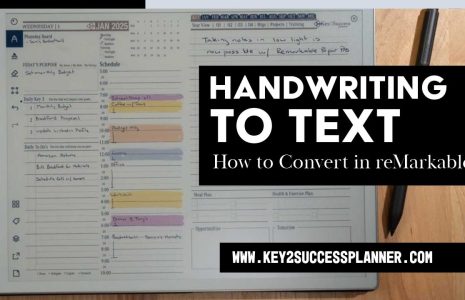
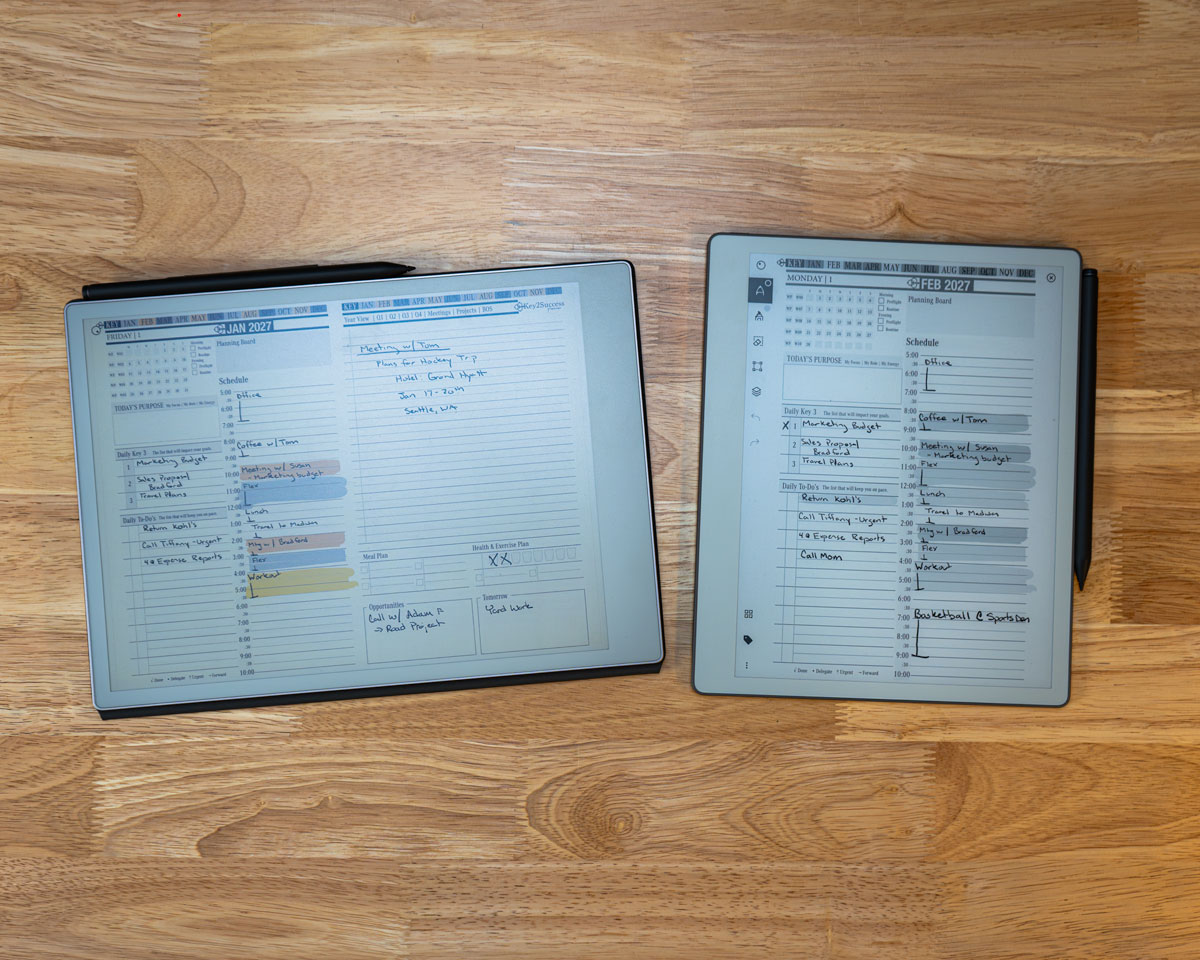
A hyperlinked planner is built differently from the ground up. It's a PDF with real navigation baked in: tap today's date on the monthly view and it jumps you straight to that daily page. Tap a "back to month" link on the daily page and you're returned to where you started. The Key2Success Planner is built this way specifically for e-ink devices like the Paper Pure, so the whole system moves the way an app would, using nothing but tap-to-navigate PDF links.
Both approaches put ink on a page. Only one of them gets you somewhere when you tap it.
Why a linked planner beats loose PDFs
Loose PDF templates, even good ones, create a specific problem over time: you accumulate a library of disconnected pages with no relationship to each other. Your monthly calendar doesn't know your daily pages exist. Your goals page doesn't connect to the weekly review where you're supposed to check on it. You end up manually flipping through folders to reconstruct the connections a real system would have built in from the start.
A hyperlinked planner solves that by design. Every page in the Key2Success system links to the pages it logically connects to: monthly to weekly, weekly to daily, daily back to goals. You're not managing files. You're moving through a structure that already knows how its own pieces fit together. That's the entire value of building a planner as a linked PDF instead of a folder of separate templates, and it's the reason a system beats a stack of pages no matter how nice each individual page looks.
The daily, weekly, and goals structure
The Key2Success system is built around three layers that talk to each other.
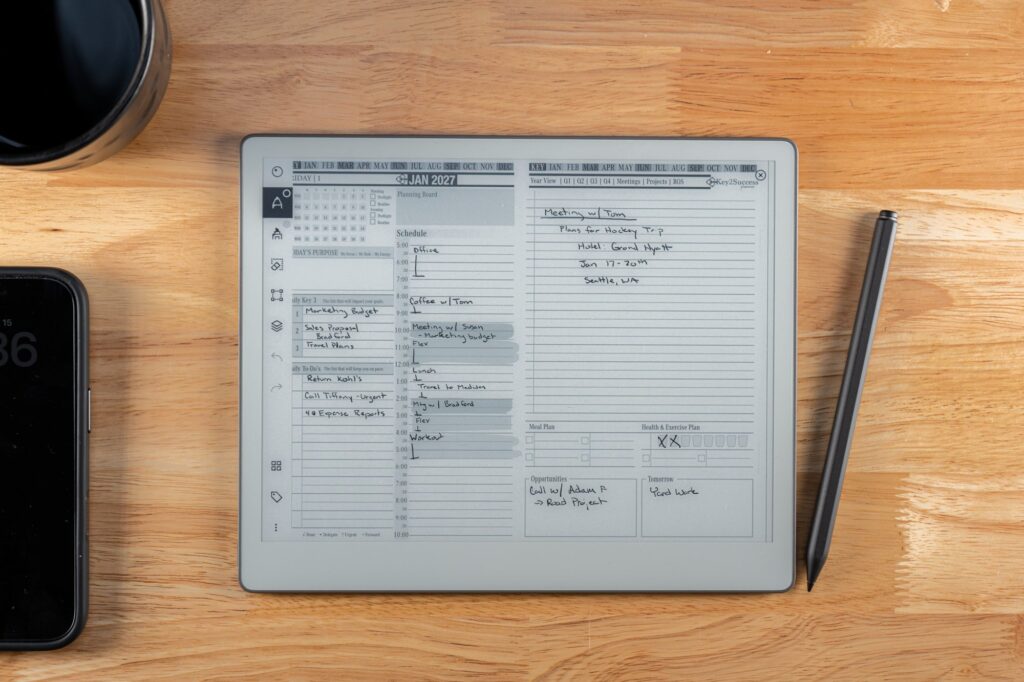
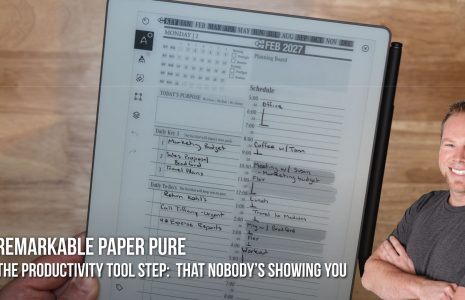
Daily. Your top priorities for the day, a schedule block, and space for notes. This is the page you touch first every morning and last every evening.
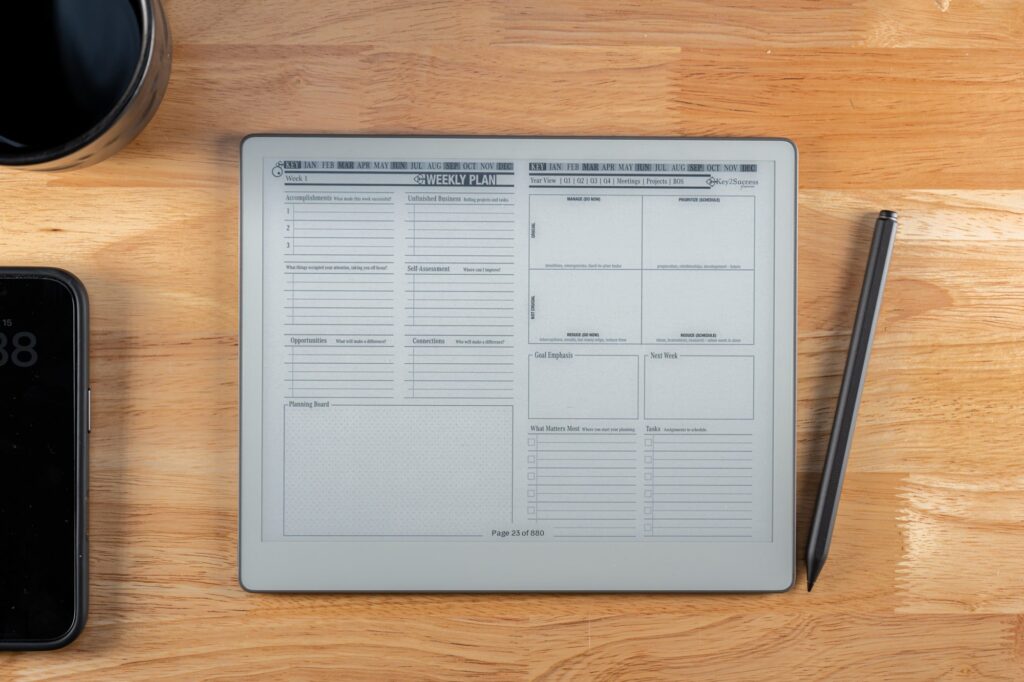
Weekly. A step back from the daily grind to see the shape of your week, review what actually happened against what you planned, and set up the days ahead instead of starting each one cold.
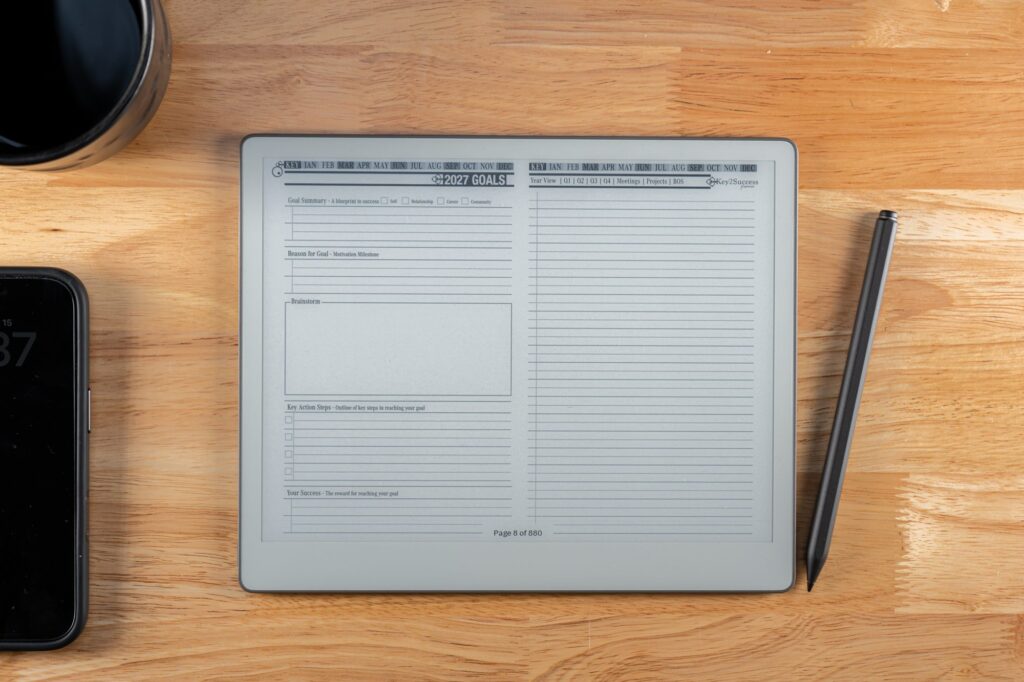
Goals. The layer that keeps your daily and weekly pages honest. Without a goals page tying things together, a planner just tracks what happened. With one, it starts steering what happens next.
The reason this structure matters more on a Paper Pure than it might on paper: the device has no notifications competing for your attention when you're in it. That focus is wasted if what you're looking at is a disconnected pile of pages instead of a system that moves you from where you are to where you're supposed to be next.
Meeting notes plus handwriting to text
Meeting pages are where the planning system and the device's other core feature meet directly. Write your meeting notes on a Key2Success meeting template, structured with space for agenda, attendees, and action items, and you've already done the hard part: capturing everything in one place instead of scattered across loose pages.
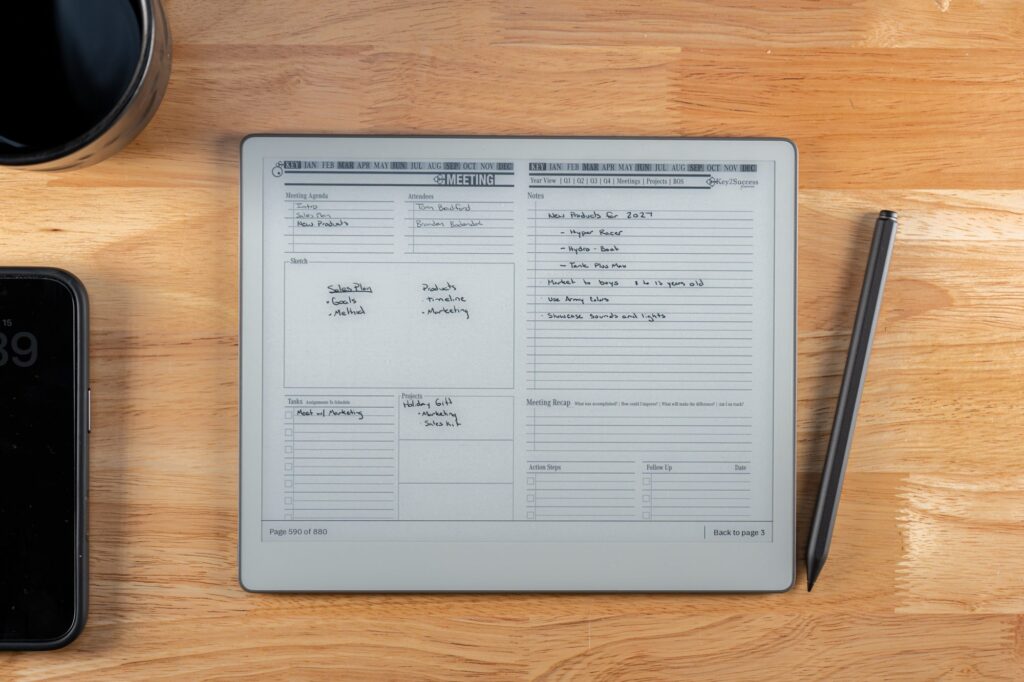
From there, converting those notes to text is the same process covered in how to convert handwriting to text on the Paper Pure: open the page menu, tap Convert to Text, and review the result before you export it. The template gives the conversion something structured to work with. A meeting page with clear sections for action items converts into something usable a lot faster than a page of notes written in a straight, unstructured block.
Building on top with Tiles
Once the base structure is in place, Key2Success Tiles let you customize individual pages without redesigning the whole system. A Tile is a functional element, a habit tracker, a priority list, a small custom module, that you copy into a page and adjust to fit exactly what that day or week needs.

This is where a hyperlinked planner has a real edge over a folder of static templates: you're modifying one piece of a connected system, not building a new disconnected page and hoping you remember where you put it. The navigation around it still works exactly the same after you've customized it.
Get the planner
If you already have a Paper Pure and want the quick install steps, the reMarkable Paper Pure guide walks through loading any PDF planner onto the device from the desktop or mobile app. The setup itself takes a few minutes; the workflow explained above is what makes those few minutes worth it.
Get the Key2Success Digital Planner for reMarkable and load it before you build a habit around loose notebooks. Retrofitting structure onto months of unconnected pages is a lot more work than starting with a system that already has it built in.
FAQ
What's the difference between a reMarkable template and a hyperlinked planner?
A template is a static background you write on. A hyperlinked planner has working navigation links between pages, like tapping a date to jump to that day's page, so it functions more like an app than a printout.
Can I use free reMarkable templates instead of a paid planner?
Yes, for individual pages like a dot grid or a calendar layout. Free templates don't include the page-to-page navigation that makes a planner system, which is the piece most people end up missing once their notebook grows past a few dozen pages.
Does the Key2Success Planner require Connect?
No. It's a PDF you load once through the desktop or mobile app, and the navigation links work natively in the reMarkable viewer without a subscription.
Can I customize the Key2Success Planner once it's loaded?
Yes, through Tiles, which are copyable functional elements you can drop into individual pages without breaking the navigation around them.
Does converting a meeting page to text work better with a template?
Generally, yes. A structured template with clear sections gives the handwriting-to-text conversion something organized to work with, compared to one long block of unstructured notes.
How do I install custom native templates if I want them alongside my planner?
You design the artwork at the device's native pixel resolution in a tool like Affinity Publisher or Figma, then install it with a utility like RCU. That's a separate workflow from loading a hyperlinked PDF planner, and the two can coexist on the same device.
Common questions, answered in one line
- Do native templates sync across devices? Only if they're installed on each device individually; they don't travel with your account the way a PDF you upload does.
- Is RCU required to use a hyperlinked planner? No, RCU is only for installing custom native background templates, not for loading a PDF planner.
- Can I mix native templates and the Key2Success planner on one device? Yes, they're independent systems that can both live on the same Paper Pure.
- Does the planner work if I skip Connect entirely? Yes, core navigation and writing work fully offline once the PDF is loaded.
- What's the biggest mistake people make with templates? Collecting dozens of disconnected free templates instead of committing to one linked system they actually use daily.
- Do Tiles require any special software to use? No, they're copy-and-paste elements within the PDF itself, no extra app needed.
Final thoughts
A template makes a page look right. A system makes the device worth picking up every day. The Paper Pure's biggest advantage, a screen with nothing else competing for your attention, only pays off if what's loaded on it actually connects your day to your week to your goals instead of sitting there as disconnected pages. Build the structure once and the daily habit takes care of itself.
Check the reMarkable Paper Pure hub for the rest of the guides in this series, including the setup guide and how to convert handwriting to text.