Digital Planner for Teachers: Complete Key2Success Planner Review & Guide
Digital Planner for Teachers: Complete Key2Success Planner Review & Guide for Effective Academic Planning
In the fast-paced world of education, teachers often juggle numerous responsibilities, from lesson planning to student management. A digital planner can streamline these tasks, enhancing productivity and organization.
This article provides a comprehensive review of the Key2Success Digital Planner, great for teachers, highlighting its features, compatibility with popular apps, and the essential role of digital planning in boosting teacher productivity.
Many educators face challenges such as burnout and time management, but the Key2Success planner offers a structured solution to these issues. We will explore its key features, compatibility with other teacher planner apps, the importance of digital planning, and how it compares to other planners on the market.
Key2Success Digital Planner: The Ultimate Digital Planner for Teachers
Teaching is rewarding, but it is also demanding. Between lesson planning, grading, meetings, and emails, staying organized can feel overwhelming. That is why more educators are choosing a digital planner for teachers to manage their workload efficiently.

The Key2Success Digital Planner was designed specifically to meet the needs of professionals, including modern educators. If you are searching for a reliable and flexible digital planner for teachers, this solution was built with you in mind.
Why Choose a Digital Planner for Teachers?
A traditional paper planner has limits. You cannot duplicate pages, quickly search for notes, or reorganize your plans with ease. A digital planner for teachers gives you flexibility, convenience, and better long term organization.
- Organize daily, weekly, and monthly lesson plans
- Track assignments and grading
- Store staff meeting notes in one place
- Manage class schedules
- Access your planner from multiple devices
Teacher Focused Layout
This digital planner for teachers includes structured sections for planning, tracking, goal setting, and professional development notes.
Hyperlinked Navigation
Clickable tabs allow you to move between months, weeks, and sections instantly. This saves time and keeps everything organized.
Customizable and Efficient
You can duplicate pages, rearrange layouts, and adjust sections to match your teaching style. A digital planner for teachers should adapt to you, not the other way around.
App Compatibility
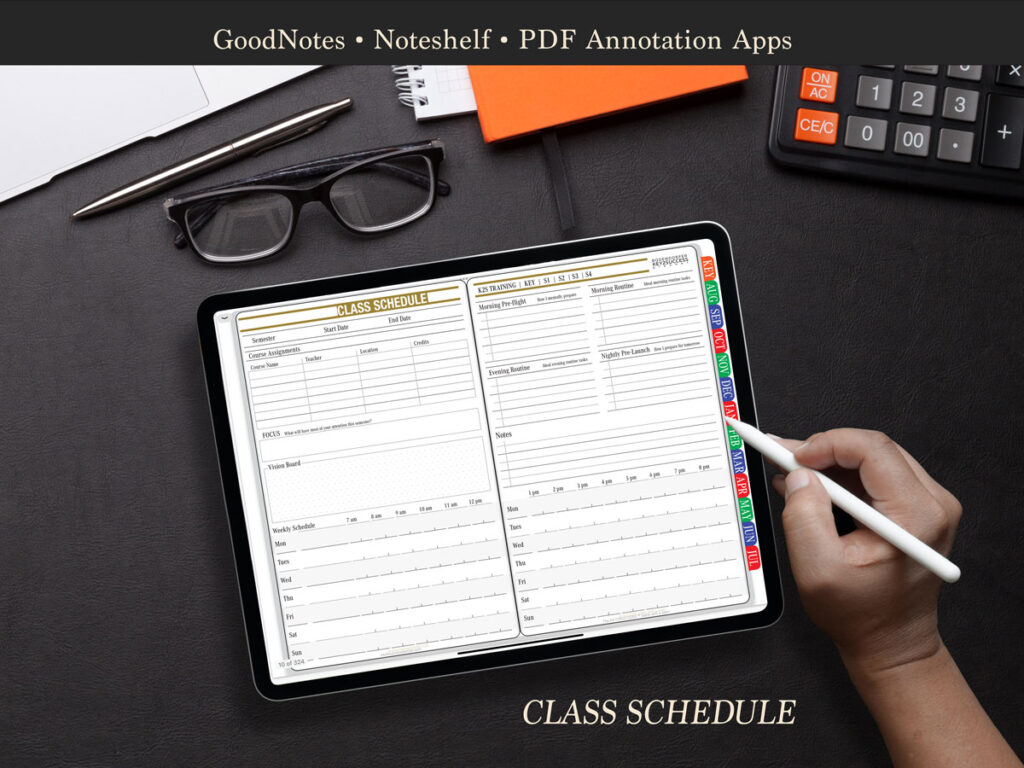
The planner works smoothly with apps like GoodNotes, Notability, and OneNote, making it easy to integrate into your current workflow.
Benefits of Using a Digital Planner for Teachers
Switching to a digital planner for teachers offers several advantages:
- Improved organization
- Time savings through searchable notes
- Reduced stress from better planning systems
If you want a digital planner for teachers that supports planning, scheduling, and organization in one structured system, the Key2Success Digital Planner provides a practical and effective solution.
Stay organized. Plan with confidence. Teach with clarity.
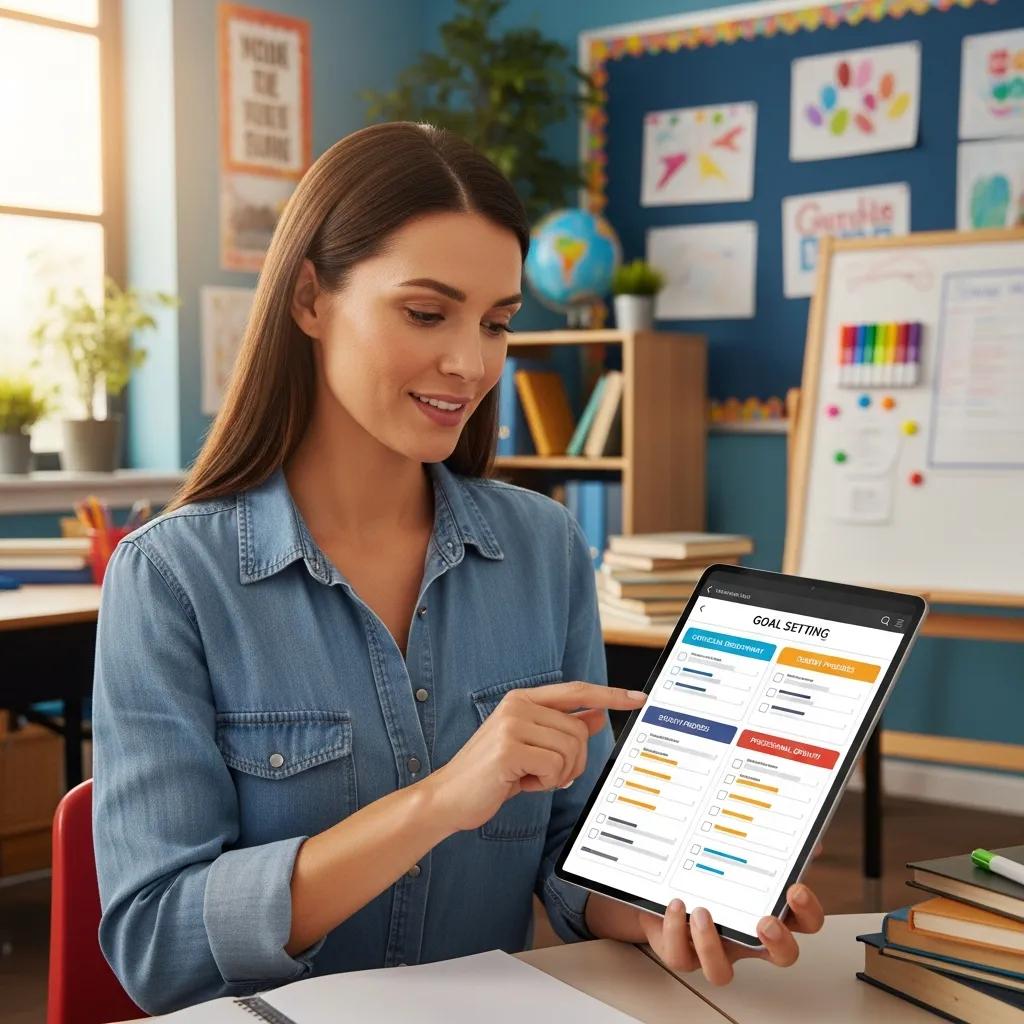
The broader educational landscape increasingly recognizes the importance of digital interventions in mitigating teacher stress and burnout:
Digital Interventions for Teacher Burnout & Stress Reduction
The empirical paper in chapter two presents a randomised controlled trial that examines the mechanism in which a digital mindfulness-based intervention can reduce stress and burnout among teachers. In-service teachers (N = 125) across England and Wales were randomly allocated to a digital-based mindfulness intervention condition (Headspace) or a wait-list control condition.
Exploring the mechanisms in which a digital mindfulness-based intervention can help reduce stress and burnout among teachers, 2020
What Are the Key Features of the Key2Success Digital Planner for Teachers?
The Key2Success Digital Planner is tailored to meet the unique needs of educators, offering a range of features that enhance lesson planning and student management. This planner includes customizable planning templates, goal-setting tools, and habit-tracking features that collectively support teachers in their daily tasks.
How Does Key2Success Support Lesson Planning and Student Management?
Key2Success provides a robust framework for lesson planning, integrating customizable templates that allow teachers to tailor their lessons to specific learning objectives. The planner also facilitates student management by enabling educators to track student progress and manage classroom data efficiently. This integration of lesson planning and student management helps teachers save time and focus on delivering quality education.
Which Goal Setting and Habit Tracking Tools Enhance Teacher Productivity?
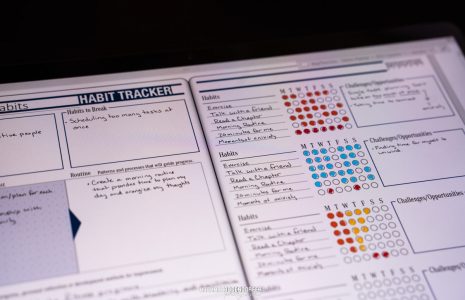
The planner includes various goal-setting tools that empower teachers to define and track their professional objectives. For instance, educators can set specific, measurable goals related to student outcomes or personal development. Additionally, the habit-tracking features allow teachers to monitor their daily routines, ensuring they stay on track with their professional commitments. Testimonials from users highlight the effectiveness of these tools in enhancing productivity and maintaining focus.
How Compatible Is the Key2Success Planner with Popular Teacher Planner Apps?
Compatibility with other digital tools is crucial for teachers who rely on multiple applications for their planning needs. The Key2Success planner integrates with popular teacher planner apps like GoodNotes and Notability, enhancing its functionality and user experience. It does have direct integration with OneNote, and users can import and export files
What Are the Benefits of Using Key2Success with OneNote, GoodNotes, and Notability?
Using Key2Success within apps like OneNote, GoodNotes, and Notability allows teachers to leverage the strengths of each platform. For example, GoodNotes’ handwriting recognition combined with Key2Success’s lesson planning features create a comprehensive planning environment. This integration enhances productivity by allowing teachers to access all their planning resources in one place.
How Does Device Compatibility Improve Teacher Workflow?
The Key2Success planner is designed to be compatible with various devices, including tablets and laptops. This flexibility enables teachers to access their planner from anywhere, whether in the classroom or at home. Improved device compatibility ensures that educators can manage their schedules and lesson plans without being tied to a single device, thus enhancing their overall workflow.
Why Is Digital Planning Essential for Teacher Productivity and Well-being?
Digital planning is increasingly recognized as a vital tool for enhancing teacher productivity and well-being. By reducing the administrative burden associated with traditional planning methods, digital planners like Key2Success allow educators to focus more on teaching and less on paperwork.
How Does Key2Success Reduce Teacher Burnout and Save Time?
The Key2Success planner is designed to alleviate teacher burnout by streamlining planning processes. Features such as automated reminders and easy-to-use templates help teachers save time on administrative tasks. Research indicates that effective planning can significantly reduce stress levels among educators, leading to improved job satisfaction and retention rates.
Effective time management and strategic planning are indeed crucial for educators, as further emphasized by research on instructional leadership:
Time Management & Planning for Educators
Time management is intertwined with the planning and implementation of the school’s vision and mission. Time on task and student and faculty scheduling are instrumental in promoting effective and efficient use of time.
The principal’s guide to time management:
Instructional leadership in the digital age, DE DeMatthews, 2016
What Are the Benefits of Personalized Digital Planning for Educators?
Personalized digital planning offers numerous advantages for educators. Customization options within the Key2Success planner allow teachers to tailor their planning experience to fit their unique teaching styles and classroom needs. This personalization not only enhances productivity but also fosters a sense of ownership over their planning processes, contributing to overall job satisfaction.
How Does Key2Success Compare to Other Digital Planners for Teachers?
When evaluating digital planners, it’s essential to consider how they stack up against competitors. The Key2Success planner stands out due to its unique features and user-friendly design, making it a top choice for educators.
What Unique Features Differentiate Key2Success from Other Teacher Planners?
Key2Success offers exclusive tools that are not commonly found in other teacher planners. For instance, its integrated goal-setting and habit-tracking features provide a comprehensive approach to personal and professional development. User feedback consistently highlights these unique aspects as significant advantages over other planners.
How Does Key2Success Excel in Lesson Planning and Grade Tracking?
The planner’s effectiveness in lesson planning and grade tracking is supported by its intuitive interface and robust features. Teachers can easily monitor lesson plans, track student grades, and analyze performance data, all within a single app. This efficiency not only saves time but also enhances the quality of education delivered to students.
How Can Teachers Effectively Use Key2Success for Academic Year Planning and Goal Setting?
To maximize the benefits of the Key2Success planner, teachers should follow specific strategies for academic year planning and goal setting. This section provides practical guidance on how to set up the planner effectively.
What Are the Step-by-Step Instructions for Setting Up Classes and Lessons?
Setting up classes and lessons in the Key2Success planner is straightforward. Teachers can begin by creating a new class within the planner, followed by inputting lesson objectives and scheduling. Utilizing the planner’s templates can further streamline this process, ensuring that all necessary components are included.
How Can Teachers Leverage Key2Success for Student Progress and Goal Monitoring?
Teachers can use the Key2Success planner to monitor student progress effectively. By setting specific goals for each student and tracking their achievements, educators can adjust their teaching strategies to better meet individual needs. This proactive approach not only supports student success but also enhances the overall learning environment.
Key Features Comparison Table
| Feature | Key2Success | Competitor A | Competitor B |
|---|---|---|---|
| Customizable Templates | Yes | No | Yes |
| Goal Setting Tools | Yes | Yes | No |
| Habit Tracking | Yes | No | Yes |
| Device Compatibility | High | Medium | Low |
Benefits of Digital Planning for Teachers
Digital planning offers several advantages that can significantly enhance a teacher’s effectiveness and well-being:
- Increased Organization: Digital planners help teachers keep all their materials in one place, reducing clutter and confusion.
- Time Efficiency: Automated features save time on administrative tasks, allowing teachers to focus more on instruction.
- Enhanced Collaboration: Many digital planners facilitate sharing and collaboration among educators, fostering a supportive teaching community.
These benefits illustrate why digital planning is essential for modern educators, particularly in a landscape that demands flexibility and adaptability.