How to Stay Organized as a Pastor with a Digital Planner: Featuring Key2Success Planner and Sermon Tile
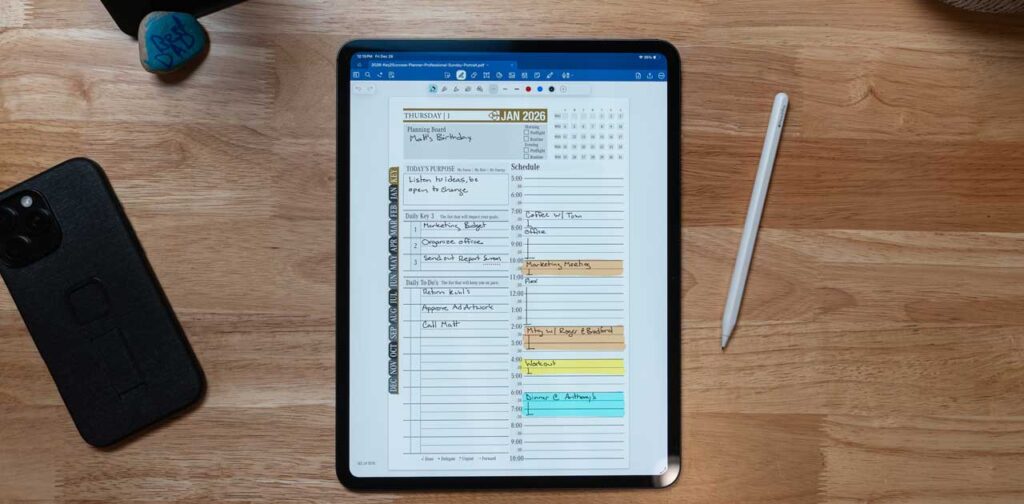
How to Stay Organized as a Pastor with a Digital Planner: Master Ministry Productivity Using Key2Success Planner and Sermon Tile
Staying organized as a pastor can be a daunting task, given the multitude of responsibilities that come with ministry. From sermon preparation to managing church events, the need for effective organization tools is paramount.
This article explores how digital planners, specifically the Key2Success Planner and Sermon Tile, can enhance productivity and streamline the organizational process for pastors.
Readers will learn about the benefits of digital planning, how these tools can improve sermon preparation, strategies for managing various ministry tasks, and overall how to stay organized as a pastor. By the end, you will have a comprehensive understanding of how to leverage these digital tools to foster a more organized and efficient ministry.
Key2Success has a lot of pastors using our digital planner, so we wanted to share how our planner in particular can help pastors in their important work.

Why Should Pastors Use a Digital Planner for Ministry Organization?
Digital planners have become essential tools for pastors seeking to enhance their organizational skills. They offer a range of benefits that traditional paper planners cannot match.
- Improved Time Management: Digital planners allow pastors to schedule their tasks efficiently, ensuring that important deadlines are met without the stress of last-minute preparations.
- Reduced Clutter: By digitizing notes and schedules, pastors can eliminate physical clutter, making it easier to find and manage information.
- Enhanced Collaboration: Many digital planners enable sharing and collaboration, allowing pastors to work seamlessly with church staff and volunteers.
What Are the Benefits of Digital Planning for Pastors and Ministry Leaders?
Digital planning offers several specific benefits for pastors and ministry leaders:
- Increased Productivity: Digital planners help streamline tasks, allowing pastors to focus on their core responsibilities.
- Accessibility Across Devices: With cloud-based solutions, pastors can access their planners from any device, ensuring they are always prepared, whether at home or on the go.
How Does Digital Planning Improve Sermon Note Taking and Time Management?
Digital planning significantly enhances sermon preparation through organized note-taking and effective time management.
- Streamlined Note-Taking Process: Digital planners allow for easy categorization and retrieval of sermon notes, making it simpler to reference past messages.
- Better Time Allocation: By using digital tools, pastors can allocate specific time slots for sermon preparation, ensuring they dedicate adequate time to this critical task.
The importance of effective note-taking in sermon preparation is further highlighted by research into digital communication.
Digital Note-Taking for Effective Sermon Communication
Second, it explores the culture of note-taking and note-keeping for both oral and digital. Good note-taking is neither writing down everything the speaker says, nor is it writing down only what is interesting to the note-taker.
THE CULTURE OF NOTE-TAKING AND EFFECTIVE SERMONIC COMMUNICATION., EA AJIBADE, 2022
How Does the Key2Success Digital Planner Enhance Pastor Productivity?
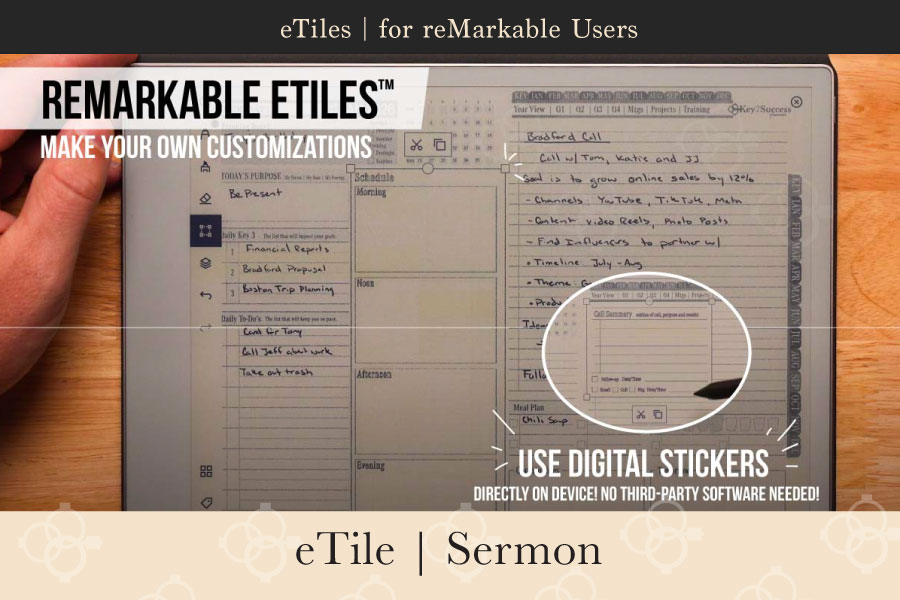
The Key2Success Digital Planner is designed specifically to meet the needs of pastors, offering features that enhance productivity and organization.
| Feature | Benefit |
|---|---|
| Cross-Device Compatibility | Access your planner on multiple devices, ensuring you are always connected. |
| Customizable Features | Tailor the planner to fit your unique ministry needs, enhancing usability. |
What Features Make the Key2Success Planner Ideal for Ministry Organization?
The Key2Success Planner includes several features that cater specifically to the needs of ministry leaders:
- Integration with Note-Taking Apps: The planner works seamlessly with popular applications like OneNote and GoodNotes, allowing for a smooth transition of notes and schedules.
- Customizable Layouts: Pastors can adjust the planner’s layout to suit their workflow, making it easier to manage tasks and appointments.
How Does the Planner Integrate with OneNote, GoodNotes, and reMarkable?
Integration capabilities are crucial for a digital planner’s effectiveness. The Key2Success Planner offers:
- Seamless Syncing: Users can sync their notes and schedules across devices, ensuring that all information is up-to-date.
- User-Friendly Interface: The planner’s design is intuitive, making it easy for pastors to navigate and utilize its features effectively.
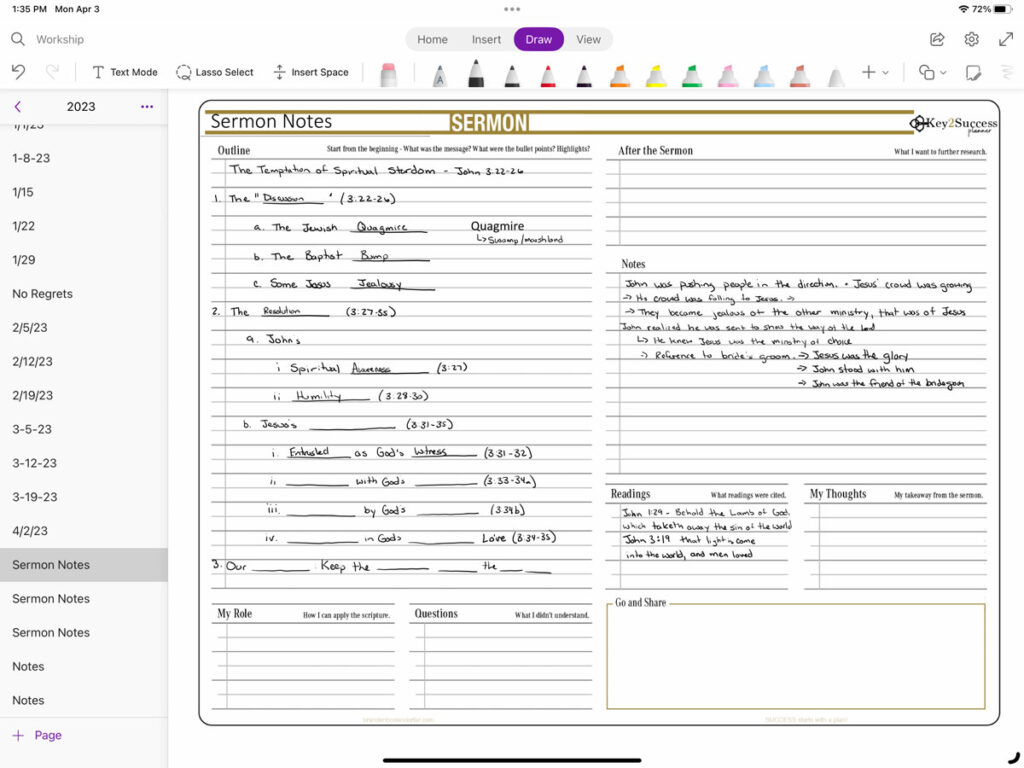
How Can Pastors Use the Key2Success Sermon Tile for Effective Sermon Preparation?
- Customization Options: Pastors can tailor the Sermon Tile to fit their specific needs, ensuring that it aligns with their sermon preparation style.
- Ease of Use: The user-friendly design allows for quick access to sermon notes and outlines, streamlining the preparation process.
What Are the Key Functions of the Sermon Tile for Sermon Note Taking?
The Sermon Tile offers several key functions that enhance sermon note-taking:
- Organized Note-Taking: Pastors can categorize their notes by topic or scripture, making it easier to retrieve information when needed.
- Flexible Layout Options: The Sermon Tile allows for various layouts, accommodating different styles of note-taking.
How to Customize the Sermon Tile to Fit Your Ministry Workflow?
Customizing the Sermon Tile is straightforward and can significantly enhance its effectiveness:
- Personalization Features: Users can adjust colors, fonts, and layouts to create a planner that reflects their personal style.
- Adaptability to Different Workflows: The Sermon Tile can be modified to suit various sermon preparation methods, ensuring it meets the unique needs of each pastor.

What Strategies Help Pastors Organize Ministry Tasks Beyond Sermon Planning?
Beyond sermon preparation, pastors can utilize digital planners to manage a variety of ministry tasks effectively.
- Managing Pastoral Visits: Digital planners can help schedule and track pastoral visits, ensuring that no important meetings are overlooked.
- Event Planning: Pastors can use planners to organize church events, from scheduling to task delegation.
Indeed, the broader application of digital tools extends to the very core of church leadership and management, emphasizing the need for digital literacy among clergy.
Digital Literacy & Leadership for Church Management
The study emphasizes the need to include digital literacy and leadership training in clergy development programs to equip church leaders with the necessary skills to navigate the complexities of the digital age.
Digital Leadership in The Age of Remote Work in Church Management
How to Manage Pastoral Visits, Church Events, and Volunteer Schedules Digitally?
Digital planners provide practical tools for managing various ministry tasks:
- Scheduling Tools: Integrated calendars allow pastors to set reminders for visits and events, ensuring they stay on track.
- Collaboration Features: Pastors can share their schedules with staff and volunteers, promoting better communication and coordination.
How Can Digital Planners Support Spiritual Growth and Goal Setting?
Digital planners can also play a vital role in personal spiritual growth:
- Tracking Spiritual Goals: Pastors can set and monitor spiritual goals, helping them stay focused on their personal development.
- Encouraging Personal Reflection: Digital planners often include sections for reflection, allowing pastors to evaluate their spiritual journey regularly.
Which Key2Success Planner Edition Is Best for Your Pastoral Role?
Choosing the right edition of the Key2Success Planner is crucial for maximizing its benefits.
| Edition | Target Audience | Key Features |
|---|---|---|
| Personal | Individual pastors | Basic planning features for personal use |
| Professional | Ministry leaders | Advanced features for managing larger teams |
| Business | Church administrators | Comprehensive tools for church management |
| Executive | Senior pastors | High-level planning and strategic features |
What Are the Differences Between Personal, Professional, Business, and Executive Editions?
Each edition of the Key2Success Planner offers unique features tailored to different roles within the ministry:
- Personal Edition: Ideal for individual pastors focusing on personal organization.
- Professional Edition: Designed for ministry leaders who need advanced planning tools.
- Business Edition: Best for church administrators managing multiple tasks and teams.
- Executive Edition: Tailored for senior pastors requiring strategic planning capabilities.
How to Choose the Right Edition Based on Your Ministry Needs?
Selecting the right planner edition involves assessing your specific ministry needs:
- Assessing Personal Needs: Consider your daily tasks and responsibilities to determine which features are essential.
- Evaluating Ministry Context: Reflect on the size and structure of your ministry to choose an edition that supports your organizational goals.
How to Get Started with Your Key2Success Digital Planner and Sermon Tile?
Getting started with the Key2Success Digital Planner and Sermon Tile is a straightforward process.
- Installation Steps: Download the planner from the official Key2Success website and follow the installation instructions for your device.
- Syncing Across Devices: Ensure that your planner is synced across all devices for easy access.
What Are the Steps to Install and Sync the Planner Across Devices?
To install and sync the Key2Success Planner:
- Installation Process: Follow the provided instructions to install the planner on your preferred devices.
- Syncing Tips: Regularly check your sync settings to ensure all devices are updated with the latest information.
Where to Find Coaching and Support for Maximizing Planner Use?
For those looking to maximize their use of the Key2Success Planner, coaching and support are available:
- Coaching Services: Key2Success offers coaching services to help users effectively implement the planner into their daily routines.
- Online Resources: A variety of online resources, including tutorials and webinars, are available to assist users in getting the most out of their planners.