Everything you need to know about reMarkable and the Best Digital Planner Options
Everything You Need to Know About reMarkable and the Best Digital Planner Options for Productivity
The reMarkable tablet has revolutionized the way we approach digital planning, offering a unique blend of technology and traditional note-taking.
This comprehensive guide will delve into everything you need to know about reMarkable and the best digital planner options available, particularly focusing on the Key2Success Digital Planner. Readers will learn how these tools can enhance productivity, streamline organization, and improve overall efficiency in both personal and professional settings.
Many individuals struggle with maintaining focus and organization in a fast-paced digital world, but the reMarkable tablet, combined with effective digital planners, provides a solution that merges the tactile experience of writing with the benefits of digital technology.
This article will cover the features of reMarkable, the various Key2Success planner editions, installation and usage tips, productivity advantages, coaching services, and comparisons with other digital planner options.

What Is a reMarkable Digital Planner and Why Choose It?
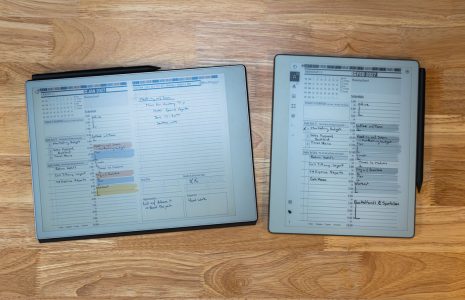
A reMarkable digital planner is a specialized tool designed to work seamlessly with the reMarkable tablet, allowing users to plan, organize, and take notes in a digital format that mimics the feel of paper.
This innovative device utilizes an e-ink display, which provides a paper-like experience while offering the advantages of digital technology, such as easy editing and organization. The primary benefit of using a reMarkable digital planner is the ability to combine the tactile satisfaction of writing with the efficiency of digital tools, making it an ideal choice for those looking to enhance their productivity.
The reMarkable device enhances digital planning through its unique features, including a high-resolution e-ink display that reduces eye strain and a stylus that allows for precise handwriting. Users can easily navigate their planners, making adjustments and edits as needed, which is a significant advantage over traditional paper planners. Additionally, the ability to sync notes and plans to the cloud ensures that users can access their information from anywhere, further streamlining the planning process.
How Does the reMarkable Device Enhance Digital Planning?
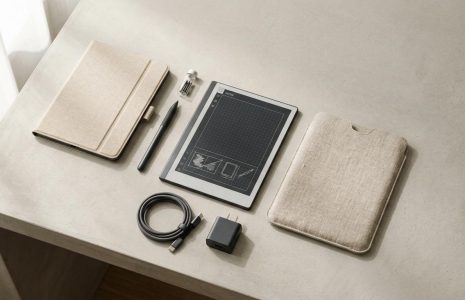
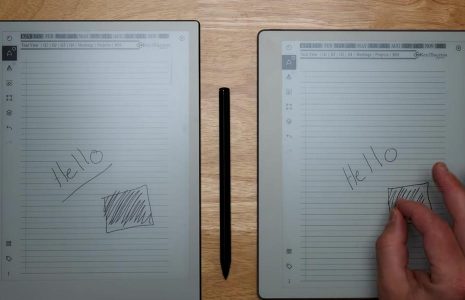
The reMarkable tablet enhances digital planning through its advanced e-ink technology, which provides a clear and crisp display that closely resembles paper. This feature allows users to write and draw with precision using the stylus, making note-taking and planning feel natural and intuitive. The device’s lightweight design and long battery life also contribute to its usability, allowing users to carry it anywhere without worrying about frequent recharging.
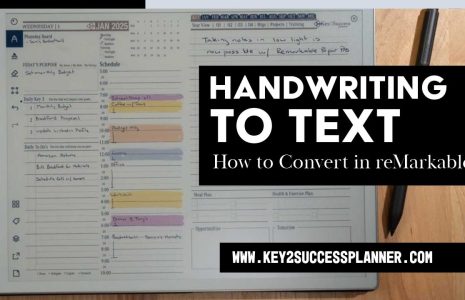
Moreover, the reMarkable tablet supports various file formats, enabling users to import and export documents easily. This flexibility allows for seamless integration with other digital tools and platforms, enhancing the overall planning experience. The device’s handwriting conversion feature further elevates its functionality, converting handwritten notes into typed text, which can be particularly useful for those who prefer writing by hand but need digital accessibility.
What Are the Key Benefits of Using Digital Planners on reMarkable?
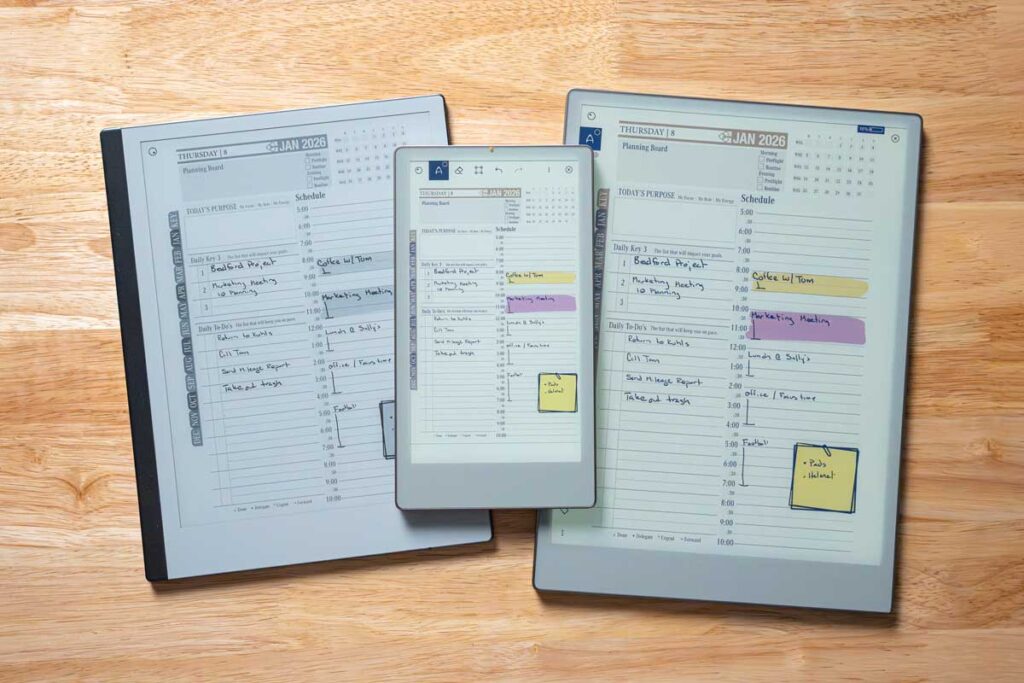
Using digital planners on the reMarkable tablet offers several key benefits that enhance productivity and organization. Firstly, digital planners provide a level of customization that traditional planners cannot match. Users can easily modify layouts, add or remove pages, and incorporate various templates to suit their specific needs. This flexibility allows for a more personalized planning experience.
Secondly, digital planners facilitate better organization through features such as tagging, searching, and categorizing notes. Users can quickly locate specific information without flipping through pages, saving time and increasing efficiency. Additionally, the ability to sync notes to the cloud ensures that important information is always accessible, regardless of the device being used.
Lastly, digital planners on reMarkable promote sustainability by reducing paper waste. Users can create, edit, and delete notes without the need for physical paper, making it an environmentally friendly option for those looking to minimize their ecological footprint.
Which Key2Success Digital Planner Editions Work Best on reMarkable?
What Features Differentiate Personal, Professional, Business, and Executive Editions?
| Edition | Features | Target Audience |
|---|---|---|
| Personal Planner | Daily, weekly, and monthly layouts; customizable templates | Individuals seeking personal organization |
| Professional Planner | Project management tools; goal-setting sections | Professionals managing work tasks |
| Business Planner | Team collaboration features; meeting notes | Business teams and managers |
| Executive Planner | High-level overview; strategic planning tools | Executives and decision-makers |
How Do eTiles Customize Your Key2Success Planner on reMarkable?
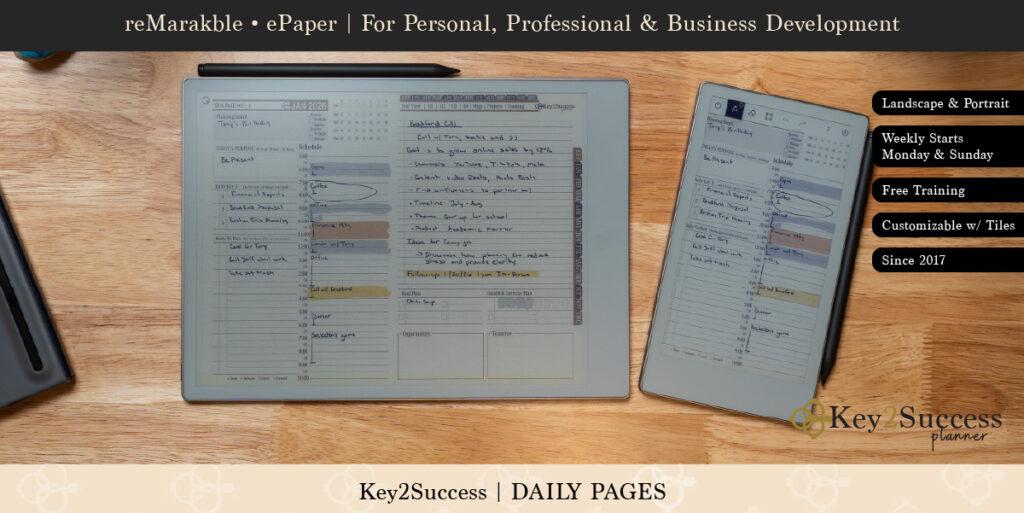
eTiles are a unique feature of the Key2Success planners that allow for extensive customization. These digital tiles can be added to planners to create interactive elements, such as checklists, calendars, and goal trackers. Users can easily drag and drop eTiles into their planners, tailoring their planning experience to fit their preferences.
The flexibility of eTiles enhances the usability of the Key2Success planners, enabling users to create a dynamic planning environment that evolves with their needs. This customization not only makes planning more engaging but also helps users stay motivated and organized.
How to Install and Use Key2Success Planners on reMarkable Devices
What Is the Step-by-Step Installation Process for reMarkable 1, 2, and reMarkable Paper Tablet?
- Download the Planner: Purchase and download the desired Key2Success planner edition from the official website.
- Transfer to Device: Connect your reMarkable tablet to your computer and transfer the downloaded planner file to the device.
- Open the Planner: Once the transfer is complete, open the planner on your reMarkable tablet and start customizing it to your liking.
How Can You Master Navigation and Handwriting with Key2Success on reMarkable?
Mastering navigation and handwriting on the reMarkable tablet is essential for maximizing the effectiveness of the Key2Success planners. Users can enhance their navigation skills by familiarizing themselves with the tablet’s interface, utilizing gestures to switch between pages, and employing the search function to locate specific notes quickly.
To improve handwriting, users should practice using the stylus to develop a comfortable grip and writing style. The reMarkable tablet’s handwriting conversion feature can also be utilized to convert handwritten notes into typed text, making it easier to organize and edit information.
What Are the Productivity Advantages of Digital Planning with Key2Success on reMarkable?
How Does Digital Planning Improve Goal Setting and Workflow Optimization?
Digital planning facilitates effective goal setting by allowing users to break down larger objectives into manageable tasks. The Key2Success planners provide structured layouts that encourage users to outline their goals, set deadlines, and track progress. This systematic approach helps individuals stay focused and accountable, ultimately leading to higher achievement rates.
Additionally, digital planners optimize workflow by enabling users to prioritize tasks and allocate time effectively. The ability to visualize daily, weekly, and monthly schedules allows for better time management, reducing the likelihood of missed deadlines and increasing overall productivity.
What Role Does Cloud Sync and Handwriting-to-Text Play in Your Planning?
Cloud sync is a crucial feature that enhances the usability of digital planners on the reMarkable tablet. By syncing notes and plans to the cloud, users can access their information from multiple devices, ensuring that they are always up-to-date, regardless of where they are. This feature is particularly beneficial for individuals who work across different platforms or need to collaborate with others.
The handwriting-to-text functionality further streamlines the planning process by converting handwritten notes into typed text. This capability allows users to easily organize and share their notes, making collaboration more efficient and effective.
How Does Key2Success Coaching Complement Your reMarkable Digital Planner?
What Professional Coaching Services Are Available for Digital Planner Users?
Key2Success provides various coaching services tailored to digital planner users, including one-on-one coaching sessions, group workshops, and online courses. These services focus on helping individuals develop effective planning strategies, improve time management skills, and enhance overall productivity.
By integrating coaching with digital planning, users can gain valuable insights and techniques that empower them to make the most of their planners and achieve their goals more effectively.
How Can the Key2Success Community Support Your Productivity Journey?

The Key2Success community offers a supportive environment for digital planner users, providing resources, networking opportunities, and shared experiences. Members can access forums, webinars, and group discussions that foster collaboration and knowledge sharing.
This community support can be instrumental in motivating users to stay committed to their planning goals, as they can learn from others’ successes and challenges. Engaging with a community of like-minded individuals enhances the overall experience of using Key2Success planners.
How Does Key2Success Compare to Other Digital Planner Options for reMarkable?
What Unique Features Make Key2Success Stand Out Among reMarkable Planners?
Key2Success planners offer several unique features that differentiate them from other digital planners. These include customizable eTiles, a variety of planner editions tailored to different needs, and a strong focus on productivity and goal setting. The integration of coaching services further enhances the value of Key2Success planners, providing users with additional resources to maximize their planning effectiveness.
Which Factors Should You Consider When Choosing the Best Digital Planner for reMarkable?
- Customization Options: Look for planners that allow for personalization to suit your specific needs.
- Usability: Ensure the planner is easy to navigate and integrates well with the reMarkable device.
- Support Resources: Consider planners that offer additional resources, such as coaching or community support, to enhance your planning experience.
By evaluating these factors, users can choose a digital planner that aligns with their productivity goals and enhances their overall planning experience.
Frequently Asked Questions
What are the best practices for using a reMarkable digital planner effectively?
To use a reMarkable digital planner effectively, start by familiarizing yourself with the device’s features, such as the handwriting-to-text conversion and cloud sync capabilities. Establish a consistent planning routine, dedicating time each day or week to review and update your planner. Utilize customizable templates and eTiles to tailor your planner to your specific needs. Additionally, regularly set and review your goals to maintain focus and motivation. Engaging with the Key2Success community can also provide valuable tips and support.
Can I use my reMarkable tablet for other purposes besides digital planning?
Yes, the reMarkable tablet is versatile and can be used for various purposes beyond digital planning. It is excellent for note-taking, sketching, and reading documents, thanks to its e-ink display that mimics paper. Users can annotate PDFs, create digital sketches, and even convert handwritten notes into typed text. The device’s ability to sync with cloud services allows for easy access to documents and notes across multiple devices, making it a valuable tool for both personal and professional use.
How does the reMarkable tablet compare to traditional paper planners?
The reMarkable tablet offers several advantages over traditional paper planners. It combines the tactile experience of writing with the benefits of digital technology, such as easy editing, organization, and cloud syncing. Users can customize layouts, add or remove pages, and search for specific notes quickly, which is not possible with paper planners. Additionally, the reMarkable tablet promotes sustainability by reducing paper waste, allowing users to create and manage their plans without the environmental impact of traditional paper products.
What types of templates are available for Key2Success planners?
Key2Success planners offer a variety of templates designed to cater to different planning needs. Users can find daily, weekly, and monthly layouts, as well as specialized templates for project management, goal setting, and team collaboration. These templates can be customized with eTiles to create interactive elements like checklists and calendars. The flexibility of these templates allows users to tailor their planning experience, making it easier to stay organized and focused on their objectives.
Is there a learning curve for new users of the reMarkable tablet?
While there may be a slight learning curve for new users of the reMarkable tablet, the device is designed to be user-friendly. Most users quickly adapt to the interface and features, especially if they take the time to explore the functionalities. Tutorials and community resources can help ease the transition. Practicing handwriting with the stylus and familiarizing oneself with navigation gestures will enhance the overall experience. With regular use, users will find the tablet intuitive and efficient for their planning needs.
How can I integrate my reMarkable planner with other digital tools?
Integrating your reMarkable planner with other digital tools is straightforward due to its compatibility with various file formats. Users can import and export documents, allowing for seamless collaboration with other applications. For instance, you can sync your planner with cloud services like Google Drive or Dropbox to access your notes from multiple devices. Additionally, using tools like Zapier can help automate tasks between your planner and other productivity apps, enhancing your overall workflow and efficiency.
Conclusion
Utilizing the reMarkable tablet with Key2Success digital planners significantly enhances productivity and organization through customizable features and seamless integration. These tools not only provide a tactile writing experience but also promote sustainability by reducing paper waste. By embracing this innovative approach to planning, users can achieve their goals more effectively and efficiently. Discover the full range of Key2Success planners and elevate your productivity journey today.