How Siri Fills In Your Key2Success Professional Builder Pages
Siri reads your Key2Success Professional Builder page directly in OneNote, GoodNotes, or Notability on iOS 27 and answers questions about Vision, Goals, Key Values, and Key Vitals sections, but it only gives a strong answer once you tell it what you’re using and what you’re trying to accomplish.
Most people blame Siri when it hands back a vague answer about their Key2Success Professional Builder page. That’s the wrong read on what happened. In nearly every test I’ve run since iOS 27 shipped, the assistant performed exactly as well as the question it was asked, no better and no worse.
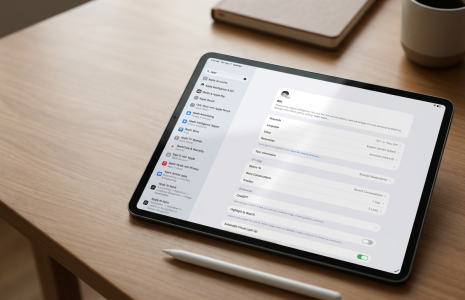
The Professional Builder page in the Key2Success Digital Planner walks you through Vision, Key Resources, three years of Goals, Key Values, Key Vitals, Organizational Impact, your Reaction/Adaptation Process, a 10-Year Target, your Absolutes, and My Role, all on one page. Siri can now read that page directly in OneNote, GoodNotes, or Notability and talk you through any section of it. But the assistant doesn’t know what a useful answer looks like for you until you tell it.
Here’s the part I didn’t expect going in: better AI isn’t what fixes a bad prompt. I’ve had Siri deliver sharp, coaching-level answers and flat, generic ones off the exact same page, with the only difference being how much context I gave it before I asked.
I’ve asked Siri for help across a number of pages in the planner, not just the Professional Builder, including the daily scheduling pages. In almost every case, once I gave it real context, it delivered a high-performing answer, and the results kept improving the more I used it, the same way you’d get better coaching from someone the longer you worked with them.
What Siri Actually Reads on the Page
Once Apple Intelligence and Siri are turned on and your note-taking app has App Access granted, Siri reads whatever is visible on your Professional Builder page, whether it’s blank, half-filled, or complete. That includes the section labels themselves: Vision, Key Resources, each year of Goals, Key Values, Key Vitals, Organizational Impact, your Reaction/Adaptation Process, the 10-Year Target, your Absolutes, and My Role. Ask about any one of them by name and Siri narrows its answer to that section instead of talking about the whole page at once.
Apple has positioned on-device Apple Intelligence as a core reason to look at Siri differently in iOS 27, and that context matters here: the assistant isn’t just transcribing what’s on your screen, it’s reasoning about it against what you tell it you’re trying to do.
The Prompt That Gets a Real Answer (And the One That Doesn’t)
Ask it wrong and Siri fills in something generic. Ask it right and it does what a page like this is supposed to do: coach you.
Here’s a prompt that gets a flat answer: “Hey, can you tell me what page I’m looking at and how to use it?” Siri can usually name the page if the labels are visible, but a question that vague gets a vague answer back.
Here’s the version that gets a real one: “Hey, I’m using the Key2Success Planner. I’m really interested in learning how to build out the Professional Builder page and help myself accomplish some of the challenges I’m facing.” That single sentence tells Siri three things: what tool you’re in, which page you’re on, and what outcome you actually want. Siri also checks the web to help answer planning questions, so the more instructional detail you hand it, the better the search behind the answer gets.
Why Siri Misreads a Page: It’s Not Siri, It’s the Prompt
Siri has misread a page on me. It happens. But every time I traced it back, the cause wasn’t the assistant. It was a prompt with no context behind it.
If you’re vague with Siri, it’s going to be vague back with you. Leave out what you’re trying to accomplish and you’re leaving it to guess, and a guess pulled from a generic web search doesn’t sound like coaching. Feed it detail instead: name the page, name the goal, and if it helps, name the specific line item you’re stuck on.
One more thing worth saying to anyone starting out: build the relationship up. Start at a low entry point, ask Siri something simple about your planner first, then layer in harder questions once you’ve seen how it responds. You get a better answer from a tool you’ve actually worked with a few times than one you’re using cold on a hard question.
What Coaching Clients Are Asking Siri to Check
I’ve shown this feature to a number of the people I coach, and the reaction surprised me. They weren’t just excited that Siri could explain the page. They were excited that they could hand Siri a photo of the page they’d actually filled out and ask how their planning stacked up against my coaching.
More than one client has asked Siri directly whether a completed Professional Builder page aligned with the way I coach goal-setting and Key Values. They told me the feedback felt worth the time, not just a summary read back to them. That’s a different use case than reading a blank page. It’s using Siri as a second set of eyes on work you’ve already done.
Frequently Asked Questions
Does Siri need Apple Intelligence turned on to read my Professional Builder page?
Yes. Apple Intelligence and Siri are a single combined setting on iOS 27, and it has to be on, along with App Access for your note-taking app, before Siri can read anything on the page.
What’s the actual difference between a good prompt and a bad one?
A bad prompt asks Siri to describe the page. A good prompt names the tool, the page, and the specific outcome you want, which gives Siri something to actually reason about instead of just summarize.
Can Siri check my completed page against Key2Success coaching principles?
Yes. Several of my coaching clients have shown Siri a completed Professional Builder page and asked how their planning aligns with the coaching methodology, and reported the feedback was useful, not generic.
Does this work the same on iPhone and iPad?
Yes. Siri runs on the same underlying model and platform on both devices, so the setup steps and the quality of the answers don’t change based on which one you’re using.
Does Siri edit my planner page directly?
No. Siri reads what’s visible on the page to answer your question or compare it to your Calendar and Reminders. It doesn’t write to or change anything on the page itself.
What if I don’t get a good answer the first time?
Rephrase with more context rather than repeating the same question. Name the page and your goal specifically, and treat the first few exchanges as building a working relationship with the tool rather than a one-shot test.
Quick Answers
- Does it work in GoodNotes and Notability, not just OneNote?
- Yes. Siri reads whatever note-taking app has App Access granted and your planner page open.
- Do I need to say “Hey Siri” every time?
- No. Once Siri is turned on, you can trigger it by voice or however your device is set up to invoke Siri.
- Does the page need to be filled out for Siri to help?
- No. Siri can coach you through a blank or half-filled Professional Builder page as easily as a finished one.
- Can I ask about one specific section, like Key Vitals or the 10-Year Target?
- Yes. Naming the exact section gets a narrower, more useful answer than asking about the whole page.
- Can Siri compare two different planner pages at once?
- No. Siri reads what’s currently visible on screen, so ask about one page at a time.
- Do I need an internet connection?
- Yes. Siri checks live web results as part of answering planning questions, so it isn’t a fully offline feature.
- Will Siri give the same advice every time I ask the same question?
- Not necessarily. The answer changes with how much context you give it, which is why the exact wording of your prompt matters.
- Does this feature cost anything beyond iOS 27?
- No. It requires a supported device with Apple Intelligence enabled, but there’s no separate charge for the feature itself.
Prompts to Try on Your Own Professional Builder Page
- “I’m using the Key2Success Planner. Help me think through my Vision statement on the Professional Builder page.”
- “Looking at my Key Values on this page, what am I missing compared to my Goals for Year One?”
- “I’m stuck on my 10-Year Target. Ask me questions that help me narrow it down.”
- “Does what I wrote under Organizational Impact actually support my Absolutes on this page?”
- Key2Success iOS 27 AI Planning Hub: the full buyer’s guide to every AI feature in the ecosystem
- How to Connect Siri to Your Key2Success Digital Planner in iOS 27: the setup steps this article builds on
- Siri Reminders Sync: Keeping Your Digital Planner and iPhone in Step: what happens once your to-do list leaves this page
Get the Planner Siri Is Talking To
These prompts only work if you’re running the current Key2Success Digital Planner. Grab it to follow along in OneNote, GoodNotes, or Notability.
Sources: Apple iOS overview, Apple Siri support, iOS 27 Siri Syncs Your Digital Planner video.