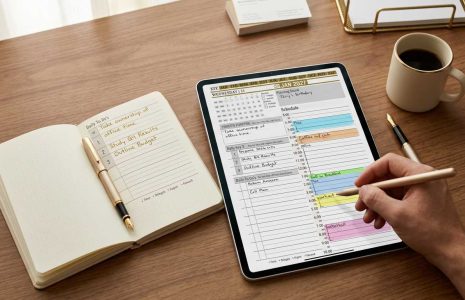
share your digital planning success story
Articles / News / vLog Oct 03
By Bodendorfer 0 Comments

Since starting Key2Success in 2019, we’ve had the great honor to share it with people all over the world! Many users return every year to get the new version and we love hearing how the planner has helped them achieve their goals and organize this crazy thing we call life.

We’d love to hear from YOU on how the Key2Success Planner has benefited you! If you’d like to share your story with us, please email us here. We’ll be sharing some of these stories on an upcoming blog series.

It’s been an amazing few years and we’re excited to go into 2023 with a growing community of digital planners! Thanks for being a part of the K2S community!

Key2Success Planners

Choose the Application that you plan to use for digital planning.

OneNote

OneNote logo featuring a purple notebook icon, representing a digital planning tool for effective organization and note-taking.

Application works across Windows, Android and Apple. Also Web version all available. Great for Desktop, Laptop and Mobile users.

Promotional banner for Key2Success planner offering discounts and a money-back guarantee, emphasizing digital planning benefits and a call to action for users on Samsung devices.

GoodNotes

GoodNotes app icon featuring a notepad with lines and a stylus, representing digital planning and note-taking tools for Apple devices.

Application works across Apple devices. Great for iPad, Mac and iPhone users. PDF Annotation App designed for Note-Taking

Noteshelf

Noteshelf app icon featuring a blue background with a white pen, representing digital planning and note-taking tools for Apple devices.

Application works across Apple devices. Great for iPad, Mac and iPhone users. PDF Annotation App designed for Note-Taking

Notability

Notability app icon featuring a pencil on a blue background, representing digital note-taking tools for Apple devices in the context of digital planning.

Application works across Apple devices. Great for iPad, Mac and iPhone users. PDF Annotation App designed for Note-Taking

Samsung Notes

Samsung Notes application icon, designed for digital planning on Samsung devices, highlighting note-taking features.

Application works across Samsung devices. Great for Samsung Tab and Samsung Galaxy Users. Including Z Fold 3, S6, S7, S8 and S22. 

reMarkable

reMarkable logo on a black background, representing ePaper devices for digital note-taking and PDF annotation.

Works with ePaper Devices, like the reMarkable, SuperNote and many more. A PDF Annotation Planner allows users to take digital notes.

Promotional banner for Key2Success planner offering discounts and a money-back guarantee, emphasizing digital planning benefits and a call to action for users on Samsung devices.

Leave a Comment