2026 Personal planner is FREE with any 2027 planner — or save 80% when you bundle your matching edition. Get Started
amazon kindle scribe digital planner
Articles / News / vLog Sep 29
By Branden Bodendorfer 0 Comments

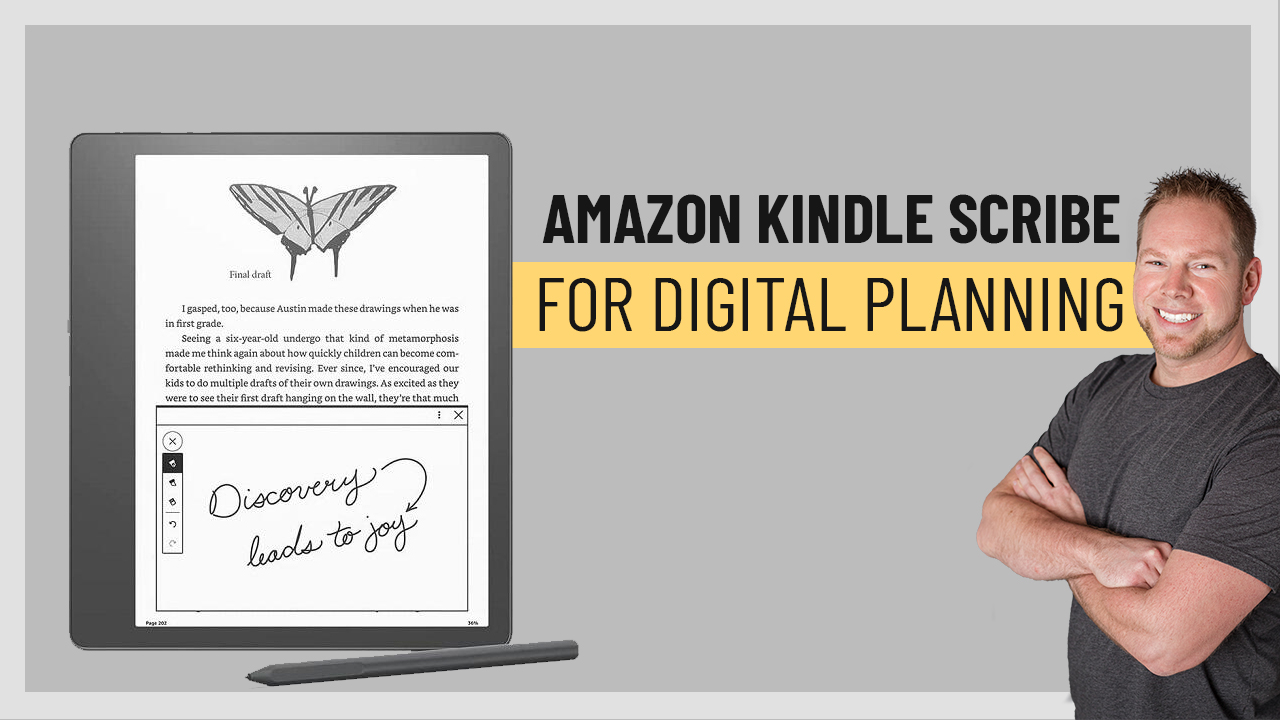
Amazon announced the new Kindle Scribe, the first Kindle that will feature both reading AND writing options. This is a game changer for digital planning! Using the Amazon Kindle Scribe for digital planning combines the already popular e-reader device with the power to do so much more.

Featuring a paperwhite display, users will be able to take notes in books, keep to-do lists and journal, and most importantly (in our opinion) harness the power of digital planning! We already love the Kindle for an e-reader and now it’s going to be even more powerful. (Can you tell we’re excited to get one?)

“Kindle Scribe is the best Kindle we’ve ever built, creating a reading and writing experience that feels like real paper,” said Kevin Keith, vice president of Amazon Devices. “It’s inspired by the Kindle customers who have added billions of notes and highlights to books over the years, and it’s also ideal for reviewing and marking up documents, managing your to-do list, or doodling over a big idea. Plus, it offers all the Kindle benefits customers know and love—millions of books on demand, adjustable fonts, premium reading features, and weeks and weeks of battery life—with the benefit of a beautiful, large display.”

According to the press release, Kindle Scribe comes with a Basic or Premium pen option. Both pens deliver incredible precision, feel natural in your hand, and magnetically attach to the side of the device. They also support a variety of line widths, a highlighter tool, eraser tools, and an undo tool—all easily accessible in the on-display writing menu. The Premium Pen also includes a dedicated eraser on top and a customizable shortcut button, enabling the pen to function as an eraser or highlighter, or to open a new sticky note when the button is pressed.

Today is the best day to start planning with Key2Success digital planner, featuring a money-back guarantee, promotional savings, and a call to action for personal and professional planners.

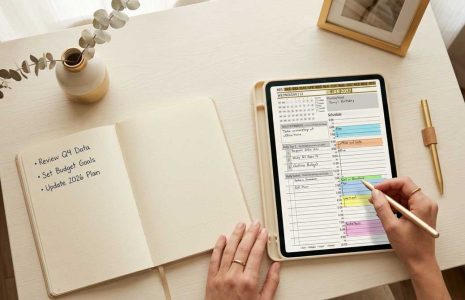
Using a digital planner on the Kindle Scribe means that you’ll be able to write notes directly on the device like you would a paper planner (which is the whole idea of digital planning!).

The Key2Success Digital Planner is designed to help you not only organize your life, but achieve your goals. We only get one life and it’s much too short to not make the most of it!

With the Send-to-Kindle feature, you can import personal documents from your computer or phone to Kindle Scribe and write directly on PDF documents. You can also import and create handwritten sticky notes in Microsoft Word documents, web articles, and other document formats with adjustable font sizes and layout. From early 2023, you will be able to send documents to Kindle Scribe directly from within Microsoft Word.

Learn more about the Key2Success Digital Planning System here:

AMAZON SCRIBE & EPAPER DIGITAL PLANNER SHOP

Key2Success Planners

Choose the Application that you plan to use for digital planning.

2023 Digital Planners

OneNote

OneNote logo featuring a purple notebook icon, representing a digital planning tool for effective organization and note-taking.

Application works across Windows, Android and Apple. Also Web version all available. Great for Desktop, Laptop and Mobile users.

GoodNotes

GoodNotes app icon featuring a notepad with lines and a stylus, representing digital planning and note-taking tools for Apple devices.

Application works across Apple devices. Great for iPad, Mac and iPhone users. PDF Annotation App designed for Note-Taking

Noteshelf

Noteshelf app icon featuring a blue background with a white pen, representing digital planning and note-taking tools for Apple devices.

Application works across Apple devices. Great for iPad, Mac and iPhone users. PDF Annotation App designed for Note-Taking

Notability

Notability app icon featuring a pencil on a blue background, representing digital note-taking tools for Apple devices in the context of digital planning.

Application works across Apple devices. Great for iPad, Mac and iPhone users. PDF Annotation App designed for Note-Taking

Samsung Notes

Samsung Notes application icon, designed for digital planning on Samsung devices, highlighting note-taking features.

Application works across Samsung devices. Great for Samsung Tab and Samsung Galaxy Users. Including Z Fold 3, S6, S7, S8 and S22. 

reMarkable

reMarkable logo on a black background, representing ePaper devices for digital note-taking and PDF annotation.

Works with ePaper Devices, like the reMarkable, SuperNote and many more. A PDF Annotation Planner allows users to take digital notes.

Today is the best day to start planning with Key2Success digital planner, featuring a money-back guarantee, promotional savings, and a call to action for personal and professional planners.

Leave a Comment

FREE WORKSHEET | KEY2SUCCESS

Q4 Forward

Finish 2026 Strong. Set Up 2027.

The first week of Q4 wraps up October 7. Download the free worksheet and have your plan in place before then: one hour, three goals, three first moves.

Plan before October 7
00Days00Hrs00Min00Sec

Free. Instant PDF download. Print it or use it in your note app.

FREE Q4 WORKSHEET  Get your Q4 plan set before October 7.

00Days00Hrs00Min00Sec